

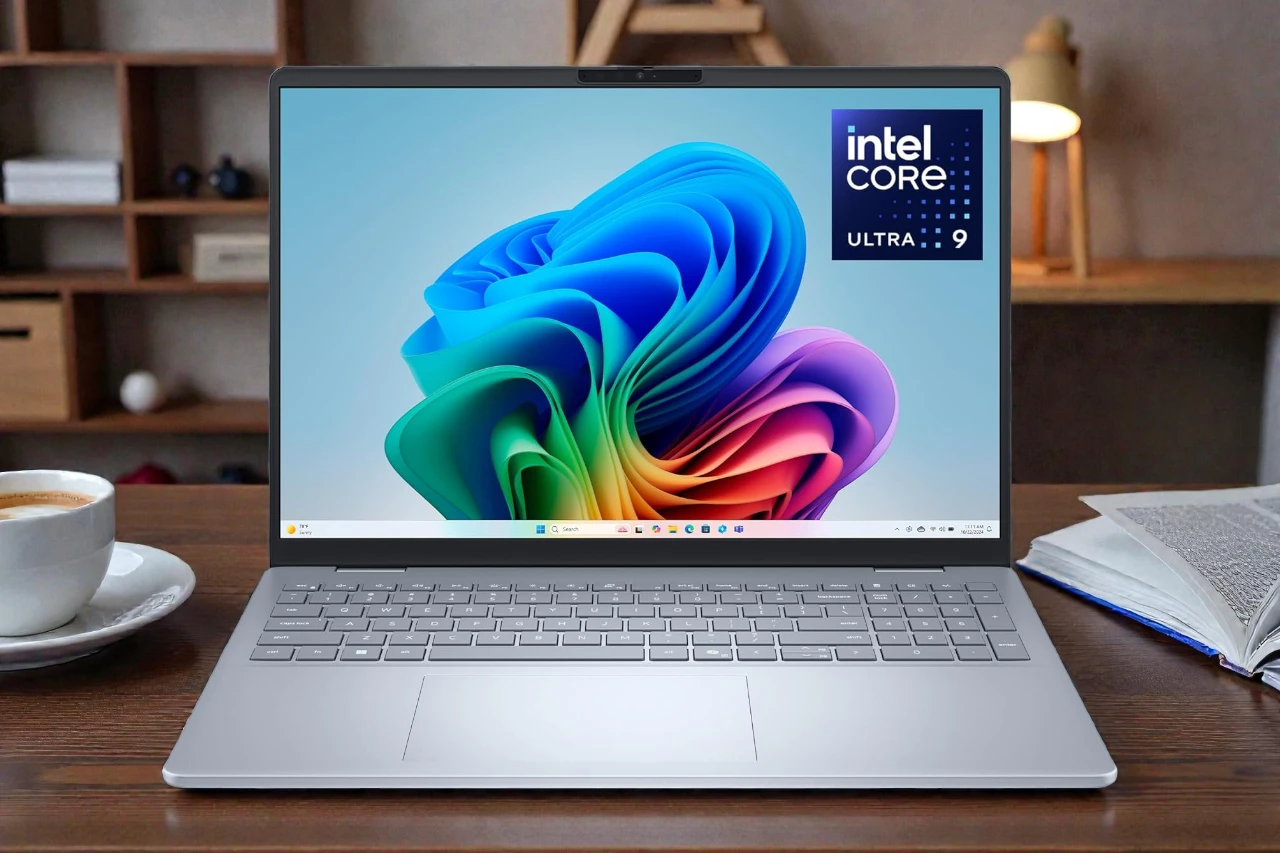
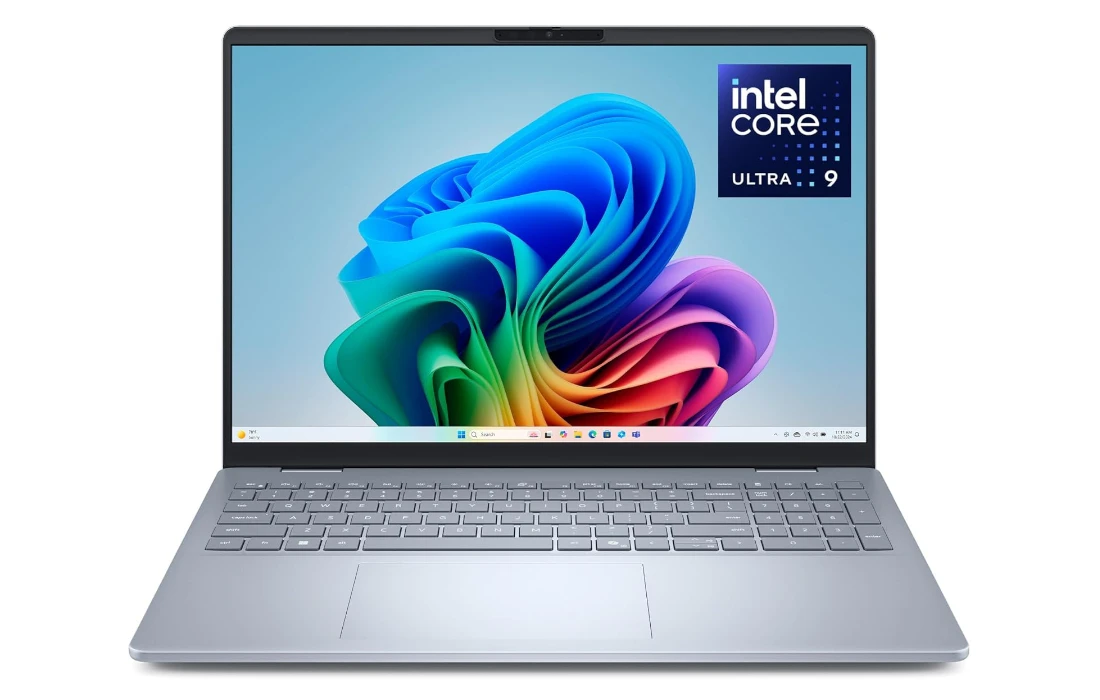
Dell 16 Plus Laptop (DB16250) — Big 2.5K Screen, AI-Ready Power
Our take: a strong 16-inch productivity and creator laptop with Core Ultra 9 performance, 32GB RAM, and a roomy 2TB SSD—built for modern Windows 11 AI features.
- 16-inch 16:10 2.5K (2560×1600) anti-glare display for multitasking
- Core Ultra 9 + NPU for modern AI features and smoother video calls
- 32GB LPDDR5X + 2TB NVMe SSD with Intel Arc graphics for creators
- CPU
- Intel Core Ultra 9 288V
- Memory
- 32GB LPDDR5X (8533 MT/s)
- Storage
- 2TB M.2 PCIe NVMe SSD
- Display
- 16″ 2.5K 16:10 (2560×1600)
If you are looking for a big-screen Windows laptop that can keep up with demanding productivity, light content creation, and the first wave of AI-enhanced workflows, the Dell 16 Plus DB16250 is clearly designed for you. It combines a modern Intel Core Ultra 9 288V processor, 32GB of fast LPDDR5X memory, a roomy 2TB PCIe SSD, and a sharp 16-inch 2.5K display in a clean, professional chassis.
In this in-depth review, we will walk through what this machine actually offers in day-to-day use: design, display quality, keyboard and ports, raw performance, AI features, battery life, and overall value. By the end, you should have a clear idea of whether the Dell 16 Plus belongs on your short list—or whether you should be looking elsewhere.
Key Specifications at a Glance
Model: Dell 16 Plus Laptop (DB16250)
Display: 16.0-inch 16:10 2.5K (2560×1600) anti-glare panel
CPU: Intel® Core™ Ultra 9 288V
GPU: Intel® Arc™ Graphics (integrated)
RAM: 32GB LPDDR5X, 8533 MT/s (soldered)
Storage: 2TB M.2 PCIe NVMe SSD
Operating System: Windows 11 Home
Color: Ice Blue
Keyboard: Backlit keyboard with dedicated numeric keypad + Copilot key
Webcam: FHD+ webcam with IR for Windows Hello
Audio: HD audio, dual speakers
Special Features: Built-in AI acceleration (CPU + GPU + NPU), anti-glare display, numeric keypad, Copilot key, Studio Effects, Live Captions, Cocreator
Ports:
- USB-A 5 Gbps
- 3.5mm headset jack
- HDMI
- USB-C with DisplayPort
- USB-C/Thunderbolt (also used for charging with the 65W Type-C adapter)
Battery Life Claim: Up to around 10 hours (local video playback benchmark, configuration dependent)
Included in the Box: Dell 16 Plus DB16250 laptop, 65W Type-C adapter, power cord, documentation

Design and Build Quality
The Dell 16 Plus follows the modern “business-plus-creator” design language: clean, minimal lines, a slim profile, and a restrained Ice Blue finish that stands out just enough without being flashy. It is the kind of laptop that looks appropriate in a meeting room, on a coworking desk, or in a lecture hall.
The chassis uses high-quality materials and is part of Dell’s “Plus” family, which is marketed as a step up from their entry Inspiron line in terms of fit, finish, and durability. Dell highlights that these laptops go through military-grade testing, which typically includes temperature, vibration, and drop tests. You are not going to treat it like a rugged laptop, but you can expect it to survive daily commuting, frequent lid openings, and constant plugging and unplugging without feeling fragile.
The 16-inch form factor strikes a balance between a desktop-replacement experience and mobility. It is obviously larger than an ultra-portable 13-inch machine, but the narrow bezels and modern 16:10 aspect ratio mean you get more vertical screen space without an excessively huge footprint. For anyone used to juggling spreadsheets, timelines, or multiple documents, that extra height is genuinely useful.
The hinge feels designed for frequent adjustments, and the lid can be opened with one hand—small touches that add up in daily use. The subtle chamfered edges keep the laptop from digging into your palms while carrying it, and the Ice Blue finish hides fingerprints better than glossy black surfaces.
Overall, the design philosophy here is “understated professional”: nothing loud, no gamer RGB, just a clean, reliable look that will age well.
Display: 16-inch 2.5K 16:10 Panel
One of the headline features of the Dell 16 Plus is its 16-inch 2.5K (2560×1600) display with a 16:10 aspect ratio. This immediately sets it apart from older 16:9 Full HD panels for office work and content creation.
Sharpness and Working Space
At 2560×1600 resolution, the screen is significantly sharper than standard 1080p. Text looks crisp, UI elements are well-defined, and photos/videos benefit from the extra detail. For creative professionals and advanced users, this resolution makes it easier to work on more complex layouts or timelines without constantly zooming or scrolling.
The 16:10 aspect ratio adds vertical workspace, which is perfect for:
- Viewing more rows in spreadsheets
- Reading longer documents without constant scrolling
- Coding, where you see more lines at once
- Browsing the web with less cramped content
If you are upgrading from an older 15.6-inch 1080p laptop, the display alone will feel like a substantial quality-of-life improvement.
Anti-Glare and Everyday Use
The panel features an anti-glare coating, which is particularly helpful in bright offices, classrooms, or café environments. Instead of distracting reflections, the surface diffuses light, making it easier to focus on what is on the screen. Colors can be a little less “punchy” compared with glossy panels, but for a productivity and creator machine, reduced reflections are usually the right trade-off.
Whether you are editing photos, working on slides, or running multiple windows side by side, the Dell 16 Plus display is clearly engineered for comfort over long sessions.
Keyboard, Copilot Key and Touchpad
Dell’s keyboards on their mid-range and premium lines are generally well-regarded, and the Dell 16 Plus continues that tradition.
Typing Experience
You get a full-size keyboard with a dedicated numeric keypad, which is a big advantage if you spend time in Excel, finance applications, engineering tools, or data-entry workflows. Key travel is comfortable, and the layout follows a standard pattern, so there is very little re-learning curve when you first start typing.
The keyboard is backlit, allowing you to work in lower-light conditions—on flights, in lecture halls, or during late-night sessions—without hunting for keys. The lighting is subtle and functional rather than overly decorative.
Copilot Key and AI Shortcuts
One standout addition is the dedicated Copilot key. With Windows 11’s increasing integration of AI assistance, this key can quickly invoke Microsoft Copilot, giving you instant access to AI-driven suggestions, summarization, and content generation. For users who are leaning into AI workflows—rewriting text, drafting emails, summarizing lengthy reports—having a physical key speeds up interaction compared to clicking icons.
Touchpad
Below the keyboard sits a large precision touchpad. The tall 16:10 chassis allows for a generously sized pad, making gestures such as three-finger swipes, pinch-to-zoom, and multiple-finger taps feel natural. Combined with Windows precision drivers, cursor control is accurate, which matters a lot if you do not always carry a mouse.
Taken together, the input experience on the Dell 16 Plus is tuned for serious work: full keyboard with numpad, backlighting, a responsive touchpad, and a Copilot shortcut for AI workflows.
Ports and Connectivity
The Dell 16 Plus does not chase extreme thinness at the cost of connectivity. Instead, it offers a sensible mix of legacy and modern ports.
From the port imagery and configuration you can expect:
- USB-A 5 Gbps for older peripherals (USB flash drives, wired mice, etc.)
- 3.5mm combo audio jack for headsets
- HDMI for connecting external monitors, TVs, or projectors
- USB-C with DisplayPort support for modern USB-C displays or docks
- USB-C / Thunderbolt port, used both for high-speed data and Type-C charging via the included 65W adapter
This combination means you can hook up to one or more external displays, attach high-speed storage, and still plug in your existing accessories without living in dongle-land. For home-office or creator setups, connecting a USB-C hub or dock can turn the Dell 16 Plus into a central workstation very easily.
Wireless connectivity is handled by Wi-Fi and Bluetooth (standard for this class). For remote work, video calls, and cloud collaboration, this is exactly what you need.
Performance: Intel Core Ultra 9, 32GB RAM, 2TB SSD
The heart of this configuration is Intel’s Core Ultra 9 288V processor. Intel’s “Ultra” family is built from the ground up with a focus on a mix of CPU cores, integrated Intel Arc graphics, and a dedicated NPU designed to accelerate AI workloads. That combination directly benefits multitasking, creative work, and AI-enhanced features in Windows.
Everyday Productivity
For typical office and productivity scenarios—web browsing with many tabs, Office apps, PDF editing, messaging, email, and mild photo editing—the Dell 16 Plus simply flies. The 32GB of LPDDR5X memory means you can keep dozens of tabs and multiple heavy apps open without hitting a memory bottleneck. Unlike many mid-range laptops stuck at 8GB or 16GB, this configuration is built for serious multitaskers.
The 2TB PCIe NVMe SSD ensures quick boot times, fast app launches, and snappy file transfers. If you regularly handle large datasets, high-resolution photos, or 4K video files, having 2TB of fast storage onboard reduces your dependence on external drives and keeps your workflow smoother.
AI Workloads and Studio Effects
The Core Ultra 9 288V combines three main processing engines:
- CPU – best for general workloads, content creation apps, coding, and multitasking.
- Intel Arc integrated GPU – handles graphics and GPU-accelerated tasks like some video exports or AI image tools.
- NPU (Neural Processing Unit) – optimized for low-power AI tasks such as background noise cancellation, eye-contact correction, auto-framing, and various Microsoft Studio Effects.
For example, during video meetings you can run background blur, auto framing, and noise cancellation without burning through CPU cycles or fans ramping up excessively, because the NPU handles those tasks efficiently in the background.
If you use tools that are beginning to adopt local AI acceleration (like live transcription, smart background removal in images, or AI-enhanced upscaling), the Dell 16 Plus is positioned to take advantage of that shift. The system supports up to 48 TOPS of AI compute through its combined CPU, GPU, and NPU engines—well suited for the new wave of AI-ready apps.
Content Creation and Light Gaming
With Intel Arc graphics, this is not meant to compete with high-end gaming laptops running RTX 4070/4080 GPUs, but it is more capable than traditional low-end integrated graphics.
For creators, this means:
- Comfortable photo editing in Lightroom or similar apps
- 1080p or light 4K video editing in Premiere or DaVinci Resolve (especially with well-optimized timelines and proxies)
- Smooth playback and editing of social-media content, presentations, and short-form videos
For gaming, expect reasonable performance in e-sports titles and less demanding games at 1080p with medium settings. Heavier AAA games may need tuning down of resolution and settings, and this is not the primary audience for this machine. It is more of a productivity and creation laptop with some extra graphics headroom, rather than a dedicated gaming rig.
AI and Windows 11 Experiences
One of the biggest storylines around the Dell 16 Plus is its positioning as a “business laptop with built-in AI.” What does that actually mean in practice?
Microsoft Copilot and the Copilot Key
The Copilot key on the keyboard gives you instant access to Microsoft’s AI assistant. You can:
- Summarize long emails or documents
- Draft quick responses or reports
- Ask for code snippets or formulas
- Get step-by-step explanations for complex topics
Because this machine is built on Intel’s latest platform, Copilot and other AI features can leverage local processing more effectively, reducing latency for certain tasks and keeping some workloads on the device.
Recall (where available)
Dell’s marketing emphasizes Recall, a feature that allows you to search your past activity—apps, documents, websites—using natural language prompts. For example, you could type, “show me the slide deck I was editing about sales performance last Tuesday,” and Recall can surface it.
While Recall availability and rollout can depend on Microsoft’s Windows 11 updates and region-specific features, the Dell 16 Plus is positioned as a laptop ready for these kinds of experiences. The high-capacity 2TB SSD and large memory pool further support keeping a robust local history.
Live Captions and Translations
The laptop highlights Live Captions, which can translate your video calls or video content into English subtitles in real time from many languages. For remote teams, international calls, or students following foreign-language lectures, this is incredibly useful.
Because these workloads offload to the NPU and GPU, you can run them without completely overwhelming the CPU. That leads to smoother calls and less fan noise compared with older machines trying to do everything on CPU.
Cocreator and Creative AI Tools
Another promoted feature is Cocreator, with which you can create or refine images using AI-generated art prompts—integrated into apps like Paint. Combined with Intel Arc graphics, this gives hobbyist artists and content creators an accessible way to prototype visuals without needing cloud-only tools.
For a laptop that is marketed to both creators and developers, having these AI features baked in at the OS level is a significant value add.
Webcam, Audio, and Communication
Communication quality matters more than ever, and Dell has clearly paid attention here.
FHD+ Webcam with Windows Hello
The Dell 16 Plus is equipped with an FHD+ webcam, which is a big improvement over the old 720p webcams many laptops still ship with. You get sharper, clearer video with better detail, which is especially noticeable on larger monitors or full-screen conference layouts.
The webcam is also tuned to work well with Windows Hello face recognition, enabling quick, secure logins without typing passwords. You sit down, open the lid, and the system logs you in almost instantly—small, but very satisfying when you repeat it dozens of times each day.
Microphones and Studio Effects
Paired with the webcam are built-in microphones designed for HD audio and AI-enhanced processing. With Microsoft Studio Effects and the NPU, you can enable:
- Background noise suppression
- Automatic framing to keep you centered
- Eye-contact correction (subtle but helpful for more natural presence)
For anyone who spends a lot of time in Teams, Zoom, or Google Meet, the Dell 16 Plus aims to make you look and sound more professional without needing dedicated external gear.
Speakers
The speakers are tuned for clear voice reproduction and day-to-day multimedia playback. Music and movies are perfectly serviceable, though serious audio professionals or film lovers will still prefer headphones or external speakers. For a business-class laptop, what matters most is clear vocal intelligibility during calls, and the Dell 16 Plus delivers that.
Battery Life and Thermals
Dell rates the Dell 16 Plus for up to around 10 hours of battery life in local video playback tests. It is important to remember that this benchmark is based on a specific scenario: playing a local video using the Movies & TV app with certain brightness and settings.
In real-world mixed use—browsing, office work, coding, light content editing, and some AI features—you should expect lower numbers, but still a full working day for many typical users if you are moderate with brightness and avoid heavy sustained loads. The efficient combination of CPU, integrated Arc graphics, and NPU helps keep power draw under control during light to medium tasks.
The 65W Type-C adapter makes it easy to charge from either your included charger or other compatible USB-C power sources (such as modern multi-port chargers or USB-C monitors with power delivery). That flexibility is handy if you want a permanent desk charger and a separate travel adapter.
On the thermal side, the Dell 16 Plus is designed to stay cooler and quieter for typical office and AI workloads. Under sustained heavy loads—like exporting long 4K videos or running stress tests—you will hear the fans ramp up, as with any powerful laptop. But in normal productivity or remote-work scenarios, noise levels should remain reasonable, especially with the NPU handling background AI tasks efficiently.
Security, Reliability, and Service
Dell positions the 16 Plus line as secure and reliable machines that can handle the wear and tear of everyday use.
Build Reliability
As mentioned earlier, Dell states that Plus models undergo military-grade testing, which typically involves:
- Temperature and humidity cycles
- Vibration and shock tests
- Drop and mechanical stress tests
You are not going to throw this laptop around, but it is reassuring to know the design has been validated beyond simple office simulations.
Windows Security and Biometrics
With Windows 11’s security foundations and the FHD+ webcam supporting Windows Hello, you can rely on biometric login instead of passwords. That improves both convenience and security, especially if you combine it with BitLocker encryption and Microsoft account protections.
Dell Onsite Service and Migrate
This particular configuration includes:
- 1 Year Onsite Service – If an issue covered by the limited hardware warranty cannot be resolved remotely, Dell will send a technician to your home or office. For professionals, this is more valuable than mail-in service, as it minimizes downtime.
- 6 Months of Dell Migrate – A tool that helps you move your data, personal records, and important files from an old PC to your new Dell laptop. For non-technical users, this greatly simplifies the transition to a new machine and reduces the risk of losing important files.
For buyers who are not comfortable opening laptops or dealing with complex data migration, these service components add real value.
Who Is the Dell 16 Plus For?
Given its hardware configuration and feature set, the Dell 16 Plus DB16250 is best suited to several user profiles:
1. Professionals and Power Office Users
If your day is filled with:
- Spreadsheets, presentations, and reports
- Dozens of browser tabs and web apps
- Video calls throughout the week
- Light image or video work for internal communication or marketing
…the Dell 16 Plus gives you plenty of power, memory, and screen real estate to stay productive without feeling cramped or slowed down.
The 16:10 2.5K display, numeric keypad, and generous RAM make it ideal for analysts, financial professionals, consultants, and managers who need a reliable office workhorse that can also handle more advanced tasks when needed.
2. Content Creators and Designers (Light to Medium)
If you are a:
- YouTuber or social-media creator working with 1080p or basic 4K footage
- Photographer managing large RAW libraries
- Designer working in Figma, Canva, or similar tools
- Blogger or marketer producing multimedia content
…the Intel Arc graphics and powerful CPU give you enough horsepower to edit, export, and manage your projects without jumping to a heavier and more expensive workstation-class laptop.
Just remember: while Intel Arc is respectable, it is still not on the same level as dedicated high-end GPUs for heavy 3D rendering or large-scale VFX workflows.
3. Developers and Technical Users
Developers benefit from:
- 32GB RAM for running multiple IDEs, local servers, Docker containers, and test VMs
- 2TB fast SSD for source code, databases, and development environments
- 16:10 tall display for seeing more code on screen
If you are working with AI-related tooling or experimenting with local models that can leverage Intel’s hardware acceleration, the Dell 16 Plus also offers a forward-looking platform for that.
4. Students in Demanding Fields
For university students in engineering, data science, design, or business, the Dell 16 Plus is a strong all-rounder. The large display and keyboard make it comfortable for long study sessions, and the AI and collaboration features support modern learning, online classes, and group projects.
Where the Dell 16 Plus Falls Short
No laptop is perfect. Before you decide, it is important to understand the trade-offs.
- Not a dedicated gaming machine
Intel Arc graphics are fine for casual and e-sports gaming, but if your main priority is high-frame-rate AAA gaming at high settings, a laptop with a dedicated NVIDIA RTX or AMD Radeon GPU will still serve you better. - RAM is LPDDR5X (soldered)
The 32GB capacity is generous and suitable for most users, but being LPDDR5X typically means it is not user-upgradable. You are effectively locked into 32GB for the life of the laptop—fine for many, but tinkerers who love upgrading years down the line should know this. - 16-inch size is less portable than 13- or 14-inch laptops
While reasonably slim, the physical footprint of a 16-inch laptop is larger. If you travel constantly or prefer ultra-light devices, this is a conscious trade-off in favor of more screen space. - Battery life expectations
The “up to ~10 hours” figure is based on video playback tests under specific conditions. Real-world productivity with high brightness, many apps, and AI features will likely be lower. It is still capable of a workday with moderate usage, but heavy users will want to keep the Type-C adapter handy.
If these trade-offs align with your needs—and you value screen size, performance, and AI features over maximum portability or gaming power—the Dell 16 Plus remains a compelling option.
Pros & Cons
Pros:
- Powerful Intel Core Ultra 9 288V processor
- 32GB LPDDR5X RAM ideal for heavy multitasking
- Spacious 2TB PCIe NVMe SSD for files, projects, and media
- 16-inch 2.5K 16:10 display with anti-glare coating
- Integrated Intel Arc graphics suitable for content creation and light gaming
- Copilot key, NPU, and AI-ready design for modern Windows 11 features
- FHD+ webcam with Windows Hello face recognition
- Backlit keyboard with full numeric keypad
- Sensible port selection with USB-A, HDMI, and USB-C/Thunderbolt
- Onsite service and Dell Migrate support add real-world value
- Professional Ice Blue design that fits business, education, and home environments
Cons:
- Not intended as a high-end gaming laptop
- RAM is likely non-upgradable due to LPDDR5X soldered design
- 16-inch size can be bulky for frequent travelers
- Real-world battery life will be lower than the idealized benchmark; heavy users must still charge during very long days
Value and Pricing
With a list price of $1,549.99 and frequent discounts bringing it closer to the $1,100 range, the Dell 16 Plus DB16250 occupies a strong value position.
You are effectively getting:
- Flagship-class CPU
- Creator-friendly 16-inch 2.5K display
- 32GB memory and 2TB storage (which are usually expensive upgrades)
- Modern AI-ready hardware with NPU and Arc graphics
- Onsite warranty and migration support
Many competing laptops at this price either compromise on RAM (16GB), storage (512GB or 1TB), or display quality (1080p, 16:9). In that context, the Dell 16 Plus offers a well-balanced and generous configuration for power users, students in demanding fields, and professionals.
Final Verdict: Should You Buy the Dell 16 Plus Laptop?
The Dell 16 Plus (DB16250, Intel Core Ultra 9) is a thoughtfully balanced 16-inch laptop aimed at people who want more than a basic office machine but do not necessarily need a full-blown gaming Rig or workstation.
Its biggest strengths are:
- A sharp and spacious 2.5K 16:10 display
- A powerful and efficient Intel Core Ultra 9 platform
- Plenty of memory and storage for serious workloads
- A design that embraces the next generation of AI-assisted computing with a Copilot key, NPU-accelerated features, and tools like Recall, Live Captions, and Cocreator
- Practical extras such as a numeric keypad, FHD+ webcam, and onsite service
Its limitations—non-upgradable RAM, average portability for its size, and modest gaming performance—are not deal-breakers for its target audience. Instead, they are the natural trade-offs of a system optimized for productivity, creation, and modern AI workflows.
If you are a professional, creator, developer, or student who wants a reliable big-screen laptop that feels ready for the AI-enhanced future of Windows without stepping into workstation pricing, the Dell 16 Plus Laptop stands out as a very strong option.
For buyers who prioritize value, screen quality, and long-term performance over ultra-light weight or hardcore gaming, it is easy to recommend this configuration as a primary work and study machine.
| Preview | Product | Price | |
|---|---|---|---|

| Dell 16 Plus Laptop DB16250-16.0-inch 16:10 2.5K (2560x1600) Display, Intel Core Ultra 9 288V, 32GB... | $1,309.00 | View on Amazon |




