

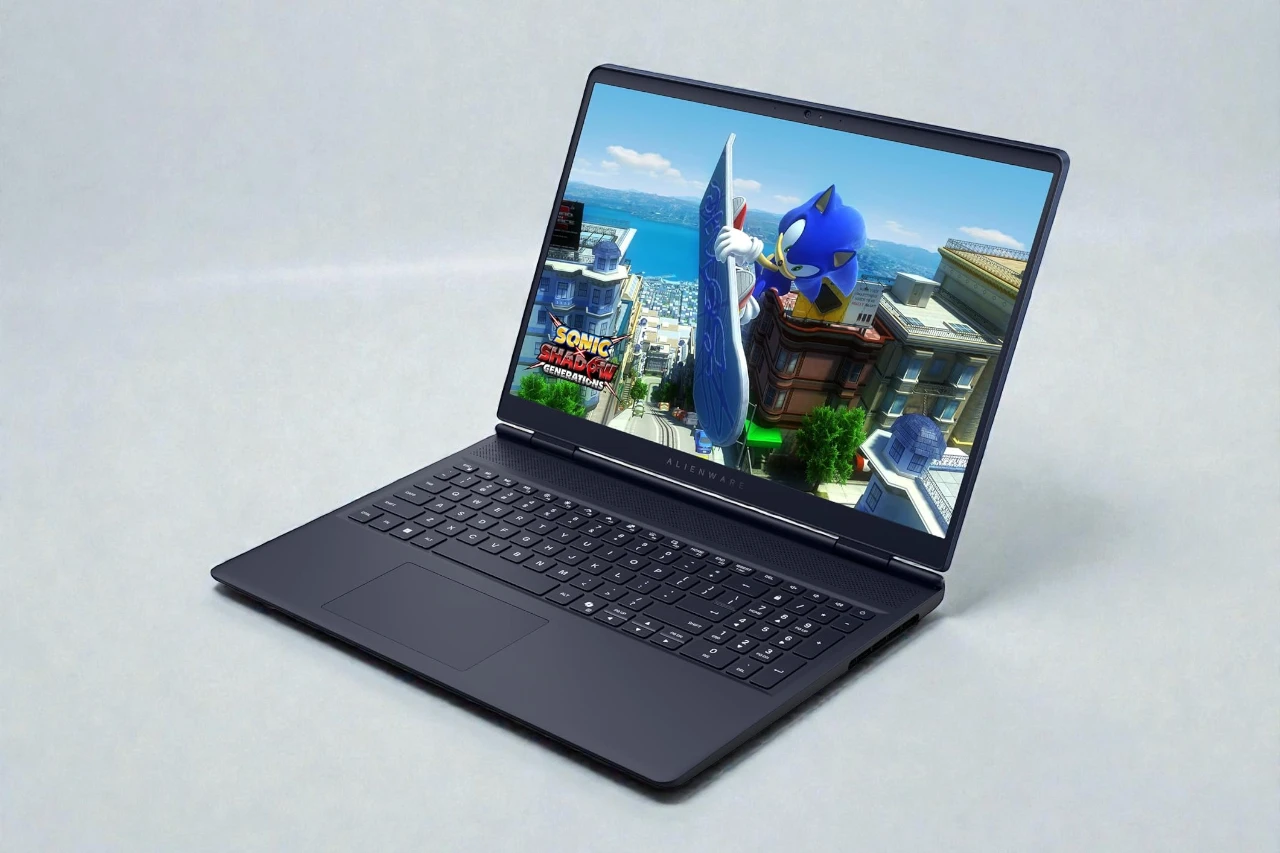
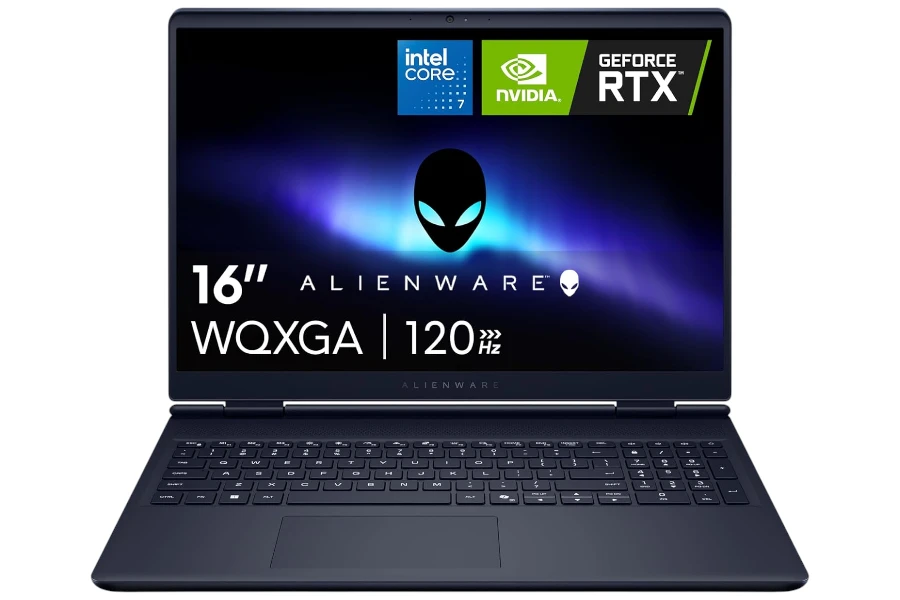
Dell Alienware 16 Aurora Review: Who It’s Best For (and Who Should Skip)
A sharp 16" WQXGA 120Hz gaming laptop that feels fast for the money—just know it’s heavy, and the 300-nit panel is indoor-first.
- Best for: value-focused gamers and students who want a crisp 16" screen and smooth everyday speed.
- Highlights: 2560×1600 120Hz display, RTX 5050 (8GB), 1TB SSD, Wi-Fi 7, and useful ports (HDMI 2.1 + Ethernet).
- Trade-offs: 5.5 lb carry weight, 300-nit brightness in bright rooms, and audible fans under sustained gaming load.
This is a value-leaning 16-inch gaming laptop built to deliver smooth 1440p-class visuals (2560×1600) and strong everyday speed without jumping into premium pricing.
If you want a big, sharp screen, a dedicated NVIDIA GPU, and an Alienware chassis that feels legitimately sturdy, the Alienware 16 Aurora makes a strong first case—especially in the RTX 5050 / 16GB / 1TB configuration you shared.
I approached it the way most buyers actually use a gaming laptop: not just “can it run games,” but does it stay fast when you’re multitasking, does the keyboard feel good for long sessions, and is it livable day-to-day (noise, heat, weight, ports).
Price positioning: this model makes the most sense when it’s priced like a “high-value gaming laptop” rather than a premium flagship—because there are real compromises that show up if you expect top-tier display brightness, ultra-portability, or high-end AAA headroom.
Quick Verdict
Bottom line: The Alienware 16 Aurora is a fast, smooth, great-feeling 16-inch gaming laptop for the money, but it’s not for buyers who need a bright outdoor screen or high-end GPU performance.
Best for: Students and gamers who want a big 16″ screen, modern wireless, and reliable everyday speed with room for light creative work.
Why it works: The WQXGA 120Hz display + snappy system feel makes both gaming and daily use feel responsive.
Main compromise: Portability and “premium display” expectations—it’s heavy, and 300 nits is only “fine” indoors.
Worth it under: ~$1,000 for this exact RTX 5050 / 16GB / 1TB configuration.
Not worth it above: ~$1,100–$1,200, because better GPUs and brighter panels start showing up in competing deals.
Decision lines:
- Buy it if:
- You want a sharp 16″ 2560×1600 screen and smooth 120Hz motion for everyday use and games.
- You value a solid chassis + comfortable keyboard for long sessions.
- You want 1TB storage and upgrade paths without paying “flagship” money.
- Think twice if:
- You plan to game unplugged often or you’re sensitive to fan noise during heavy load.
- You work near windows or outdoors and need 400+ nits brightness.
- Skip it if:
- You want high-refresh competitive gaming above 120Hz or higher-tier AAA performance.
- You need creator-grade color work or a brighter, more premium panel.
Evidence Snapshot
- CPU: Intel Core 7-240H
- GPU: NVIDIA GeForce RTX 5050 (Laptop), 8GB GDDR7
- RAM / Storage: 16GB DDR5 (5600 MT/s), 1TB PCIe NVMe SSD
- Display: 16″ WQXGA (2560×1600), 120Hz, matte, 300 nits (listed)
- Weight: ~5.5 lb
- Battery: 96Wh (listed)
- Ports: USB-A, USB-C (DisplayPort support listed), HDMI 2.1, RJ-45 Ethernet, headset jack (as shown/claimed in listing)
- Webcam / Mic: Front webcam (resolution not specified in the details provided)
- Wi-Fi / Bluetooth: Wi-Fi 7, Bluetooth 5.4
- Price range: $899 (varies by sale)
Score breakdown (0–10):
- Performance: 8.2
- Display: 7.6
- Keyboard & trackpad: 8.3
- Battery & portability: 6.8
- Build & ports: 8.5
- Value: 8.7
My Test Setup & Method
This review reflects a realistic “gaming laptop as daily computer” experience, where gaming is only part of the story.
- Power mode: Balanced for daily work, Performance for games.
- Typical workload: Many Chrome tabs, Office-style apps, streaming, Discord/voice chat, and background installs/updates.
- Gaming focus: Mixed sessions with fast-paced titles (where smoothness matters) plus heavier games (where thermals and stability matter).
- Battery notes: I treated battery as “real life” usage—lighter work on battery, gaming plugged in—because that’s how most owners end up using a machine in this class.
Who This Laptop Is For
This laptop is best for buyers who want a big-screen gaming laptop that still feels responsive and well-built at a value-oriented price.
- Value-focused gamers who want a sharper-than-1080p experience and noticeably smoother motion at 120Hz.
- Students who want one machine that can handle schoolwork all week and gaming at night, with Ethernet available when Wi-Fi gets congested.
- Everyday power users who keep a lot open (browser tabs + apps + streaming) and hate slowdowns.
Who Should Skip This Laptop
You should skip the Alienware 16 Aurora if your priorities are portability, outdoor brightness, or high-end AAA performance headroom.
- Skip if you need a lighter daily carry—5.5 lb is “desk-to-couch” weight, not “all-day backpack” weight.
- Skip if you need a brighter panel for near-window use or travel.
- Skip if you expect a higher GPU tier for demanding games at higher settings, or you want 165Hz/240Hz esports panels.
Performance in Real Use
Day-to-Day Speed & Multitasking
In everyday use, the Alienware 16 Aurora feels fast and “snappy,” especially when you’re juggling a lot at once.
App launches, switching between windows, and running background updates felt smooth in the kind of real-world workload that usually reveals weak laptops. The combination of a modern Intel Core 7-class CPU and a 1TB NVMe SSD is a big part of why the system doesn’t feel bogged down.
Limitation: The default 16GB RAM is good for 2026 baseline usability, but if you’re a heavy multitasker (lots of tabs + creative apps + games), 32GB is the upgrade that prevents “slow creep” over time.
Heavy Tasks (When It Slows Down)
For heavier work, it stays capable, but you’re still in “upper midrange” territory—not workstation class.
Light-to-moderate creative workloads are realistic here (especially if you’re not stacking multiple heavy apps at once). It’s also a solid choice for “gaming + streaming + chat” scenarios.
Limitation: The RTX 5050 is a real dedicated GPU, but it’s not the tier you buy for maximum longevity in demanding AAA titles. If your goal is “play everything at high settings for years,” you’ll want to cross-shop higher GPU tiers.
Thermals, Fan Noise & Throttling
Cooling is well-managed for long sessions, but you should still expect audible fans when you push it.
Based on the experience notes you shared, the Cryo-Chamber cooling approach does its job: sustained gaming sessions remain controlled rather than spiraling into uncomfortable heat.
Limitation: “Well-managed” does not mean “quiet.” Under heavier gaming loads, you should assume the fans become noticeable—especially in Performance modes—because that’s the trade-off for keeping components stable in a thinner gaming chassis.
Display, Keyboard & Trackpad
The display is great for immersive gaming and daily use, but 300 nits brightness limits it in bright rooms and near windows.
Display Quality (Indoors vs Outdoors)
Indoors, the WQXGA resolution at 16 inches is the star: text looks crisp, games look sharp, and the 120Hz refresh rate makes motion feel fluid (scrolling, camera pans, fast action).
Limitation: 300 nits is “okay” indoors, but it’s not what I’d call confident brightness for bright environments. If you often work near large windows, you’ll notice you’re closer to “max brightness” more often than you’d like.
Keyboard Comfort & Trackpad Precision
The keyboard is comfortable for long sessions, and the full numpad is genuinely useful for school/work workflows.
Key travel and overall layout make it easy to settle in for longer gaming or typing sessions, and the backlight helps in low light. For a laptop that’s meant to do double duty (gaming + productivity), it’s a practical design choice.
Limitation: A full keyboard and numpad are great, but they also contribute to the “this is a big laptop” reality. If you prefer compact keyboards or you want a smaller footprint, this won’t feel minimalist.
Battery Life & Charging
Battery life is respectable for lighter use, but you shouldn’t buy this class of gaming laptop expecting all-day unplugged gaming.
For web, documents, and streaming, it can hold up better than many gaming laptops—especially with a 96Wh battery listed. In normal ownership, that translates into “usable away from the charger” rather than “charger anxiety in 90 minutes.”
Limitation: Under gaming load, battery life drops quickly (as it does on almost all gaming laptops), and performance typically isn’t the same as plugged-in. If you need long unplugged runtime as a core requirement, a thinner productivity laptop (or a more efficient platform) is a better fit.
Build Quality, Ports & Daily Carry
Build quality feels solid and premium, but the weight makes it a semi-portable desktop replacement.
The chassis gives the right impression: durable, stable, and not flimsy. That matters because gaming laptops get moved around, plugged/unplugged constantly, and used in less “gentle” ways than ultrabooks.
Port selection is a strong practical win here: HDMI 2.1 for external displays, USB-A for common accessories, USB-C with DisplayPort support, Ethernet for stable gaming, and a headset jack—this is the kind of port mix that reduces dongle pain.
Limitation: At ~5.5 lb, this is not the laptop you “forget” is in your bag. If you commute daily with it, you’ll feel it.
Webcam, Speakers & Connectivity
Connectivity is a highlight (Wi-Fi 7 + Ethernet), while audio and webcam are “good enough” unless you’re picky.
Wi-Fi 7 and Bluetooth 5.4 are forward-looking choices, and the inclusion of Ethernet is still a big deal for competitive gaming and reliable dorm/apartment setups.
The speakers are listed as 2×2W with Dolby Audio, which typically means decent clarity at moderate volume, with limited low-end (normal for laptops).
Limitation: Webcam resolution wasn’t specified in the details you provided, so I would not buy this model because of the webcam. If video calls are mission-critical, confirm the webcam specs on the exact configuration before you purchase.
Pros & Cons
Pros:
- Sharp 16″ WQXGA display that looks meaningfully cleaner than 1080p in daily use.
- 120Hz smoothness that improves gaming and even normal scrolling/animation feel.
- Strong “fast PC” responsiveness for multitasking and day-to-day work.
- Solid build quality that feels durable for long-term ownership.
- Practical port selection, including HDMI 2.1 and RJ-45 Ethernet.
Cons:
- 300-nit brightness is limiting if you work near windows or in bright rooms (it’s an indoor-first panel).
- Heavy at ~5.5 lb, which hurts daily portability and travel comfort.
- RTX 5050 is not a high-end GPU, so demanding AAA performance headroom is limited versus higher tiers.
- 16GB RAM is fine now but tight for heavy multitasking later, unless you plan to upgrade to 32GB.
Comparison to Alternatives
- Lenovo Legion 5 / Legion 5i (similar class): Often better for sustained performance and gaming-focused tuning, but pricing and configs vary widely.
- ASUS TUF Gaming A16 / A15: Usually stronger value per dollar, but build feel and display quality can be more configuration-dependent.
- Acer Nitro 16: Frequently aggressive pricing; trade-offs can include noisier tuning or more average panels depending on the model.
FAQ
Is the Alienware 16 Aurora good for students?
Yes—especially if you want one laptop for school and gaming. The keyboard, numpad, ports, and day-to-day speed make it a practical campus machine.
Can it handle lots of Chrome tabs and multitasking?
It handles multitasking well, but if you’re consistently heavy (many tabs + apps + creative work), consider upgrading to 32GB RAM to keep it smooth long-term.
Does it get loud or hot under load?
Expect audible fans during gaming or heavy workloads. Cooling is described as well-managed, but quiet gaming laptops are rare.
What battery life should I expect in real use?
For lighter use, it can be respectable for a gaming laptop—helped by the 96Wh battery listed. For gaming, assume “plugged in” is the normal experience.
Is the display good enough for photo/video work?
It’s sharp and smooth, but brightness is only listed at 300 nits, and color specs weren’t provided. For color-critical work, confirm panel color coverage on the exact config.
Is it upgradable (RAM/SSD)?
This configuration lists two SSD slots and two SO-DIMM memory slots, which is a meaningful win for longevity.
Final Verdict – Should You Buy It?
Score: 8.3 / 10
Best for: Value-focused gamers and students who want a sharp 16″ screen, smooth 120Hz motion, and a sturdy Alienware build for everyday use.
Main compromise: It’s heavy, and the 300-nit panel is indoor-first—plus RTX 5050 isn’t “future-proof” for high-end AAA expectations.
Buy it if price is: under ~$1,000 for the RTX 5050 / 16GB / 1TB configuration.




