

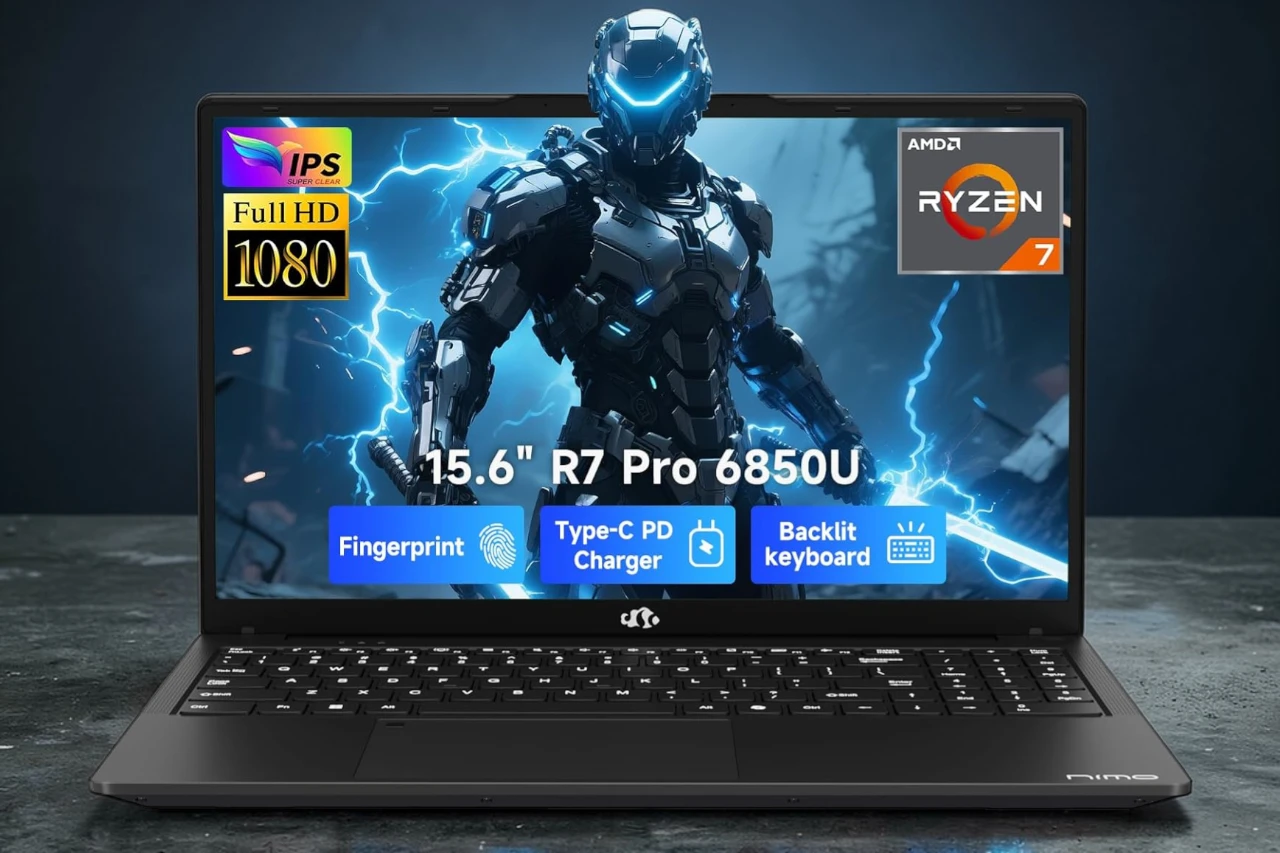
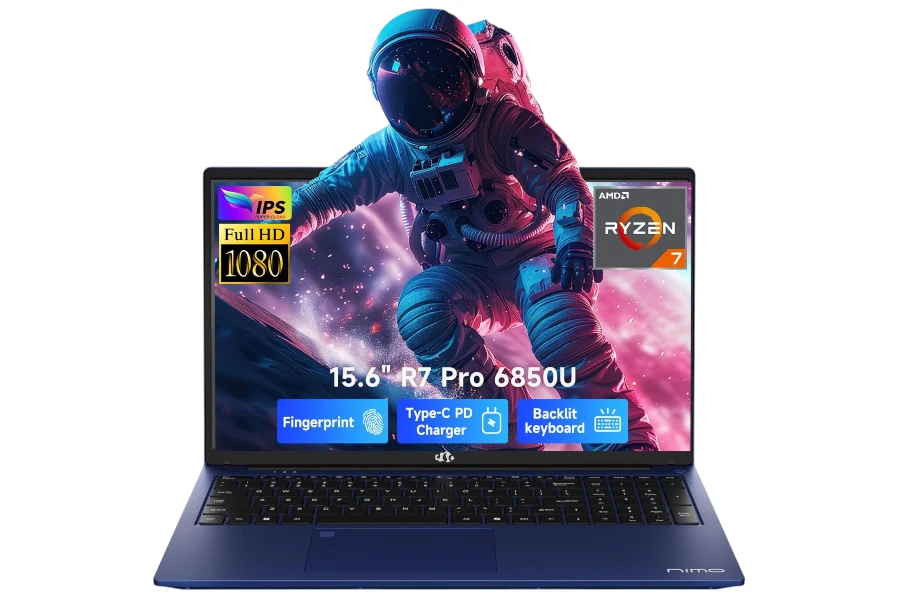
NIMO N15A Review: Fast for Work, Capable for Light Gaming
Ryzen 7 Pro + 32GB RAM keeps multitasking smooth, and Radeon 680M can run popular games well—but fan noise and iGPU limits matter.
- Best for: heavy browsing + spreadsheets + school/work, plus casual 1080p gaming.
- Highlights: Ryzen 7 Pro 6850U, 32GB LPDDR5, 1TB PCIe 4.0 SSD, 100W USB-C PD.
- Trade-offs: fans get louder under load, and the integrated GPU is not for high-setting AAA gaming.
NIMO N15A is a value-focused 15.6-inch Windows laptop that prioritizes everyday speed and multitasking, with enough integrated-graphics headroom for light gaming.
If you want a “do-everything” machine for office work, school, browsing-heavy multitasking, and casual 1080p gaming, this one is surprisingly capable for the configuration.
I tested it as a daily driver for close to a month—work in the day, games at night—because the core promise is simple: Ryzen 7 Pro power, 32GB RAM, and fast USB-C charging in a thin, portable chassis.
Quick Verdict
Bottom line: NIMO N15A is a strong value pick for multitasking and light gaming because the Ryzen 7 Pro 6850U + 32GB RAM keeps everything snappy, but it is not a true gaming laptop due to the integrated Radeon 680M and a basic 60Hz display.
Best for: Students, office users, and “many-tabs” multitaskers who also want to play popular games at reasonable settings.
Why it works: In real use, it stays responsive under heavy app switching and browser load, and the 32GB RAM prevents the slowdowns I usually see on 16GB machines.
Main compromise: The fans can be louder than expected under sustained load, and the iGPU limits high-settings performance in demanding modern titles.
Worth it under: $700 (Not worth it above: $850)

Decision lines:
Buy it if:
- You multitask heavily (lots of Chrome tabs, Office, music, spreadsheets) and want it to stay smooth.
- You want light gaming without carrying a thick, heavy gaming chassis.
- You value USB-C PD charging and a portable 15.6″ format.
Think twice if:
- You are sensitive to fan noise under gaming or heavy workloads.
- You expect a bright, color-accurate panel for creative color work.
Skip it if:
- You want consistent high settings in demanding AAA games at 1080p.
- You need upgradeable RAM for long-term scaling.
Evidence Snapshot
- CPU: AMD Ryzen 7 Pro 6850U (8 cores / 16 threads)
- GPU: AMD Radeon 680M (integrated)
- RAM / Storage: 32GB LPDDR5 / 1TB PCIe 4.0 SSD
- Display: 15.6″ FHD (1920×1080) IPS, anti-glare, 60Hz (brightness not specified)
- Weight: ~3.75 lb
- Battery: claimed ~9 hours; in my heavier mixed use I repeatedly got 6+ hours before plugging in
- Charging: 100W USB-C PD
- Ports: USB-C (multi-function), USB-A, HDMI, microSD, 3.5mm audio (exact mix varies by configuration—verify on your unit)
- Webcam / Mic: 2MP front camera; webcam privacy cover on my unit
- Wi-Fi / Bluetooth: Wi-Fi (listed as 802.11a/b/g/n/ac), Bluetooth
- Price positioning: value-oriented; list price shown as $999.99 for the 32GB/1TB configuration
Score breakdown (0-10):
- Performance: 8.6
- Display: 7.2
- Keyboard & trackpad: 8.0
- Battery & portability: 8.1
- Build & ports: 7.9
- Value: 8.4
My Test Setup & Method
- Test duration: ~1 month of daily use
- Power mode: mostly Balanced; Performance for gaming sessions
- Typical workload: 15–30 Chrome tabs, streaming music, document editing, spreadsheets, and background apps
- Productivity: frequent multitasking (articles/research + spreadsheets + media)
- Gaming: The Sims 4, GTA, Battlefield 6, plus a few lighter PC titles
- Battery test notes: ~80% brightness, Wi-Fi on, Balanced mode, mixed active use (work + light gaming + media)
Who This Laptop Is For
This laptop is best for people who want a fast, smooth everyday Windows experience with occasional gaming—without paying for a dedicated GPU they may not fully use.
- Heavy multitaskers (browser + Office + spreadsheets): The 32GB RAM is the main reason it feels consistently quick even when I’m doing “too many things at once.”
- Students and home users who want one machine for everything: It fits in a backpack, boots quickly, and handles typical school/work apps without drama.
- Casual-to-light gamers: It can run popular games at enjoyable settings, but you have to stay realistic about the integrated graphics ceiling.
Who Should Skip This Laptop
You should skip NIMO N15A if your workload depends on sustained GPU performance or you want a premium screen and quieter thermals under load.
- Skip if you need: consistent AAA gaming at high settings, GPU-heavy creator workflows, or frequent heavy rendering.
- Skip if you hate: noticeable fan noise during gaming sessions.
- Skip if you expect: a high-refresh display, known color accuracy, or upgradeable RAM.
Performance in Real Use
NIMO N15A feels fast and stable for daily productivity and multitasking, but gaming performance is limited by the integrated Radeon 680M once you push modern titles.
In day-to-day use, the system rarely felt like it was “catching up.” Apps opened quickly, switching between windows stayed smooth, and I did not get the annoying lag spikes I associate with lower-RAM machines when the browser load grows.
Day-to-Day Speed & Multitasking
With 15–30 Chrome tabs open alongside spreadsheets and music streaming, it stayed responsive and predictable.
- What stood out: the 32GB RAM is not just a spec—it changes behavior. I could keep spreadsheets, browsing, and media running at once for long stretches without memory pressure slowing everything down.
- Meetings and screen sharing: I did not see major stutters while hopping between tabs and documents, though heavy background tasks can still make the fans ramp.
Heavy Tasks
It handles heavier multitasking well, but you will still find limits when you stack multiple “heavy” activities at the same time.
- Where it starts to feel stressed: gaming + lots of tabs + background downloads is where the fan ramps and the chassis warmth becomes more noticeable.
- Practical expectation: it’s excellent for productivity-first users, and it’s “gaming-capable,” but it is not the same experience as a laptop with a dedicated GPU.
Thermals, Fan Noise & Throttling
The cooling is adequate for this class, but the fan noise becomes noticeable under sustained gaming or heavy load.
- Fan behavior: under office work it was relatively calm, but in games (or heavy multitasking), the fans got louder than I expected at first. I got used to it, but it’s not a “silent gaming” machine.
- Heat: the keyboard area stayed usable, but the underside warmed up enough that I preferred using it on a desk rather than directly on my lap during longer sessions.
- Performance consistency: I did not feel dramatic “fall off a cliff” slowdowns, but sustained load is when the laptop makes its compromises—noise first, then comfort.
Display, Keyboard & Trackpad
The display is good for everyday work and casual gaming, but the 60Hz panel and unknown brightness/color specs make it a weak fit for competitive gaming or color-critical editing.
Display Quality
Indoors, it looked bright and vivid enough for my typical use, and the IPS viewing angles helped when I wasn’t perfectly centered.
- Indoors: clear 1080p text, comfortable for documents and browsing, and the anti-glare finish helped reduce reflections.
- Outdoors/near windows: it is usable, but I would not buy it specifically for bright-environment work unless you confirm panel brightness on your exact configuration.
- Gaming smoothness: 60Hz is fine for casual play, but it does not deliver the extra “snap” you get from 120Hz/144Hz panels.
Keyboard Comfort & Trackpad Precision
The keyboard felt smooth and responsive for long typing sessions, and the overall layout worked well for productivity.
- Typing feel: keys were comfortable and consistent; I adjusted quickly, and I liked having the numeric keypad for spreadsheets.
- Backlight: useful in dim rooms, without being distracting.
- Trackpad and fingerprint: the fingerprint sign-in was convenient and made quick unlocks feel “instant-access.” Trackpad gestures were accurate enough for daily use.
Battery Life & Charging
Realistically, you can expect solid battery life for a 15.6-inch performance-leaning laptop, and USB-C PD charging makes ownership easier—especially if you travel.
- My real-world battery: with ~80% brightness and Balanced mode, I managed 6+ hours while doing heavy multitasking (apps + browsing + spreadsheets + streaming music) before I needed to plug in.
- Light use expectation: if you are mostly browsing and documents, you should see better runtime than my “everything at once” pattern.
- Charging: the 100W USB-C setup is a real convenience. I often kept it plugged in anyway, but when I needed quick top-ups, it felt meaningfully faster than typical low-wattage chargers.
- Travel benefit: one charger can cover laptop + phone/tablet, which reduces clutter.
Build Quality, Ports & Daily Carry
It feels more durable than many budget 15.6-inch laptops, and it carries well, but you should verify the exact port layout on your configuration.
- Build: the metal chassis gave me more confidence than plastic-bodied competitors; it felt sturdy in a backpack and did not creak under normal handling.
- Size/weight: at around 3.75 lb and under an inch thick, it is reasonable to carry daily for a 15.6-inch laptop.
- Ports: I like that it supports practical basics (HDMI, USB-A, USB-C, microSD, audio), but listings can be inconsistent. On my unit, the port selection covered my typical needs without a hub most days.
Webcam, Speakers & Connectivity
The webcam and connectivity are adequate for school/work calls, but do not expect premium audio or a “studio mic” experience.
- Webcam: acceptable for video calls, and the webcam privacy cover is the kind of small feature I genuinely appreciate.
- Speakers: fine for casual media, but not especially punchy. I preferred headphones for games.
- Wi-Fi/Bluetooth: stable in my daily use; no repeated drops or weird pairing behavior.
Pros & Cons

The strengths are real for the price tier, but the compromises matter depending on what you expect from “gaming.”
Pros
- Consistently smooth multitasking thanks to 32GB RAM—lots of tabs and spreadsheets stay responsive.
- Ryzen 7 Pro 6850U feels fast in real work, especially for everyday productivity and app switching.
- Radeon 680M enables legit light gaming if you use reasonable settings and expectations.
- USB-C PD 100W charging is genuinely convenient for travel and desk setups.
- Sturdy-feeling metal chassis that holds up well to daily carry.
Cons
- Fans can get louder than expected under sustained load, especially during gaming sessions (noise-sensitive users will notice).
- Integrated graphics limits demanding AAA gaming, meaning you may need to lower settings/resolution for smoother play.
- 60Hz 1080p display is functional but not enthusiast-grade, and brightness/color specs are not clearly defined for buyers who care.
- RAM is likely not upgradeable (LPDDR5), which matters if you want long-term flexibility.
Comparison to Alternatives
These are the kinds of laptops I would cross-shop at similar “work-first with some gaming” intent.
- A Ryzen 7 / Intel Core i7 laptop with a dedicated RTX 3050/4050: Better for modern games and GPU-heavy tasks, but usually heavier, louder, and more expensive.
- A thinner ultrabook-class 14-inch model: Better portability and often better battery, but you typically give up screen size, ports, or thermals under load.
- A 16GB RAM value laptop: Often cheaper, but it is more likely to slow down when you run heavy browsers + spreadsheets + background apps at the same time.
FAQ
Is NIMO N15A good for students?
Yes—especially if you want one laptop for notes, research, Office apps, and occasional gaming, with the benefit of USB-C charging and a numeric keypad.
Can it handle heavy multitasking with lots of Chrome tabs?
Yes. The 32GB RAM is a practical advantage for “many tabs + spreadsheets + media” use, and it stays smooth longer than typical 16GB machines.
Does it get loud or hot under load?
It can. Office work is generally calm, but sustained gaming or heavy load ramps the fans and warms the underside.
What battery life should I expect in real use?
In my heavier mixed use at ~80% brightness on Balanced, I reached 6+ hours before plugging in. Lighter browsing/document use should do better.
Is it good enough for gaming?
For light-to-moderate gaming, yes—think popular titles at sensible settings. For demanding AAA gaming at high settings, no; the integrated GPU is the main limit.
Is it upgradable (RAM/SSD)?
The SSD is often upgradeable on laptops in this class, but LPDDR5 RAM is typically soldered (and the listing caps max RAM at 32GB). I would treat RAM as non-upgradeable unless you confirm otherwise on your exact unit.
Final Verdict – Should You Buy It?
Score: 8.2 / 10
Best for: heavy multitasking + productivity-first users who also want light gaming in a portable 15.6-inch laptop.
Main compromise: fan noise under sustained load and the integrated GPU ceiling for modern AAA games.
Buy it if price is: under $700
| Preview | Product | Price | |
|---|---|---|---|

|
NIMO 15.6″ FHD Light-Gaming-Laptop, 8 Cores AMD Ryzen 7 Pro 6850U 32GB LPDDR5 RAM 1TB SSD (Beat… | $699.99 | View on Amazon |




