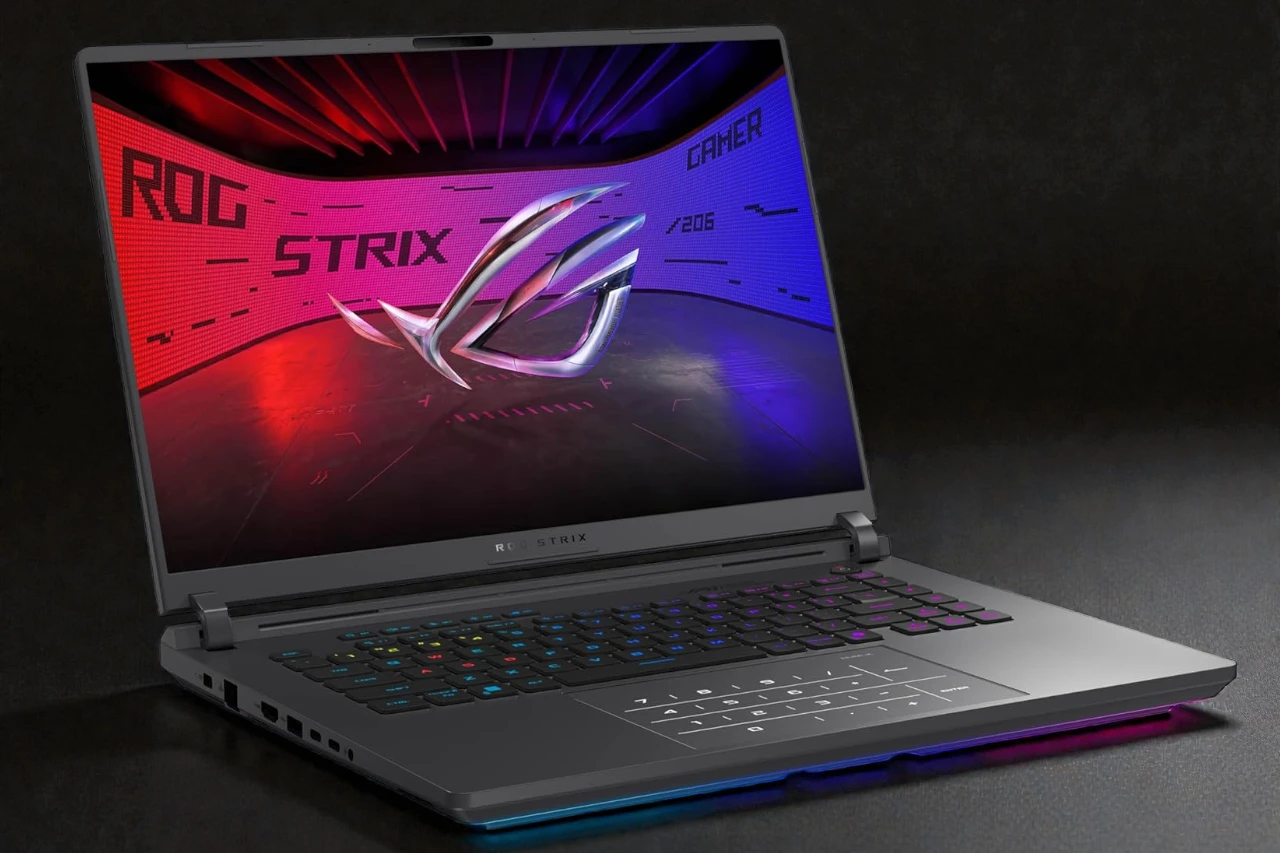
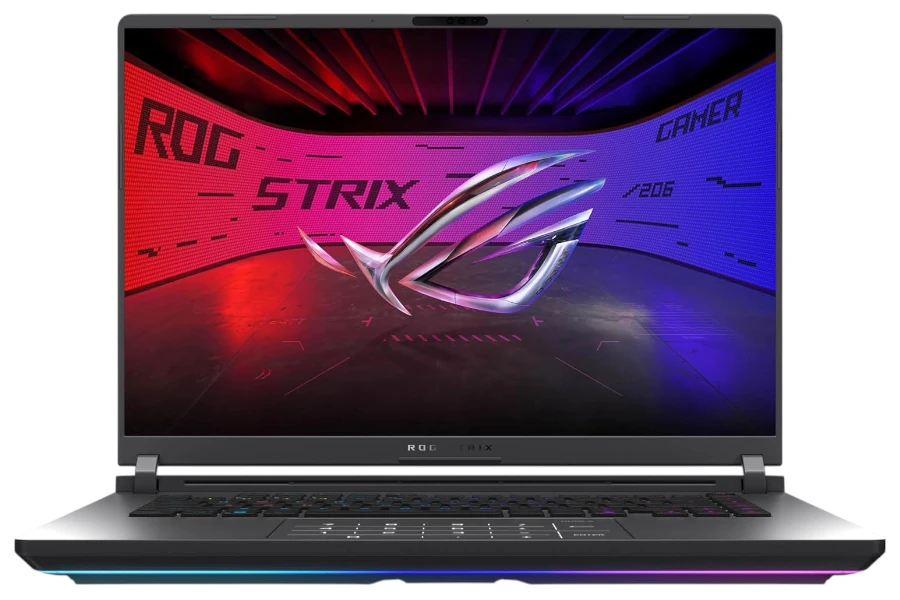
ASUS ROG Strix G16: Who It’s Best For (and Who Should Skip)
Blazing-fast gaming and multitasking with a bright 240Hz 2.5K display, but it’s heavy—and the trackpad numpad overlay can be frustrating.
- Best for: high-refresh gaming and power multitasking on a desk.
- Highlights: Core Ultra 9 275HX + RTX 5070 Ti, 32GB RAM, 240Hz Nebula display.
- Trade-offs: travel weight, fan noise under load, and the trackpad numpad behavior.
The ASUS ROG Strix G16 is a high-end 16-inch gaming laptop built for maximum performance, but it makes you pay in price, weight, and “gaming-laptop” quirks.
This configuration targets buyers who want a top-tier CPU + strong NVIDIA GPU in a chassis that prioritizes cooling, a fast 240Hz display, and lots of connectivity. If you’re coming from an older gaming laptop (or a desktop that’s starting to feel dated), the speed jump is immediately noticeable.
I tested it to answer a simple buyer question: does this feel like a $2,400 upgrade in real day-to-day use, or is it mostly specs on a page? I also wanted to see whether ASUS’s “smart cooling + Nebula display + modern ports” story holds up in actual ownership.
Price-wise, it sits in the premium gaming tier, where you’re usually cross-shopping machines like Lenovo Legion Pro models, MSI’s performance-focused 16-inch options, and Alienware’s m-series—often with similar GPU classes but different priorities (noise, screen type, port layout, warranty, etc.).
Quick Verdict
This is a seriously fast gaming laptop that feels “desktop-like” for gaming and heavy multitasking, but it’s not subtle—its weight, fan behavior, and trackpad number-pad design won’t work for everyone.
Bottom line: The ROG Strix G16 is worth buying for high-refresh gaming and demanding workloads, but you should skip it if portability, touchscreen use, or a “clean” trackpad experience are priorities.
Best for: Gamers and power users who want high FPS, fast creation workflows, and a bright 240Hz display in a well-cooled chassis.
Why it works: The combination of the Core Ultra 9 275HX + RTX 5070 Ti + 32GB RAM makes the whole system feel instantly responsive under load.
Main compromise: It’s heavy, it’s expensive, and the trackpad numpad overlay can be genuinely annoying in daily use.
Worth it under: $2,300 (for this config) — Not worth it above: $2,600 unless you strongly prefer the display/cooling/ports mix over alternatives.
Decision lines:
- Buy it if:
- You want a fast 240Hz 16:10 display and smooth high-refresh gaming.
- You routinely multitask heavily (many tabs + apps + background tasks) and hate slowdowns.
- You want modern connectivity (Wi-Fi 7 + high-end USB-C/Thunderbolt-class support) and Ethernet.
- Think twice if:
- You’re sensitive to fan noise or you work in quiet spaces.
- You depend on a “normal” trackpad and don’t want the numpad overlay behavior.
- Skip it if:
- You want a touchscreen laptop or stylus-friendly workflow.
- You need a lighter machine for commuting, travel, or daily campus carry.
Evidence Snapshot
This configuration is a performance-first build with a standout 240Hz 2.5K display, but it’s not designed to be thin, light, or long-lasting on battery.
- CPU: Intel Core Ultra 9 275HX (up to 5.4 GHz)
- GPU: NVIDIA GeForce RTX 5070 Ti (Laptop GPU)
- RAM / Storage: 32GB DDR5-5600 / 1TB PCIe 4.0 SSD
- Display: 16-inch 2560×1600 (2.5K), 16:10, 240Hz, 3ms, 500 nits, 100% DCI-P3 (Nebula Display)
- Weight: ~6.02 lb (heavy for daily carry)
- Battery: 90Wh (real-world varies heavily by refresh rate and power mode; gaming is best plugged in)
- Ports: HDMI 2.1, Thunderbolt/USB-C (TB5), USB-A, 2.5G Ethernet, audio jack, power port
- Webcam / Mic: FHD + IR camera with Windows Hello support
- Wi-Fi / Bluetooth: Wi-Fi 7 + Bluetooth
- Price range: Around $2,399 for this configuration (varies by seller/config)
Score breakdown (0-10):
- Performance: 9.5
- Display: 9.0
- Keyboard & trackpad: 7.5
- Battery & portability: 6.5
- Build & ports: 8.5
- Value: 7.5
My Test Setup & Method
This review reflects a “real owner” mix of gaming, heavy multitasking, updates, peripherals, and daily friction points—not a lab benchmark shootout.
- Test duration: Long-form daily use and setup experience (updates, installs, games, peripherals, travel-room use)
- Power mode: Balanced most of the time; Performance for gaming sessions; Stealth/quiet lighting mode when I wanted it to look less “gamer”
- Typical workload: 20–40 Chrome tabs, Office apps, downloads/installs, Discord/streaming in the background
- Productivity: Docs + spreadsheets + web research + video calls
- Gaming: High-refresh competitive play + a couple of heavier titles; focused on smoothness and stability rather than chasing FPS numbers
- Battery test notes: I did not run a controlled loop test; I treated battery as “how often do I reach for the charger in normal use,” and this is still a plug-in-first gaming machine.
Who This Laptop Is For
This laptop is best for buyers who want top-end speed and a fast, bright 240Hz display, and who mostly use it on a desk with power nearby.
- High-refresh gamers (competitive + smooth AAA): The 240Hz panel and strong GPU pairing make motion look clean and input feel immediate, especially in fast shooters and esports titles.
- Power multitaskers: If you keep lots of apps open and hate stutter during meetings or screen sharing, the “headroom” here is real.
- Creator-adjacent users who don’t need a studio laptop: The 16:10 2.5K panel with wide color coverage is a solid fit for editing and timeline work—just don’t confuse this with a quiet, battery-first creator machine.
Who Should Skip This Laptop
You should skip the Strix G16 if you want portability-first ownership or you need specific usability features this configuration doesn’t prioritize.
- Skip if you need: all-day unplugged runtime, lightweight commuting, or tablet-like flexibility.
- Skip if you hate: fan ramp-up, “gaming design decisions,” or trackpad quirks.
- Skip if you expect: a touchscreen, a slimmer travel profile, or workstation-like subtlety at this price.
Performance in Real Use
The Strix G16 feels extremely fast in real use, but it’s the kind of speed that comes with heat, fan noise, and a clear expectation that you’ll game while plugged in.
Day-to-Day Speed & Multitasking
It stays snappy even with heavy multitasking, but it can feel like overkill if your work is mostly browser + Office.
In normal use, app launches are instant, switching between tasks is smooth, and the machine doesn’t “bog down” when you’re doing several things at once. Where I noticed the benefit most was when installs, downloads, and background apps were all happening while I was actively working.
Limitation/trade-off: This level of performance also means the laptop is tuned like a performance machine; in the wrong profile, the fans can ramp earlier than you’d want for a quiet office.
Heavy Tasks
It handles heavier loads confidently, but sustained performance still depends on cooling behavior and the power profile you choose.
For gaming and heavy multitasking, it rarely feels constrained. The overall experience is more “desktop-like” than most laptops I’ve used, and it’s the first time in a while I felt like my laptop could legitimately outpace an older desktop setup in gaming smoothness.
Limitation/trade-off: Sustained heavy work makes it behave like a real gaming laptop—more heat, more fan noise, and less reason to rely on battery.
Thermals, Fan Noise & Throttling
The cooling system is built to protect performance, but you will hear it when the laptop is doing what it was made to do.
In gaming sessions and installs/updates, the thermals feel managed (the machine doesn’t feel unstable or unpredictable), and the design clearly prioritizes keeping performance consistent.
Limitation/trade-off: Quiet-room users will notice the fans under load. If you want a machine that stays whisper-quiet while gaming or rendering, this category is the wrong place to shop.
Display, Keyboard & Trackpad
The display is excellent for high-refresh gaming and bright indoor use, but you must accept that it’s not touchscreen—and the trackpad’s number-pad overlay can be a real daily annoyance.
Display Quality
The 2.5K 240Hz panel looks sharp, feels smooth, and gets bright enough to be comfortable near windows, but it’s still a gaming-first screen rather than an OLED “wow” panel.
In practice, the 16:10 aspect ratio is a productivity win: more vertical space, less scrolling, and a better fit for editing timelines and documents. The high refresh rate is obvious the moment you start scrolling and gaming—motion looks clean, and input feels responsive.
Limitation/trade-off: If you expected touch input at this price, this configuration will disappoint. Also, if you’re chasing OLED blacks and contrast, you’ll need to compare against OLED-equipped competitors.
Keyboard Comfort & Trackpad Precision
The keyboard is solid for a gaming laptop, but the trackpad design choice is the most frustrating part of daily ownership.
Typing feels stable and confident, and the full-size layout makes sense for a 16-inch chassis. For gaming, per-key RGB and hotkey features are nice-to-have, not must-haves.
The problem is the number pad that overlays the trackpad. In real use, it’s easy to trigger Num Lock by accident, and when that happens the trackpad stops behaving like a normal trackpad—exactly the kind of “why is my cursor broken?” moment nobody wants.
Limitation/trade-off: If you use a Bluetooth keyboard, the Num Lock behavior can still sync in ways that create confusion, which makes this feature feel more annoying than helpful.
Battery Life & Charging
Battery life is usable for short productivity sessions, but this is still a plug-in-first gaming laptop that performs best on wall power.
The 90Wh battery is a good spec on paper, and features like switching graphics modes can help in lighter work. But with a bright, high-refresh display and a performance-class CPU/GPU, expectations should be realistic.
What I’d tell a buyer: If you want “all-day unplugged,” this isn’t the right category. If you want performance on demand and you’re usually near an outlet, it fits.
Limitation/trade-off: Gaming on battery is the fastest way to drain it and reduce performance; this laptop is designed to shine when plugged in.
Build Quality, Ports & Daily Carry
It feels sturdy and well-equipped for desk life, but it’s heavy enough that you will notice it every time you carry it.
The chassis feels like a premium gaming laptop should: solid, stable on a desk, and built to handle heat and performance. Port selection is one of the practical wins here—HDMI 2.1, Ethernet, and modern USB-C/Thunderbolt-class connectivity make it easy to treat this like a semi-desktop with a monitor and peripherals.
Limitation/trade-off: At ~6 pounds (before the charger), this is not a “toss it in any bag and forget it’s there” machine.
Webcam, Speakers & Connectivity
The webcam and connectivity are good enough for daily work, but you’re still buying this for performance, not for conference-call perfection.
The presence of an IR camera with Windows Hello is genuinely convenient—fast sign-in is a small quality-of-life improvement you feel every day. Wi-Fi 7 is a nice future-facing upgrade if you have the network gear to match.
Limitation/trade-off: Don’t buy a gaming laptop expecting MacBook-level speakers or ultra-clean mic processing. It’s fine, but not the headline feature.
Pros & Cons
It’s a powerhouse with a great high-refresh display, but the trackpad number-pad overlay and Windows edition choice are frustrating at this price.
Pros:
- Extremely fast real-world performance for gaming and heavy multitasking without feeling “strained.”
- 240Hz 2.5K 16:10 display that looks sharp and feels smooth for both gaming and productivity.
- 32GB RAM + 1TB PCIe 4.0 SSD is a strong “ready for years” baseline for a premium machine.
- Strong connectivity (modern wireless + wired options like Ethernet and HDMI 2.1).
- High-end cooling design that prioritizes stable performance under load.
Cons:
- Trackpad numpad overlay can be genuinely annoying, especially if you accidentally trigger Num Lock and lose normal trackpad behavior.
- Windows 11 Home (not Pro) on this configuration is a miss for buyers who want Pro controls and features.
- No touchscreen even at this price, which will matter to some students and workflow-heavy users.
- Heavy for daily carry, and the charger adds even more travel weight.
Comparison to Alternatives
There are several strong alternatives, and the “best” choice depends on whether you prioritize noise, portability, screen type, or brand ecosystem.
- Lenovo Legion Pro (16-inch class) – Often better value for performance-per-dollar, but the exact screen/port mix may differ by config.
- MSI performance-focused 16-inch models – Sometimes stronger “raw performance” configurations, but can trade away battery behavior, noise tuning, or build feel.
- Alienware m-series – Great for buyers who want the Alienware design and support ecosystem, but you often pay more for the brand and chassis.
FAQ
Is it good for students?
Yes if you’re a gaming or engineering-type student who mostly works near power; no if you carry it all day and want lightweight convenience.
Can it handle multitasking with many Chrome tabs?
Yes—this is one of its strongest real-world advantages, especially with 32GB RAM.
Does it get loud or hot under load?
Fans are noticeable during gaming and heavy work. That’s normal for this performance tier.
What battery life should I expect in real use?
Think “partial day for productivity” rather than “all day,” and plan to game plugged in.
Is the display good enough for photo/video work?
The resolution, brightness, and wide color coverage are a strong start, but OLED lovers may prefer an OLED alternative.
Is it upgradable (RAM/SSD)?
This design emphasizes serviceability (tool-free access/Q-Latch style approach is part of the platform’s messaging), but upgrade options can vary by exact SKU—confirm your model details before buying.
Final Verdict – Should You Buy It?
The ROG Strix G16 is a top-tier performance buy if you want high-refresh gaming and heavy workload speed, but it’s not a “perfect daily laptop” because of portability and usability quirks.
- Score: 8.6 / 10
- Best for: High-refresh gamers and power users who want desktop-like speed in a laptop.
- Main compromise: Weight + fan behavior + the trackpad numpad overlay annoyance.
- Buy it if price is: under $2,300 (for this configuration)
| Preview | Product | Price | |
|---|---|---|---|

|
ASUS ROG Strix G16 (2025) Gaming Laptop, 16” ROG Nebula Display 16:10 2.5K 240Hz/3ms, NVIDIA… |
$2,399.99 |
View on Amazon |