If you’re buying a business laptop, you’re not just shopping for “fast enough.” You’re buying fewer headaches: a keyboard you can live on, ports that work with your setup, security that’s actually useful, and performance that doesn’t fall apart when you have 30 browser tabs, Zoom, and spreadsheets open at the same time.
In this guide, I ranked six business-focused laptop options based on what matters in real work: day-to-day responsiveness, typing comfort, connectivity, practicality, and overall value for the configuration.
I’m also going to be blunt about trade-offs—because for business use, the wrong compromise (weight, ports, screen quality, older CPU generation) can become an everyday annoyance.
Quick Verdict
Best overall pick: Lenovo ThinkPad E16 G2 (Ryzen 7 7735HS, 32GB/1TB) — the most “business-correct” blend of performance, usability, and security in this list.
Best value pick: Dell Latitude 5550 (Core Ultra 5 125U, 16GB/512GB) — not the biggest specs on paper, but arguably the most sensible business platform if you care about ports, manageability, and efficiency.
Who should buy from this list:
People running Microsoft 365 / Google Workspace, heavy multitasking, accounting work, CRM, web apps, basic creative work, and lots of calls—especially if you want Windows 11 Pro and a more business-friendly setup.
Who may want to look elsewhere:
If you need serious GPU power (3D, heavy video editing), a premium color-accurate display, or you travel daily and want something ultra-light—these picks prioritize workhorse practicality over “thin-and-light luxury.”
Top Picks at a Glance
| Product | Best for | Key strength | Main drawback |
|---|---|---|---|
| Lenovo ThinkPad E16 G2 | Most business users | Strong CPU + great daily usability | Not a “premium” ThinkPad line |
| Dell Latitude 5550 | Office fleets / docking | Business platform + Thunderbolt | 16GB/512GB may feel baseline |
| HP 15 (Office included) | Small business turnkey | Office H&B included + balanced config | Not as “enterprise” as Latitude/ThinkPad |
| HP 17.3 (Ryzen 5 bundle) | Big-screen spreadsheets | Huge RAM/storage bundle | Large, desk-first laptop |
| HP Essential 17 | Big screen on a budget | Great for basic office + number pad | Typically more “consumer” build feel |
| Dell Inspiron Touchscreen | Budget touch + office | Touchscreen + lots of RAM/storage | Older CPU platform, weaker longevity |
Product Reviews
1) Lenovo ThinkPad E16 G2 (Best Overall)
Why It’s Our Top Pick
For business work, the ThinkPad formula still wins more often than not: practical design, a keyboard that encourages long typing sessions, and the kind of no-drama usability you appreciate after month three. This E16 G2 configuration also avoids a common business-laptop trap—buying something that feels “fine” until you start stacking real workloads.
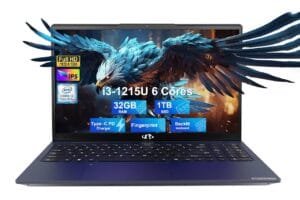
The Ryzen 7 7735HS class of CPU is the main reason this ranks #1. For spreadsheets, big PDF sets, CRM + browser multitasking, and light content work, it tends to feel brisk and stable under load. Pair that with 32GB RAM and a 1TB SSD, and you have a machine that stays responsive even when you’re sloppy (and real work is often sloppy).
Just as important: the 16-inch 16:10-style workspace (typical for “FHD+” class panels) is a meaningful productivity upgrade. More vertical room reduces scrolling in Excel, email, and documents. That’s the kind of upgrade you notice every hour—not just on spec sheets.
Key Features
- Ryzen 7 7735HS-class performance for heavy multitasking and CPU-heavy office work
- 32GB DDR5 + 1TB SSD: “set it and forget it” for most business users
- Fingerprint reader + Windows 11 Pro for practical security and admin features
- Backlit keyboard for late work sessions and travel
What We Like
What stands out in day-to-day use is how rarely this kind of configuration bottlenecks you. You can run multiple browser profiles, several Office apps, Teams/Zoom, and background sync without constantly “feeling” the laptop. That matters because the cost of micro-delays—loading, switching windows, stuttering during calls—adds up.
The ThinkPad-style ergonomics also tend to be a quiet advantage: typing comfort, a layout aimed at productivity, and a general “work tool” vibe. Even if the E-series isn’t the most premium ThinkPad family, it still usually lands closer to business practicality than many consumer alternatives.
What Could Be Better
First, the ThinkPad E line typically isn’t the same as the higher-end ThinkPad T/X families. You’re usually trading some premium materials, thinner designs, or higher-end display options for value.
Second, if you’re expecting a bright, color-accurate display for design work, many business configs prioritize “good enough office clarity” over creator-grade panels. For pure business, that’s fine. For creative color work, it may not be.
Third, depending on the exact seller configuration, upgrades (RAM/SSD) can be done by third parties. That can be totally fine—but it’s worth double-checking warranty handling and the exact parts used.
Pros & Cons
| Pros | Cons |
|---|---|
| Strong CPU + 32GB RAM handles real multitasking | E-series isn’t the most premium ThinkPad tier |
| 16″ workspace is excellent for spreadsheets/docs | Display may be “office-first,” not creator-grade |
| Fingerprint reader + Win 11 Pro are business-friendly | Config/warranty details can vary by seller |
| Backlit keyboard suits long work sessions | Not the lightest choice for constant travel |
Who This Product Is Best For
- Office pros juggling many apps and tabs all day
- Spreadsheet-heavy roles (finance, ops, admins, analysts)
- Small businesses wanting a dependable “main machine” for 3–5 years
- Anyone who values typing comfort and practical features over aesthetics
Who Should Skip This Product
- Frequent travelers who want an ultra-light 13–14″ laptop
- Creators needing a brighter, color-accurate screen
- Buyers who strongly prefer premium materials and ultra-thin designs
2) Dell Latitude 5550 5000 (Best Value / Best for IT-Friendly Business Use)

Why It’s Ranked #2
If the ThinkPad is the “do everything well” pick, the Latitude is the “business platform” pick. Latitude models generally aim at professional environments—docking, ports, compatibility, and long-term manageability—more than flashy specs.
This configuration uses an Intel Core Ultra 5 125U-class processor (often marketed as an “AI PC” platform). In practice, what matters is efficiency and balanced performance for office work. For email, web apps, Microsoft 365, video calls, and light multitasking, this kind of CPU can feel smooth while staying relatively power-efficient.
The biggest reason this is a value pick is that it’s not trying to win with massive RAM numbers. It’s trying to win with a business-friendly foundation: Thunderbolt 4, Ethernet (depending on exact build or dongle situation), and a generally enterprise-aware design philosophy. For many business buyers, that foundation matters more than jumping from 16GB to 64GB.
Key Features
- Core Ultra 5 125U-class CPU: efficient for office + multitasking
- Thunderbolt 4: strong docking and accessory ecosystem
- Windows 11 Pro: admin features, security policies, business readiness
- Backlit keyboard + anti-glare display: practical daily comfort
What We Like
For real business workflows, ports and docking matter more than people admit. If you move between conference rooms, hot desks, home office, and dual-monitor setups, Thunderbolt 4 is a genuine quality-of-life feature.
The other win is “predictability.” Latitude models tend to prioritize stable user experience: straightforward keyboards, sensible port layouts, and business-first features. That means fewer weird compromises.
What Could Be Better
This specific configuration is 16GB RAM and 512GB SSD, which is fine—but it’s also the minimum I’d want for a serious work laptop in 2025. If your work involves large datasets, heavy multitasking, or you keep machines for many years, you may want more headroom.
Also, some “AI PC” marketing can be noise for typical business users. Unless your org uses AI-enhanced workflows locally, don’t pay extra just for that label.
Pros & Cons
| Pros | Cons |
|---|---|
| Business platform with Thunderbolt 4 | 16GB/512GB is baseline for long-term use |
| Anti-glare screen is great for office lighting | “AI PC” label may not matter for you |
| Win 11 Pro fits managed environments | Upgrading RAM/storage later may be desirable |
| Well-suited for docking setups | Not the top choice for heavy CPU workloads |
Who This Product Is Best For
- Business users who dock to monitors daily
- IT-managed small/medium orgs that value consistency
- People who want a sensible business laptop without oversized bundles
Who Should Skip This Product
- Power users who regularly run heavy CPU tasks
- Anyone who knows they need 32GB+ RAM immediately
- Buyers who want the largest screen possible for spreadsheets
3) HP 15.6″ FHD Business Laptop (Best Turnkey Pick With Office Included)

Why It’s Ranked #3
This pick is about convenience and total package value. Many small business owners don’t want to buy a laptop and then immediately deal with software licensing and setup decisions. A configuration that includes Microsoft Office Home & Business can be a meaningful shortcut—if you truly need the desktop Office apps and want a clean, legitimate license.
Spec-wise, a “10-Core Intel Core i5” (exact generation matters, but we’ll stay conservative) with 32GB RAM and 1TB SSD is a very solid office performance profile. In practice, 32GB RAM is what keeps the machine feeling “unbothered” when you’re multitasking heavily, taking calls, and keeping everything open.
The main reason this is below the ThinkPad and Latitude is that those lines are typically more business-specialized in build philosophy and manageability. But if your priority is “buy once, set up fast, get to work,” this HP configuration can make a lot of sense.
Key Features
- Office Home & Business included (verify the license details from the seller)
- 32GB RAM + 1TB SSD: strong for long-term multitasking
- 15.6″ FHD: classic size for portability + usability
- Windows 11 Pro: business-ready OS features
What We Like
In real-world small business use, this kind of configuration keeps friction low. You’ll have enough memory to avoid constant slowdowns, and enough storage to avoid juggling external drives immediately.
Also, 15.6″ is still one of the best “work anywhere” sizes. It fits in bags, works in tight spaces, and still gives you decent screen real estate—especially if you pair it with an external monitor at a desk.
What Could Be Better
First, you need to confirm exactly what “Office included” means. Ideally, it’s a legitimate, transferrable, properly activated license. If it’s handled oddly, it can become a support headache later.
Second, many HP “business & student” class laptops prioritize value more than premium build. They can be excellent for the money, but they’re not always as rugged-feeling as ThinkPad/Latitude lines.
Pros & Cons
| Pros | Cons |
|---|---|
| Office H&B included can simplify setup | Must verify Office license legitimacy/details |
| 32GB RAM is excellent for real multitasking | Not as business-specialized as ThinkPad/Latitude |
| 1TB SSD gives comfortable storage headroom | Display/build may be more “value-class” |
| Balanced 15.6″ size for most people | Exact i5 generation/config can vary |
Who This Product Is Best For
- Small business owners who want a ready-to-go setup
- Office users who want 32GB RAM without overthinking it
- People who need Windows + Office desktop apps out of the box
Who Should Skip This Product
- Anyone who doesn’t need Office (paying for it adds little value)
- Buyers who prioritize the most durable “enterprise-feel” chassis
- Users who want a bigger 16–17″ workspace for spreadsheets
4) HP 17.3″ FHD Business & Student (Best Big-Screen Home Office Bundle)

Why It’s Ranked #4
This is a “desk-first” business laptop. The 17.3-inch screen is the headline: if you spend your day in spreadsheets, invoicing, email triage, and side-by-side windows, more screen area reduces friction. You scroll less, you squint less, and you can keep two documents open without feeling cramped.
This configuration is also a bundle-style beast: 64GB RAM and 2.5TB total storage (listed as 2TB SSD + 512GB “docking station set,” likely an external accessory depending on seller). For business buyers who keep everything locally—large files, scans, offline archives—this can eliminate storage anxiety.
The trade-off is portability and “business build.” Most 17-inch laptops are large, and many are closer to consumer chassis designs, even when marketed for business and students. If it rarely leaves your desk, that’s fine. If you travel weekly, it’s a pain.
Key Features
- 17.3″ FHD display: productivity-friendly for spreadsheets and side-by-side work
- 64GB RAM: heavy multitasking with lots of headroom
- Large storage bundle: ideal for local file-heavy workflows
- Windows 11 Pro + number pad: office-centric usability
What We Like
A big screen + number pad is underrated if you do invoicing, accounting, data entry, or any “numbers all day” work. It’s simply faster and more comfortable than cramped layouts.
The massive RAM also reduces the need to micromanage your workflow. For many office pros, the goal isn’t maximum speed—it’s minimum annoyance.
What Could Be Better
The obvious downside is size. 17-inch laptops are not commuter-friendly. They also tend to have more “flex” in the chassis compared to true enterprise lines, depending on model.
Also, bundles can include accessories you don’t actually want (earphones, docking station extras). You’re paying for the package, so make sure the add-ons are items you’ll use.
Pros & Cons
| Pros | Cons |
|---|---|
| 17.3″ screen is excellent for spreadsheet work | Large and less travel-friendly |
| 64GB RAM offers huge multitasking headroom | Bundle accessories may be hit-or-miss |
| Big storage is great for local-heavy workflows | Often more consumer-style build than Latitude/ThinkPad |
| Number pad suits finance/admin work | FHD at 17″ can look less sharp than smaller screens |
Who This Product Is Best For
- Home-office workers who want a big workspace without an external monitor
- Finance/admin roles that benefit from a number pad and big screen
- Users who keep lots of files locally and dislike external drives
Who Should Skip This Product
- Frequent travelers and mobile professionals
- Users who prefer sharper displays (higher resolution)
- Buyers who want enterprise-class chassis and manageability above all
5) HP Essential 17 (Best Value Big Screen)

Why It’s Ranked #5
If you like the idea of a 17-inch work laptop but want a simpler value approach, the HP Essential 17 is the cleaner option. It usually targets the “basic business needs done well” crowd: big screen, number pad, solid everyday speed, and enough memory for office multitasking.
This configuration lists Ryzen 5 6-core with 64GB RAM and 2TB SSD. For typical office work, that’s more than enough. The CPU is not the “hero” here—the overall experience is. A big screen with lots of memory often feels smoother in business use than a faster CPU paired with too little RAM.
Where it falls behind ThinkPad/Latitude is business-grade feel and long-term “enterprise readiness.” But for a budget-minded buyer who wants a large screen and a straightforward Windows 11 Pro machine, it’s an attractive value concept.
Key Features
- 17.3″ IPS FHD: easy-on-the-eyes workspace for daily office use
- 64GB RAM + 2TB SSD: strong headroom for multitasking and storage
- Number pad: practical for data entry and accounting
- Windows 11 Pro: business-ready OS features
What We Like
This is the kind of laptop that can quietly run a small business’s admin tasks without drama. Email, billing, browser-based tools, Teams calls, and Office apps should all feel comfortable with this memory/storage configuration.
If you’re coming from an older machine with 8–16GB RAM, the difference in “smoothness” can feel dramatic.
What Could Be Better
The Essential line generally isn’t built to the same standard as business-specialized families. You may notice more plastic, less rigidity, and a more “consumer laptop” vibe.
Also, 17-inch FHD is a double-edged sword: great for size, but not as crisp as higher-resolution panels. For most business work, it’s fine. For long hours of small text, some people prefer sharper displays.
Pros & Cons
| Pros | Cons |
|---|---|
| Big screen + number pad is great for office work | Usually more consumer-style build feel |
| Huge RAM/storage gives comfortable headroom | FHD at 17″ isn’t the sharpest |
| Good value idea for desk-first use | Not ideal for frequent travel |
| Win 11 Pro supports business features | Bundle configs can vary by seller |
Who This Product Is Best For
- Budget-minded business users who want a large display
- Admin/finance roles that benefit from the number pad
- Home-office setups where portability is secondary
Who Should Skip This Product
- Anyone prioritizing premium durability and enterprise-class design
- Travelers who need something compact and light
- Users who strongly prefer high-resolution displays
6) Dell Inspiron Touchscreen 15.6″ (Best Budget Touchscreen Option)

Why It’s Ranked #6
This Inspiron configuration is appealing on paper: 15.6″ touchscreen, Windows 11 Pro, and a big-memory, big-storage bundle (40GB RAM / 2TB SSD). For certain business users—especially those who like touch for quick navigation, signing PDFs, or working in tablet-style apps—that can be genuinely useful.
The reason it’s last is longevity and platform age. The Intel i5-1155G7 is an older-generation CPU class compared to the others on this list. It can still handle office work, but if you’re buying for a 3–5 year cycle, newer platforms tend to feel better longer—especially with modern web apps and heavier video calling loads.
I see this as a “buy it for the touchscreen + bundle value” choice, not a “best long-term business laptop” choice.
Key Features
- 15.6″ FHD IPS touchscreen: convenient for certain workflows
- Large RAM/storage bundle: keeps multitasking smooth
- Numeric keypad: helpful for office number entry
- Windows 11 Pro: business OS features
What We Like
Touchscreen can be more than a gimmick in business use—especially if you’re often annotating documents, doing quick taps during presentations, or using apps that support touch well.
Also, if the pricing is right, a large RAM/SSD bundle can deliver a very usable day-to-day experience for typical office work.
What Could Be Better
The older CPU platform is the big one. Office apps will run, but performance headroom and efficiency won’t match newer systems.
Also, Inspiron is generally a consumer line. It can work fine for business, but you’re not buying for maximum enterprise durability or fleet consistency.
Pros & Cons
| Pros | Cons |
|---|---|
| Touchscreen is genuinely useful for some business tasks | Older i5 platform vs newer picks |
| Big RAM/storage bundle helps daily smoothness | Consumer line, not business-specialized |
| 15.6″ size is easy to carry | Long-term performance headroom is lower |
| Win 11 Pro can fit business needs | Port/docking story may be less ideal |
Who This Product Is Best For
- Budget buyers who specifically want a touchscreen
- Office users with moderate workloads who value storage/RAM
- People upgrading from very old hardware who want a noticeable leap
Who Should Skip This Product
- Anyone buying for long-term fleet use or strict business durability needs
- Power multitaskers who want newer CPU efficiency and headroom
- Users who dock to complex multi-monitor setups daily
What to Look for When Buying Business Laptop Computers
1) Performance That Matches Your Actual Work
For most business users, the real performance killers aren’t “CPU too slow.” They’re not enough RAM, a weak SSD, or a system that gets sluggish under sustained load.
Practical targets:
- 16GB RAM: minimum for modern business multitasking
- 32GB RAM: the sweet spot for heavy multitasking and longevity
- 512GB SSD: workable baseline; 1TB+ if you keep many files locally
If you do large Excel models, run multiple browsers, keep Teams/Zoom open all day, or use heavier apps (accounting suites, local databases), it’s smarter to prioritize RAM and SSD quality than chase marketing claims.
2) Usability: Keyboard, Screen Shape, and Everyday Comfort
If you type for a living, keyboard quality isn’t optional. A great keyboard reduces fatigue and increases speed.
Also, screen shape matters:
- 16:10 (often “FHD+”) typically gives more vertical space than 15.6″ 16:9
- 17.3″ is great for visibility, but often less sharp at FHD resolution
For long business days, I’d rather have a comfortable keyboard and a slightly less exciting CPU than the reverse.
3) Connectivity and Docking Reality
Business setups are messy: monitors, printers, Ethernet, external drives, conference room displays.
Look for:
- Enough USB-A for legacy devices
- At least one USB-C port you can rely on
- Thunderbolt 4 if you dock heavily or want the most flexible accessory setup
- HDMI is still practical for meetings
- Ethernet is a real advantage in some offices (native or via adapter)
This is where business lines (ThinkPad/Latitude) often justify their price.
4) Security, OS, and Support (The “Boring Stuff” That Matters)
For business use, security and admin features are not theoretical.
- Windows 11 Pro is valuable if you use BitLocker, group policies, remote management, or business security controls
- Fingerprint readers improve daily convenience and basic security
- Warranty and support terms matter—especially if you can’t afford downtime
One more practical tip: when listings include upgraded RAM/SSD, confirm how warranty service is handled (manufacturer vs seller). It’s not always a dealbreaker—but it’s worth clarity.
Final Verdict – The Best Laptop Computers for Business
If you want the safest “buy it and work” choice from this list, the Lenovo ThinkPad E16 G2 is my top recommendation. It combines the things business users feel every day—strong multitasking performance, a productivity-friendly screen size, and security features—without leaning on gimmicks.
The main compromise is that it’s not a premium-tier ThinkPad line, so you shouldn’t expect luxury materials or creator-grade display characteristics. But as a business tool, it’s the most balanced pick here:
| Preview | Product | Price | |
|---|---|---|---|

|
Lenovo ThinkPad E16 G2 Business Laptop Computer, 16″ FHD+, AMD 8-Core Ryzen 7 7735HS (Beat… | $1,299.00 $879.00 | View on Amazon |
FAQ
1) Is 16GB RAM enough for business?
For basic Office + email + a few tabs, yes. For heavy multitasking or long-term use, 32GB is the safer choice.
2) Should I prioritize CPU or RAM for office work?
Most business users feel RAM limits first. A decent CPU with more RAM usually “feels faster” day-to-day.
3) Do I need Windows 11 Pro for a small business?
If you use encryption, device policies, or remote management, yes. If not, it’s still a nice-to-have for flexibility.
4) Is a 17.3″ laptop good for business?
Great for desk-first spreadsheet work. Not great if you travel or carry your laptop daily.
5) Is Thunderbolt 4 worth it?
If you dock to multiple monitors and accessories often, it’s absolutely worth it. If you don’t dock, it matters less.
6) Does “Office included” always mean a good deal?
Only if the license is legitimate and properly issued. Verify the details—otherwise it can become a headache.
7) Are big RAM/storage bundles always better?
They’re great for multitasking and local files, but make sure you’re not sacrificing platform age, ports, or build quality.
8) Which is better for business: ThinkPad or Latitude?
Both are strong. ThinkPad often wins on typing/ergonomics; Latitude often wins on docking/enterprise consistency.