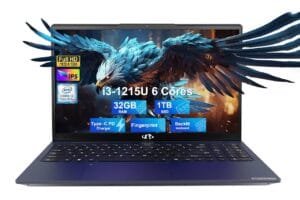
If you’re buying a laptop primarily for software development, you’re really buying time and focus: fast builds, smooth multitasking, reliable thermals, a keyboard you can live on, and ports that don’t force you into dongle life.
For this roundup, I prioritized what matters in real developer workflows: CPU performance (especially sustained), RAM headroom (Docker/VMs), SSD size, display comfort for long sessions, and practical connectivity—plus the OS/stack fit (Windows/Linux/macOS, iOS dev, CUDA, etc.).
Quick Verdict
Best overall pick: Lenovo ThinkPad E16 Gen 3 — the best all-around dev “workhorse” here: big screen, strong CPU class, lots of RAM/SSD, and business-grade practicality.
Best value pick: Dell Inspiron 15 (3530) — a surprisingly capable “do everything” dev laptop when configured with 32GB RAM + 1TB SSD, as long as you’re not expecting workstation thermals.
Who should buy from this list: Developers who want a reliable laptop for IDEs, containers, light VMs, and multi-monitor work—without guessing which spec actually matters.
Who may want to look elsewhere: If you need NVIDIA CUDA for ML training or heavy GPU compute, focus on the RTX models—but be realistic about weight, fan noise, and battery.
Top Picks at a Glance
| Product | Best for | Key strength | Main drawback |
|---|---|---|---|
| Lenovo ThinkPad E16 Gen 3 | Most developers | 16″ workspace + 32GB RAM + port selection | Not a gaming/creator GPU machine |
| Apple MacBook Air (M4, 24GB/512GB) | macOS dev + travel | Quiet, efficient, premium experience | Limited ports + 13.6″ workspace |
| Dell Inspiron 15 (3530, 32GB/1TB) | Budget-friendly dev | Lots of RAM/SSD for the money | U-class CPU = less sustained performance |
| ASUS ROG Strix G16 (Ultra 9 + RTX 5070 Ti) | Heavy compile + CUDA + creator | Top-tier performance ceiling | Big, expensive, gaming-first vibe |
| MSI Katana 15 HX (i9 + RTX 5070) | Performance per dollar (RTX) | Strong CPU/GPU combo | Build/feel and fan noise can be less refined |
| Alienware 16 Aurora (RTX 5060, 16GB) | Entry RTX dev + light ML | RTX 50-series + Dell service | 16GB RAM is tight for serious dev |
Product Reviews
Product #1: Lenovo ThinkPad E16 Gen 3 (Best Overall)

Why It’s Our Top Pick
For most software developers, this is the most balanced machine in the list. You’re getting a 16-inch 16:10 display (more vertical code space), 32GB DDR5, and 1TB SSD, plus a port mix that’s actually practical for external monitors and peripherals. It’s also a ThinkPad-style device in spirit: focused on durability, typing, and day-to-day reliability rather than chasing “wow” specs.
Key Features
- 16″ 1920×1200 (16:10) anti-glare display for more usable code space
- Intel Core Ultra 7 255H-class CPU (stronger than typical thin-and-light chips)
- 32GB RAM + 1TB SSD for Docker, IDEs, and multitasking
- Thunderbolt 4 + HDMI + Ethernet for multi-monitor desk setups
What We Like
If you spend long days in an IDE, the bigger 16:10 screen is immediately noticeable—less scrolling, more context, and easier split panes. The 32GB RAM configuration is the real win for modern dev: multiple projects open, containers running, browser tabs everywhere, and the system still stays responsive.
I also like the “boring” stuff: anti-glare display, a port selection that reduces dongle dependence, and the kind of chassis that’s meant to be carried daily.
What Could Be Better
This is not the pick for GPU-heavy workflows. Integrated graphics are fine for IDEs and general dev work, but if you specifically need CUDA acceleration, you’ll want one of the RTX machines below. Also note the listing disclosure about upgraded components (resealed); that’s not automatically bad, but it’s worth understanding warranty coverage.
Pros & Cons
| Pros | Cons |
|---|---|
| Excellent dev-friendly 16:10 screen size | No dedicated GPU for CUDA/ML training |
| 32GB RAM + 1TB SSD is ideal for containers/VMs | Some listings are resealed/upgraded—read warranty terms |
| Strong connectivity: TB4, HDMI, Ethernet | Not the lightest option for travel |
| Practical “work laptop” design and security features | Display brightness class may be average depending on configuration |
Who This Product Is Best For
- Developers who live in VS Code / IntelliJ / Visual Studio, run Docker, and want a stable daily driver
- People who use external monitors and want fewer adapters
- Anyone who values a bigger, less cramped workspace for code
Who Should Skip This Product
- Developers doing frequent GPU compute / CUDA work
- Anyone who wants a super-light laptop for constant travel
- Users who demand high refresh-rate screens (not needed for dev, but some prefer it)
Product #2: Apple MacBook Air 13-inch (Best for macOS Dev & Portability)


Why It Ranks This High
If your stack fits macOS—and especially if you do iOS/macOS development—this is one of the cleanest “open it and work” laptops you can buy. The M-series Macs tend to feel fast in day-to-day dev work, and the Air’s silent design is great if you code in meetings, cafes, libraries, or shared spaces.
The key detail is the configuration: 24GB unified memory is what makes this a dev-capable Air instead of a “basic laptop.”
Key Features
- Apple M4 chip for fast everyday performance and efficiency
- 24GB unified memory for heavier multitasking
- 13.6″ Liquid Retina display with sharp text rendering
- Thunderbolt 4 + MagSafe, Wi-Fi 6E, Bluetooth 5.3
What We Like
For mobile development and web dev, this is a “no drama” machine. It’s light, battery-friendly (Apple claims up to 18 hours), and the overall experience—sleep/wake, trackpad, keyboard consistency—supports deep focus.
For devs who carry a laptop everywhere, weight and battery aren’t luxuries. They’re productivity features.
What Could Be Better
The Air is still limited by its thin design and port count. It’s also a 13.6″ screen—fine on the go, but many devs end up wanting a bigger display for long sessions. And while 512GB is workable, large Docker images, emulators, and project assets can eat space quickly.
Pros & Cons
| Pros | Cons |
|---|---|
| Excellent portability and quiet operation | Limited ports compared to bigger dev laptops |
| 24GB RAM is a strong dev configuration | 13.6″ can feel cramped for full-time coding |
| Great for macOS/iOS workflows | Storage can fill fast if you run lots of containers/emulators |
| Strong battery claims for travel | Not ideal if you need NVIDIA CUDA |
Who This Product Is Best For
- iOS/macOS developers (Xcode workflows)
- Web devs who want a lightweight daily carry
- Developers who value silent operation and strong battery life
Who Should Skip This Product
- Anyone who needs CUDA / NVIDIA workflows
- Developers who refuse dongles and need lots of ports
- People who want a large screen as their primary workspace
Product #3: Dell Inspiron 15 3530 (Best Value Pick)
Why It’s the Best Value
This configuration hits the two specs that matter most for dev longevity: 32GB RAM and a 1TB SSD. That alone makes it far more usable than many “developer laptop” recommendations that cheap out on memory.
It’s not flashy, but it’s practical—and for many devs, that’s the point.
Key Features
- Intel i7-1355U (efficient, good burst performance)
- 32GB RAM + 1TB SSD
- 15.6″ FHD anti-glare touchscreen
- Good port variety including HDMI and USB-C
What We Like
For web dev, backend dev, scripting, and general software engineering, this gets you a smooth day-to-day experience with enough RAM to keep browsers, IDEs, and containers running without constant slowdowns.
The 15.6″ screen is also a decent middle ground: bigger than a 13-inch, more portable than many 16-inch machines.
What Could Be Better
The U-series CPU is tuned for efficiency, not sustained heavy loads. If you compile huge projects all day, run multiple VMs, or constantly push the CPU, you may notice performance drop under long sessions compared to H/HX chips. Also, Inspiron thermals and chassis design usually aren’t “workstation grade.”
Pros & Cons
| Pros | Cons |
|---|---|
| Excellent RAM/SSD value in this configuration | U-class CPU is weaker for sustained heavy workloads |
| Good everyday dev performance | Build/thermals may not be as robust as business lines |
| Reasonable screen size for code | Touchscreen is nice but not essential for dev |
| Windows 11 Pro included | Not a CUDA/ML powerhouse |
Who This Product Is Best For
- Developers on a tighter budget who still want 32GB RAM
- Students learning CS, web dev, and general programming
- Anyone building a solid “home + occasional travel” dev setup
Who Should Skip This Product
- People compiling massive codebases all day long
- Developers who need high-end GPU compute
- Those who want premium keyboard/trackpad feel above all else
Product #4: ASUS ROG Strix G16 (Best for Heavy Builds + GPU Work)

Why It’s Here
If you want a “dev machine that can also do everything else,” this is the high-ceiling option: a top-tier CPU class, 32GB DDR5, fast display, and a serious NVIDIA GPU.
For certain developers—game dev, graphics, CUDA workflows, local LLM tinkering—this type of laptop makes sense.
Key Features
- Intel Core Ultra 9 275HX-class performance
- RTX 5070 Ti Laptop GPU for CUDA/graphics workloads
- 32GB DDR5 + 1TB SSD
- Advanced cooling design (important for sustained dev + GPU loads)
What We Like
The combination of strong CPU + strong GPU gives you flexibility. You can run heavy IDE sessions, compile quickly, and still have GPU headroom for workloads that actually use it. Also: 32GB RAM is what you want at this tier.
What Could Be Better
This is a gaming laptop. That means weight, power brick size, fan noise under load, and a look that might not fit every professional environment (even if it has a stealth mode). It’s also expensive, and many developers simply won’t use the GPU enough to justify it.
Pros & Cons
| Pros | Cons |
|---|---|
| Top-tier CPU/GPU for demanding workflows | Expensive and less portable |
| 32GB RAM suits heavy multitasking | Gaming design may be too loud/flashy for some |
| Strong cooling focus | Battery life typically not a strong point in this class |
| Great for dev + CUDA + creator use | Overkill for most web/app developers |
Who This Product Is Best For
- Developers who need CUDA, do game dev, or GPU-accelerated workflows
- People who want one laptop for work + creation + gaming
- Power users who run heavy loads for hours
Who Should Skip This Product
- Anyone prioritizing portability and quietness
- Developers whose work is mostly browser/IDE + light containers
- Buyers who don’t want a big charger and gaming styling
Product #5: MSI Katana 15 HX (Best Performance per Dollar for RTX)

Why It’s a Good Pick
On paper, this is a lot of silicon for the money: a very fast HX-class Intel CPU and an RTX 5070, plus 32GB DDR5 and 1TB NVMe. For developers who want GPU capability without paying the premium for the most “flagship-feeling” chassis, it’s compelling.
Key Features
- Intel Core i9-14900HX (high-performance CPU tier)
- RTX 5070 Laptop GPU
- 32GB DDR5 + 1TB NVMe SSD
- QHD 165Hz-class display spec
What We Like
The core components are strong for workloads that hammer CPU and GPU. If you’re compiling, containerizing, running local services, and also doing GPU-accelerated tasks, this kind of hardware can save you time.
What Could Be Better
This class of laptop often trades refinement for specs: fan noise, chassis feel, speakers, and trackpad can be less premium than higher-end lines. For dev, the “feel” matters because you touch the keyboard and trackpad all day.
Pros & Cons
| Pros | Cons |
|---|---|
| Excellent CPU/GPU combo for the price | Can be louder under sustained load |
| 32GB RAM is dev-ready | Build/trackpad/speakers may be less premium |
| Strong for CUDA, game dev, heavy compiles | Not ideal for travel |
| Solid storage out of the box | Gaming-first design priorities |
Who This Product Is Best For
- Developers who want RTX power for compute/game dev
- Buyers who value raw specs more than premium feel
- Desk-first users who plug in most of the time
Who Should Skip This Product
- People who want quiet, cool lap use
- Frequent travelers
- Developers who prefer premium typing/trackpad experience over performance
Product #6: Alienware 16 Aurora (Best “Entry RTX” Option with Support)

Why It’s on the List
Alienware systems can offer good cooling design and support coverage, and the RTX 50-series GPU makes this an interesting entry point for graphics-accelerated tasks.
But I’m ranking it lower because the listed configuration includes 16GB RAM, which is often the first bottleneck for modern development.
Key Features
- RTX 5060 8GB GDDR7
- 16″ 16:10 WQXGA-class display spec
- Dell onsite service included (nice safety net)
- Intel Core 7-series CPU class
What We Like
If you want an RTX laptop and also care about a support experience, Dell’s service angle can be meaningful. The 16″ 16:10 format is also a good dev shape.
What Could Be Better
For development, 16GB RAM can feel tight once you add Docker containers, a couple of big projects, and a heavy browser session. If this model is upgradeable, it can become a better dev pick—but based strictly on the listed configuration, it’s not ideal compared to the 32GB options above.
Pros & Cons
| Pros | Cons |
|---|---|
| RTX 50-series GPU capability | 16GB RAM is limiting for serious dev |
| 16:10 screen format is dev-friendly | Likely heavier with shorter battery life |
| Dell onsite service is reassuring | Paying for brand/cooling rather than RAM value |
| Good “entry RTX” direction | Not the best spec balance in this exact config |
Who This Product Is Best For
- Developers who need some GPU help but also value support coverage
- Users doing lighter GPU tasks (not massive training)
- Buyers who prefer a 16″ chassis and an RTX baseline
Who Should Skip This Product
- Developers running multiple containers/VMs daily
- Anyone who wants 32GB RAM out of the box
- Value-focused buyers (the Inspiron/ThinkPad configs make more sense)
What to Look for When Buying the Best Laptop for Software Development
1) CPU: Sustained performance matters more than peak boosts
Many laptops feel fast for 30 seconds—then slow down when heat builds. If you compile large projects frequently, favor H/HX-class CPUs (like the Ultra 9 or i9 HX options). If your work is lighter (web dev, scripting), an efficient CPU is fine.
2) RAM: 16GB is “okay,” 32GB is the sweet spot
Modern development is RAM-hungry: IDE + browser + Docker + local services adds up quickly.
- 16GB: workable for students and lighter stacks
- 32GB: the best “buy once, cry once” choice for most devs
- 24GB (Mac unified): often behaves better than you’d expect, but still plan realistically
3) Storage: 512GB is the minimum, 1TB is comfortable
Docker images, SDKs, emulators, and project artifacts eat storage. If you can, 1TB helps you avoid constant cleanup.
4) Display and ergonomics: your eyes and neck will notice
For long coding sessions, prioritize:
- 16:10 aspect ratio (more vertical space)
- Anti-glare if you work in varied lighting
- Enough size: 16″ is great, 13″ is travel-friendly but cramped
5) Ports and monitors: plan your desk setup
If you use external displays, you want a laptop that supports them cleanly:
- USB-C / Thunderbolt for docks and fast peripherals
- HDMI as a “plug in anywhere” fallback
- Ethernet is still great for stable dev environments
6) OS fit: don’t fight your toolchain
- macOS: great for iOS/mac dev; strong for many web stacks
- Windows: broad compatibility; great for .NET/Visual Studio
- Linux: excellent dev environment; check driver support (especially on gaming laptops)
7) Thermals, fan noise, and portability
High-performance laptops tend to be loud and heavy. If you travel constantly, you’ll feel that trade-off every day.
Final Verdict – The Best Laptop for Software Development
If you want the best overall “developer laptop” from this exact list, the Lenovo ThinkPad E16 Gen 3 is the smartest pick: big dev-friendly screen, 32GB RAM, 1TB SSD, and the port set you actually use.
If you’re a macOS-first developer or you do iOS work, the MacBook Air M4 (24GB/512GB) is the most pleasant portable machine here—just accept the smaller screen and limited ports.
If you want the best bang for your buck, the Dell Inspiron 15 (32GB/1TB) is the value buy—strong everyday dev performance, with the main compromise being sustained heavy-load performance.
| Preview | Product | Price | |
|---|---|---|---|

|
Lenovo ThinkPad E16 Gen 3 Business AI PC Laptop (16″ FHD+ Anti-Glare, Intel 16-Core Ultra 7 255H… | $1,289.99 | View on Amazon |
FAQ
1) Is 16GB RAM enough for software development?
Sometimes, but 32GB is the safer long-term choice if you use Docker, VMs, or heavy IDEs.
2) Do developers need a dedicated GPU?
Not usually. You only need it for CUDA/ML, game dev, 3D, or specific GPU-accelerated workloads.
3) Is MacBook Air good for programming?
Yes—especially with 24GB RAM—if your toolchain fits macOS and you’re okay with fewer ports.
4) What’s better for coding: 13″, 15″, or 16″?
16″ (especially 16:10) is best for long sessions; 13″ is best for travel; 15″ is a practical middle ground.
5) Which laptop here is best for machine learning?
The ASUS ROG Strix G16 (RTX 5070 Ti) is the strongest option here for GPU compute; the MSI is a close “value” alternative.
6) What specs matter most for faster builds?
CPU (sustained), RAM (to avoid swapping), and SSD speed/space.
7) Should I prioritize battery life or performance?
If you work unplugged a lot, battery wins. If you compile/run heavy workloads plugged in, performance wins.