Students use tablets to take notes, read textbooks, attend classes, and finish homework. A good tablet can replace a laptop for many school tasks and still stay light enough for a backpack. The best tablet for students balances speed, battery life, screen quality, and price without adding extra weight.
We wrote this guide for middle school, high school, and college students who want a tablet that works every day. We researched and compared popular models using real student needs, not brand claims. We looked at how each tablet handles school apps, typing, drawing, and video calls.
When choosing a tablet, battery life, screen size, weight, and keyboard support matter most. Software updates, durability, and long-term value also affect how well it holds up over several school years. If you want the fastest answer, jump to our top pick.
Best Tablets for Students
Below is our list of the best tablets for students based on daily school use, price, and ease of learning. We looked at note taking, reading, battery life, and app support, and we weighed real trade-offs like screen size and keyboard options. Students who need full desktop software or heavy video editing should skip tablets and consider a laptop.
1. Apple iPad 11‑inch (A16)
![Best Tablet for Students ([year]): Ranked Picks for Notes, Study, and Class](https://m.media-amazon.com/images/I/61aPY8odPSL.jpg)
This iPad fits students who want a smooth, reliable tablet for classwork, notes, and media without carrying a laptop.
Pros
- Fast and steady during daily school tasks
- Screen feels easy on the eyes for long reading
- Works well with a pen for notes and sketches
Cons
- Keyboard and pen cost extra
- File handling feels limited for power users
- Price runs high for basic needs
| Preview | Product | Price | |
|---|---|---|---|

|
Apple iPad 11-inch: A16 chip, 11-inch Model, Liquid Retina Display, 128GB, Wi-Fi 6, 12MP Front/12MP… |
$349.00
$329.99 |
View on Amazon |
We used this iPad for a full school day, moving between notes, web research, and video calls. Apps opened quickly and stayed responsive. Switching between tasks felt simple, even with split screens.
Reading textbooks and slides felt comfortable. The screen stayed clear in bright rooms and dim spaces. Writing notes with a pen felt natural, and palm rejection worked well during fast lectures.
Battery life covered the day without stress. We tossed it in a backpack and forgot about charging. The build felt solid, and Touch ID made quick unlocks easy between classes.
This iPad suits students who rely on apps and cloud tools. Skip it if you need heavy file control or want a full laptop replacement without buying extras.
2. Lenovo Idea Tab Pro
![Best Tablet for Students ([year]): Ranked Picks for Notes, Study, and Class](https://m.media-amazon.com/images/I/71bDdiCbWmL.jpg)
We think this tablet fits students who want a big screen, long battery life, and a pen for daily schoolwork without paying laptop prices.
Pros
- Large screen feels great for reading and split-screen study
- Pen works well for notes and quick markups
- Battery lasts through a full school day
Cons
- Size feels bulky in small backpacks
- Screen brightness struggles outdoors
- Software updates may not last many years
| Preview | Product | Price | |
|---|---|---|---|

|
Lenovo Idea Tab Pro with Google Gemini – Student Tablet – 12.7” 3K LCD Display – 8 GB Memory… |
$279.99 |
View on Amazon |
After using it for classes and media, the first thing we noticed was the screen size. Notes feel less cramped, and reading PDFs causes less eye strain. Long study sessions felt easier on our eyes, especially at night.
The included pen made a real difference. We highlighted slides, wrote math steps, and marked screenshots without fuss. It felt responsive and accurate, which helped during fast lectures.
Sound quality stood out during videos and music breaks. Speakers filled a room better than most tablets we’ve tried. Streaming shows after homework felt smooth and uninterrupted.
Carrying it around campus revealed the main trade-off. The tablet feels heavy after a while, and it takes up space. Students who want a small, light device may want to look elsewhere.
Overall, we see this tablet working best for students who rely on media, notes, and long reading sessions. Those who want long-term software support or a compact device should skip it.
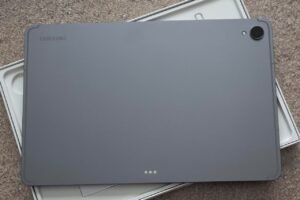
3. Samsung Galaxy Tab A9+
![Best Tablet for Students ([year]): Ranked Picks for Notes, Study, and Class](https://m.media-amazon.com/images/I/61d46oYQgdL.jpg)
This tablet works well for students who need a smooth, simple device for schoolwork, media, and daily tasks without paying for premium extras.
Pros
- The large screen feels comfortable for reading notes and watching lectures
- Apps switch smoothly during homework and light multitasking
- The slim body fits easily in a backpack and feels sturdy in hand
Cons
- The screen looks good but not sharp enough for detailed art work
- It lacks pen support for students who prefer handwritten notes
- Heavy gaming can slow things down over time
| Preview | Product | Price | |
|---|---|---|---|

|
Samsung Galaxy Tab A9+ Tablet 11” 64GB Android Tablet, Big Screen, Quad Speakers, Upgraded… |
$219.99
$149.99 |
View on Amazon |
We used the Galaxy Tab A9+ for class notes, research, and streaming study videos. The screen size made split tasks easier, like reading slides while typing notes. Everything felt steady during normal school use.
Sound stood out more than expected. Videos and group calls came through clearly without needing headphones. That helped during shared spaces like dorm rooms or kitchens.
The tablet stayed light during long study sessions. We carried it all day without strain, and the battery lasted through classes and evening use. Still, students who rely on stylus input or advanced creative apps should look elsewhere.
4. Samsung Galaxy Tab S10 Lite
![Best Tablet for Students ([year]): Ranked Picks for Notes, Study, and Class](https://m.media-amazon.com/images/I/61jwusQUP2L.jpg)
This tablet fits students who want a smooth note-taking and media tablet with a pen, without paying for a premium model.
Pros
- Comfortable pen feel for notes and sketches
- Screen stays clear for reading and video
- Handles school multitasking without stutter
Cons
- Keyboard costs extra
- App layout can feel busy at first
- Speakers sound fine, not rich
| Preview | Product | Price | |
|---|---|---|---|

|
Samsung Galaxy Tab S10 Lite, 6GB RAM, 128GB, 2TB Expand, Long Battery Life, 10.9” LCD, S Pen for… |
$349.99 |
View on Amazon |
We used the Galaxy Tab S10 Lite for class notes, reading, and streaming after homework. The screen feels easy on the eyes during long study sessions. Text looks sharp, and videos play smoothly without fuss.
Writing with the S Pen feels natural. We took notes during a lecture and marked up PDFs without delay. The pen makes this tablet far better than typing on glass, especially for math and diagrams.
Daily tasks move along without lag. Switching between notes, a browser, and a video worked well. It stayed responsive even after hours of use, which matters during long school days.
Still, this tablet is not perfect for everyone. We missed having a keyboard included, and the interface takes a bit of time to learn. Students who want a simple, pen-first tablet will get the most value here.
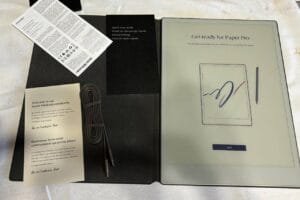
5. TCL NXTPAPER 11 Plus
![Best Tablet for Students ([year]): Ranked Picks for Notes, Study, and Class](https://m.media-amazon.com/images/I/71ZsWxHpd8L.jpg)
We recommend this tablet for students who read and write for long hours and want less eye strain without paying for a premium brand.
Pros
- Screen feels easy on the eyes during long study sessions
- Writing with the stylus feels natural and controlled
- Case and pen come in the box, which saves money
Cons
- App loading feels slower with heavy multitasking
- Speakers sound fine but not rich
- Matte screen dulls colors for video fans
| Preview | Product | Price | |
|---|---|---|---|

|
TCL NXTPAPER 11 Plus Android Tablet, 11.5″ 120Hz 2.2K Drawing Pad & Digital Notebook, Stylus & Flip… |
$369.99
$269.99 |
View on Amazon |
After using this tablet for notes and reading, we noticed the screen comfort right away. The surface cuts glare, and our eyes felt less tired after long PDF and ebook sessions. It works well in bright rooms and near windows.
Writing notes felt smooth and steady. The pen tracked our handwriting well, and sketching diagrams felt simple. Switching between reading mode and normal mode helped us stay focused during study blocks.
Daily tasks ran fine, but we felt limits when many apps stayed open. Video calls looked clear, though the sound stayed average. Students who stream a lot may want stronger speakers.
This tablet fits students who value comfort, reading, and handwritten notes. Those who want bold color or gaming speed should look elsewhere.
Buying Guide
We look at how students actually use a tablet each day. Notes, reading, videos, and light writing matter more than raw power. A good choice fits class needs, not just specs on paper.
Screen size and quality affect comfort. Smaller screens travel well but feel tight for split screens. Larger screens help with notes and reading but add weight. We suggest a balance that fits a backpack and desk.
Battery life matters more than charging speed. A tablet should last a full school day without stress. Short battery life forces breaks and adds cable clutter.
Performance should feel smooth for school apps. We focus on steady speed, not peak numbers. Overpowered tablets cost more and often go unused.
| Feature | What to Look For | Trade-Off |
|---|---|---|
| Display | Clear text, low glare | Bigger screens weigh more |
| Battery | All-day use | Larger batteries add bulk |
| Speed | Smooth multitasking | Extra power raises cost |
| Storage | Room for files | Cloud use needs internet |
Input options shape how students work. Touch works for reading and browsing. A keyboard helps with essays. A pen helps with notes, but not everyone needs one.
Software support affects long-term value. We check update history and app access. Limited updates can shorten useful life.
Some students should skip a tablet. Heavy coding, design, or long typing often works better on a laptop. If classes rely on one program that needs a desktop system, a tablet may frustrate more than help.
Frequently Asked Questions
Students need tablets that handle daily classwork without slowing them down. Battery life, app support, and input options shape how useful a tablet feels over a full school day.
What are the top features to look for in a tablet for academic use?
We look first at battery life that lasts a full day of classes, not just a few hours. A tablet should handle note apps, web research, and video calls without lag.
Screen size matters more than resolution for reading and split-screen work. We find 10 to 11 inches strikes a good balance between comfort and portability.
Software support affects how long a tablet stays useful. We prefer models with regular updates and strong app libraries for school tools.
How do tablets with stylus support benefit students?
Stylus support helps with handwritten notes, math problems, and diagrams. We see better focus when students write directly on the screen instead of typing.
Accuracy and palm rejection make a real difference. A good stylus feels natural, while poor support leads to missed strokes and frustration.
Some students can skip a stylus if they type all notes. Others, especially in science or art classes, gain clear value from it.
What’s better for students: iPad, Android tablet, or a Windows tablet/2-in-1?
It depends on your schoolwork and app needs.
- iPad: Usually the smoothest for handwriting + note-taking workflows (lots of polished tablet-first apps).
- Android: Often the best value for big screens on a budget; great for reading, streaming, Google apps, and basic productivity.
- Windows 2-in-1: Best if you must run full desktop programs (some engineering, business, or specialty Windows software).
What screen size is ideal for a student tablet?
Most students land in one of these two “safe” ranges:
- 10–11 inches: Easier to carry all day; great for reading, quick notes, and commuting.
- 12–13 inches: Better for split-screen (slides + notes), longer typing sessions, and multitasking—at the cost of weight and price.
Do I need a stylus for school?
If you take handwritten notes, do math/science, annotate PDFs, or draw diagrams—yes, it’s worth it.
A stylus makes a tablet feel more like a notebook and is especially useful for formulas, graphs, and marking up lecture slides. If you mostly type essays and do web research, you can skip it or add it later.