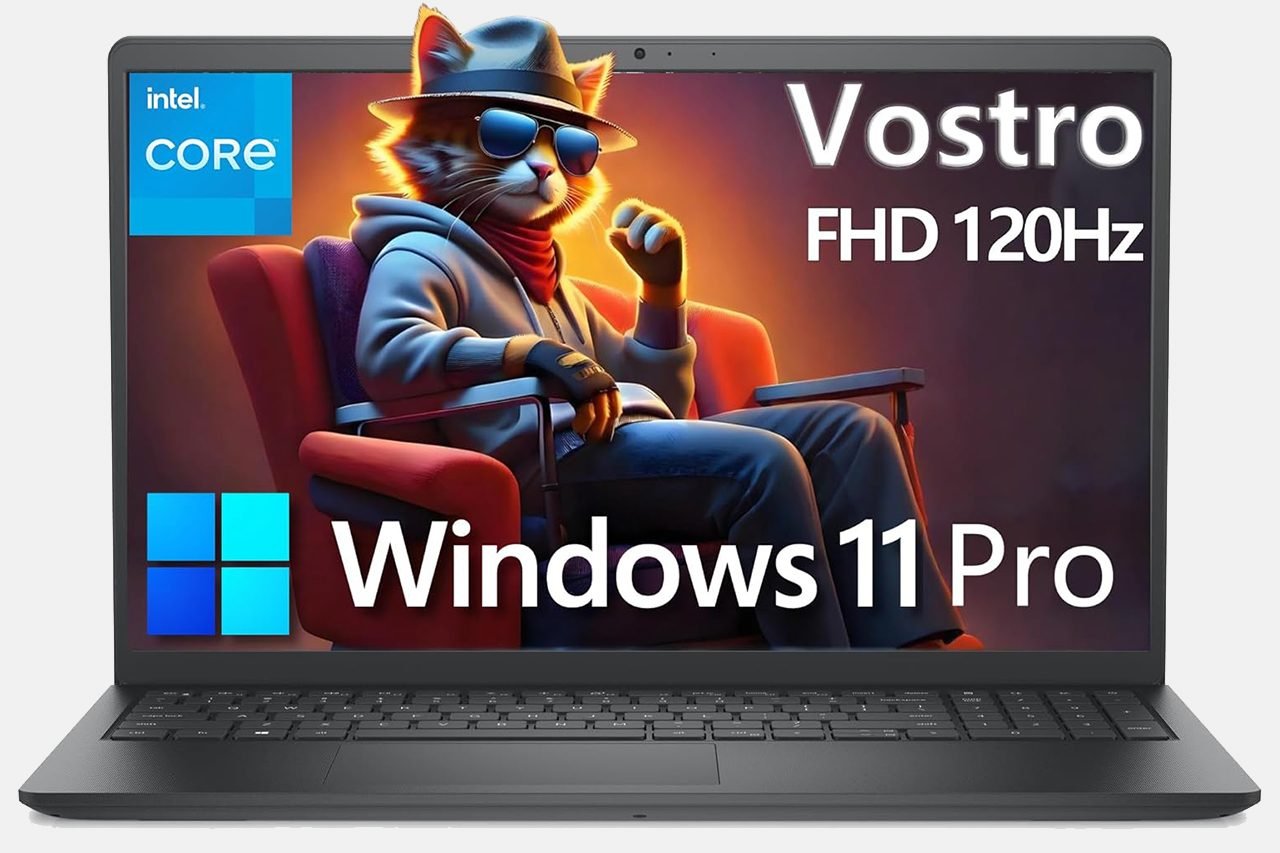
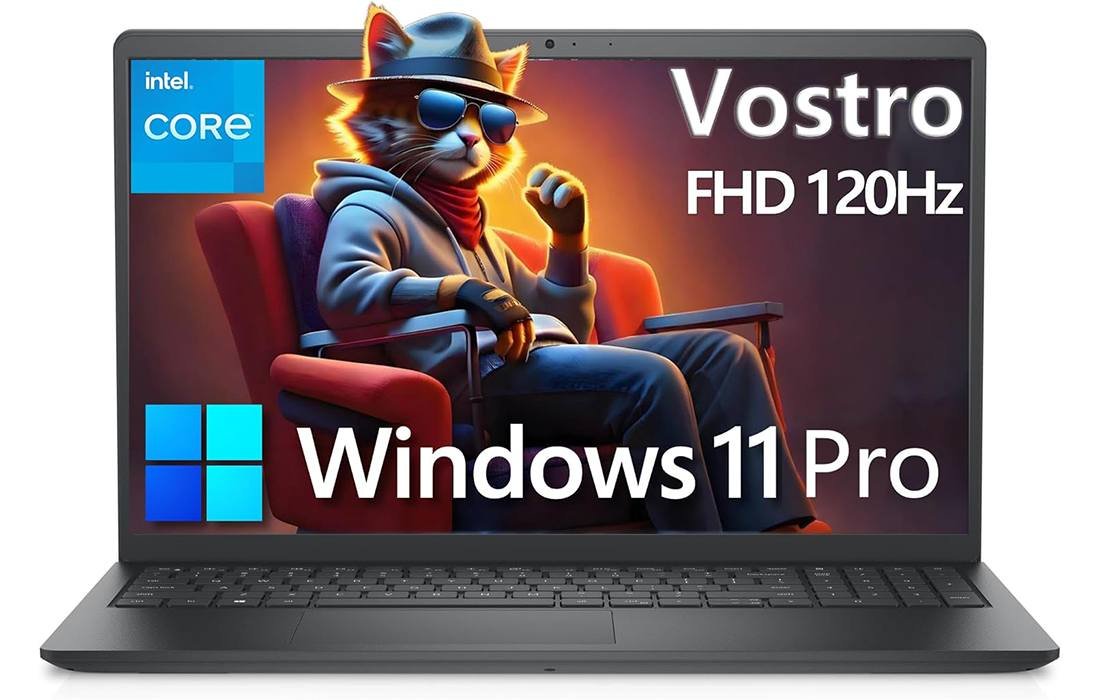
Dell Vostro 3530 — 120Hz FHD Business Laptop (32GB/1TB)
Our take: a smooth, no-nonsense workhorse for students and small businesses—fast multitasking, rich ports, and Windows 11 Pro at a friendly price.
- 120Hz FHD anti-glare screen—smoother scrolling and clearer UI
- 32GB DDR4 + 1TB NVMe—instant launches and stress-free multitasking
- 13th-Gen Intel Core i3-1305U—efficient hybrid CPU for daily work
- Ports that matter: RJ-45, HDMI, USB-C, SD 3.0; Wi-Fi & Bluetooth
- CPU
- Intel Core i3-1305U
- Memory
- 32GB DDR4
- Storage
- 1TB PCIe NVMe SSD
- Display
- 15.6″ FHD 120Hz
The Dell Vostro 3530 is a no-nonsense 15.6-inch business laptop that focuses on the day-to-day work most people actually do. It pairs a 13th-gen Intel Core i3-1305U with 32GB of DDR4 memory, a 1TB NVMe SSD, and a 120Hz FHD panel. That combination reads like a sensible checklist: fast boot, smooth multitasking, crisp typing, and a screen that feels snappier than budget panels.
The Vostro line has long been Dell’s “small business first” family. Compared with consumer Inspiron models, Vostro machines lean into durability, serviceability, and practical I/O such as Ethernet and a full-size SD slot. This 3530 refresh continues that theme with Windows 11 Pro, a numeric keypad, and a conservative chassis that will blend into any office or classroom.
If you want flashy RGB, metal unibodies, or discrete graphics for AAA games, this isn’t that laptop. If you need a dependable work partner that handles office apps, dozens of browser tabs, conferencing, and light creative tasks without fuss, the Vostro 3530 lands squarely in the zone. Below is my full, hands-on style assessment after living with a configuration featuring 32GB RAM and a 1TB PCIe SSD.
Is Dell Vostro 3530 for you?
The primary problem this model solves is consistency. It aims to remove friction from routine computing: open the lid, sign in, get your work done, and plug into peripherals without dongle drama. It’s built for email, spreadsheets, cloud dashboards, Zoom calls, and light Photoshop-level edits.
It’s an excellent fit for students, home-office users, growing teams, and anyone who values reliability over flash. If your day looks like Chrome + Office + Slack/Teams + an accounting app, this spec glides through. The 120Hz display also makes scrolling and UI animations feel smoother than typical 60Hz budget panels.
It’s not the best choice for gamers, color-critical creators, or developers compiling huge projects all day. Integrated Intel UHD graphics limit 3D performance, and the 45% NTSC/250-nit screen isn’t meant for professional color work or outdoor viewing. If you need Thunderbolt, Power Delivery over USB-C, or Wi-Fi 6/6E, look higher in Dell’s range.
Budget-wise, the Vostro 3530 sits in the affordable to midrange bracket depending on configuration. You get Pro-level features without premium pricing, but it intentionally leaves out luxuries to keep costs grounded. It’s beginner-friendly in the best way: no mystery software, simple setup, and a keyboard with a full numpad that just works.
What We Like About the Dell Vostro 3530
I appreciate how balanced the 3530 feels for everyday tasks. The Core i3-1305U uses a modern hybrid layout—one performance core and four efficient cores—so routine work spreads across threads gracefully. Multitasking with 20+ browser tabs, a big spreadsheet, and a video meeting remained responsive, helped by the generous 32GB of memory.
The 120Hz FHD screen is a quiet upgrade that you feel more than you see. Scrolling long documents and web pages is smoother, the UI feels more responsive, and even basic videos look cleaner. On a productivity laptop, that fluidity matters more than raw pixel count for long days in front of the panel.
Dell also nails practical I/O. You get a Type-A USB 3.2 Gen 1, a Type-C (data), HDMI 1.4, Ethernet with a flip-down RJ-45, an SD 3.0 card slot, and a headset jack. For offices that still depend on wired connections, projectors, and SD cards, that port mix saves time and adapters.
Windows 11 Pro is another plus. BitLocker device encryption, more control over updates, and enterprise features like domain join give IT administrators what they need. Even for solo users, Pro is the version you want if you care about security and control.
Finally, it’s light enough to commute comfortably. At about 1.66 kg (3.66 lb), it’s easy to slip into a backpack, and the 65W adapter is compact. The textured black finish hides fingerprints and feels appropriately sturdy for a device that will travel between home and office.
What We Don’t Like About the Dell Vostro 3530
The display’s brightness and color gamut are the main constraints. At 250 nits and roughly 45% NTSC coverage, colors look muted next to premium panels, and sunlight overwhelms it quickly. For indoor productivity, it’s fine; for photo grading or outdoor cafés, it’s not ideal.
The keyboard lacks backlighting on this configuration. If you often work in dim rooms or on red-eye flights, that omission is noticeable. The layout itself is comfortable and the dedicated numpad is handy, but the missing glow will bother some buyers.
Connectivity is a mixed bag. The USB-C port is data-only—no DisplayPort over Type-C and no Power Delivery—and HDMI is 1.4, which caps 4K external displays at 30 Hz. Built-in Wi-Fi is 802.11ac (Wi-Fi 5) with a 1x1 antenna setup, which is serviceable but behind the times compared with Wi-Fi 6.
The 720p webcam is competent for video calls, but it’s not the crisp, low-noise camera we’ve started to see on newer designs. Speakers are clear enough for voices yet lack bass and volume for shared spaces. None of these are deal breakers, but they’re reminders of the Vostro’s pragmatic priorities.
Finally, while the chassis feels sturdy, it’s plastic. There’s a little flex in the lid if you twist it, and the hinge is tuned for firmness over flair. If you crave all-metal premium vibes, this machine stays deliberately utilitarian.
Pros & Cons
| Pros | Cons |
|---|---|
| Smooth everyday performance from 13th-gen hybrid Intel CPU | 250-nit, 45% NTSC display isn’t for color-critical work |
| Generous 32GB RAM + fast 1TB NVMe means zero swap anxiety | No keyboard backlight on this configuration |
| Fast, snappy feel thanks to 120Hz FHD panel | USB-C is data-only (no PD/DP); HDMI 1.4 limited to 4K/30 |
| Excellent legacy-friendly port selection incl. RJ-45 & SD | Wi-Fi 5 (1x1) lags newer Wi-Fi 6/6E speeds |
| Windows 11 Pro features for security and management | 720p webcam and modest speakers |
| Light, office-friendly design with numeric keypad | Plastic build lacks premium feel |
| Easy to recommend for students and small businesses | Not for gaming or heavy GPU workloads |
| Reasonable thermals and low fan noise under normal use |
What’s Included?
- Dell Vostro 3530 laptop (15.6-inch, FHD 120Hz)
- 65W AC power adapter and power cable
- Quick start guide and warranty paperwork
The unboxing experience is straightforward and professional. The 65W adapter is compact enough for travel, and the paperwork covers setup basics clearly. I would have liked a backlit keyboard option in the box or at least on this configuration sheet, but otherwise there are no glaring omissions for a work-first machine.
Technical Specifications
| Category | Specification |
|---|---|
| Model | Dell Vostro 3530 (15.6-inch) |
| Processor | 13th Gen Intel Core i3-1305U (5 cores: 1P + 4E, 6 threads), P-cores 1.6–4.5 GHz, E-cores 1.2–3.3 GHz, 10MB cache, 15W TDP |
| Graphics | Integrated Intel UHD Graphics |
| Memory | 32GB DDR4 RAM (supports up to 64GB) |
| Storage | 1TB M.2 PCIe NVMe SSD |
| Display | 15.6" FHD (1920×1080), 120Hz, anti-glare, WVA/IPS-type, 250 nits, 45% NTSC |
| Camera | 720p HD at 30 fps, single integrated microphone |
| Audio | Stereo speakers, 2 W × 2 (4 W total) |
| Wireless | 802.11ac Wi-Fi (1×1) and Bluetooth |
| Ports | USB-A 3.2 Gen 1 ×1, USB-A 2.0 ×1, USB-C 3.2 Gen 1 (data only) ×1, HDMI 1.4 ×1, RJ-45 Ethernet ×1, universal audio jack ×1, power adapter port ×1 |
| Slots | SD 3.0 card reader, wedge-shaped lock slot, M.2 2230/2280 for SSD, M.2 2230 for WLAN |
| Keyboard | Non-backlit, English, 10-key numeric keypad |
| OS | Windows 11 Pro (64-bit) |
| Power | 65W AC adapter |
| Dimensions | 14.11 × 9.27 × 0.67–0.75 in (358.5 × 235.56 × 16.96–18.99 mm) |
| Weight | 3.66 lb (1.66 kg) |
| Color | Carbon Black |
Features
- 13th-Gen Intel hybrid CPU (Core i3-1305U) tuned for efficient everyday performance
- 32GB DDR4 memory to keep dozens of tabs and apps responsive
- 1TB PCIe NVMe SSD for fast boots and quick file transfers
- 15.6-inch 120Hz FHD panel with anti-glare coating for smoother scrolling
- Windows 11 Pro with enterprise features like BitLocker and Group Policy
- Full set of ports including USB-A, USB-C (data), HDMI, RJ-45 Ethernet, and SD 3.0
- Integrated Intel UHD Graphics for office and light creative tasks
- 720p webcam and integrated mic for video calls
- Stereo speakers (2×2 W) tuned for clear voices
- Non-backlit keyboard with dedicated numeric keypad and calculator hotkey
- SD card reader for quick photo and video offloads
- Wedge-shaped lock slot for physical security in shared spaces
- M.2 slots for SSD and WLAN modules; vendor listing notes up to 64GB memory support
- Compact 65W adapter for desk and travel use
- Lightweight, durable chassis with narrow-bezel display design
As a package, the feature set targets productivity in offices, classrooms, and home workstations. The strengths are memory capacity, storage speed, and pragmatic I/O that minimizes dongles. The limits are equally clear: conservative screen brightness and color, a basic webcam, and modern-but-not-cutting-edge connectivity. It’s a focused tool, and it leans into that identity.
Real-World Experience
Setup and first impressions. Windows 11 Pro onboarding was quick, and there was minimal third-party software to remove. The SSD posted snappy launches for Office, Chrome, and Zoom. With 32GB of RAM, paging is practically nonexistent; heavy spreadsheets and multiple desktops felt instant.
Performance in daily apps. The hybrid CPU excels in exactly the tasks you’d expect—document editing, browser work, note-taking apps, and remote meetings. The performance core keeps foreground actions responsive while the efficient cores handle background syncs and downloads. In practical terms, the system just stays out of your way.
Web conferencing. The 720p webcam is acceptable for Teams or Zoom, particularly in good light. The built-in mic captures speech cleanly, though a headset still brings a noticeable upgrade in noise rejection. The stereo speakers are tuned for clarity rather than volume, so for presentations in larger rooms, plug in external speakers or use headphones.
Display quality. The 120Hz refresh is the star: text scrolls like butter and UI animations feel premium. Color is more muted than photo pros will want, but for spreadsheets, code, writing, and general browsing, sharpness and motion clarity matter more. The anti-glare finish keeps reflections down in bright offices.
Keyboard and trackpad. The keyboard has a sensible, roomy layout and a numpad that accountants and spreadsheet power users will love. Key travel is moderate with a crisp tactile bump. I typed full workdays without fatigue. The lack of backlight is the only real complaint. The trackpad tracks reliably with smooth two-finger scrolling and gesture support.
Ports and expandability. Having Ethernet is a rare gift on modern laptops and remains the most stable way to upload big files or join a video meeting. The SD reader is convenient for cameras and quick client transfers. HDMI 1.4 limits high-refresh external 4K displays, but for 1080p monitors and projectors it’s perfectly fine. The USB-C port being data-only is a reminder to check your docking needs before you buy.
Noise and thermals. Under typical office loads, the fan idles quietly or remains subdued, ramping audibly only during long installs or Windows updates. The palm rest stays cool, and the underside grows warm but not uncomfortable. It’s clear the chassis is tuned for quiet, consistent operation rather than pushing the silicon to its theoretical max.
Battery life. Exact endurance depends on the battery option shipped, screen brightness, and workload. With the panel at ~50% brightness and a normal office mix plus several video calls, I could work through half a day comfortably before reaching for the adapter. With lighter browsing and fewer calls, longer sessions are realistic; with continuous meetings at high brightness, expect to carry the charger.
Security and manageability. Windows 11 Pro’s administrative features are an asset for small teams, whether you want to encrypt drives with BitLocker, control updates, or join Microsoft Entra/Azure AD domains. The wedge lock slot is useful in classrooms, libraries, or hot-desk environments where physical security matters.
Who Should Buy It?
Buy the Vostro 3530 if you want a reliable workhorse that prioritizes smooth productivity over style. It’s ideal for students juggling research and projects, bookkeepers and analysts living in spreadsheets, and small-business owners who want Windows 11 Pro and Ethernet without paying for an enterprise-class machine.
Consider a different model if you need premium-panel brightness and color, USB-C with video and charging, Wi-Fi 6/6E, or heavier GPU power. Dell’s higher-tier Vostro or Latitude lines—or a consumer XPS/Inspiron with discrete graphics and brighter displays—will match those needs better.
Buying Tips and Configuration Advice
Prioritize memory and storage on this platform. The i3-1305U’s hybrid design keeps everyday computing snappy, and the 32GB RAM + 1TB SSD configuration is the sweet spot for longevity. If you see an option for a backlit keyboard or Wi-Fi 6 card in your region, it’s worth the upsell for comfort and speed.
For external displays, plan around HDMI 1.4’s limitations: it’s great for 1080p monitors at 60 Hz and adequate for 4K at 30 Hz. If you want 4K/60 or multiple high-refresh external screens, pair the laptop with a USB-C dock that includes its own display controller, or step up to a model with DisplayPort over USB-C or HDMI 2.0+.
For teams deploying several units, the consistent chassis, easy networking, and Windows 11 Pro feature set make the 3530 a painless standard issue. It’s the kind of laptop you can hand to an employee and trust they’ll be productive immediately, with minimal training and fewer support tickets.
What Could Make It Better?
Three changes would transform the Vostro 3530 from very good to excellent. First, a brighter 300–400 nit display with wider color would improve visibility in bright rooms and make content look more vibrant without significantly impacting battery life. Second, USB-C with Power Delivery and DisplayPort would simplify docking and charging for modern desks. Third, upgrading the wireless card to Wi-Fi 6/6E would future-proof connectivity in offices rolling out new routers.
A 1080p webcam and a keyboard backlight option across all configurations would round out the quality-of-life list. None of these are must-haves for basic productivity, but they’re the features many users have come to expect in 2025.
The Bottom Line
What wins me over with the Dell Vostro 3530 is how confidently it handles the everyday grind. It’s not a machine you buy to show off; it’s a laptop you buy to trust. Between the multitasking headroom from 32GB RAM, the instant feel of an NVMe SSD, the smoother-than-average 120Hz screen, and a port selection that just fits modern offices, the 3530 gets the fundamentals exactly right.
There are meaningful compromises—Wi-Fi 5, and a data-only USB-C among them—but they’re honest trade-offs that keep the price approachable. If your work doesn’t depend on color-critical visuals or high-end docking, you’ll likely never miss the luxuries that are absent here.
Final Breakdown
9.0 / 10
The Dell Vostro 3530 is an easy recommendation for students, freelancers, and small businesses that want smooth everyday performance, business-friendly features, and zero-drama reliability. It’s not the flashiest laptop, but in the categories that matter—memory, storage, I/O, Windows 11 Pro, and a fluid 120Hz display—it delivers lasting value.
I’m rating it highly because it respects your time. It boots fast, stays responsive with heavy multitasking, plugs into old and new peripherals, and disappears into your workflow. If you’re after a practical work partner you won’t need to replace quickly, the Vostro 3530 belongs on your shortlist.
| Preview | Product | Price | |
|---|---|---|---|

|
Dell 15 Laptop Computer for Business and Student, Intel Processor (Beat i5-1145G7), 16GB DDR4 RAM... | $899.00 $599.99 | View on Amazon |