Choosing between Dell and HP matters because the wrong laptop can slow your work, limit upgrades, or cost more over time. Both brands sell solid machines, but they focus on different strengths that affect how well a laptop fits your daily use.
Dell is the better choice if you want consistent performance, strong build quality, and reliable long-term support, while HP works better if you want sleek designs, flexible options, and strong value at lower prices.
This article breaks down how the two brands compare in performance, displays, battery life, gaming, support, and real-world use. You will see where each brand wins, where it falls short, and which one fits how you actually use a laptop.
Key Takeaways
- Dell focuses on durability, performance, and business-grade reliability.
- HP emphasizes design variety, value, and flexible use cases.
- The better brand depends on how you work, play, and travel.
Understanding the Brands: Dell vs HP
Dell and HP take different paths to reach similar buyers. One leans toward performance and support, while the other emphasizes design and price range. Knowing how each brand operates helps you choose with fewer regrets.
Company History and Market Position
Dell started in 1984 with a direct-to-customer sales model. That approach still shapes how you buy Dell computers today, with many build options and frequent online deals. Dell holds a strong position in business, education, and enterprise markets.
HP traces its roots back to 1939 and grew into one of the largest PC makers in the world. HP laptops sell heavily through retail stores and online marketplaces, which makes them easy to find and compare.
In the current market, neither brand dominates every category. Independent reviews like this Dell vs HP laptops buyer guide for 2025 show both brands competing closely across price tiers.
Brand Philosophy and Target Users
Dell focuses on reliability, long-term use, and support. You see this clearly in Dell laptops built for offices, schools, and power users. Dell often prioritizes cooling, upgrade paths, and warranty options.
HP aims for balance. HP laptops often mix solid performance with lighter designs and lower entry prices. That makes HP attractive if you want something stylish that still handles daily work.
When you compare Dell vs HP, think about how you use your laptop. If you value customization and support, Dell may fit better. If you care about design and value, HP often feels more accessible, as noted in this Dell vs HP comparison for everyday users.
Flagship Laptop Series Overview
Each brand uses clear product lines to guide your choice. The table below highlights the most important ones.
| Brand | Series | Best For |
|---|---|---|
| Dell | XPS | Premium work, creators |
| Dell | Inspiron | Budget and mid-range users |
| Dell | Alienware | High-end gaming |
| HP | Spectre | Premium design and portability |
| HP | Envy | Value-focused performance |
| HP | Omen | Gaming at varied prices |
Dell’s XPS line targets professionals who want power in a compact frame. HP’s Spectre line focuses on thin builds and display quality. When weighing Dell vs. HP laptops, these flagship lines reveal where each brand puts its priorities.
Build Quality and Durability
Build quality affects how a laptop feels in daily use and how well it holds up over time. Dell and HP take different paths with materials, design, and long-term reliability, especially in premium and business laptops.
Material Choices and Chassis Strength
You feel the difference the moment you pick up the laptop. Dell often uses an aluminum chassis with carbon fiber in models like the Dell XPS. This mix keeps the body stiff while reducing flex around the keyboard and screen.
HP also relies on aluminum, especially in the HP Spectre and HP Envy lines. These models feel solid, but some thinner designs trade a bit of rigidity for lighter weight.
Business laptops matter most here. Dell Latitude and Dell Precision models use thicker frames and reinforced hinges built for daily travel. HP’s business laptops offer similar strength, but Dell’s frames usually feel firmer when twisted or pressed.
Common materials by lineup
| Brand | Consumer Premium | Business |
|---|---|---|
| Dell | Aluminum, carbon fiber | Reinforced aluminum |
| HP | Aluminum, magnesium | Aluminum alloys |
Design Trends and Aesthetics
Dell favors a clean, restrained look. The InfinityEdge display on the Dell XPS trims bezels without weakening the lid. The design stays simple, which helps hide wear like scratches and fingerprints.
HP pushes more visual flair. The HP Spectre uses sharp edges and polished finishes. It looks modern, but glossy surfaces can show wear faster with heavy use.
If you carry your laptop every day, subtle design helps. Neutral colors and matte finishes age better than high-shine coatings. Dell leans practical. HP leans stylish. Your choice depends on whether looks or low maintenance matter more to you.
Reliability and Longevity
Durability shows over years, not weeks. Dell has a strong track record with business systems that run for long cycles without frame or hinge failure. This focus shows in Latitude and Precision models used in offices and field work.
HP has improved reliability in recent years, especially in premium lines. Still, long-term ownership reports often favor Dell for consistency in parts and service access.
Independent reviews note Dell’s advantage in support and long-term use in the Dell vs HP laptop comparison for 2025. If you plan to keep your laptop for many years, sturdier frames and easier repairs reduce risk and cost.
Performance and Hardware Comparison
You care about speed, stability, and how the laptop behaves under daily load. Dell and HP both offer strong hardware, but they tune performance, cooling, and component choices in different ways that affect real use.
Processor and RAM Options
Both brands rely heavily on Intel Core processors, with clear tiers for different needs. You will find Intel Core i7 and Intel Core i9 chips in high-end systems like the Dell XPS 13 and HP ZBook Studio, built for demanding work such as coding, design, or data tasks.
HP also pushes newer Intel Core Ultra processors in business models like the HP EliteBook, which focus on efficiency and longer battery life. Dell uses similar chips across the Dell Inspiron and XPS lines but often allows higher power limits for short bursts of speed. According to this Dell vs HP laptop performance comparison for 2025, Dell systems often score higher in raw performance, while HP balances speed with power use.
RAM options usually range from 8GB to 32GB. Both brands solder RAM in thin models, so you should choose enough upfront.
Storage Types and Speeds
Dell and HP both rely on SSD storage, which matters more than brand when judging speed. Most models use fast M.2 SSD drives, and both companies offer configurations up to a 1TB SSD.
Dell often includes slightly faster PCIe SSD options in the XPS line, which helps with large file transfers and app loading. HP focuses on consistent performance across its lineup, especially in business systems like the EliteBook, where stability matters more than peak speed.
In everyday use, boot times and app launches feel similar. The real difference shows when you move large files or run heavy software. As explained in this HP vs Dell laptop hardware breakdown, storage speed depends more on the specific model than the logo on the lid.
Thermal Management and Noise
Thermal design affects performance more than most buyers expect. Dell often allows higher short-term power, which boosts speed but increases fan noise. You will notice this in slim systems like the Dell XPS 13, especially during heavy tasks.
HP tunes cooling to stay quieter for longer periods. Models like the HP ZBook Studio use larger vents and steadier fan curves, which helps during long work sessions. Fans spin less aggressively, but peak performance may stay slightly lower.
Dell includes features like ExpressCharge, which reduces charging time but adds heat during fast charging. HP prioritizes cooler charging and quieter operation. Your choice depends on whether you prefer short bursts of speed or steadier, quieter hardware behavior.
Display and Graphics Capabilities
Your screen and graphics hardware shape how comfortable your laptop feels every day. Dell and HP take different paths with display quality, color accuracy, and graphics card options, which matters for work, school, and play.
Screen Quality and Display Features
Dell focuses on sharp, practical displays. Many models use a 16:10 aspect ratio, which gives you more vertical space for documents and web pages. The XPS 13 9315 uses a compact but crisp display that works well for reading and travel. The XPS 15 steps up with higher resolution options and better brightness.
HP puts more emphasis on variety. You can find solid screens on budget models like the HP Pavilion, but higher lines offer premium upgrades. Some HP laptops include an OLED display, which delivers deep blacks and strong contrast.
Common display options
- Dell: 16:10 screens, high resolution, thin bezels
- HP: 16:9 and 16:10 screens, OLED on select models
Color Accuracy and Creative Use
If you edit photos or video, color accuracy matters more than resolution alone. Dell’s XPS line often ships with panels tuned for consistent colors. This helps you trust what you see when adjusting images or layouts.
HP also delivers strong color on its premium models, especially those with OLED screens. These panels show rich colors, but they can drain more battery. On lower-cost HP laptops, color coverage often drops, which affects creative work.
For casual use like streaming or school tasks, both brands perform well. For design or media work, Dell’s XPS screens and HP’s higher-end OLED options stand out, while entry-level models from either brand feel less reliable for color-critical tasks.
Graphics Card Choices and GPU Strength
Integrated graphics handle basic tasks on both brands. You can browse, stream, and work without trouble. Problems start when you need more power.
Dell offers stronger upgrade paths, especially in the XPS and gaming lines. You can configure systems with NVIDIA GeForce GPUs, including RTX 30 series graphics cards, which help with 3D work and gaming. HP offers similar options, but they appear less often outside gaming models.
According to this Dell vs HP laptop comparison for 2025, Dell often leads in raw graphics performance, while HP focuses more on balanced systems.
GPU options you’ll see
- Integrated GPU: everyday tasks
- NVIDIA GeForce RTX 30: gaming, editing, 3D work
Battery Life and Portability
Battery life and portability affect how often you charge, how much you carry, and where you can work. Dell and HP take different approaches that matter for students, professionals, and everyday users.
Battery Endurance in Real World Use
In daily use like browsing, documents, and video calls, both brands deliver solid battery life. Many mid-range Dell and HP laptops last 7–9 hours on a charge with mixed workloads.
HP often focuses on longer unplugged time across more models. Thin systems like Spectre and Envy commonly last 10–14 hours with light use, which helps if you spend long days away from outlets. Reviews comparing Dell and HP laptops note this advantage for HP in battery endurance for non-gaming systems, especially for students and office work, as shown in this Dell vs HP laptops buyer guide for 2025.
Dell stands out at the high end. Some XPS models push past a full workday when tuned for efficiency. Portable gaming laptops from either brand drop closer to 5–7 hours, even with light tasks.
Charging Features and Technology
Charging speed matters as much as total battery life. Dell’s ExpressCharge system is a strong advantage if you forget to plug in overnight. Many Dell laptops recharge up to 80% in about an hour with a supported charger.
HP relies more on standard USB‑C fast charging. It works well and keeps chargers small, but it usually charges slower than ExpressCharge. For everyday users, this means longer breaks near an outlet.
Both brands support:
- USB‑C charging on most modern models
- Smart charging tools that slow wear over time
- Power profiles that balance speed and battery life
If quick top‑ups matter to you, Dell’s charging approach reduces downtime during busy days.
Portability for Students and Professionals
Weight, size, and balance define portability. HP leans into thin and light designs that fit easily into backpacks. Many 13‑ and 14‑inch HP laptops weigh under 3 pounds, which suits students moving between classes.
Dell’s XPS line also stays compact but feels denser. You trade a little weight for a firmer build, which professionals may prefer for travel and daily commuting.
Gaming models differ. A portable gaming laptop from either brand adds weight, thicker cooling, and larger chargers. HP Omen models often shave some bulk, while Dell Alienware favors stability over lightness.
If you walk a lot or carry your laptop all day, lighter HP systems reduce fatigue. If you value durability during frequent travel, Dell’s designs feel more secure.
Product Lineups and Best Use Cases
Dell and HP organize their laptops around clear use cases. You see strong differences in business laptops, flexible 2‑in‑1 designs, and budget-friendly systems for school and daily tasks. Choosing the right lineup helps you avoid paying for features you will not use.
Business Laptops and Enterprise Features
If you work in IT or manage devices at scale, Dell’s Latitude and Dell Pro lines focus on control and security. These models support advanced device management, hardware-level security, and long-term availability. That matters when you deploy hundreds of systems and need stable parts.
HP answers with EliteBook models and premium options like the HP Elite Dragonfly. HP also offers the HP ProBook for small teams that need business features at a lower cost. HP business laptops often emphasize durability and lighter designs.
Independent comparisons of Dell Latitude vs HP EliteBook business laptops show Dell edging ahead in raw performance, while HP leans into durability and mobility. You should choose based on how much you value IT control versus lighter hardware.
Learn more from this detailed breakdown of Dell vs HP for business and enterprise use.
2-in-1 and Convertible Laptops
A 2‑in‑1 laptop uses a 360-degree hinge to switch between laptop and tablet modes. These convertible laptops work well if you take notes, sketch, or present often.
HP leads this space with the Spectre x360 and HP Envy x360. These models focus on display quality, pen support, and balanced battery life. They suit creative work and flexible daily use.
Dell offers 2‑in‑1 versions of the XPS line, but the company still puts more focus on the clamshell laptop design. Dell convertibles tend to favor performance and build quality over pen features.
If you want frequent tablet use, HP usually fits better. If you mostly type and only fold the screen sometimes, Dell’s approach may feel more stable.
Options for Students and Everyday Users
For school and home use, price and reliability matter more than enterprise tools. Dell’s Inspiron laptops target students who want solid performance with simple designs. HP’s Pavilion and lower-cost Envy models compete closely on price.
You should also consider support and long-term value. Broad reviews comparing Dell vs HP laptops for everyday users show Dell scoring higher for customer support, while HP often offers better deals at similar specs.
This buyer guide explains those tradeoffs clearly in a Dell vs HP laptop comparison for 2025 buyers.
Quick fit guide
| Your main need | Better match |
|---|---|
| Lowest cost for school | HP Pavilion |
| Simple, durable daily use | Dell Inspiron |
| Light design with style | HP Envy |
| Strong support history | Dell |
You get the best results when you match the lineup to how you actually use your laptop each day.
Gaming Laptops: Alienware vs Omen
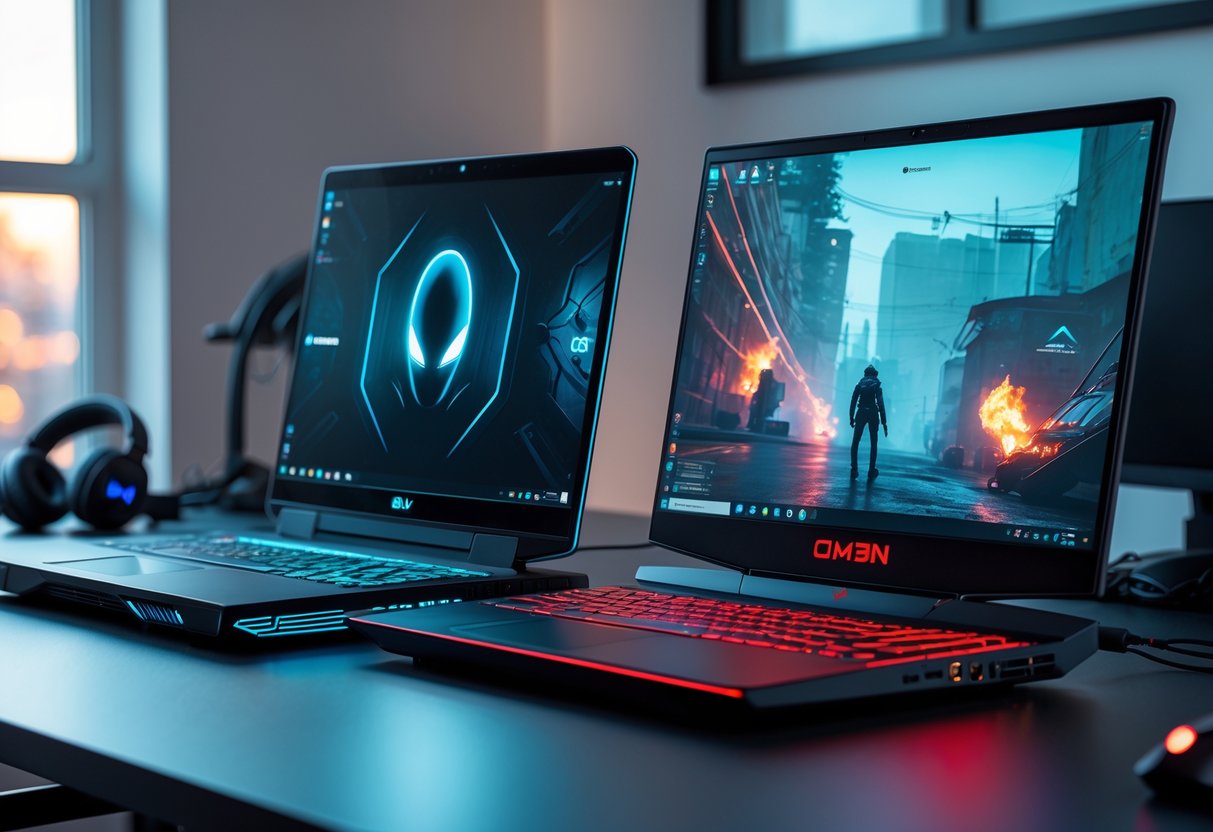
If you shop for gaming laptops, Alienware and HP Omen target different needs. Alienware pushes peak speed and thermal control, while Omen focuses on strong performance at lower prices. Your choice depends on how hard you play and how much you want to spend.
Gaming Performance and Cooling
Alienware systems focus on raw gaming performance. Models like the Alienware m16 ship with faster CPUs and GPUs, which helps keep frame rates steady in demanding games. Tests comparing the HP Omen 16 (2022) and Alienware m16 R2 show Alienware delivering smoother gameplay in many titles, mainly due to stronger hardware and cooling design, according to gaming performance comparisons from RTINGS.
HP Omen laptops still perform well for most gamers. They handle popular games at high settings without trouble. Cooling systems tend to run louder, but they keep temperatures within safe limits. If you play long sessions, Alienware gives you more thermal headroom. If you play shorter sessions, Omen performance stays reliable.
| Brand | Focus | Best Fit |
|---|---|---|
| Alienware | Max power, cooling | Competitive gamers |
| HP Omen | Balanced power | Casual to serious gamers |
Design and Customization for Gamers
Alienware uses bold styling with heavy lighting and thick chassis designs. You get deep control over RGB zones, fan curves, and performance modes. This design favors gamers who want full control and do not mind extra weight. Dell Alienware systems look nothing like a Dell XPS 15, which targets creators instead of gamers.
HP Omen keeps a cleaner look. The design blends into work or school settings more easily. Customization options exist, but they stay simpler. Reviews comparing the HP Omen 16 (2024) and Alienware m16 show Omen trading flashy design for portability and quieter use, as noted in NanoReview’s side‑by‑side analysis.
Value in Gaming Segments
Price separates these brands the most. Alienware sits at the premium end of gaming laptops. You pay more for higher limits on performance and build quality. Many buyers accept the cost because Alienware has a long record with high-end gaming hardware, as explained in Game Rant’s breakdown of Dell vs HP for gaming.
HP Omen targets value. You often get similar screen sizes and solid GPUs for less money. For gamers trying to stretch a budget, Omen fits better among the best gaming laptops in its price range. You give up some peak speed, but you keep strong real-world performance.
Customer Support, Warranty, and Value
Support quality and warranty terms affect how easy it is to fix problems and how long your laptop stays useful. Dell and HP take different paths with customer support, repair options, and long-term value.
Support Channels and Community Resources
You get several ways to reach support with both brands, but the experience differs. Dell puts strong focus on direct help through phone, chat, and email, especially on premium lines. Many buyers point to faster response times and clearer case tracking, which is why Dell often ranks well for customer support in brand comparisons like this Dell vs HP laptops buyer guide for 2025.
HP offers solid phone and chat support, plus helpful self-service tools. The HP Support Assistant comes preinstalled and handles driver updates, diagnostics, and alerts. This saves time if you prefer fixing simple issues yourself.
Quick comparison:
- Dell: Strong direct support, clear escalation paths
- HP: Good self-help tools, built-in software support
Warranty and On-Site Repair Options
Warranty terms matter most when something breaks. Dell usually offers more flexible warranty options, including next-business-day on-site repairs on many business and premium consumer models. A technician comes to you, which reduces downtime.
HP also provides on-site repair plans, but they vary more by model and region. Entry-level laptops often ship with mail-in service unless you upgrade coverage. This difference comes up often in brand reviews like this Dell vs HP support and warranty comparison.
What to check before you buy:
- Length of standard warranty
- Cost to extend coverage
- On-site repair availability in your area
Long-Term Ownership Value
Long-term value depends on reliability, repair costs, and support quality over time. Dell laptops often cost more upfront, but strong support and on-site repairs can lower hassle and downtime later. This matters if you rely on your laptop for work or school.
HP often delivers better value at lower prices, especially in mid-range models. You trade some premium support options for a lower entry cost. For many users, that balance works well.
Think about value this way:
- Dell: Higher price, stronger service options
- HP: Lower price, good reliability, solid tools
Your best choice depends on how much support access matters to you after the sale.
Innovation and Extra Features
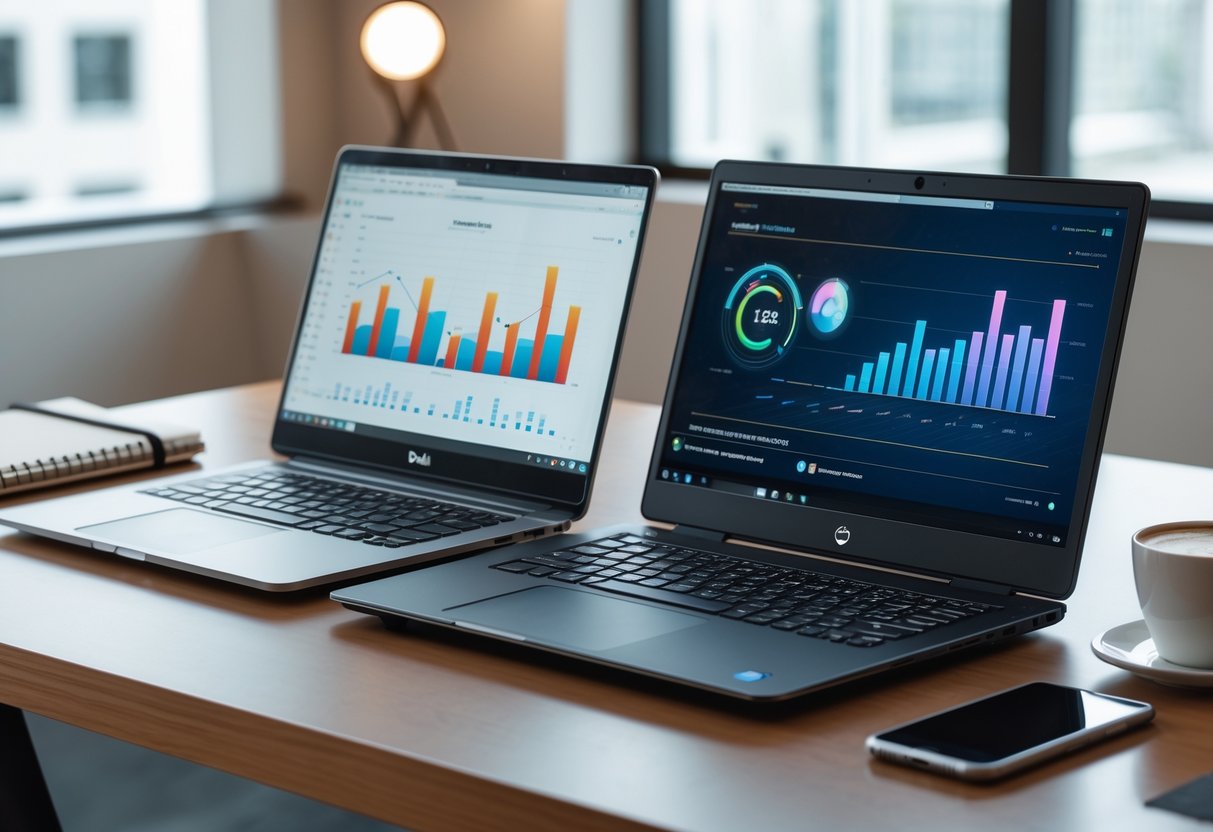
Dell and HP focus on practical laptop innovation that affects daily use. You see this most in security tools, input quality, media features, and environmental design choices that shape how the laptop fits your work and values.
Latest Technology and Security
You get strong security options from both brands, but they take different paths. Dell often builds security into the hardware, with fingerprint readers, IR cameras, and business-grade tools on Latitude and XPS models. These features work well if you log in often or handle sensitive files.
HP adds software-based protection on top of hardware. Many models include HP Sure View, a built-in privacy screen that narrows viewing angles to block shoulder surfers. This matters if you work in public places.
Both brands support TPM chips and webcam shutters. Dell tends to aim at IT-managed systems, while HP focuses on everyday privacy. This difference shows up clearly in the Dell vs HP laptops buyer guide for 2025.
Quick comparison
| Feature | Dell | HP |
|---|---|---|
| Fingerprint reader | Common on business models | Common across many lines |
| Privacy screen | Rare | HP Sure View on select models |
| Business security tools | Strong | Moderate |
Keyboard, Audio, and Display Enhancements
You interact with the keyboard and screen more than any other part. Dell keyboards feel firm and precise, with reliable backlit keyboards on most mid-range and premium models. This helps if you type for hours.
HP focuses more on comfort and media. Key travel feels softer, which many users prefer for long sessions. HP also partners with Bang & Olufsen for tuned speakers. The sound stays clear for calls and video editing, which benefits creatives.
Display choices differ as well. Dell favors sharp panels with accurate color. HP offers more OLED options and brighter screens, plus optional privacy filters. If you edit photos or video, HP’s display features may save time. If you value consistency, Dell’s screens stay dependable across models.
Sustainability and Eco-Friendly Initiatives
If sustainability matters to you, HP currently pushes harder. HP uses recycled aluminum and ocean-bound plastics in several Envy and Spectre models. Packaging also uses less plastic.
Dell focuses on modular design and repair. Many parts are easier to replace, which can extend laptop life and reduce waste. Dell also uses recycled materials, but with less emphasis in consumer messaging.
Both brands publish environmental reports and meet energy standards. HP’s approach suits buyers who want visible eco-friendly choices. Dell’s approach fits you if you plan to keep and repair your laptop longer.
Final Thoughts
You get solid options from both brands, but the better choice depends on how you plan to use the laptop day to day. You avoid mistakes by matching the machine to your workload instead of the logo on the lid.
If you care most about power, Dell often fits better. Many buyers lean toward Dell for gaming and heavy tasks, especially because models like Alienware focus on high performance and cooling, as noted in this Dell vs HP laptop buyer’s guide for 2025. Dell also earns a strong reputation for customer support, which matters when hardware fails.
HP works well if you value design, portability, and price control. HP tends to offer more stylish laptops and more choices at lower price points. That makes HP easier to justify for school, office work, or travel.
Quick decision guide:
| If you care most about… | You may prefer… |
|---|---|
| Gaming and raw power | Dell |
| Sleek design | HP |
| Lower starting prices | HP |
| Support and durability | Dell |
Before buying, look at the exact model, not just the brand. Battery size, screen type, and processor choice often matter more than the name printed on the case.
HP Laptop Bestsellers:


Dell Laptop Bestsellers: