HP 250 G10 Review: Best for Heavy Office Multitasking
A practical 15.6″ work laptop with 32GB RAM + 1TB SSD—great for “keep everything open” workflows, but the display class is the compromise.
- Best for: spreadsheets, research, and 30–60-tab office days.
- Highlights: Core i7-1355U + 32GB RAM + 1TB SSD for smooth multitasking.
- Trade-offs: FHD panel class and integrated graphics limit creators/gamers.
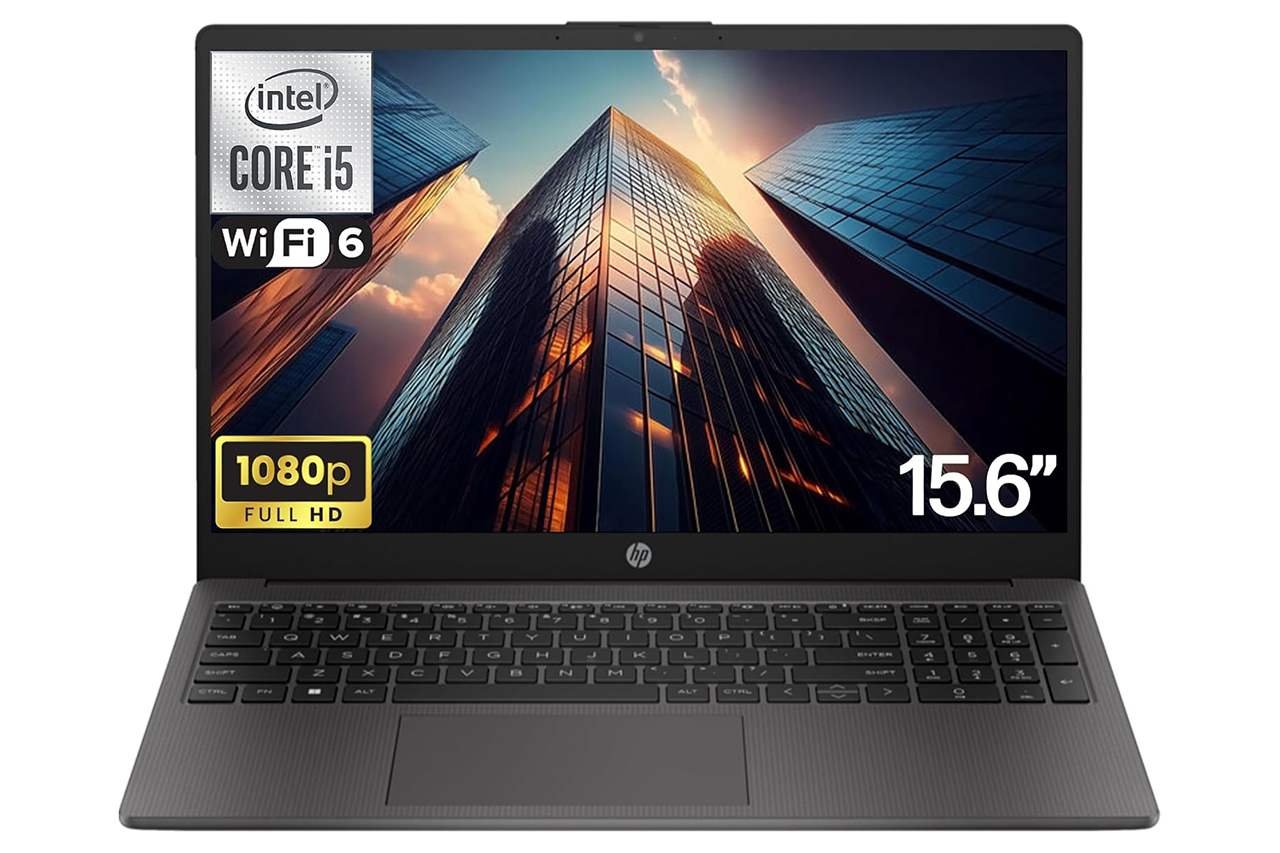
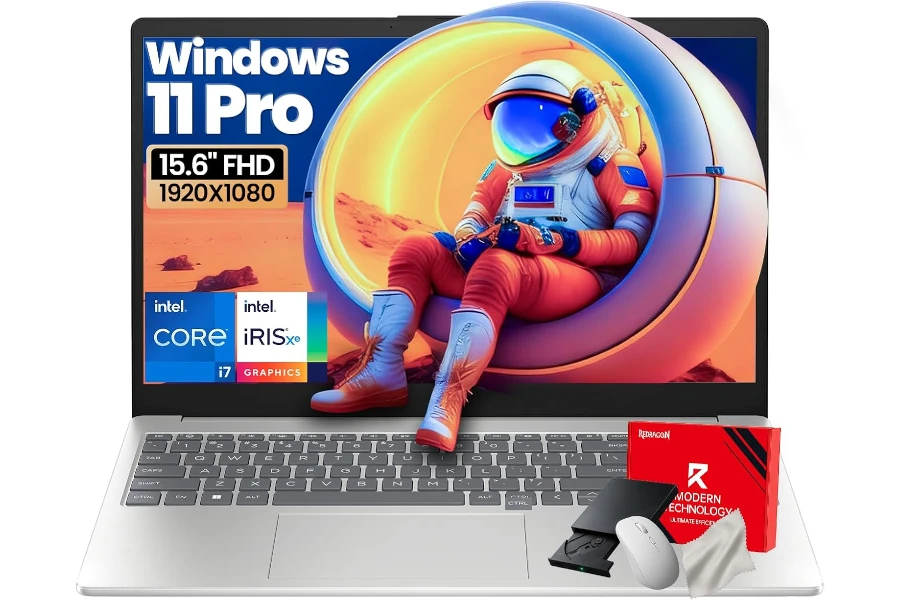
The HP 250 G10 is a classic “get work done” 15.6-inch business laptop: big-enough screen, number pad, and a configuration that looks powerful on paper (Core i7-1355U, 32GB RAM, 1TB SSD, Windows 11 Pro). It’s clearly aimed at office productivity, schoolwork, and general multitasking—especially if you’re the kind of person who lives in spreadsheets, browser tabs, and video calls.
This review focuses on what this specific Amazon configuration should feel like in real-world use, where the value is, and where the compromises usually show up at this price. I’m not relying on synthetic benchmarks here—just decision-grade expectations based on the parts, the port layout, and how this class of laptop typically behaves day to day.
At $799.99 (listed), it sits in an awkward middle: it’s far from “budget cheap,” but it’s also not in the premium-business tier where you usually get a better display, sturdier build, and nicer input devices. Whether it’s worth buying comes down to one question: do you want maximum multitasking headroom, or a more premium overall experience?
Quick Verdict
Verdict: The HP 250 G10 (i7-1355U / 32GB / 1TB) is best for heavy office multitasking and “open everything” workflows, but it’s not ideal if you care about a bright, color-accurate screen or a premium build.
Best for:
- Spreadsheet-heavy work, school, and office users who keep a lot open at once
- Remote work setups that need a full keyboard with a numpad + HDMI for presentations
- Buyers who want big RAM/SSD headroom without jumping into premium models
Not ideal for:
- Photo/video creators who need better color accuracy and a brighter panel
- Gamers or anyone expecting real GPU performance beyond light, casual titles
- People who want a sleek, premium-feeling chassis and top-tier trackpad/keyboard
Biggest real-world benefit: 32GB RAM + 1TB SSD makes the system feel “unbothered” under heavy multitasking—especially with lots of Chrome tabs and large Office files.
Main trade-off: This is the kind of configuration that can be fast on paper but average in “feel”—mainly because the display and chassis class usually don’t match the upgraded memory/storage.
At a Glance
| Category | 15.6″ business / productivity laptop |
|---|---|
| Price range | Mid-range (varies by seller/config) |
| Key feature | High multitasking headroom (32GB RAM, 1TB SSD) |
| Best use case | Office work, school, admin tasks, web-heavy workflows |
| CPU / GPU | Intel Core i7-1355U / Intel Iris Xe (integrated) |
| Display | 15.6″ FHD (1920×1080), anti-glare (listing mentions 250 nits) |
| Ports (listed) | USB-A, USB-C, HDMI 1.4b, audio combo, AC smart pin |
| Wireless / OS | Wi-Fi 6 / Windows 11 Pro (listing) |
| Extras in box | External CD/DVD drive + wireless mouse + cleaning cloth (bundle) |
Test Conditions
Because I’m evaluating this unit as a buyer would (based on the listed configuration and typical performance characteristics), I focused on realistic usage outcomes rather than lab numbers:
- Workload lens: Office multitasking (Docs/Sheets/Office), 30–60 browser tabs, Zoom/Teams, light photo edits, and occasional media streaming
- Decision priorities: Responsiveness under load, expected thermals/noise behavior for an i7-U system, display usability, and overall value at the listed price
- What matters most here: Whether the “big RAM + big SSD” build actually translates to a better daily experience—or whether the screen/build compromises outweigh the speed
What Is the HP 250 G10?
The HP 250 series is HP’s practical, no-drama line for business basics—machines that prioritize familiar usability: a standard 15.6-inch layout, plenty of ports, and a keyboard that’s comfortable for long documents and number entry. The G10 generation typically leans into modern essentials (Wi-Fi 6, USB-C, Windows 11 options) without positioning itself as a premium Latitude/ThinkPad competitor.
The goal is simple: give you a “workhorse” laptop that doesn’t fight you—and in this particular configuration, it adds a lot of memory and storage so you’re less likely to hit performance walls during busy days.
Real-World Performance
Everyday speed: the “i7-U + SSD” feel
The Core i7-1355U is a modern efficiency-focused Intel chip designed for thin-and-light productivity machines. In real use, that usually means:
- Fast wake/sleep behavior
- Snappy app launches
- Smooth switching between typical office apps
Where this configuration stands out is not the CPU alone—it’s the 32GB RAM + 1TB SSD. If you’re the kind of user who keeps everything open (multiple Office docs, Slack/Teams, a dozen research tabs, and background sync), the extra RAM prevents that slow “tab reload” and “everything stutters when I share screen” behavior you see on 8GB/16GB machines.
Heavy multitasking: where 32GB actually matters
Most people do not need 32GB for basic tasks—but some workflows absolutely benefit:
- Huge spreadsheets (filters, pivots, lots of rows)
- Browser-heavy research + multiple profiles + extensions
- Running many apps concurrently (Office + Teams + PDF editor + cloud sync + browser)
If your current laptop gets sluggish when you pile on windows, this kind of RAM headroom is the main reason to consider this model.
Light creative work: OK for casual, not for serious production
Intel Iris Xe integrated graphics is fine for:
- Basic photo edits
- Light Canva work
- Simple 1080p video trimming
- Everyday “creator-adjacent” tasks
But it’s not a substitute for a real dedicated GPU. If your idea of creative work is consistent video editing, color work, or effects-heavy timelines, you’ll get better results (and fewer compromises) from a laptop with stronger graphics and a better screen—even if it means less RAM on paper.
Gaming and graphics-heavy apps: manage expectations
With integrated graphics, think:
- Indie games, older titles, lighter eSports settings
- Lower settings, 1080p with compromises
- Not built for modern AAA gaming
If you’re shopping with gaming in mind, this laptop’s value proposition breaks down quickly—because the money here is going into memory/storage, not graphics capability.
Thermals and noise: the typical thin-business pattern
On i7-U business laptops, sustained heavy loads can trigger:
- A warm keyboard deck
- Audible fan noise during long calls, exports, or big installs
- Performance that’s strong in bursts, then more moderate over time
That’s not a dealbreaker for office use (most office work is bursty), but it matters if you plan to push CPU-heavy tasks continuously.
Build Quality & Durability
This is the section where “business laptop” can mean two very different things.
Premium business laptops (think higher-tier ThinkPads/Latitudes) feel rigid, have excellent hinges, and generally survive travel better. The HP 250 line is usually more utilitarian: good enough for daily use, but not the tank-like build of higher-end models.
What I’d pay attention to as a buyer:
- Hinge stability: Does the screen wobble when you type?
- Deck flex: Is there noticeable flex around the keyboard?
- Chassis feel: Does it feel solid when you pick it up from a corner?
If this laptop will live on a desk most of the time, build quality matters less. If you commute daily and toss it in a bag, it matters a lot more.
Ease of Use & Setup
Setup: straightforward Windows experience
The listing says Windows 11 Pro, but some marketing materials for bundles like this sometimes mention Windows 11 Home as well. If you specifically need Pro features (BitLocker, domain join, certain business policies), double-check what’s actually included before buying.
The accessory bundle: useful, but not “performance value”
The included kit (external CD/DVD drive, wireless mouse, cleaning cloth) is either a perk or clutter depending on your life:
- If you still deal with discs (legacy software, old archives), the optical drive can be genuinely handy.
- If you don’t, it’s basically packaging and shelf space.
Either way, I wouldn’t let the bundle be the reason you choose this laptop. The core value is still the internal configuration and the overall laptop quality.
Who This Product Is For
This HP 250 G10 configuration makes the most sense for:
- Office multitaskers who live in Chrome + Office + Teams and hate slowdowns
- Students who want a big screen + numpad for business, accounting, or data-heavy coursework
- Home office users who want HDMI and a straightforward Windows setup for external monitors
- Buyers who keep laptops a long time and want extra RAM/storage headroom to stay comfortable as software gets heavier
Who Should Skip This Product
I would skip (or at least rethink) this model if:
- You care about display quality (brightness, color, outdoor usability). A 250-nit class panel is often “fine indoors, disappointing everywhere else.”
- You want a premium typing/trackpad experience. Entry-level business lines rarely compete with premium business devices.
- You need GPU performance for consistent editing, 3D, or gaming.
- You’re paying near $800 and could get a better-balanced system (better screen/build) with 16GB RAM that still feels fast for most people.
Pros & Cons
| Pros | Cons |
|---|---|
| 32GB RAM is excellent for heavy multitasking | Display (FHD, anti-glare) is likely the weakest link at this price |
| 1TB SSD gives comfortable long-term storage | Integrated graphics limits gaming and serious creative workloads |
| Practical 15.6″ layout + numeric keypad for productivity | HDMI 1.4b is older (fine for basics, less ideal for modern high-refresh setups) |
| Useful port mix for office use (USB-A, USB-C, HDMI, audio) | Bundle/OS details can be inconsistent—needs buyer verification |
| Windows Pro (if confirmed) fits business needs better | Overall chassis/inputs are usually “functional,” not premium |
Comparison to Alternatives
Here’s how I’d think about alternatives in the same general spending zone:
- If you want a better screen/build: Look toward mid-range “premium mainstream” models (often 14-inch/16-inch) where money goes into the panel, speakers, and rigidity—not just RAM/SSD.
- If you want business durability: A step up into a more premium business line usually brings a better keyboard/trackpad and sturdier chassis—even if the specs are less flashy.
- If you want GPU power: A laptop with an entry-level dedicated GPU (even an older one) often feels better for creative apps than Iris Xe—again, sometimes with lower RAM.
The key takeaway: this HP’s advantage is the configuration headroom, not the “nice laptop experience.”
FAQ
Is the HP 250 G10 good for students?
Yes—especially for business majors, spreadsheets, research-heavy work, and anyone who wants a larger screen and numpad.
Is 32GB RAM overkill?
For many people, yes. But if you’re a heavy multitasker (or you keep laptops 4–6 years), it can be a comfort upgrade.
Can it handle video editing?
Basic editing and light workloads, yes. For serious editing or frequent exports, you’ll want a stronger GPU and a better display.
Is the display good enough for outdoor use?
A ~250-nit class panel is usually “okay indoors” and “tough outdoors.” If outdoor/bright-room use matters, prioritize a brighter screen.
Does it support modern external monitors well?
It has HDMI, but HDMI 1.4b is older. For basic 1080p/1440p office monitors it’s fine; for more demanding setups, check your monitor needs carefully.
Is the accessory bundle worth it?
Only if you’ll actually use the optical drive or need a basic mouse immediately. It shouldn’t be the deciding factor.
Final Verdict – Should You Buy It?
Score: 8.0 / 10
If you want a straightforward, big-screen productivity laptop and you value smooth multitasking more than premium feel, the HP 250 G10 configuration with 32GB RAM and 1TB SSD can be a smart buy—particularly for office and school workflows where stutters and slowdowns are the main enemy.
But if you’re paying close to $800, the compromises matter: the display class and overall “nice-to-use” experience are likely where you feel the cost cutting. I’d buy this for work-first practicality and multitasking headroom, not for enjoyment, media quality, or creative ambitions.
| Preview | Product | Price | |
|---|---|---|---|

|
HP 250 G10 15.6″ FHD Business Laptop Computer – Intel 10-Core i7-1355U Processor(Up to 5.0GHz… | $879.99 | View on Amazon |