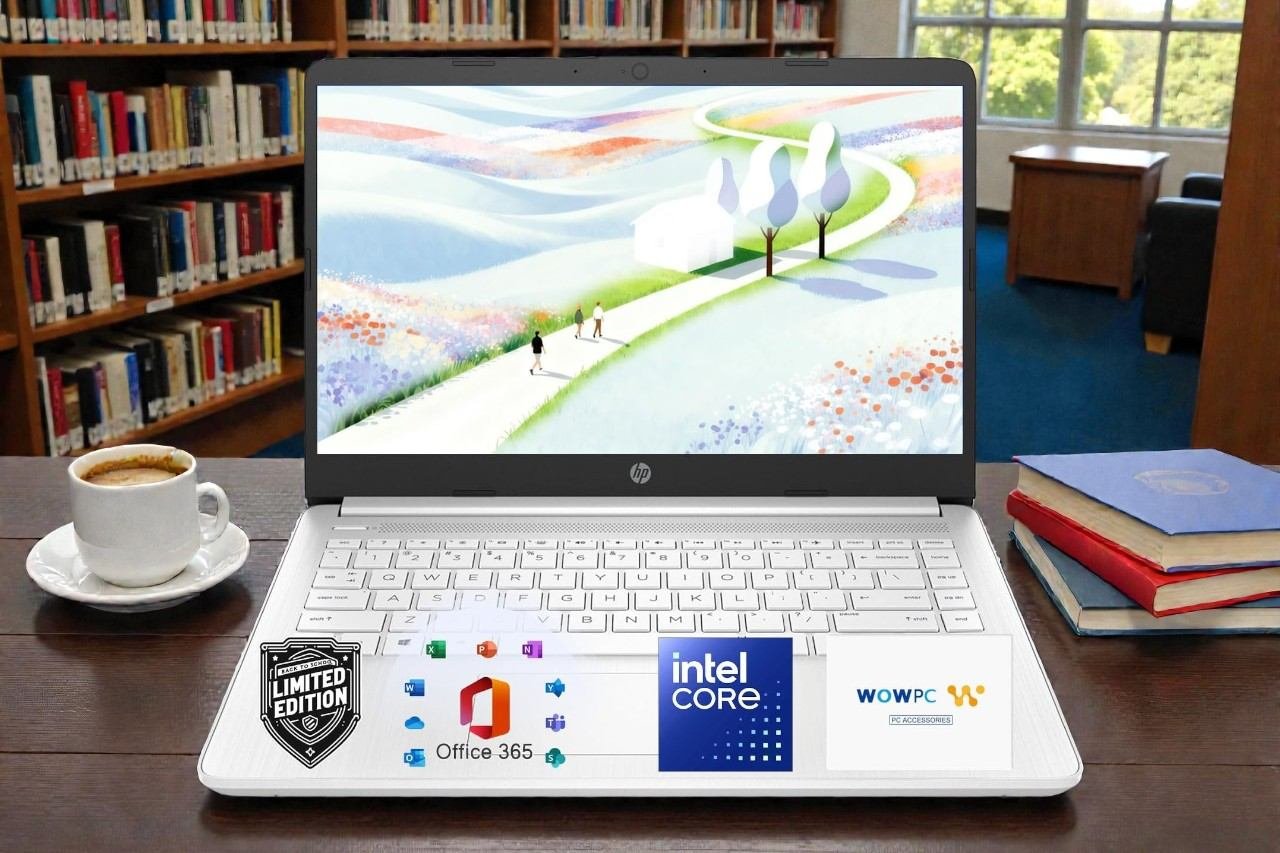
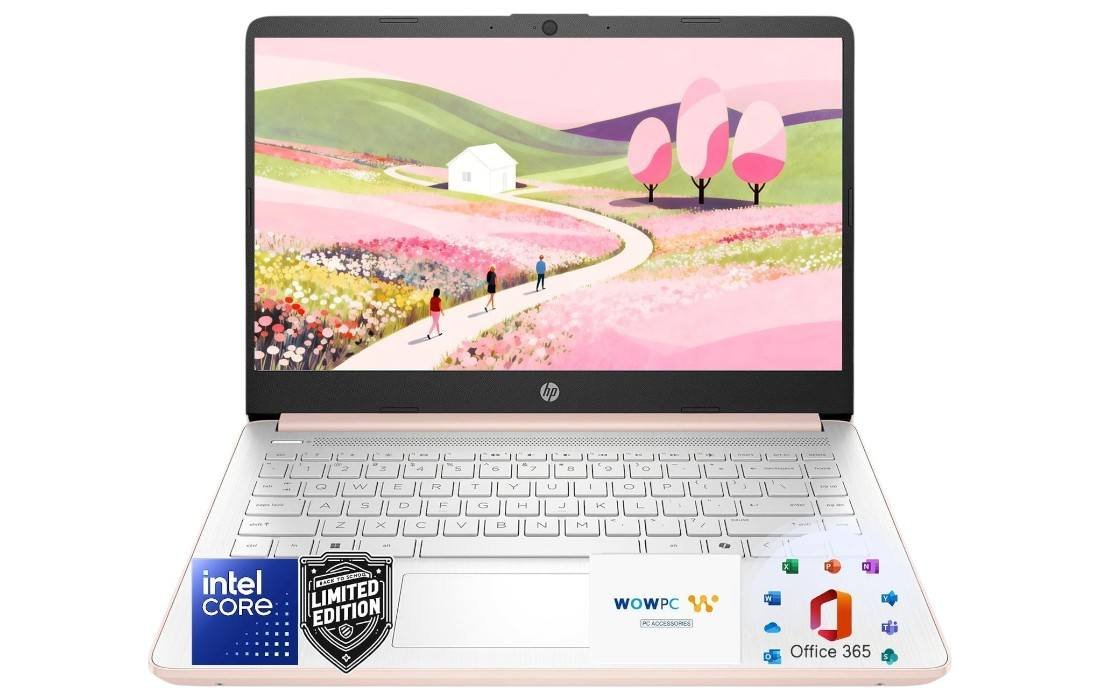
HP Ultrabook Laptop — Copilot AI & 1.3TB Storage
Our take: an affordable 14" Windows 11 ultrabook with Copilot AI, 8GB RAM and 1.3TB total storage, ideal for school, home and everyday work.
- Intel Processor, 8GB DDR4 RAM and SSD storage keep Windows 11 smooth for browsing, schoolwork and everyday productivity.
- 14" HD anti-glare display, 3.24 lb chassis and up to 11.5-hour battery life make it easy to carry from class to café.
- Copilot key, 1-year Microsoft 365 and 1TB OneDrive deliver powerful AI help and cloud-first storage out of the box.
- Processor
- Intel Processor (Celeron family)
- Memory
- 8GB DDR4
- Storage
- 320GB SSD + 1TB OneDrive
- Display
- 14" HD, anti-glare
The HP Ultrabook Laptop with Copilot AI and Office 365 is clearly designed with one audience in mind: people who need a dependable everyday machine without paying premium-ultrabook prices. Think students, home users, and anyone who lives in web browsers, cloud documents, and Zoom calls more than in Photoshop timelines or AAA games.
At around $269.99 at the time of writing (with a historical range roughly between $259.99 and $699.99 depending on configuration and promos), this model sits firmly in the budget laptop category. Yet HP has given it a surprisingly modern mix of features: an Intel processor, 8GB of DDR4 RAM, 320GB SSD plus 1TB of OneDrive cloud storage, Wi-Fi 6, a 14-inch anti-glare display, and a battery rated for up to 11.5 hours of video playback.
In this in-depth review, we will walk through how this HP Ultrabook behaves in real-world use, where it shines, where you’ll feel its limits, and who should seriously consider it as their next everyday laptop.
Key Specs at a Glance
- Brand / Model: HP Ultrabook Laptop
- CPU: Intel Processor (Celeron family, energy-efficient dual/quad-core)
- Graphics: Integrated Intel Graphics
- RAM: 8GB DDR4
- Storage: 320GB SSD + 1TB OneDrive (total 1.3TB of local + cloud storage)
- Display: 14" HD (1366 × 768), LED, micro-edge, anti-glare, 250 nits, 62.5% sRGB, 79% screen-to-body ratio
- Operating System: Windows 11 Home 64-bit
- Special Features: Copilot AI key, anti-glare screen, HD Audio, SD card reader, spill-resistant keyboard
- Ports: 1× USB-C, 2× USB-A, HDMI 1.4b, SD card reader, headphone/mic combo, AC Smart Pin
- Connectivity: Wi-Fi 6 (2×2), Bluetooth 5.4
- Battery life: Up to 11 hours video, ~7.5 hours wireless streaming
- Webcam: HP True Vision 720p with temporal noise reduction and dual array mics
- Dimensions & weight: 12.76 × 8.86 × 0.71 in; 3.24 lb
- Colors: Snow White / Rose Gold (HP also describes the chassis as Natural Silver)
On paper, this is a very typical modern HP 14-inch student laptop, but with two bonuses that really stand out at this price: Copilot AI integration right on the keyboard and a full year of Microsoft 365 with 1TB cloud storage.
Who Is the HP Ultrabook Laptop For?
Before we dive into the details, it helps to be clear about the ideal buyer.
This HP Ultrabook is a great fit if you:
- Spend most of your time browsing the web, streaming video, and working in Office or Google Docs.
- Need a lightweight machine for school, especially if you carry it between classes all day.
- Prefer a simple, reliable Windows 11 system that just turns on and gets out of the way.
- Want the security of cloud-first storage with that included 1TB OneDrive and Microsoft 365 subscription.
- Value long battery life and solid wireless performance more than raw CPU power.
It is not the right laptop if you are:
- Looking for a serious gaming machine. Integrated Intel Graphics are fine for casual games and older titles, not demanding AAA releases.
- Doing heavy creative work (4K video editing, large 3D projects, intensive Photoshop work with huge files).
- Someone who needs a high-resolution IPS panel for color-critical design or photography. The screen here is HD (1366×768), not Full HD, and covers about 62.5% of the sRGB color space.
If your expectations match its strengths—everyday productivity, online learning, and light entertainment—you’ll get a lot of value for the money.
Design & Build Quality
Visually, this HP Ultrabook looks like a smaller sibling of HP’s more premium Pavilion and Envy lines. You get a clean, minimalist chassis in Snow White or Rose Gold, with HP’s familiar centered logo on the lid. HP’s own spec sheet also calls the finish “Natural Silver,” so in person it reads as a very light, almost white silver—bright, modern, and very “back-to-school” friendly.
Slim and Lightweight
At 0.71 inches thick and 3.24 pounds, the laptop checks the right boxes for portability. It easily slips into a backpack or tote, and it feels light enough that carrying it across campus or between rooms isn’t a chore.
The 14-inch form factor strikes a nice balance:
- Much more comfortable to work on than an 11.6" or 12" netbook.
- Still significantly more compact than a 15.6" laptop, both on a desk and in a bag.
You can comfortably use it on a lecture-hall desk, a café table, or even on your lap in a library without feeling cramped.
Everyday Durability
HP doesn’t market this model as rugged or MIL-STD tested, but the plastic chassis feels reasonably solid for the price. There is a little flex in the lid if you twist it and a bit in the keyboard deck if you press hard in the center, which is normal for budget machines.
The hinge holds the screen at a stable angle, and you can tilt it back enough for low desks or lounging on a couch. Combined with the anti-glare coating, it’s usable in bright classrooms or near windows without the worst reflections you see on glossy screens.
Overall, build quality is best described as practical and student-ready—not luxurious, but perfectly adequate for day-to-day life if you treat it reasonably well and keep it in a padded bag.
Display: 14" HD, Anti-Glare Comfort
The display is one area where HP clearly optimized for comfort and battery life rather than pixel count.
Resolution and Panel
- Size: 14 inches (diagonal)
- Resolution: HD 1366 × 768
- Brightness: 250 nits
- Color: ~62.5% sRGB
- Design: Micro-edge bezel with 79% screen-to-body ratio
- Finish: Anti-glare matte
In practical terms:
- Sharpness: At 14 inches, 1366×768 is usable but not pin-sharp. Text in Word, browsers, and PDFs is clear enough, especially when you adjust Windows scaling, but you will notice the difference if you’re used to a 1080p or 2K display.
- Brightness: 250 nits is fine for indoor use—classrooms, offices, cafés. In direct sunlight, it will look washed out, but the matte coating does a good job of cutting reflections so it remains readable.
- Color & viewing angles: With around 62.5% sRGB coverage, colors are acceptable for everyday tasks and YouTube watching. It’s not intended for color-critical photo editing. Viewing angles are decent; you don’t need to sit in a perfect sweet spot to see what’s on screen.
Where this panel shines is in eye comfort. The anti-glare surface plus moderate brightness make it less straining for long reading sessions. If you’re spending hours on lecture slides, research articles, or spreadsheets, this matters more than hyper-vivid saturated colors.
Keyboard, Trackpad & Copilot Key
A laptop that targets students has to nail typing comfort, and this HP Ultrabook does a commendable job for the price.
Typing Experience
You get a full-size keyboard in a chiclet layout. Key travel is reasonably deep for a slim budget laptop, and there is a clear tactile bump when a key actuates. It’s not as crisp as a premium mechanical keyboard, of course, but it is absolutely good enough for:
- Long essay-writing sessions
- Coding assignments
- Constant note-taking during lectures
The spill-resistant design is a thoughtful touch. It won’t survive a full bottle of water, but it gives a bit of insurance against the occasional coffee splash or water drip while studying.
Trackpad
HP’s multi-touch Imagepad is spacious for a 14-inch machine. Windows precision drivers make gestures feel responsive:
- Two-finger scrolling is smooth.
- Pinch-to-zoom in PDFs and photos is reliable.
- Three-finger app switching works as expected.
The click mechanism is slightly firmer at the bottom, but you’ll quickly adapt. Most people will use tap-to-click for speed anyway.
Dedicated Microsoft Copilot Key
One standout feature is the keyboard key devoted to Microsoft Copilot. With a single press, you can bring up Copilot in Windows 11 to:
- Summarize long readings or web pages.
- Draft email replies or essay outlines.
- Generate quick explanations for complex topics.
- Ask follow-up questions while you research.
For students and knowledge workers, this is genuinely useful. Instead of juggling separate AI apps, you have Copilot integrated into the OS and hardware, making it feel like a natural part of your workflow.
Performance: Everyday Tasks First
This HP Ultrabook uses an Intel Celeron-class processor with integrated Intel Graphics. HP simply labels it as “Intel Processor,” but given the power envelope and target market, it’s clearly in the entry-level, energy-efficient family rather than the Core i5/i7 line.
What does that mean in real life?
Smooth for Daily Workloads
For the kind of tasks this machine is built for, performance is pleasantly competent:
- Web browsing: Dozens of light to moderate tabs in Chrome, Edge, or Firefox run fine, especially when you avoid extremely heavy web apps in too many tabs at once.
- Office work: Word, Excel, PowerPoint, and OneNote feel snappy, particularly when run from the local SSD or OneDrive.
- Online classes: Zoom, Teams, or Google Meet run smoothly when you’re not simultaneously trying to do heavy multitasking with big downloads or edits in the background.
- Streaming: 1080p YouTube, Netflix, and similar content plays without stutter thanks to modern hardware decoding in the integrated graphics.
The pairing of 8GB DDR4 RAM with a 320GB SSD is key. Lesser budget laptops still ship with 4GB and slower eMMC storage, which can make Windows 11 feel sluggish. With 8GB and a true SSD, this HP Ultrabook feels far more responsive when launching apps and switching tasks.
Light Creativity & Casual Gaming
You can absolutely do light creative work:
- Basic photo editing in apps like Photos, Canva, or light Photoshop use.
- Simple design tasks, social media graphics, and school project posters.
- Audio editing for podcasts or class recordings.
For gaming, think casual and older titles:
- Indie games, 2D platformers, and older 3D titles on low settings.
- Browser-based games and cloud gaming services (where the heavy lifting is done on remote servers).
Demanding modern AAA games are beyond what this integrated Intel Graphics chip is meant to handle. If serious gaming is a priority, you’ll want a laptop with a dedicated GPU.
Multitasking Considerations
8GB RAM is a reasonable baseline for Windows 11 today. You can:
- Run a browser with multiple tabs,
- Keep Word or PowerPoint open,
- Have Spotify or YouTube in the background,
…all without the system grinding to a halt.
If you frequently push heavy multitasking—20+ tabs, big Excel sheets, one or two memory-hungry apps—you’ll still need to be a bit mindful. Closing unused tabs and apps occasionally will keep everything feeling smoother.
Memory & Storage: 8GB RAM + 1.3TB Total
Storage is an area where this HP Ultrabook quietly over-delivers for a budget machine.
8GB DDR4 Memory
The 8GB RAM is what makes Windows 11 genuinely usable here. Compared to entry-level 4GB systems that constantly hit swap, 8GB gives you headroom for:
- Browser + Office + video chat at the same time
- Some light creative apps
- Running Copilot or other AI-adjacent tools without everything slowing to a crawl
For the target audience, 8GB is the sweet spot between cost and capability.
320GB SSD + 1TB OneDrive
The 320GB SSD gives you fast local storage for:
- Windows and applications
- Working folders for offline documents
- A chunk of media files for travel or offline study
On top of that, HP bundles 1TB of OneDrive cloud storage as part of the included Microsoft 365 subscription, bringing the total advertised capacity to 1.3TB.
In practice, this setup works especially well for students and remote workers:
- Keep your active projects and essential files on the SSD for best performance.
- Dump large archives, photo backups, and rarely accessed documents into OneDrive.
- Access all of it across other devices where you sign into your Microsoft account.
It encourages a cloud-first workflow where losing or replacing your laptop isn’t nearly as stressful because your important files are still in your OneDrive account.
Ports & Connectivity
For a thin 14-inch budget ultrabook, HP has included a healthy mix of ports. You’re not forced into dongle-life the way you are on some higher-end machines.
Physical Ports
- 1 × USB Type-C
- 2 × USB Type-A
- 1 × HDMI 1.4b
- 1 × Multi-format SD media card reader
- 1 × Headphone/microphone combo jack
- 1 × AC Smart Pin charging port
This is enough to handle most student setups:
- Plug in a mouse and USB flash drive while still having a USB-C port free.
- Connect to a projector or external monitor using HDMI for presentations.
- Transfer photos or documents using the SD card reader.
- Use wired headphones or a headset for calls if you prefer them over Bluetooth.
Wireless Connectivity
- Wi-Fi 6 (2×2)
- Bluetooth 5.4
Wi-Fi 6 gives you faster, more stable connections on modern routers, which is especially valuable in crowded campus dorms or apartment buildings. Bluetooth 5.4 means easy pairing with:
- Wireless mice and keyboards
- Bluetooth headphones or earbuds
- Bluetooth speakers and other accessories
Overall, the port selection and wireless capabilities are excellent for the price and make this HP Ultrabook feel more versatile than many ultra-minimal thin-and-lights.
Webcam, Microphones & Audio
In the era of remote classes and virtual meetings, webcam quality is more important than ever—and HP has clearly taken that into account.
HP True Vision 720p Webcam
The built-in HP True Vision 720p HD camera is paired with temporal noise reduction, which helps clean up grainy visuals in low light. While it’s not a full 1080p webcam, it does a solid job of:
- Keeping your face reasonably sharp
- Managing exposure so you’re not a silhouette against bright windows
- Reducing the “snowy” noise that cheaper webcams show in dim rooms
For online classes, job interviews, or casual video calls, it’s more than adequate.
Dual Array Microphones
The dual array digital microphones help isolate your voice from background noise. Peers or colleagues will hear you clearly without needing a separate headset mic in most situations.
Speakers & Audio
You get stereo speakers with HD Audio. As with most thin laptops:
- Treble and mids are clear enough for dialogue, lectures, and casual music listening.
- Bass is limited due to the physical size of the chassis.
For watching Netflix in bed, attending Zoom classes, or listening to podcasts, they’re fine. For better immersion in music or movies, you’ll still want a pair of headphones or external speakers.
Battery Life & Real-World Mobility
Battery life is one of this Ultrabook’s strongest selling points.
Rated Battery Life
HP quotes:
- Up to 11 hours of video playback
- Up to 7.5 hours of wireless streaming
Real-world usage will vary, but with a power-efficient Intel processor, HD resolution screen, and integrated graphics, you can realistically expect a full school or workday on a charge if you:
- Keep brightness around 50–60%
- Use mainly Office apps, web browsing, and streaming
- Avoid constant heavy downloads or CPU-intensive tasks
This means many students can leave the charger in their dorm room most days, which makes the laptop feel lighter in real use than its raw 3.24-pound weight suggests.
Charging
The laptop charges through the AC Smart Pin and supports typical HP fast-charging behavior for this class, topping up a significant percentage in about an hour. While it doesn’t use USB-C charging by default, having a dedicated power port means your USB-C port stays free for data and peripherals.
Software Experience: Windows 11 + Copilot AI + Microsoft 365
This HP Ultrabook leans heavily into the modern Windows 11 ecosystem and Microsoft’s productivity suite.
Windows 11 Home
Windows 11 Home brings:
- A clean centered taskbar and modern UI.
- Integrated Microsoft Store for apps.
- Improved virtual desktops and snapping layouts for multitasking.
- Tight integration with OneDrive, which is important here.
On entry-level hardware, Windows 11 can feel bloated if paired with slow storage or too little RAM, but this laptop’s SSD and 8GB memory keep things reasonable.
Copilot AI
The star of the show is the Copilot AI integration plus the physical Copilot key. This makes generative AI feel like a built-in assistant rather than something you have to hunt for.
Practical ways students and everyday users might use Copilot:
- Ask for summaries of long readings before diving deep.
- Get clarifications on technical terms or formulas.
- Draft essay outlines or email templates, then refine them yourself.
- Generate idea lists for projects, presentations, or content creation.
- Get quick code snippets or explanations if you’re learning programming.
Of course, Copilot is a tool, not a substitute for understanding your coursework, but having it a keypress away genuinely changes how you research and write on a laptop like this.
Microsoft 365 with 1TB OneDrive
The included 1-year Microsoft 365 subscription is a huge value add, especially for students. You get:
- Full desktop versions of Word, Excel, PowerPoint, OneNote, Outlook, and more.
- 1TB of OneDrive storage for documents, photos, and backups.
- Cross-device syncing between the laptop and your phone or other PCs.
If you were already considering paying for Microsoft 365, the added subscription value effectively makes the laptop even more cost-effective.
Everyday Experience: Real-World Scenarios
To give you a clearer sense of how this HP Ultrabook feels in practice, let’s step through a few typical daily routines.
A Day in a Student’s Life
Morning:
- You open the lid in the dorm and the laptop wakes quickly from sleep.
- While eating breakfast, you check email and today’s schedule in Outlook and Teams.
- On the walk to class, the laptop disappears in your backpack—not heavy, not bulky.
In lectures:
- You take notes in OneNote on the 14-inch screen, with the brightness turned down a bit to save battery.
- When the professor posts slides, you open them in PowerPoint and annotate as you go.
- If a concept is confusing, a quick press of the Copilot key gives you a plain-English explanation without leaving your document.
Afternoon:
- Between classes, you join a Zoom review session. The 720p webcam and dual mics are clear enough that classmates can see and hear you without issue.
- Afterward, you head to the library. You plug into an HDMI monitor for a larger view while writing a paper, using OneDrive to pull in research PDFs saved earlier.
Evening:
- Back in the dorm, you stream Netflix or YouTube on the laptop. With moderate brightness and Wi-Fi 6, streaming is smooth and battery drain is still reasonable.
- Before bed, everything you worked on is backed up to OneDrive, so you can pick it up on your phone or any other PC later.
Throughout the day, battery life holds up, and you don’t feel like you’re fighting the laptop to get work done. That’s exactly what a student machine should be.
Remote Worker or Home User
For a remote worker, this HP Ultrabook makes sense if your job is mostly:
- Email, Slack/Teams, and web-based dashboards
- Occasional document editing and spreadsheets
- Video calls with clients or colleagues
You’ll appreciate the lightweight design, quiet operation, and Copilot AI for quick drafting. If your job involves heavy Excel modeling, large datasets, or demanding apps, you might want something more powerful—but for many knowledge workers, this is plenty.
Limitations & Things to Consider
No laptop is perfect, especially at this price. Here are the main trade-offs to be aware of.
HD, Not Full HD
The 1366×768 resolution is serviceable, but Full HD (1920×1080) is more common in mid-range laptops now. If you’re sensitive to screen sharpness or need lots of screen real estate for complex workflows, this may be a limitation.
Entry-Level Processor
The Intel Celeron-class processor is tuned for efficiency and cool operation, not raw performance. It’s excellent for everyday usage but will struggle with:
- Heavy video editing
- Large 3D rendering tasks
- Modern 3D gaming at high settings
If you’re okay staying within the intended workloads—office tasks, browsing, streaming, online classes—you’ll be happy. If you already know you push your computers to the limit, you might want to step up to an Intel Core i5/i7 or Ryzen 5/7 machine.
Modest Color Coverage
With ~62.5% sRGB color coverage, the screen is fine for normal viewing but not ideal for color-critical design or professional photo work. Hobbyist designers and casual editors will be okay; professionals should look for a wider-gamut display.
Likely Limited Upgradability
Slim budget laptops like this HP Ultrabook often have soldered RAM and limited internal space. While the 320GB SSD may be replaceable in some units, you should treat the 8GB RAM as effectively fixed. Plan accordingly when you think about how long you want to keep the laptop.
Pros & Cons
Pros
- Very affordable price, especially considering the included Microsoft 365 subscription
- Portable 14-inch form factor, only 3.24 lb and 0.71" thick
- 8GB RAM + SSD delivers smooth everyday performance for Windows 11
- 1TB OneDrive cloud storage plus 320GB SSD = 1.3TB total storage footprint
- Wi-Fi 6 and Bluetooth 5.4 for modern, stable connectivity
- Good port selection (USB-C, 2× USB-A, HDMI, SD card reader, audio jack)
- Anti-glare display that’s comfortable for long study sessions
- Copilot AI key integrates AI assistance directly into your daily workflow
- Decent battery life—up to 11 hours video, ~7.5 hours streaming
- 720p webcam with noise reduction and dual mics for clear online classes and meetings
Cons
- HD (1366×768) resolution, not Full HD
- Entry-level Intel Celeron-class CPU—not suitable for heavy gaming or pro creative workloads
- Display covers only about 62.5% sRGB, limiting color accuracy for professional design work
- Likely limited upgradability of RAM
- Speakers are adequate but not particularly powerful, as expected in this class
Final Verdict: Is the HP Ultrabook Laptop Worth It?
If you judge the HP Ultrabook Laptop by the standards of a high-end workstation or gaming PC, you’re missing its purpose. This machine is built for students, families, and everyday users who want:
- A reliable Windows 11 laptop that boots quickly and stays responsive.
- Enough power for web browsing, Office, online classes, and streaming.
- A light, easy-to-carry chassis with solid battery life.
- Tight integration with Copilot AI and Microsoft 365 + OneDrive.
In that context, it hits a very attractive sweet spot.
For roughly $269.99 at its current price, you get a complete productivity environment out of the box—hardware, operating system, AI assistant, and a full year of the Office apps most people already rely on. You can buy it on a Friday, sign in with your Microsoft account, and be fully set up for school or work by the weekend.
You should look elsewhere if:
- You’re a gamer,
- A professional content creator, or
- Someone who demands a high-resolution, color-accurate display.
But if your priorities are value, portability, and a smooth everyday Windows experience, the HP Ultrabook Laptop with Copilot AI & Office 365 is a very easy recommendation. It’s not about chasing benchmark charts; it’s about quietly getting your work done day after day, without draining your bank account or your backpack.
| Preview | Product | Price | |
|---|---|---|---|

|
HP Ultrabook Laptop with Copilot AI & Office 365 • Intel High Performance CPU • 8GB RAM... | $319.99 | View on Amazon |
Frequently Asked Questions
1. Can the HP Ultrabook handle multiple browser tabs and Office apps at once?
Yes. Thanks to 8GB of DDR4 RAM and a 320GB SSD, the laptop manages typical student or office multitasking smoothly—several browser tabs, Word or PowerPoint, and a streaming app all at once. You’ll only notice slowdowns if you push into very heavy multitasking with many demanding web apps open simultaneously.
2. Is this a good laptop for college students?
Absolutely. The HP Ultrabook is practically tailored for students:
- Lightweight and slim
- Long battery life
- 14-inch anti-glare display
- Copilot AI for quick help with research and writing
- A full year of Microsoft 365 with 1TB OneDrive for assignments and backups
- Enough ports to connect to dorm TVs, projectors, and peripherals
For majors that rely mostly on writing, research, and lighter software, it’s an excellent budget choice.
3. Can I play games on this laptop?
You can play casual and older games fairly comfortably, especially 2D titles, lightweight 3D games, or cloud-streamed games where the processing happens on remote servers. However, this is not intended for modern AAA gaming with high graphical demands. If gaming is a priority, look for a laptop with a dedicated GPU.
4. How long will the battery last in daily use?
Expect a full school or workday under typical light-to-moderate use—web browsing, document editing, and occasional streaming at moderate brightness. HP’s ratings of up to 11 hours video playback and around 7.5 hours wireless streaming are achievable with careful settings.
5. Is 320GB of SSD storage enough?
For many people, yes—especially combined with the additional 1TB of OneDrive cloud storage. The best balance is to keep:
- Windows and active documents on the 320GB SSD for speed, and
- Large archives, photos, and backups on OneDrive.
If you know you prefer to store everything locally and work with very large media files, you might want a larger SSD in another model. But for typical student and office use, the mix of 320GB local SSD + 1TB OneDrive is more than sufficient.
If you need a laptop that is affordable, portable, and well-integrated with the Microsoft ecosystem, the HP Ultrabook Laptop with Copilot AI and Office 365 deserves a spot at the top of your shortlist.