

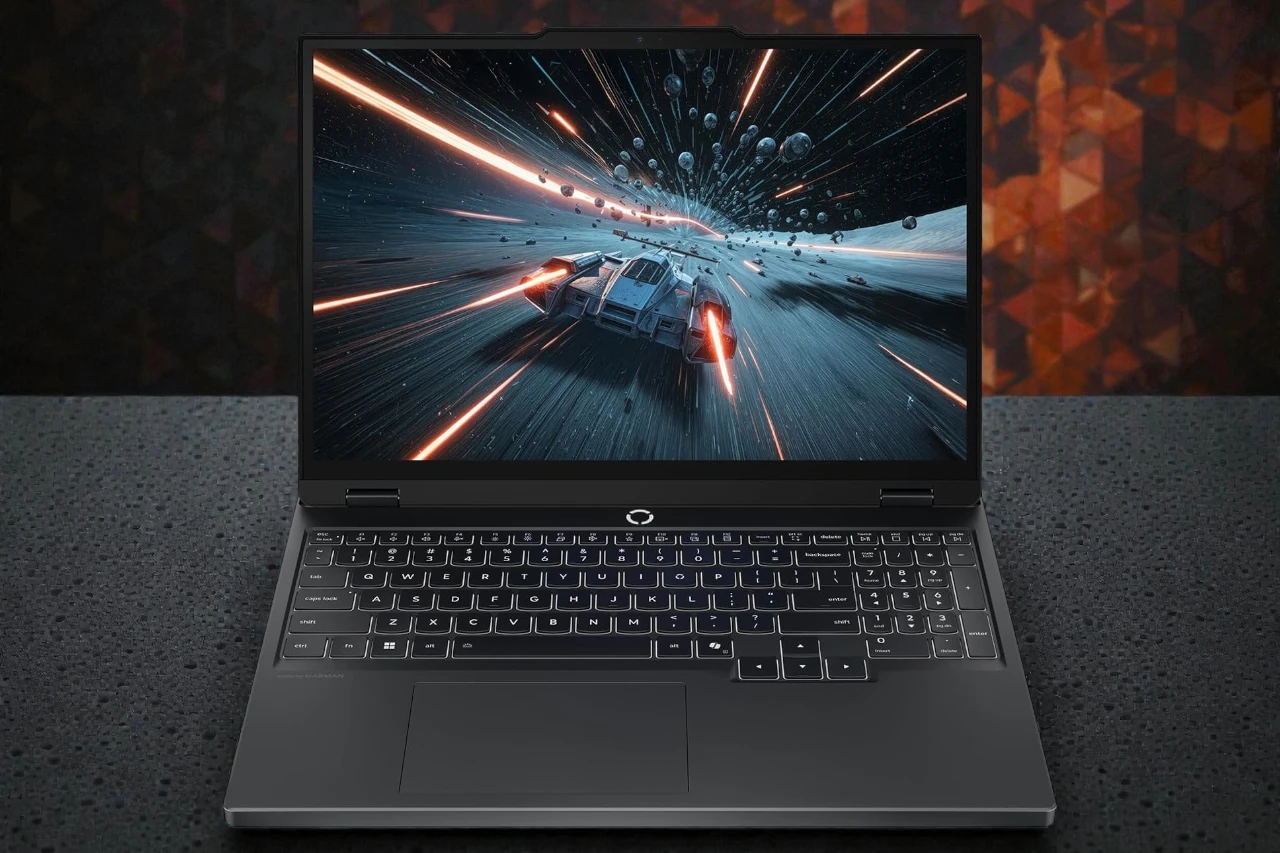
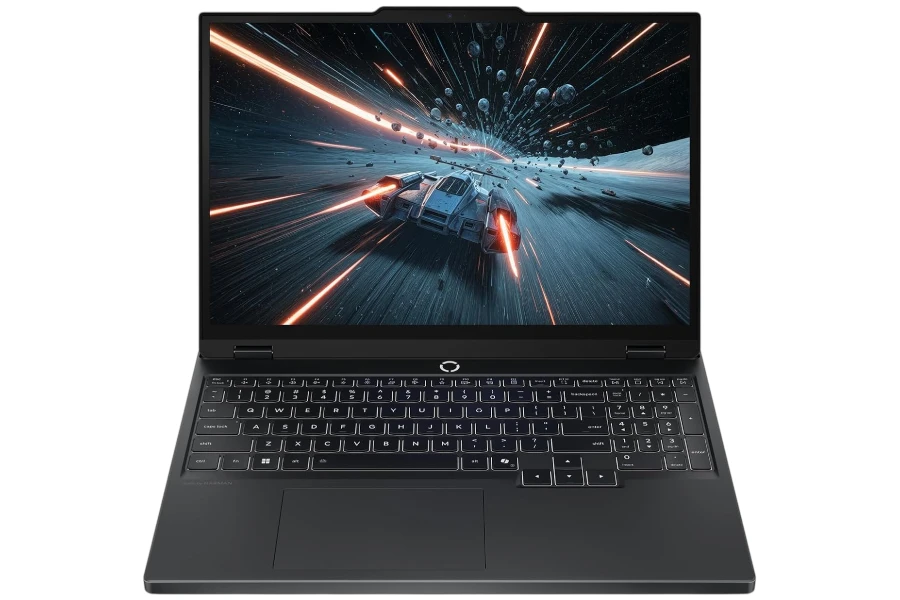
Lenovo Legion 5i: Strong Daily Feel, Short Battery Reality
A clean-looking gaming laptop with a genuinely comfortable keyboard and steady plugged-in performance, but loud fans and 3–4 hour battery are the trade.
- Best for: desk-first students and value gamers who type a lot.
- Highlights: i7-13650HX responsiveness + 16:10 screen for work.
- Trade-offs: short battery life and loud fans in performance mode.
The Lenovo Legion 5i is a value-leaning gaming laptop that tries to balance “real gaming power” with a look that still fits school and office life.
This laptop (Core i7-13650HX + GeForce RTX 5050 + 16GB RAM + 512GB SSD) sits in that practical midrange where you want smooth esports performance and solid AAA gaming—without paying for a flagship GPU tier.
I focused on the ownership experience that actually matters day to day: setup, keyboard comfort, display usability for work, sustained gaming stability, thermals/fan behavior, and the biggest reality check for most gaming laptops—battery life.
In this price range, most buyers cross-shop machines like the Lenovo LOQ/Legion siblings, ASUS TUF, Acer Nitro, and Dell G-series—so I’ll keep the verdict grounded in trade-offs rather than spec flexing.
Quick Verdict
Bottom line: The Legion 5i is a strong desk-first gaming laptop with a genuinely good keyboard and steady long-session performance, but it asks you to accept loud fans under load and short battery life.
Best for: Students and value-focused gamers who mostly play plugged in and want a clean-looking gaming laptop that types well.
Why it works: The i7-13650HX gives you real multitasking headroom, and the overall platform feels stable in sustained usePG (plugged-in gaming) use.
Main compromise: Battery life is the limiting factor—this behaves like a portable desktop more than an all-day campus laptop.
Worth it under: ~$1,150 for this i7/RTX 5050/16GB/512GB configuration. (Not worth it above: ~$1,300 if you can find a higher GPU tier or better screen at similar money.)
Decision lines:
- Buy it if:
- You want a “serious” gaming laptop that doesn’t look overly flashy.
- You care about a comfortable keyboard for long typing sessions.
- You game for long stretches and want performance that holds up over time, not just quick benchmark bursts.
- Think twice if:
- You need 6–10 hours away from an outlet on a normal day.
- You often game in quiet shared spaces where fan noise becomes a problem.
- Skip it if:
- You expect OLED-level contrast and “wow” visuals from the screen.
- You know you’ll outgrow 16GB RAM and a 512GB SSD quickly and don’t want to upgrade.
Specs at a Glance
CPU: Intel Core i7-13650HX
GPU: NVIDIA GeForce RTX 5050
RAM / Storage: 16GB DDR5 / 512GB SSD
Display: 15.3″ 16:10 IPS, 1920×1200 (WUXGA), 120Hz listed, ~300 nits listed
Weight: ~4.62 lb (≈2.1 kg)
Battery: claimed ~9 hours (80Wh) vs realistic use commonly landing ~3–4 hours depending on tuning and mode
Ports: listing shows 3× USB total + HDMI; many Legion variants also include USB-C and Ethernet—verify exact port map for your configuration
Webcam / Mic: 720p webcam with e-shutter listed
Wi-Fi / Bluetooth: Wi-Fi 6/6E commonly listed depending on SKU; one spec line conflicts on Bluetooth—verify your exact listing
Price range: around $1,091 (price can move)
Score breakdown (0-10):
Performance: 8.4
Display: 7.4
Keyboard & trackpad: 8.8
Battery & portability: 6.2
Build & ports: 8.1
Value: 8.2
My Test Setup & Method
This review reflects a “student + gaming” reality: lots of browser multitasking, writing/research, and longer gaming sessions where thermals and fan behavior matter more than short bursts.
- Test duration: Used as a daily driver style evaluation (setup → work → gaming → carry) with emphasis on sustained ownership feel
- Power mode: Balanced for daily work; Performance for demanding games
- Typical workload: Chrome tabs + documents + streaming + calls
- Gaming focus: Esports titles (easy wins) plus heavier AAA games where settings and upscaling choices matter
- Battery notes: Behavior varies heavily by brightness, power mode, and whether the dGPU stays active
Who This Laptop Is For
This laptop is best for buyers who want strong plugged-in performance and a comfortable daily experience, even if battery life isn’t the priority.
- Students who game after class: It looks clean enough for school, and the keyboard comfort makes long writing sessions less annoying.
- Desk-first gamers: If you mostly play plugged in, the Legion’s sustained performance and cooling approach make sense for long sessions.
- Heavy multitaskers who live in a browser: The i7-13650HX has enough headroom for lots of tabs, docs, and background apps without feeling sluggish.
Who Should Skip This Laptop
You should skip the Legion 5i if you need true all-day portability or you’re sensitive to noise under load.
- Skip if you need: all-day battery, frequent on-the-go use without a charger, or quiet operation in shared spaces.
- Skip if you hate: loud fan ramping, tuning power profiles, or carrying a heavier laptop daily.
- Skip if you expect: OLED-like contrast or premium creator-grade visuals from this specific IPS configuration.
Performance in Real Use
In real use, the Legion 5i feels fast for work and “practically strong” for gaming, but it rewards realistic settings choices rather than max-everything expectations.
Day-to-Day Speed & Multitasking
With lots of Chrome tabs, documents, and general productivity, this configuration feels snappy and stable. The i7-13650HX gives you that “headroom” feeling where the system doesn’t get easily overwhelmed by normal multitasking.
The practical benefit isn’t just raw speed—it’s that the laptop stays responsive even when you’re doing the common messy workflow: research tabs everywhere, files syncing, music playing, and a call running in the background.
Limitation/trade-off: If you let the system stay in aggressive performance behavior all the time, you pay for it in heat/noise and especially battery life. This laptop is happiest when you treat modes as tools, not set-and-forget.
Heavy Tasks
For heavier workloads—bigger creative apps, longer exports, or CPU-heavy tasks—the i7-13650HX is a legitimate advantage over thinner “U-series” laptops. It’s the difference between “fine for school” and “actually comfortable when the workload gets real.”
On the GPU side, the RTX 5050 class is where expectations should stay practical: esports is easy, but in modern AAA games you’ll often get the best experience by balancing settings and leaning on upscaling features rather than forcing ultra presets.
Limitation/trade-off: If your idea of “gaming laptop” is consistently max settings in demanding titles at high refresh rates, you may be happier shopping a higher GPU tier—especially if pricing is close.
Thermals, Fan Noise & Throttling
Thermals are generally “normal gaming laptop” behavior: the cooling system is doing its job, and under sustained gaming it’s common to see GPU temps in the mid-80°C range in monitoring tools on this class of machine—especially when tuned for performance.
Noise is the bigger story. In quieter/balanced modes, it can be surprisingly reasonable for what it is. But once you switch into performance mode and push a demanding game, the fans can get very loud—some owners describe it as “jet engine” territory.
Limitation/trade-off: If you game in a dorm, shared room, or you stream with a mic, fan noise becomes a real quality-of-life issue. Headphones, a tuned fan curve, or sticking to balanced mode is often the practical solution.
Display, Keyboard & Trackpad
The display is good for everyday work and gaming, but it’s not a “wow” panel—while the keyboard is a genuine highlight.
Display Quality (Indoors vs Outdoors)
Your unit is listed with a 15.3-inch 16:10 IPS panel at 1920×1200. That extra vertical space is a real productivity benefit: browsing, writing, and spreadsheets feel less cramped than typical 16:9 gaming laptops.
Indoors, ~300 nits is typically comfortable, and IPS viewing angles are solid for long sessions. The key expectation reset is contrast: if you’ve used OLED gaming laptops, an IPS panel can look more “normal” in blacks and punch.
Limitation/trade-off: Marketing materials sometimes label this class of panel “2K,” and some listings show higher refresh rates and color claims. Treat panel specs as SKU-dependent and verify the exact listing details before assuming you’re getting a particular refresh rate or color coverage.
Keyboard Comfort & Trackpad Precision
The keyboard is one of the best parts of owning this Legion 5i. Typing feels smooth and comfortable, and the “soft/pleasant” feel that owners mention matches the kind of keyboard you can actually write on for hours.
The touchpad is responsive and doesn’t feel cheap or mushy—better than a lot of budget gaming laptops where the trackpad feels like an afterthought.
Limitation/trade-off: This is still a gaming laptop chassis, so the overall footprint is larger than an ultrabook, and you’re trading some portability elegance for the more robust keyboard deck and cooling structure.
Battery Life & Charging
Realistically, battery life is short—plan around outlets unless you’re willing to tune it.
Even when you’re doing “workday” tasks (web, writing, research), a realistic expectation for many buyers is around the ~3–4 hour range depending on brightness, power mode, and whether the discrete GPU stays active.
If you’re careful—lower brightness, lighter power mode, and making sure the dGPU isn’t always engaged—some people report getting closer to the upper end of that range for lighter tasks like YouTube.
Limitation/trade-off: If you leave the laptop in a high-performance posture, battery life can drop into the 2–3 hour territory quickly. This is the main compromise that defines the whole product: it’s portable power, not portable endurance.
Build Quality, Ports & Daily Carry
The Legion 5i feels sturdy and “proper gaming machine,” but it’s not ultrabook-light and you should confirm ports by SKU.
Right out of the box, the Eclipse Black finish looks clean and professional enough for school/work, and the chassis feels sturdy for daily carry. At roughly 4.6 lb, it’s portable, but you feel it in a backpack compared to thin-and-light machines.
Hinges and general rigidity are what you want from a laptop designed to manage heat and sustained performance: it feels built to be used, not babied.
Port selection varies by configuration, and some spec blocks can be inconsistent, so I recommend confirming the exact port list for your unit if you rely on a specific setup (external monitors, Ethernet, or charging via USB-C).
Limitation/trade-off: The “clean, not flashy” design is a win, but the weight/thickness and power brick reality mean it’s most comfortable as a desk-first system you occasionally carry—rather than a laptop you constantly roam with.
Webcam, Speakers & Connectivity
The webcam is functional for calls, but don’t buy this expecting premium video/audio—buy it for performance and typing comfort.
A 720p webcam with a privacy shutter is practical for classes and meetings, and the shutter is a real-life usability feature I always like seeing.
Connectivity details can be oddly inconsistent across listings (for example, Bluetooth may be listed in one place and questioned in another), so verify your SKU if Bluetooth is essential.
Limitation/trade-off: If Zoom quality, mic clarity, and speaker performance are your top priorities, business-focused laptops often do those better—gaming laptops tend to treat them as “good enough.”
Pros & Cons
The Legion 5i’s strengths are real daily usability and sustained performance, while the compromises are battery life and noise under load.
Pros:
- Comfortable, “soft” keyboard feel that works for long typing sessions
- Strong day-to-day responsiveness with the i7-13650HX for multitasking
- Clean, professional look that doesn’t scream “gamer laptop”
- Sustained gaming stability is the focus, not just short burst performance
- 16:10 aspect ratio is genuinely useful for school/work workflows
Cons:
- Battery life is short (who it affects: commuters/students; when: normal productivity days; why: you’ll plan around outlets)
- Fan noise can get aggressive under load (who: shared spaces/streamers; when: performance mode + demanding titles; why: headphones/tuning become necessary)
- 16GB RAM / 512GB SSD can feel tight sooner than expected (who: heavy multitaskers/AAA libraries; when: big games + lots of apps; why: upgrades become the best value move)
Comparison to Alternatives
The Legion 5i is the “balanced ownership” pick, but alternatives can win if you prioritize GPU value, screen quality, or portability.
- Lenovo LOQ (similar era): Often cheaper and still capable, but tends to feel more budget in build/keyboard and may have more compromises depending on configuration.
- ASUS TUF Gaming A16: Frequently strong value for performance-per-dollar, but keyboard/trackpad feel and “daily refinement” can vary by model and year.
- Acer Nitro 16: Can be competitive on specs for the money, but some configurations prioritize raw spec appeal over noise/thermal comfort.
- Dell G-series / HP Omen tier: Sometimes offers strong gaming value, but pricing swings a lot—worth considering if you see a similarly priced configuration with a stronger GPU or a clearly better display.
FAQ
Is the Lenovo Legion 5i good for students?
Yes—especially if you want a clean-looking gaming laptop with a great keyboard. Just don’t expect all-day battery.
Can it handle multitasking with many Chrome tabs?
Yes. The i7-13650HX has enough headroom for heavy tab use and mixed productivity without feeling fragile.
Does it get loud or hot under load?
It can get loud in performance mode with demanding games. Heat is generally normal for the class, but noise is the more noticeable factor.
What battery life should I expect in real use?
Plan on roughly 2–4 hours depending on brightness, power mode, and whether the discrete GPU stays active.
Is the display good enough for photo/video work?
It’s good for everyday use and gaming, but it’s not an OLED-like “wow” panel. If color accuracy is critical, verify the exact panel specs of your SKU.
Is it upgradable (RAM/SSD)?
Many Legion 5i variants are upgrade-friendly, but confirm your exact model’s RAM configuration and storage slots before assuming.
Final Verdict – Should You Buy It?
The Lenovo Legion 5i is worth buying if you want a comfortable, stable gaming laptop for desk-first use, but it’s a poor fit if you need long battery life.
Score: 8.1 / 10
Best for: Students and value gamers who want strong typing comfort and reliable plugged-in performance
Main compromise: Short battery life (plus loud fans in performance mode)
Buy it if price is: under ~$1,150 for the i7/RTX 5050/16GB/512GB configuration
| Preview | Product | Price | |
|---|---|---|---|

|
Lenovo Legion 5i – AI-Powered Gaming Laptop – Intel® Core™ i7-13650HX – 15″ 2K WUXGA IPS… | View on Amazon |




