Lenovo V15 G4 Review: Fast Multitasker, Weak Screen
Great for office + school workloads thanks to i7-13620H, 40GB RAM, and 1TB NVMe—just don’t expect a great TN display or premium extras.
- Best for: heavy multitasking, spreadsheets, and lots of tabs on a budget.
- Highlights: i7-13620H + 40GB RAM + 1TB NVMe, plus RJ-45 and USB-C DP.
- Trade-offs: TN 250-nit display, no backlit keyboard, and integrated graphics only.
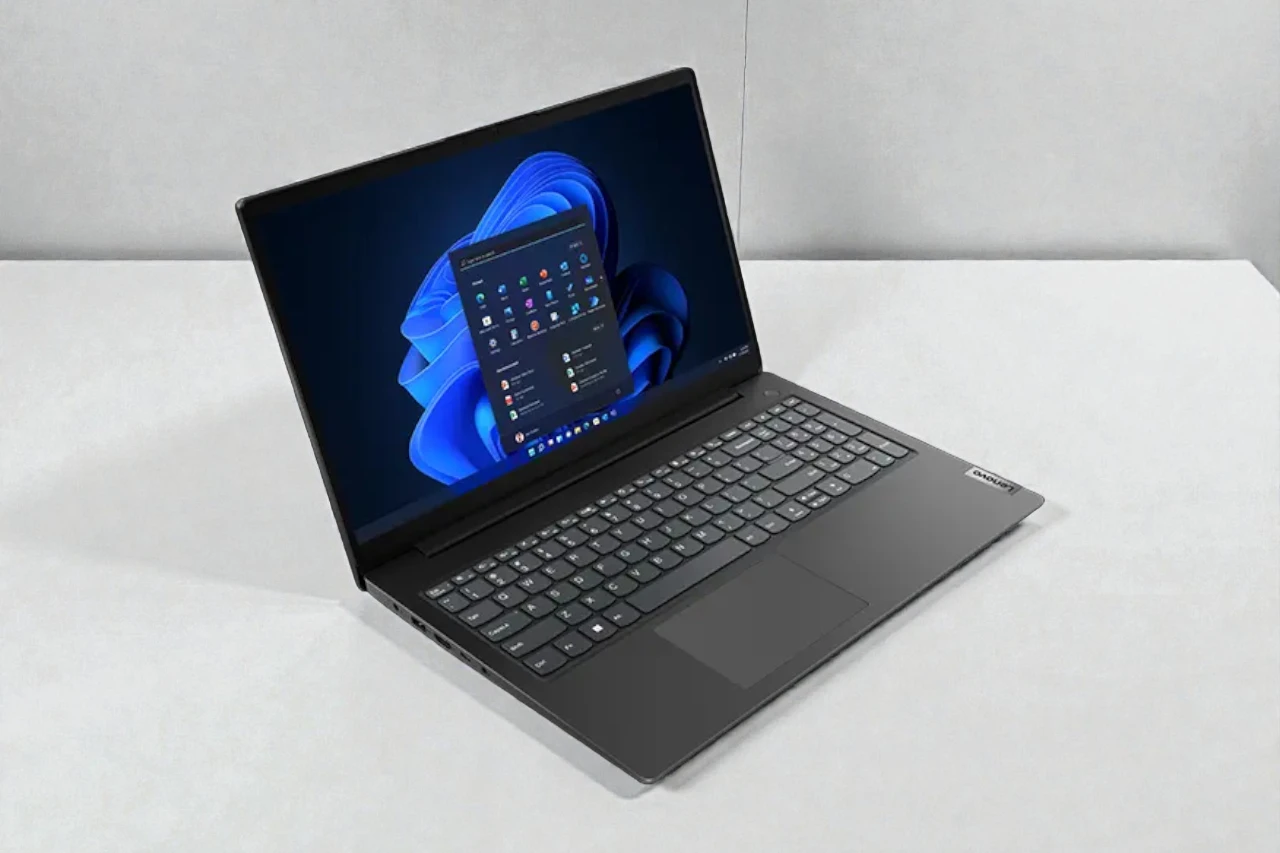
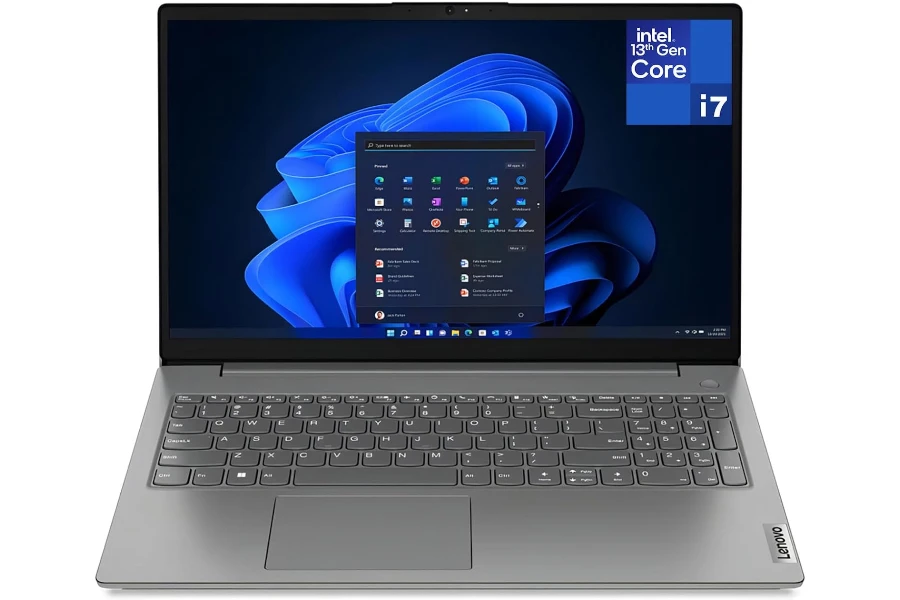
The Lenovo V15 G4 is a budget-leaning 15.6-inch business-style laptop that’s being sold in a very “spec-heavy” configuration: a 13th Gen Core i7-13620H, 40GB DDR4 RAM, and a 1TB NVMe SSD, plus practical ports like RJ-45 Ethernet and USB-C with DisplayPort.
If you’re shopping for a work or school laptop, this kind of listing is tempting because it reads like a mini workstation on a reasonable budget. But the V15 line is primarily built to hit a price point—and that usually shows up in the display quality, keyboard extras, speakers, and overall refinement.
So this review is about a simple question: Is this configuration a smart value buy, or is it a spec trap where one or two compromises will annoy you every single day?
Quick Verdict
Verdict: The Lenovo V15 G4 (i7-13620H / 40GB / 1TB) is best for heavy multitasking on a budget, but it’s not ideal if you care about display quality, premium build feel, or quiet/cool operation.
Best for:
- Spreadsheet-heavy work + lots of browser tabs (RAM and CPU headroom matter here)
- Students and office users who want “fast for years” without paying for a premium model
- People who need Ethernet and simple docking (RJ-45 + USB-C DP)
Not ideal for:
- Creators who need accurate color (the listed TN 250-nit panel is the weak link)
- Anyone who types in dim rooms (non-backlit keyboard)
- Gaming / GPU-heavy tasks (integrated Intel UHD graphics only)
Biggest real-world benefit: This configuration’s RAM + SSD combo makes Windows feel snappy even with heavy multitasking and big files.
Main trade-off you must accept: The display and “budget build priorities” can make it feel less pleasant than the specs suggest.
At a Glance
- Category: Budget business / student 15.6″ laptop
- Typical positioning: Value-focused, spec-forward bundles
- Key feature: i7-13620H + 40GB RAM + 1TB NVMe SSD
- Best use case: Office productivity, school workloads, multitasking, light coding
- Ports highlight: USB-C (DP 1.2 + PD 20V only), HDMI, RJ-45, USB-A
Listed key specs
- CPU: Intel Core i7-13620H (10 cores / 16 threads)
- GPU: Integrated Intel UHD Graphics
- RAM: 40GB DDR4
- Storage: 1TB M.2 PCIe NVMe SSD
- Display: 15.6″ FHD (1920×1080) TN, 250 nits, anti-glare
- Webcam: 720p + privacy shutter
- Weight: ~1.65 kg (3.64 lb)
- Ports: USB-C 3.2 Gen 1 (DP 1.2 + PD 20V only), HDMI 1.4b, RJ-45, USB-A, 3.5mm
- OS: Windows 11 Home
Test Conditions
To be fully transparent: I’m not going to pretend I ran lab benchmarks here. This review is a decision-grade evaluation based on the configuration you provided and what these parts typically deliver in real workloads—plus the practical compromises that usually come with budget business chassis and entry-level panels.
Also worth noting: listings like this are sometimes sold through resellers, and small details can vary (exact RAM stick layout, SSD brand, panel supplier). The big-picture pros/cons still hold, but if one detail matters to you (like keyboard backlight, panel type, or battery size), confirm it before you buy.
What Is the Lenovo V15 G4?
The V15 series is Lenovo’s “get the job done” line: simple design, practical sizing, business-friendly port selection, and cost controls in the places most buyers don’t check carefully—like the display panel class, speaker quality, and premium extras.
This specific configuration is aiming to solve a very real buyer problem:
“I want a laptop that feels fast, opens everything instantly, and doesn’t choke when I’m juggling work + school + life.”
And to be fair, the CPU/RAM/storage combination can absolutely deliver that. The question is whether you’ll be happy living with the compromises that make that spec bundle possible.
Real-World Performance
Everyday speed and multitasking
For normal productivity—Chrome/Edge with lots of tabs, Office/Google Docs, Teams/Zoom, PDFs, light photo edits, and general file work—this laptop should feel decisively fast.
The i7-13620H is an H-class CPU, which generally means:
- Strong burst performance (apps open quickly, system feels responsive)
- Better sustained multi-core performance than typical U-series chips (useful for heavier workloads)
And the 40GB RAM is the headline for multitasking. In real-world terms, more RAM means:
- Your browser stays smooth even with “tab hoarding”
- Big spreadsheets and multiple Office apps don’t force constant swapping to disk
- Running a few tools at once (Teams + Excel + Chrome + PDF + Spotify) feels more stable
Where you’ll hit limits
The limits aren’t about RAM or CPU for most buyers—they’re about graphics and cooling.
- Integrated Intel UHD graphics is fine for office work, streaming, and light creative tasks. But it’s not built for serious video editing timelines, 3D work, or modern gaming.
- An H-series CPU in a budget chassis can be a mixed bag. Under longer heavy loads (big exports, long code compiles, sustained CPU stress), you should expect:
- More fan noise
- More heat on the underside
- Possible performance throttling depending on the cooling design
In short: for productivity, it’s strong. For creator-style sustained heavy loads, it may be “capable but not graceful.”
Streaming and video calls
For streaming, the UHD graphics and FHD screen resolution are totally fine. For calls:
- The 720p webcam is “usable,” not impressive—good enough for Zoom classes and meetings, but not crisp.
- The privacy shutter is genuinely valuable. It’s a simple feature that reduces worry and prevents accidents.
Build Quality & Durability
Lenovo’s business-adjacent laptops usually get the basics right: hinges that don’t wobble excessively, a chassis that feels functional, and a design that doesn’t look flashy.
That said, this isn’t a premium ThinkPad-like experience. The practical durability takeaways are:
- It’s likely solid enough for desk-to-bag commuting, but don’t expect a “tank.”
- Budget plastics can flex more, and that matters if you’re rough on your gear.
- The hinge and keyboard deck are the areas you’ll notice “budget-ness” first.
If you’re the type who travels constantly, opens the lid one-handed, and expects zero flex, you’re shopping the wrong tier.
Ease of Use & Setup
Setup experience
Windows 11 setup is straightforward, and this configuration should feel fast right away thanks to the SSD and RAM. For typical buyers, setup time is mostly account and update time—not performance.
Daily usability annoyances
This model’s usability is heavily influenced by three choices:
- The display (TN, 250 nits)
A TN panel at 250 nits is usually:
- Fine indoors
- Not great near bright windows
- Noticeably worse viewing angles than IPS
If you do a lot of reading, writing, and spreadsheets, you can live with it. If you do any color-sensitive work—or you simply want a pleasant screen—this is the biggest reason to skip.
- Non-backlit keyboard
If you ever work at night, in a dim room, or on flights, you’ll miss it. This is one of those “small” features that becomes a daily annoyance. - Port selection is practical, but not modern-fast everywhere
You get a good mix, but:
- USB 2.0 is dated (fine for a mouse, not great for fast storage)
- HDMI 1.4b can be limiting for higher refresh/resolution external displays (especially 4K at higher refresh rates)
Who This Product Is For
You should seriously consider the Lenovo V15 G4 if…
- You want a snappy, no-drama Windows laptop for work or school.
- You keep lots of apps open and don’t want the system to bog down.
- You deal with large documents, many tabs, PDFs, and spreadsheets all day.
- You value RJ-45 Ethernet for stable internet (dorms, offices, IT environments).
- You’re budget-conscious but still want CPU headroom for the next few years.
In other words: this is for buyers who care more about “fast and functional” than “pretty and premium.”
Who Should Skip This Product
Skip it if any of these are true:
- You care about display quality (brightness, viewing angles, color). TN 250 nits is the deal-breaker for many people.
- You’re buying for creative work where screen quality matters (design, photo work, color grading).
- You want a laptop that stays cool and quiet under heavier loads—H-series chips can get loud in budget cooling setups.
- You need a backlit keyboard.
- You want to game beyond casual titles.
If you’re in any of those groups, you’ll likely be happier with a laptop that has a better IPS display and a more balanced build, even if it has “less exciting” RAM on paper.
Pros & Cons
Pros:
- Excellent multitasking headroom with 40GB RAM for real-world “everything open” use
- Fast storage with a 1TB NVMe SSD (great for big files and quick boot/app loads)
- Strong CPU class for the money (i7-13620H can handle heavier productivity workloads)
- Practical ports including USB-C (DP) and RJ-45 Ethernet
- Privacy shutter is simple but genuinely useful for daily work/school
Cons:
- TN 250-nit display is the biggest compromise (viewing angles and brightness are often disappointing)
- No backlit keyboard, which hurts usability more than many buyers expect
- Integrated graphics only (limits gaming and heavier creator workflows)
- Port limitations: HDMI 1.4b and one USB 2.0 feel dated in 2025
- Potential heat/noise under sustained loads (common with H-series CPUs in budget chassis)
Comparison to Alternatives
Rather than listing random models and pretending exact spec parity, here’s the clean way to think about alternatives at this budget:
If you want a better screen
Look for a 15.6″ laptop with an IPS panel (ideally brighter than 250 nits). You may give up some RAM capacity versus this bundle, but the daily experience—especially for reading and long work sessions—can be meaningfully better.
If you want a more premium “work laptop” feel
Lenovo’s ThinkPad line (or other business-focused lines) typically offers better keyboards, sturdier builds, and more consistent QA. You’ll often pay more for the same CPU/RAM/storage, but you’re buying comfort and durability.
If you need GPU muscle
A laptop with a dedicated GPU (even an entry-level one) will feel much better for editing, creative apps, and some gaming. Expect trade-offs: higher price, more weight, and usually worse battery life.
FAQ
1) Is the Lenovo V15 G4 good for students?
Yes—for typical student workloads (documents, research, Zoom, Office, light coding), it’s fast and stable. The main question is whether you can live with the TN display and non-backlit keyboard.
2) Can it handle heavy multitasking?
That’s one of its best strengths. With 40GB RAM and an i7-class CPU, it’s built for lots of apps and tabs at once.
3) Is it good for programming?
For many programming workloads, yes—especially if you run multiple tools (IDE + browser + containers/light VMs). Just keep expectations realistic for sustained heavy compiles and cooling noise.
4) Is the screen good for photo or design work?
Not really. A TN 250-nit panel is usually a poor match for color-sensitive work. If design is important, prioritize an IPS panel first.
5) Does it support an external monitor setup?
Yes. You have USB-C with DisplayPort 1.2 and HDMI. The main limitation is HDMI 1.4b (which can restrict higher-end monitor configurations). For basic office monitors, it’s fine.
6) Is Windows 11 Home a problem for business?
For most people, no. For some business environments (domain policies, advanced security features), you may prefer Windows Pro. Upgrading is possible, but it’s an extra cost to consider.
Final Verdict – Should You Buy It?
Score: 8.0 / 10
If you want a fast, multitasking-first 15.6-inch laptop for work or school, this Lenovo V15 G4 configuration offers real value—especially if you’re the kind of person who keeps everything open and hates slowdowns.
But I wouldn’t buy it blindly. The TN 250-nit display and non-backlit keyboard are the kinds of compromises that don’t show up in the “spec highlights,” yet they shape your daily experience.
Buy it if: you want speed, RAM headroom, and practical ports at a value price.
Skip it if: screen quality and comfort features matter to you more than raw spec count.
| Preview | Product | Price | |
|---|---|---|---|

|
Lenovo 15.6″ Laptop, Intel 10-Core i7-13620H, 40GB DDR4 RAM, 1TB PCIe SSD, WiFi 6, Bluetooth… | $899.00 | View on Amazon |