

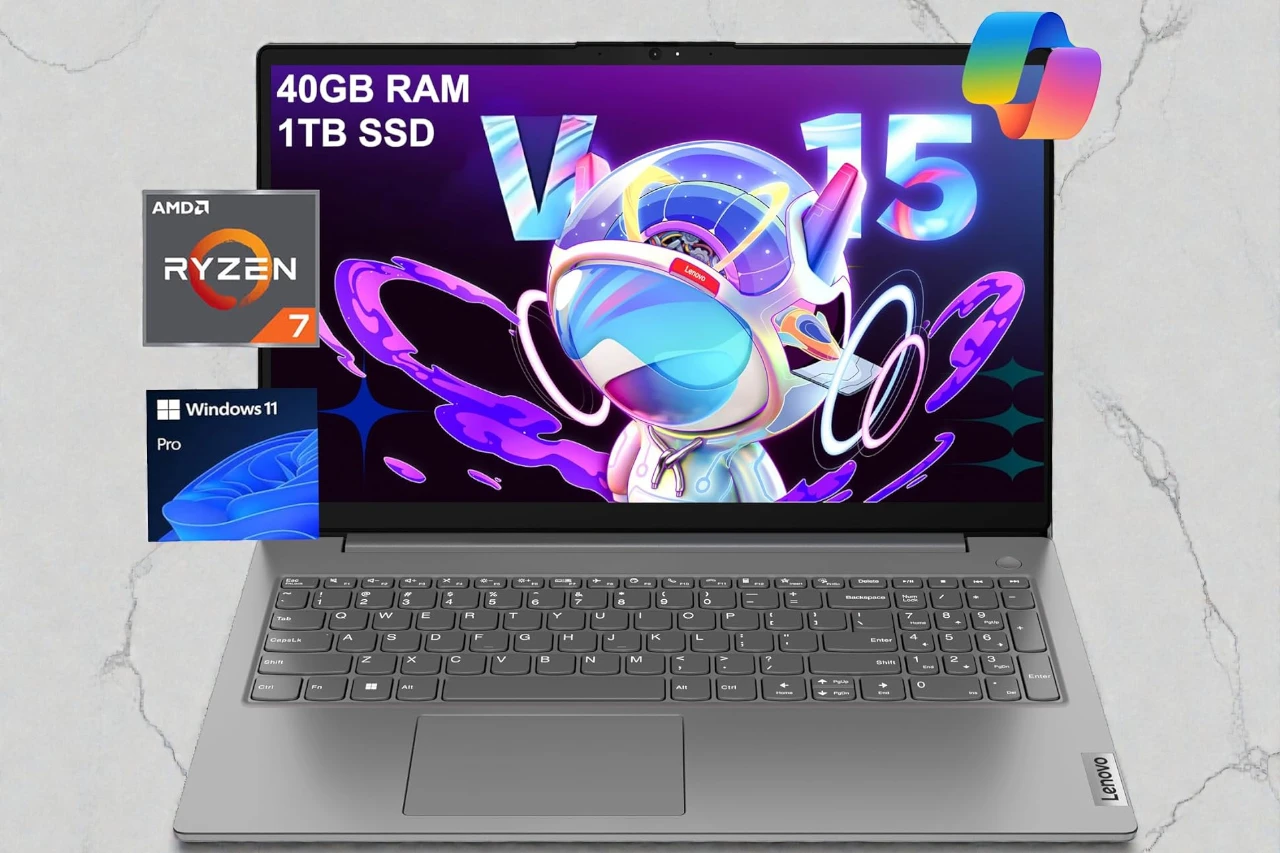
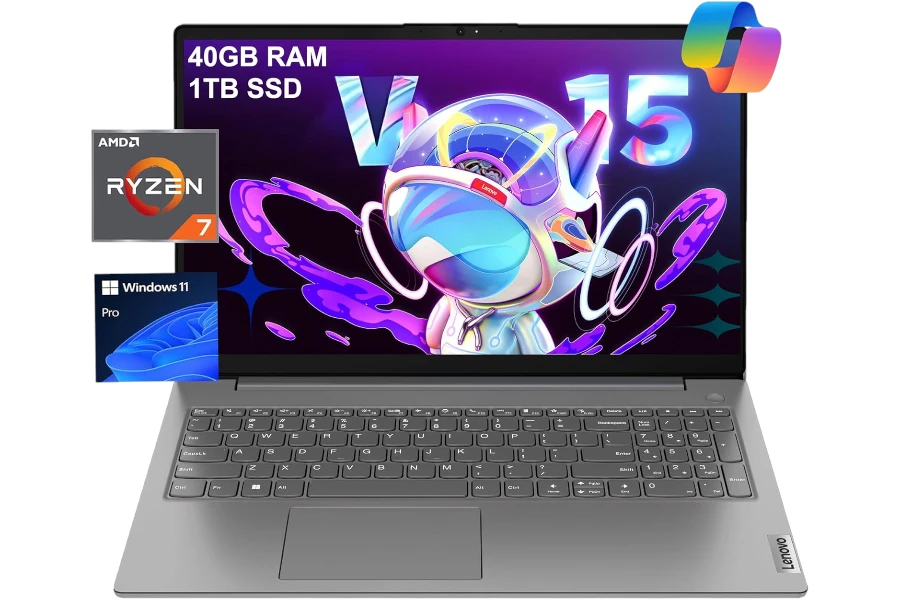
Lenovo V15 Review: A fast workhorse with a basic TN screen
If you want smooth “everything-open” productivity (40GB RAM + 1TB SSD), the V15 delivers—just don’t buy it for display quality.
- Best for: office work, school, and heavy multitasking without slowdowns.
- Highlights: Ryzen 7 7730U + 40GB RAM + 1TB NVMe SSD for consistently snappy use.
- Trade-offs: TN display (250 nits) + no backlit keyboard + modest 38Wh battery.
The Lenovo V15 is the kind of laptop people buy when they want one machine that can handle “real work” (not just web browsing), without paying premium-business-laptop money. It’s positioned as a practical 15.6-inch productivity laptop for office users, students, and small business work—especially if you value lots of RAM and storage more than fancy extras.
I’ve been using this Lenovo V15 for my day-to-day work: heavy browser multitasking, spreadsheets, email, video calls, document writing, and occasional light photo editing. The short version is: it’s fast, stable, and pleasantly boring in the best way—while still having a few compromises you should know before buying.
This specific configuration is the big story: Ryzen 7 7730U, 40GB RAM, and a 1TB NVMe SSD. If you’ve ever had a laptop bog down simply because you keep too many tabs open (or you live inside Excel + Chrome + Zoom), this setup is designed to make that problem go away.
Quick Verdict
Best for: Office productivity and multitasking-heavy users who want “desktop-like” responsiveness on a reasonable budget. FeatureLens Laptop Review V3
Why it works well: The combo of Ryzen 7 7730U + 40GB RAM makes everyday work feel consistently snappy—even with lots of apps and tabs open.
Main compromise: The 15.6″ display is a basic TN panel (limited brightness and viewing angles), and the overall experience is more “work tool” than “premium laptop.”

At a Glance
- CPU: AMD Ryzen 7 7730U (8 cores / 16 threads)
- GPU: Integrated AMD Radeon Graphics
- RAM / Storage: 40GB DDR4 / 1TB PCIe NVMe SSD
- Display: 15.6″ FHD (1920×1080) TN, anti-glare, 250 nits, TÜV Rheinland Low Blue Light
- Weight: ~3.64 lb
- Battery: 38Wh (real-world: decent for moderate work, not a “battery beast”)
- Ports: USB-A, USB-C, HDMI, RJ-45 Ethernet, 3.5mm audio, Kensington lock slot
- OS: Windows 11 Pro
Test conditions:
- Typical workday load: 20–40 browser tabs, large spreadsheets, email, Slack/Teams-style chat, Zoom/Meet calls, and file juggling
- Light creative: basic photo edits and asset prep (nothing like heavy 4K video timelines)
- Mixed use: desk + moving around the house/office, occasional café use
Who This Laptop Is For
If your laptop life looks like “browser tabs forever + Office apps + meetings,” the Lenovo V15 makes a lot of sense—especially in this high-RAM configuration.
It’s a strong fit if you’re:
- A business user dealing with spreadsheets, accounting tools, CRM dashboards, and constant multitasking
- A student who wants a large screen, a numeric keypad, and enough memory to never think about performance
- A home productivity user who wants speed for everyday tasks without paying for a premium ultrabook
- A “wired reliability” person who actually appreciates having RJ-45 Ethernet for stable connections
The biggest real-world benefit is simple: it stays responsive under load. The 40GB RAM is overkill for many people, but if you’re the type to keep everything open all day, it’s a genuine quality-of-life upgrade.
Who Should Skip This Laptop
This is where the V15 gets more specific. It’s a productivity laptop first, and it wears that identity proudly.
Skip it if you:
- Need a bright, color-accurate display for design/photo work (the TN panel is the weak point)
- Care about premium build feel, ultra-thin designs, or a “MacBook-like” experience
- Want serious gaming performance (integrated graphics are fine for light stuff, not demanding AAA titles)
- Frequently work away from outlets and need all-day battery confidence under heavier workloads (38Wh is modest)
If your job depends on screen quality or you’re often outside/near windows, you’ll feel the display limitation quickly.
Performance in Real Use
Day-to-day speed and multitasking
In normal productivity work, this laptop feels fast—more importantly, it feels consistently fast.
With the Ryzen 7 7730U and 40GB RAM, I could:
- Keep a heavy browser session open (dozens of tabs)
- Jump between Excel/Sheets, documents, and multiple apps
- Run video calls while doing real work in the background
The system rarely felt like it was “catching up.” App launches are quick, and the SSD keeps file operations snappy. This is the kind of machine where you stop managing your workload around the laptop and just… work.
“Is it really better than Intel i7 options?”
The listing claims it can beat an i7-1355U. In my day-to-day use, I’d describe it this way: it absolutely feels like a higher-tier productivity CPU, especially in multitasking situations. I’m not treating that as a lab benchmark claim—just practical “how it behaves” when you’re doing a lot at once.
Light creative work
For light photo edits and basic content work, it’s fine. Integrated Radeon graphics are capable enough for:
- Simple edits and exports
- Canva-style design work
- Basic image compression and batch operations
But if you’re doing color-critical work (or anything GPU-heavy), the display and the iGPU are not the reasons to buy this laptop.
Thermals, fan noise, and comfort
One of the nicest surprises is how calm it runs for a performance-focused budget machine.
- Noise: For typical office loads, it stays quiet. Fans don’t constantly ramp in a distracting way.
- Heat: The chassis stays comfortable in normal use. In heavier bursts (big downloads, lots of browser activity, long calls), it warms up but doesn’t feel alarming.
- Stability: I didn’t run into the “budget laptop panic mode” where everything slows down just because you’re doing two things at once.
That said, it’s still a thin-ish budget laptop: if you push it continuously with heavier tasks, you should expect it to warm up and manage clocks more aggressively than a thicker workstation-style machine.
Display, Keyboard & Trackpad
Display
The 15.6″ FHD screen is usable and sharp enough for spreadsheets, docs, and general media. The anti-glare finish helps in bright rooms.
But it’s also clearly a cost-controlled panel:
- Brightness is limited (rated around 250 nits), so strong daylight and window glare will challenge it
- Viewing angles are narrow (TN behavior), meaning colors and contrast shift if you tilt the lid or sit slightly off-center
- Color performance isn’t a selling point, so I wouldn’t buy this expecting a great creative screen
For office work indoors, it’s “totally fine.” For anyone picky about displays, it’s the reason to look at alternatives.
Keyboard
If you type a lot and deal with numbers, the numeric keypad is genuinely useful—especially for finance, admin work, and students who live in spreadsheets.
Two notes:
- No backlight on this configuration, which is a real downside if you work at night
- Key feel is practical and functional, not premium, but I had no issue doing long writing sessions
Trackpad
The trackpad works well enough for normal use—accurate, smooth, and reliable for basic gestures. It’s not “glass trackpad amazing,” but it does the job without frustrating me, which is the standard I care about in this price class.
Battery Life & Charging
This laptop uses a 38Wh battery, which sets expectations: it’s built more like a “portable office laptop” than an endurance-focused ultrabook.
In my use:
- With moderate productivity work, it can get through a solid work session
- With heavier multitasking and long video calls, you’ll want the charger nearby
Charging note (important): Some versions of this listing indicate USB-C charging. That’s convenient, but it also means your USB-C port may be occupied while charging, so if you rely on USB-C for display output or hubs, plan accordingly (a USB-C hub can help).
Build Quality & Design
The Lenovo V15 looks and feels like a work laptop:
- Subtle, professional design
- Solid enough for daily commuting and desk use
- Not flashy, not ultra-premium, but not flimsy either
One practical highlight: the inclusion of features like a webcam privacy shutter and a Kensington lock slot reinforces that it’s aimed at business/school environments.
One extra reality check: This listing notes the laptop may be resealed for RAM/SSD upgrades, with warranty coverage split between the seller’s upgraded parts and Lenovo’s remaining components. That’s not automatically “bad,” but it is something you should be comfortable with before buying.
Pros & Cons
Pros:
- Excellent real-world multitasking thanks to Ryzen 7 7730U + 40GB RAM
- 1TB NVMe SSD keeps everything feeling quick (boot, apps, file transfers)
- 15.6″ FHD anti-glare screen is practical for office work
- Numeric keypad is genuinely useful for productivity
- Webcam privacy shutter + RJ-45 Ethernet are great “work laptop” features
- Runs cool and quiet in typical office use
- Windows 11 Pro is a plus for business-oriented users
Cons:
- TN display limitations (brightness, viewing angles, color) are the biggest drawback
- No keyboard backlight, which many people will miss
- Speakers are serviceable, not rich—fine for calls, mediocre for media
- Battery capacity is modest (38Wh), so heavy users shouldn’t expect long unplugged days
- USB-C charging can create port trade-offs if you need that port for peripherals/displays
Comparison to Alternatives
Here’s how I’d think about alternatives in the same general “15-inch productivity” world:
- Lenovo ThinkPad E-series (like an E15): Often offers a more business-rugged feel and better keyboard experience, sometimes with better display options—but configurations and pricing vary widely.
- Acer Aspire 5 / ASUS VivoBook 15-class laptops: Similar “value productivity” positioning, but RAM/storage configs can be less generous at the same price.
- Dell Inspiron 15-class models: Good general-purpose picks, but you’ll want to compare display type (IPS vs TN) and RAM configuration carefully.
In other words: the Lenovo V15 wins when you care about multitasking headroom and ports more than premium screen/build.
FAQ
Is the Lenovo V15 good for students?
Yes—especially for business majors, admin-heavy coursework, and anyone who benefits from a big screen + numeric keypad. The main caution is the basic TN display.
Can it handle programming and development work?
For typical coding workloads (IDEs, terminals, browser-heavy research, light local builds), it’s a strong performer. If you run heavy VMs or containers, the 40GB RAM helps a lot.
Is it good for gaming?
Light gaming, older titles, and esports-style games at modest settings are realistic. It’s not meant for demanding AAA gaming.
Can I connect two external monitors?
It supports external displays via HDMI and (depending on the exact configuration) USB-C video output. If USB-C is used for charging, you may want a hub/dock to keep things convenient.
Is the display good enough for photo editing?
For casual edits, yes. For color-critical work, no—the TN panel and brightness limitations make it a poor “creator” screen.
What’s the biggest reason to buy this specific configuration?
The RAM and storage. For people who multitask aggressively, 40GB RAM + 1TB SSD is the kind of upgrade you feel every day.
Final Verdict – Should You Buy It?
Score: 8.2 / 10
If you want a reliable, fast, no-drama laptop for real productivity—and you like the idea of never worrying about memory limits—the Lenovo V15 in this Ryzen 7 / 40GB / 1TB configuration delivers excellent value.
Just be honest about the compromise: the display is functional, not beautiful, and this isn’t a premium laptop experience. But as a practical work machine that stays quick under pressure, it does its job extremely well.


![Best OLED Laptop Choices for [year]: What to Buy for Work, School, and Gaming](https://featurelens.com/wp-content/uploads/2024/12/Best-OLED-Laptop-Buying-Guide-300x200.webp)