

You sit staring at three laptop tabs, all open to Lenovo, HP, and Dell. Each looks good. Each claims to fit your needs. You just want a clear pick without wasting hours.
Lenovo fits you best if you want value and comfort, HP works if you care about style and screens, and Dell makes sense when you want steady performance and strong support.
No brand wins for everyone, but one usually fits your daily habits better than the rest.
You’ll see how these brands feel day to day, how they handle speed and battery life, what their screens look like, which product lines match work or school, and how to pick the one that fits how you actually use a laptop.
Key Takeaways
- Each brand shines in different daily use cases
- Comfort, speed, and screens vary more than price
- The right choice depends on how you use your laptop
Fundamental Differences Between Lenovo, HP, and Dell
You shop these laptop brands when you want a safe pick, not a gamble. Lenovo, HP, and Dell each focus on different users, build priorities, and support styles, which shapes how their laptops feel in daily use.
Brand Heritage and Market Focus
You walk into an office and see rows of black ThinkPads, silver HPs, or clean Dell laptops. That mix comes from long-term focus, not looks.
Rule of thumb: Lenovo centers on business users, HP balances home and work, and Dell leans into enterprise and direct sales.
Lenovo grew strong in business after buying IBM’s PC line. Lenovo laptops like ThinkPad stress keyboards, ports, and durability. HP targets a wide crowd, from students to offices, with HP laptops covering budget to premium. Dell built its name selling directly to companies, so Dell laptops fit managed IT setups well.
The trade-off shows up in design and choice. Lenovo can feel plain. HP varies in quality by model. Dell often limits color and style but stays consistent.
Core Strengths and Weaknesses
You use your laptop all day, so small details matter fast.
Rule of thumb: Pick Lenovo for typing, HP for variety, and Dell for stable performance.
| Brand | Clear Strengths | Common Weaknesses |
|---|---|---|
| Lenovo | Great keyboards, strong hinges | Plain design |
| HP | Wide range, good screens | Inconsistent build |
| Dell | Solid cooling, clean software | Higher prices |
Lenovo laptops shine for writing and long work sessions. HP laptops give you more screen and style choices. Dell laptops focus on cooling and steady speed under load.
The trade-off comes with price and feel. HP budget models cut corners. Dell charges more for similar specs. Lenovo design rarely excites.
General Reliability and Support
Your laptop breaks when you need it most. Support matters then.
Rule of thumb: Dell offers the most consistent support, Lenovo stays reliable, and HP depends on the model line.
Dell’s business roots show in fast parts access and clear service plans. Lenovo keeps solid reliability, especially in business models. HP support varies more between consumer and business lines.
The exception is where you buy. Business-class models from all three get better service than consumer versions. Local repair options can matter more than brand in real life.
Design, Build Quality, and Everyday Comfort

You notice design and comfort every time you open the lid, carry the laptop, or type for an hour. Lenovo, HP, and Dell take different paths on materials, keyboards, and how easy their laptops feel in daily use.
Build Materials and Durability
You grab your laptop by one corner and walk to a meeting. It should not flex or creak. Rule of thumb: Lenovo ThinkPad models focus on durability, HP leans toward clean style, and Dell balances both.
Lenovo uses strong materials on ThinkPad lines, including carbon fiber on the ThinkPad X1 Carbon. These laptops feel rigid and resist wear. HP uses aluminum on many models for a smooth, modern look. Dell mixes aluminum and magnesium on higher-end systems for a solid but lighter feel.
Trade-off: premium build can add cost. Entry-level HP and Dell models may use more plastic. ThinkPads often look plain, but they age well.
| Brand | Common Materials | Build Feel |
|---|---|---|
| Lenovo | Carbon fiber, magnesium | Very sturdy |
| HP | Aluminum | Clean, firm |
| Dell | Aluminum, magnesium | Balanced |
Keyboard Feel and Typing Comfort
You type for hours on emails or school work. The keyboard can help or slow you down. Rule of thumb: Lenovo offers the best keyboard feel, especially on ThinkPad models.
ThinkPad keyboards have deep travel and clear feedback. Many include the red TrackPoint, which lets you move the cursor without leaving the keyboard. HP keyboards feel lighter and quieter. Dell keys feel firm and accurate, but with less travel.
Trade-off: thin laptops limit key depth. Ultra-thin designs from all three brands feel flatter. If typing matters most, choose a slightly thicker model and test the keyboard in person.
Portability and Weight Considerations
You carry your laptop all day in a backpack. Weight and size start to matter fast. Rule of thumb: Dell and Lenovo lead in light business laptops, while HP focuses on slim designs with style.
The ThinkPad X1 Carbon stays very light and still feels strong. Dell’s XPS line uses ultra-thin bezels to shrink size without losing screen space. HP laptops often look sleek, but some models weigh more due to thicker aluminum shells.
Trade-off: lighter laptops may have fewer ports and smaller batteries. If you travel often, low weight helps. If you stay at a desk, a bit more weight brings better comfort and ports.
Performance, Battery Life, and Multitasking
You notice the difference when you juggle work apps, browser tabs, and video calls all day. Performance, SSD speed, memory, and battery life shape how smooth your day feels.
Processing Power and Multitasking
You open a spreadsheet, join a video call, and keep ten tabs running. In this moment, CPU choice matters more than brand names. Lenovo and Dell often pair Intel Core i5 or i7 chips with strong cooling, which helps steady performance during long sessions.
Rule of thumb: choose a modern Intel Core i5 or AMD Ryzen 5 for smooth multitasking. HP sometimes favors slimmer designs, which can run warmer under load.
The trade-off shows up under pressure. Thin HP models may slow down sooner, while Lenovo ThinkPads lean on legendary durability and steady speeds. Dell balances both, but higher power models add weight.
SSD Storage and Memory Options
You boot your laptop and apps open fast. That speed comes from SSD storage, not luck. All three brands use SSDs, but upgrade options differ.
Rule of thumb: aim for 16GB RAM and 512GB SSD storage if you multitask daily.
| Brand | Easy Upgrades | Typical SSD Options |
|---|---|---|
| Lenovo | Yes (many models) | 256GB–1TB |
| HP | Limited on thin models | 256GB–1TB |
| Dell | Yes on business lines | 256GB–2TB |
The trade-off sits in design. Slim laptops often seal memory, so you must choose right at checkout.
Battery Life and Day-to-Day Use
You work from a café and forget your charger. Battery life now decides your pace. HP often tunes displays for efficiency, which helps lighter tasks last longer.
Rule of thumb: expect 8–10 hours for mixed use on mid-range models. Lenovo business laptops often hit this mark with stable results.
The exception appears with performance models. Bright screens and strong CPUs drain power faster. Dell’s higher-end systems trade long battery life for speed, while Lenovo focuses on balance and reliability.
Display, Graphics, and Visual Experience
You spend hours staring at your screen, so display quality and graphics matter more than raw specs. Lenovo, HP, and Dell take different paths with screens, GPUs, and special display options, and the right choice depends on how you use your laptop day to day.
Display Technology and High-Resolution Screens
You open your laptop to read, write, or edit photos, and the screen either feels sharp or tiring. As a rule of thumb, aim for at least 1920×1080 on a 13–15 inch screen. Dell leads here with the Dell XPS line, especially the XPS 13, which offers bright, high-resolution screens with strong color accuracy.
Lenovo focuses on comfort and choice. Many ThinkPad and Yoga models offer matte panels that reduce glare. HP balances both, with sharp displays in its Spectre and Envy ultrabooks.
The trade-off is battery life. Higher-resolution screens look better but drain power faster. If you work unplugged most of the day, a Full HD screen often lasts longer than a 4K option.
| Brand | Strength |
|---|---|
| Dell | Bright, sharp high-resolution screens |
| Lenovo | Eye comfort and matte options |
| HP | Balanced clarity and brightness |
Graphics Capabilities and Gaming
You load a game or a design app and want smooth motion, not stutter. The rule of thumb is simple: integrated graphics handle daily tasks, while dedicated GPUs handle games and creative work. Lenovo and HP offer more gaming-ready options across price ranges, while Dell keeps a clean split between XPS and Alienware lines.
For light gaming or photo work, Intel or AMD integrated graphics work fine in ultrabooks. For heavier games, look for NVIDIA GPUs in Lenovo Legion or HP Omen models.
The trade-off is heat and weight. Better graphics mean thicker laptops and louder fans. Thin models like the XPS 13 stay quiet but are not built for long gaming sessions.
OLED and Convertible Displays
You flip your laptop into tablet mode to watch a show or sketch with a pen. A good rule is to choose OLED for color and contrast and 2-in-1 designs for flexibility. Lenovo’s Yoga line and HP’s Spectre x360 stand out here, offering OLED options in slim convertible laptops.
OLED screens show deep blacks and rich colors, which helps with movies and creative work. Convertible laptops let you switch between typing and touch use without carrying another device.
The exception is durability and cost. OLED panels cost more, and 2-in-1 hinges add moving parts. If you type all day and never fold the screen, a standard ultrabook may last longer and cost less.
Popular Lineups and Who They Suit Best
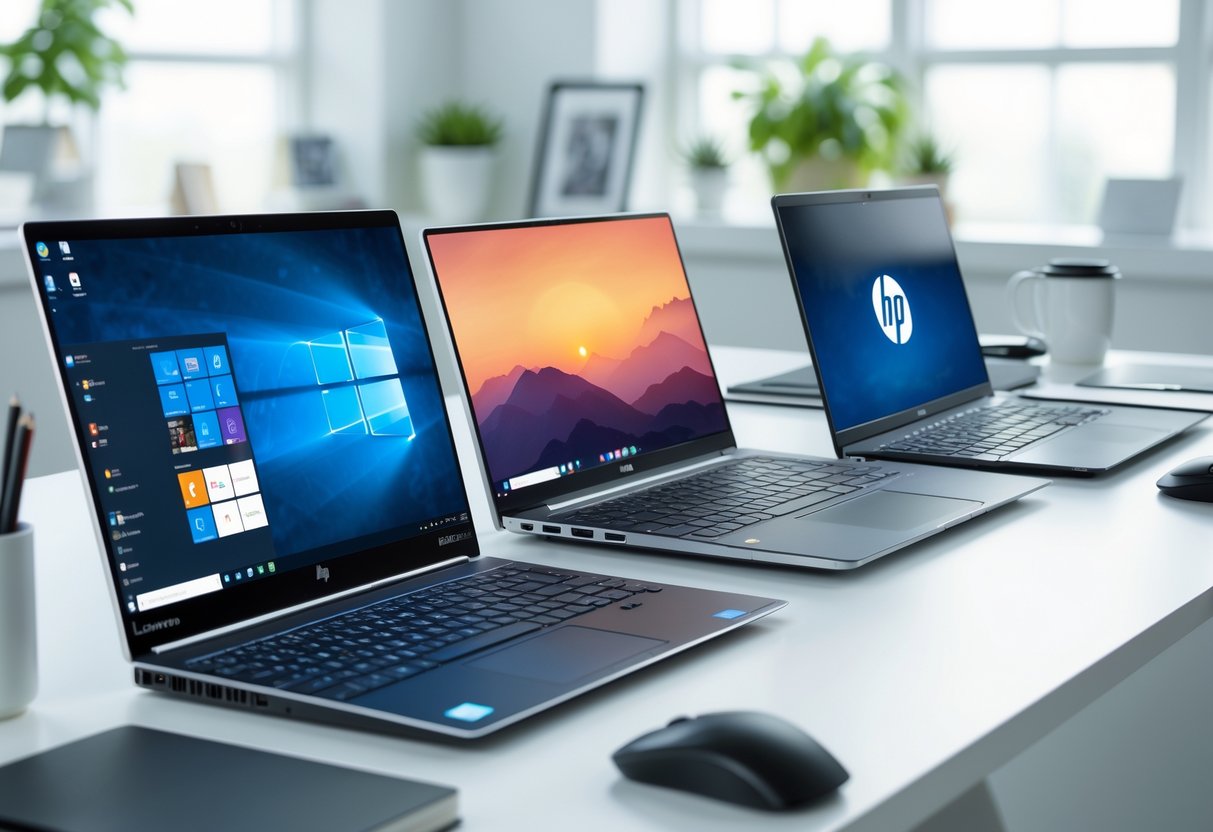
You usually pick a laptop based on how you work, where you use it, and how much you carry it. Lenovo, HP, and Dell each focus on clear use cases, with trade-offs that matter day to day.
Top Choices for Business and Professionals
You sit in meetings all day, travel often, and need a laptop that never feels fragile. You want a strong keyboard, solid security, and long battery life.
Rule of thumb: Choose business lines built for daily work abuse.
- Lenovo ThinkPad models, like the ThinkPad X1, focus on typing comfort and durability.
- HP EliteBook and ProBook balance security tools with clean design.
- Dell Latitude and Precision favor stability and service support.
Trade-off: These lines cost more and often skip flashy screens. If you want a premium look with lighter weight, Dell XPS 13 or HP Spectre x360 fit better, but they feel less rugged.
Best Options for Students and Everyday Users
You write papers, stream video, browse the web, and carry your laptop all day. You want good battery life, low weight, and a fair price.
Rule of thumb: Midrange consumer lines give the best value.
- Lenovo IdeaPad and Lenovo Yoga cover basic needs, with Yoga adding flexible 2‑in‑1 use.
- HP Pavilion, Envy, and Stream target price and portability.
- Dell Inspiron offers many sizes and frequent sales.
Trade-off: These laptops use lighter materials and fewer ports. If you want a sharper screen and better build, HP Spectre or Dell XPS costs more but feels nicer every day.
Gaming Laptops and High-Performance Picks
You play modern games, edit video, or run heavy apps. You expect strong graphics, fast cooling, and room to upgrade.
Rule of thumb: Buy a gaming line with dedicated GPUs and airflow.
- Lenovo Legion balances power and clean design.
- HP Omen and Victus focus on gaming value at different price tiers.
- Dell Alienware and G Series push raw performance.
Trade-off: These laptops run hot, weigh more, and drain battery fast. If you want power in a smaller body, Dell Precision or high-end ThinkPad models work, but gaming performance drops.
Choosing the Right Brand for Your Needs
You might shop for a laptop because your old one feels slow, heavy, or unreliable. The right choice depends on your budget, how long you plan to keep it, and the kind of work you do each day.
Budget Laptops Versus High-End Picks
You might need a low-cost laptop for school, web use, or light work. If price comes first, Lenovo and HP often give you better value in budget laptops and Chromebooks.
Rule of thumb:
- Students on a budget: Lenovo IdeaPad or HP Pavilion
- Simple web tasks: HP or Lenovo Chromebook
- Premium build: Dell XPS or Lenovo ThinkPad X1
| Brand | Budget Strength | High-End Strength |
|---|---|---|
| Lenovo | Strong value, wide range | Solid ultrabooks |
| HP | Frequent sales | Sleek premium designs |
| Dell | Fewer cheap options | Top-tier performance |
The trade-off shows up in build and screen quality. Cheaper models may feel plastic or dim, while high-end laptops cost more but last longer and feel better to use.
Lasting Value, Upgrades, and Warranty
You might plan to keep your laptop for four or five years. In that case, Dell and Lenovo often make more sense for long-term value, especially for business laptops.
Rule of thumb: pick brands that allow easy repairs and offer strong warranty options. Lenovo ThinkPads and Dell Latitudes usually let you upgrade storage and memory.
The exception comes with thin ultrabooks. Many HP, Dell, and Lenovo premium models seal parts inside. You gain a lighter laptop but lose upgrade options. Dell stands out for clear support plans, while Lenovo offers broad parts access. HP varies more by model, so you need to check details.
Who Should Consider Each Brand
You might wonder which brand fits your daily routine. Each one fits a different type of user.
Rule of thumb: match the brand to how you work, not the spec sheet.
- Lenovo: You type a lot, value durability, or want flexible pricing. Good for students and business users.
- HP: You care about style, screen quality, and frequent discounts. Works well for home use and school.
- Dell: You want reliable performance, clean design, and strong support. Best for professionals and high-end laptops.
The trade-off comes down to focus. Lenovo wins on range, HP on design variety, and Dell on polish and support.
Final Thoughts
You walk into a store or open a dozen tabs, trying to decide Lenovo vs HP vs Dell for your next laptop. A simple rule helps: pick the brand that matches how you work most days. Lenovo fits steady typing and long hours, HP fits mixed home and office use, and Dell fits work that needs support and upgrades. The trade-off shows up when you push outside that lane.
You sit down to write, code, or manage spreadsheets for hours. Rule of thumb: Lenovo keyboards and layouts feel better for long sessions. The exception comes with design flair and audio, where HP often feels more balanced for casual use.
You travel, dock, undock, and expect things to just work. Rule of thumb: Dell handles business setups and support better over time. The trade-off is cost, since similar Dell models often price higher than Lenovo or HP.
You want a quick way to decide without overthinking it:
- Lenovo: comfort and durability, fewer flashy extras
- HP: balanced features, design can vary by model
- Dell: strong support, higher price for similar specs
You learned that Lenovo vs HP vs Dell is less about specs and more about habits. Match the brand to how you actually use your laptop, not how you hope to use it someday.

![Best OLED Laptop Choices for [year]: What to Buy for Work, School, and Gaming](https://www.featurelens.com/wp-content/uploads/2024/12/Best-OLED-Laptop-Buying-Guide-300x200.webp)


