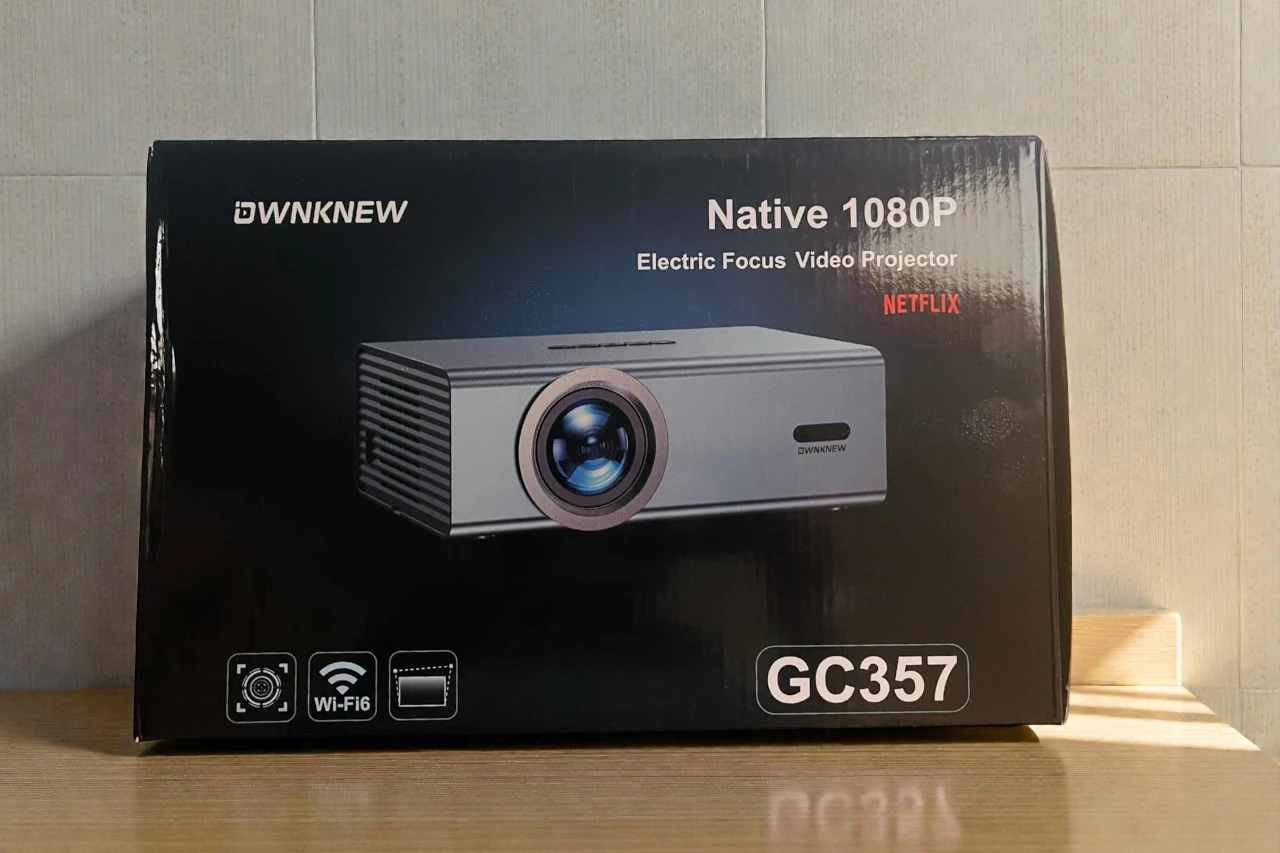
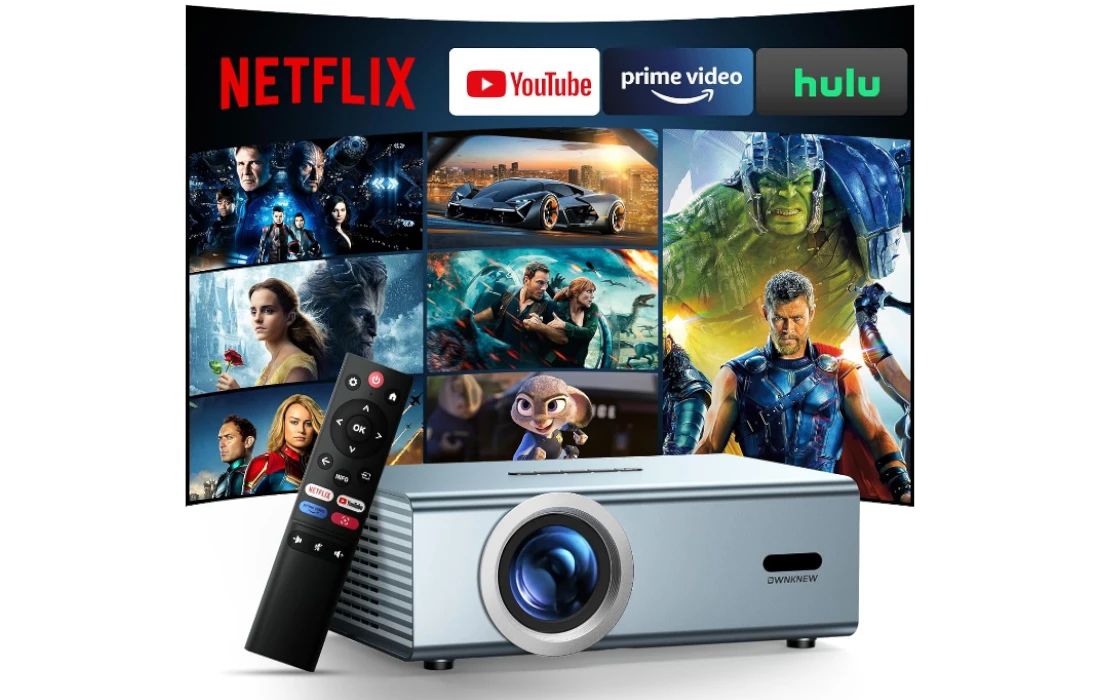
OWNKNEW GC357 Projector — Easy Setup, Big-Screen Streaming
A compact 1080p smart projector designed for low-hassle movie nights: built-in Netflix, quick electric focus, and auto keystone to get a clean picture fast.
- Built-in Netflix + apps for one-remote streaming
- Electric focus + auto keystone for faster setup
- Wi-Fi 6 & BT 5.3 for smoother casting and audio
- Resolution
- Native 1080P
- Streaming
- Netflix Built-In
- Focus
- Electric Focus
- Wireless
- Wi-Fi 6 + BT 5.3
The OWNKNEW GC357 is aimed at a very specific type of buyer: someone who wants an affordable “smart” projector experience—Netflix on the home screen, quick wireless sharing, and convenience features like electric focus and auto keystone—without turning the purchase into a full-blown home theater project.
After going through the product details and documentation, here’s the most honest way to frame it: the GC357 is a feature-forward, entry-level LED/LCD projector with a native 1920×1080 panel, claimed 600 ANSI lumens, and a portability-friendly footprint. It’s not trying to compete with brighter, more color-accurate home theater DLP/laser models. Instead, it’s trying to deliver a smooth, low-friction setup for movies, casual gaming, and outdoor nights—especially for people who don’t want to plug in a separate streaming stick every time.
Below, I’ll walk through what matters most in real use: setup, streaming behavior, image quality in different lighting, focus/keystone tradeoffs, audio, gaming practicality, and the kinds of compromises you should expect at this price.
Quick verdict
Buy the OWNKNEW GC357 if you want:
- A portable 1080p projector with easy setup (electric focus + auto keystone).
- A built-in Netflix app experience that the listing says receives ongoing compatibility updates.
- Wi-Fi 6 + Bluetooth 5.3 for flexible wireless playback and external speaker options.
- A projector that can credibly do movie nights in a dark room or outdoors after dusk (but not “bright daylight” projection).
Skip it if you need:
- True high-brightness performance for daytime viewing or heavy ambient light (600 ANSI-class projectors have limits).
- “Real 4K” detail—this is native 1080p and supports 4K decoding, meaning 4K content gets downscaled.
- A quiet, near-silent unit (budget LED projectors almost always have audible fan noise at normal seating distances).
Key specs (what matters, not marketing)
- Native resolution: 1920 × 1080 (Full HD)
- Brightness: 600 ANSI lumens (also marketed as “22,000L”)
- Screen size range (claimed): 50"–450"
- Focus/geometry: Electric focus + auto keystone (manual correction available)
- Wireless: Wi-Fi 6 (2.4G/5G) + Bluetooth 5.3 bi-directional
- Ports: HDMI, 2×USB, AV, 3.5mm audio out
- Size/weight: 9.37 × 6.96 × 3.46 in; 2.97 lb
- What’s in the box: power cord/adapter, HDMI cable, AV cable, remote, manual
One quick note: you may see slightly different speaker wattage claims in marketing images vs. manuals on many products in this class. In practice, treat the built-in speaker as “good enough for casual viewing,” not as a replacement for a soundbar.
Unboxing and build: small, light, easy to place
The GC357 is genuinely portable at under 3 pounds, and the chassis size is compact enough for “move it from bedroom to living room” life without feeling like you’re relocating equipment.
That portability is a major part of the appeal—especially if your main use case is occasional movie nights, dorm/bedroom setups, or taking it outside.
Buttons and layout are straightforward: lens on the front, ventilation on the sides, and a sensible port selection on the back including HDMI for a console/PC/streaming stick, USB for files, and analog AV for older gear.
If you’ve used other budget LED/LCD projectors, the physical experience will feel familiar: light enough to reposition easily, but also light enough that you’ll want to place it on a stable surface to prevent accidental bumps from shifting the picture.
Setup experience: the “easy mode” is the point here
Electric focus (why it matters)
Manual focus rings are one of those “fine, until you’re annoyed” features. Electric focus is simply faster—especially if you reposition the projector often. The documentation describes focus adjustments via the remote and positions it as a quick process.
In real-world use, electric focus typically shines in three scenarios:
- You’re projecting on different walls/screen sizes and don’t want to walk up to the unit each time.
- Outdoor use, where setup should be quick and “good enough” before it gets dark.
- Shelf placement, where reaching the projector is inconvenient.
The thing to understand: electric focus is still focus—if your projector is slightly off-axis or the wall isn’t flat, one part of the image will look sharper than another. That’s not the focus system’s fault; it’s the geometry.
Auto keystone (convenient, but not free)
Auto keystone correction is a quality-of-life feature: it can make the image watchable quickly without fuss.
But keystone correction always has a cost: it digitally reshapes the image, which can reduce effective sharpness because you’re no longer using the full panel in a perfectly rectangular mapping.
My advice (for any projector, not just this one):
- Use auto keystone to get close.
- Then physically reposition the projector as much as you can so the image is naturally square.
- Use only small keystone corrections for final tuning.
You’ll usually end up with a sharper picture that way—especially with text, UI elements, and subtitles.
Placement: be realistic about the “450-inch” headline
The GC357 claims a 50"–450" size range.
Technically, you can throw a very large image if you have enough distance. Practically, brightness becomes the limiting factor long before you hit huge diagonals.
A helpful third-party spec summary for the GC357 class suggests that with 600 ANSI lumens, you can go up to roughly ~112" diagonal in a dark environment, and that with room lighting the comfortable size drops closer to ~75" diagonal (based on image width guidance).
That lines up with what most people experience with 600 ANSI LED/LCD projectors:
- Dark room: 90"–120" is usually the sweet spot for a satisfying, punchy image.
- Some ambient light: 60"–90" keeps the picture from looking washed out.
- Bright room/daytime: you can project a picture, but “movie quality” isn’t what you’re buying here.
Smart features and streaming: the Netflix question (and how to think about it)
If you’ve ever bought a cheap projector that claims “Netflix supported,” you already know the trap: many rely on unofficial workarounds that break, cap resolution, or randomly stop working after an app update.
The GC357 listing explicitly says:
- Netflix app is available directly on the projector.
- The built-in system receives software updates intended to keep Netflix compatibility over time.
That’s a meaningful promise—because Netflix playback is fundamentally tied to DRM support and software certification.
Still, here’s the practical buyer mindset I recommend:
1) Treat “built-in Netflix” as a convenience feature, not your only plan
Even when Netflix works well on-device, you may eventually prefer:
- A dedicated streaming stick for faster UI,
- A consistent remote experience across apps,
- Better long-term app support.
The good news is the GC357 includes HDMI, so using a Roku/Fire TV/Chromecast is always an option.
2) Check the real playback quality you’re getting
Because the projector is native 1080p, the best-case experience for Netflix is “1080p-ish clarity” with a good bitrate. But the only way to confirm Netflix resolution behavior is in-app playback info (if available) or by visually comparing to the same content on another device.
The listing language is encouraging, but I’d still validate this early during your return window.
3) Built-in apps are great when you want simplicity
If your priority is “turn on and play,” the smart platform is the win. For casual viewing, you’ll appreciate not needing extra devices and cables.
Image quality: what a native 1080p LED/LCD projector does well (and where it won’t)
Sharpness and detail
Native 1080p is still the practical sweet spot for budget projectors. At typical viewing distances on a 90"–120" image, a good 1080p panel can look pleasantly crisp—especially for:
- Streaming shows and movies,
- Sports (with the right motion settings),
- YouTube content,
- Casual gaming.
Electric focus helps you dial in sharpness from your seat, which is exactly how most people actually use a projector.
What I would watch for on a unit like this:
- Corner softness: common on budget optics. You focus for the center; corners can be slightly less sharp.
- Text clarity: menus and subtitles should be clean when focus is right. If fine text still looks smeary, you may be too large on screen or too far off-axis with keystone.
Brightness (the real-world interpretation of “600 ANSI”)
The documentation and third-party listings point to 600 ANSI lumens.
That’s not “living-room-at-noon” brightness. It’s more like:
- Very enjoyable in a dark room,
- Acceptable with curtains drawn / lights low,
- Struggling in bright ambient light.
The Amazon listing also uses “high brightness” language and markets large screen sizes.
That’s normal marketing. The practical takeaway is simple: brightness is your main limiter. If you buy the GC357 expecting it to replace a TV in a sunny room, you’ll be disappointed. If you buy it for evenings, bedrooms, and controlled lighting, it’s in its element.
Color and contrast
The manual lists a high contrast ratio figure (22,000:1).
On projectors in this price category, “contrast ratio” is best treated as a directional indicator rather than a guarantee of deep-black performance. What you usually get is:
- Pleasant contrast in dim rooms,
- Blacks that turn gray in ambient light,
- A picture that benefits massively from light control.
If you want the best color impression:
- Use a simple white or light-gray projection screen (a decent screen can noticeably improve perceived contrast).
- Avoid textured walls—texture kills perceived sharpness and can introduce odd color shifts.
HDR and 4K support (what it really means here)
The GC357 is native 1080p and the manual states supports 4K decoding.
That combination typically means:
- You can feed it 4K content (or play 4K files),
- The projector decodes it and outputs a 1080p image.
This can still look better than 1080p sources sometimes because higher-resolution streams can carry higher bitrates and cleaner compression—even after downscaling.
On HDR: if you see HDR marketing, understand that many budget projectors “accept HDR” but can’t display true HDR highlights due to brightness limits. The practical experience is often:
- HDR content plays,
- The projector tone-maps it into its brightness range,
- Results vary by content.
If the image looks too dark in HDR content, switching the source to SDR output can sometimes improve perceived brightness and midtone detail.
Focus + keystone: how to get the sharpest picture
If you want the GC357 to look its best, do this in order:
- Set placement first
Put the projector as centered as possible relative to the screen/wall. The closer you are to “straight on,” the less keystone you’ll need. - Set screen size by distance
Don’t rely on digital zoom/keystone to create size. Physical distance gives you the cleanest mapping. - Use electric focus
Focus on subtitles or a high-detail paused scene—fine edges make focus easier. - Use minimal keystone
Auto keystone is a convenience. If you heavily keystone, you’re trading sharpness for geometry perfection.
This is the difference between “projector looks okay” and “wow, this is sharper than I expected.”
Audio performance: built-in is convenient, external is better
The listing highlights Dolby Audio support as a feature.
In practice, “Dolby Audio support” on a projector like this usually means it can decode or pass compatible audio formats—not that you’re getting cinematic sound from the built-in speaker.
What you should expect:
- Built-in speaker is fine for news, YouTube, casual shows.
- For movies, a Bluetooth speaker or soundbar will make the experience dramatically better.
The GC357 supports Bluetooth 5.3 bi-directional, which is useful in two ways:
- Connect the projector to a Bluetooth speaker/soundbar,
- Or connect your phone to the projector and use it as a speaker (handy for music).
Also, the 3.5mm audio out gives you a reliable wired option if Bluetooth latency becomes annoying (more on that in gaming).
Gaming: fine for casual play, not for competitive
You can absolutely game on the GC357 via HDMI (console, handheld dock, laptop).
Where expectations need to be set: budget projectors rarely prioritize low input lag.
For casual gaming:
- Adventure games, RPGs, party games, slower sports titles—generally enjoyable.
- Big-screen gaming is inherently fun, and 1080p is plenty sharp at typical distances.
For competitive gaming:
- Fast shooters, rhythm games, anything timing-critical—this category typically wants known low-latency displays.
If you do game:
- Use HDMI for video (not wireless mirroring).
- Consider wired audio (3.5mm) or a low-latency Bluetooth setup if you notice lip-sync delay.
Wireless performance: Wi-Fi 6 is helpful, but your network matters
The projector supports Wi-Fi 6 plus 2.4G/5G connectivity.
Wi-Fi 6 can help in busy household networks, especially when multiple devices are streaming.
In practice, streaming stability will be affected more by:
- Router quality and placement,
- 5GHz range in your room,
- Congestion from neighboring Wi-Fi networks,
- Whether the projector’s antenna design is decent (varies widely in this category).
For best results:
- Use 5GHz if the projector is reasonably close to the router,
- Use 2.4GHz if you’re going through walls and need range,
- If possible, place the projector where it has a cleaner line-of-sight to the router.
Fan noise and heat: plan your seating and placement
Every compact LED projector has to move heat out of a small chassis. The GC357 includes side ventilation and typical care guidance: keep vents clear and clean dust regularly.
What I recommend:
- Don’t place it right beside your head on a nightstand.
- If fan noise bothers you, place it a bit farther away (or behind seating if your setup allows).
- Keep it off soft surfaces that block airflow (beds, thick rugs).
A quick maintenance habit—cleaning vents with a soft brush or compressed air—goes a long way in keeping noise and heat under control.
Outdoor movie nights: it can work, but timing is everything
This is a great use case for a lightweight projector:
- Easy to carry outside,
- Quick setup with auto keystone + electric focus,
- Large image for groups.
The key is brightness vs ambient light:
- After dusk: fun, cinematic, the projector “makes sense.”
- Before dusk: you’ll be fighting the sky. Even 600 ANSI can look washed out until it gets properly dark.
If outdoor use is your priority, consider a simple kit:
- A portable screen (even an inexpensive one),
- A Bluetooth speaker,
- A stable table or tripod stand,
- A power plan (extension cord or power station).
The “4K support” claim: how to interpret it without disappointment
Let’s be blunt and fair:
- Native resolution is 1080p.
- 4K support = decoding/compatibility, not native 4K pixels.
That said, 4K input/decoding can still be valuable:
- You can play 4K files without the projector refusing them,
- You can get cleaner source quality that downscales nicely.
Just don’t buy it expecting the fine texture and micro-detail of true 4K projection.
Who this projector is best for
Strong fit:
- First-time projector buyers who want simplicity and “smart” convenience.
- Bedroom and apartment setups where portability matters.
- Parents who want a family movie night projector that’s quick to operate.
- Outdoor movie nights (after dark) where a huge image beats perfect fidelity.
Not a great fit:
- People who want TV replacement brightness in daylight.
- Home theater enthusiasts who care deeply about black levels, color calibration, and ultra-low input lag.
- Anyone expecting “true 4K” sharpness.
Common setup tips (to avoid the usual headaches)
- Use a screen if you can. Even a basic screen improves perceived contrast and uniformity.
- Avoid heavy keystone. Better geometry usually comes from better placement.
- If Netflix looks soft, test an HDMI streaming stick. It’s the fastest way to isolate whether the limitation is the built-in app or the stream.
- If dialogue feels thin, add external audio. A $30–$80 speaker can change the entire experience.
- Keep the projector ventilated. Don’t trap it in a tight shelf space without airflow.
Pros & Cons
| Preview | Product | Price | |
|---|---|---|---|

|
Compatible with Netflix Movie Projector with WiFi6 and Bluetooth5.3, Built-in App Store, Dolby Audio... |
$269.99
$149.99 |
View on Amazon |
Pros:
- Native 1080p resolution (good baseline sharpness).
- Electric focus + auto keystone make setup easier than “manual everything” models.
- Wi-Fi 6 + Bluetooth 5.3 (flexible wireless use and audio options).
- Portable size and low weight for moving room-to-room or outdoor nights.
- Good port selection: HDMI + dual USB + AV + 3.5mm audio.
Cons:
- 600 ANSI brightness class: great in dark rooms, limited in bright rooms.
- “4K support” is decoding/downscaling, not native 4K.
- Keystone convenience can reduce sharpness if you rely on it heavily.
- Built-in speaker is rarely “movie great” (external audio recommended).
FAQ
Does it really have Netflix built in?
The Amazon listing states the Netflix app is accessible on the projector and that the system receives ongoing software updates intended to maintain compatibility.
Practically, I’d still test your most-used streaming apps early to confirm resolution/behavior meets your expectations.
Can it play 4K movies?
It supports 4K decoding/compatibility, but the projector outputs at its native 1080p resolution.
Can I connect a soundbar?
Yes—either via Bluetooth or the 3.5mm audio jack (or via HDMI from a streaming device that outputs audio separately).
Is it good for PowerPoint or classroom use?
It can be used for office/classroom scenarios (it’s listed among recommended uses), but brightness will determine whether it works well in well-lit rooms.
Final thoughts
The OWNKNEW GC357 is best understood as a convenience-first 1080p projector: you’re paying for the overall experience—smart features, quick setup tools, wireless flexibility, and portability—more than you’re paying for raw image performance.
If you’ll mostly watch in the evening, can control light, and appreciate the “turn it on and it just works” style of projector ownership, the GC357 makes a lot of sense. If you need bright-room performance or true home theater image depth, you’ll want to move up to a higher-brightness class and (often) a different projection technology.
If you want, tell me your typical viewing environment (bedroom at night, living room with lamps on, backyard at dusk, etc.) and your target screen size (80", 100", 120"+). I’ll recommend an ideal setup (placement distance, screen type, and audio pairing) specifically for that scenario.
Ready for Big-Screen Streaming at Home?
See the OWNKNEW GC357 on Amazon and review today’s availability—built-in Netflix, native 1080p, electric focus, and Wi-Fi 6 for easy setup.