TCL NXTPAPER 14 Review: Best for Readers & Multitaskers (Not for E-Ink Battery Fans)
A massive 14.3" matte, paper-like screen that’s genuinely easier on the eyes—great speakers and split-screen too, with a few real compromises.
- Best for: long reading sessions, glare-free browsing, and comfortable big-screen streaming.
- Highlights: 14.3" 2.4K NXTPAPER + loud quad speakers + real split-screen workspace.
- Trade-offs: paper modes help eyes more than battery; pen & case are "sufficient," not premium.
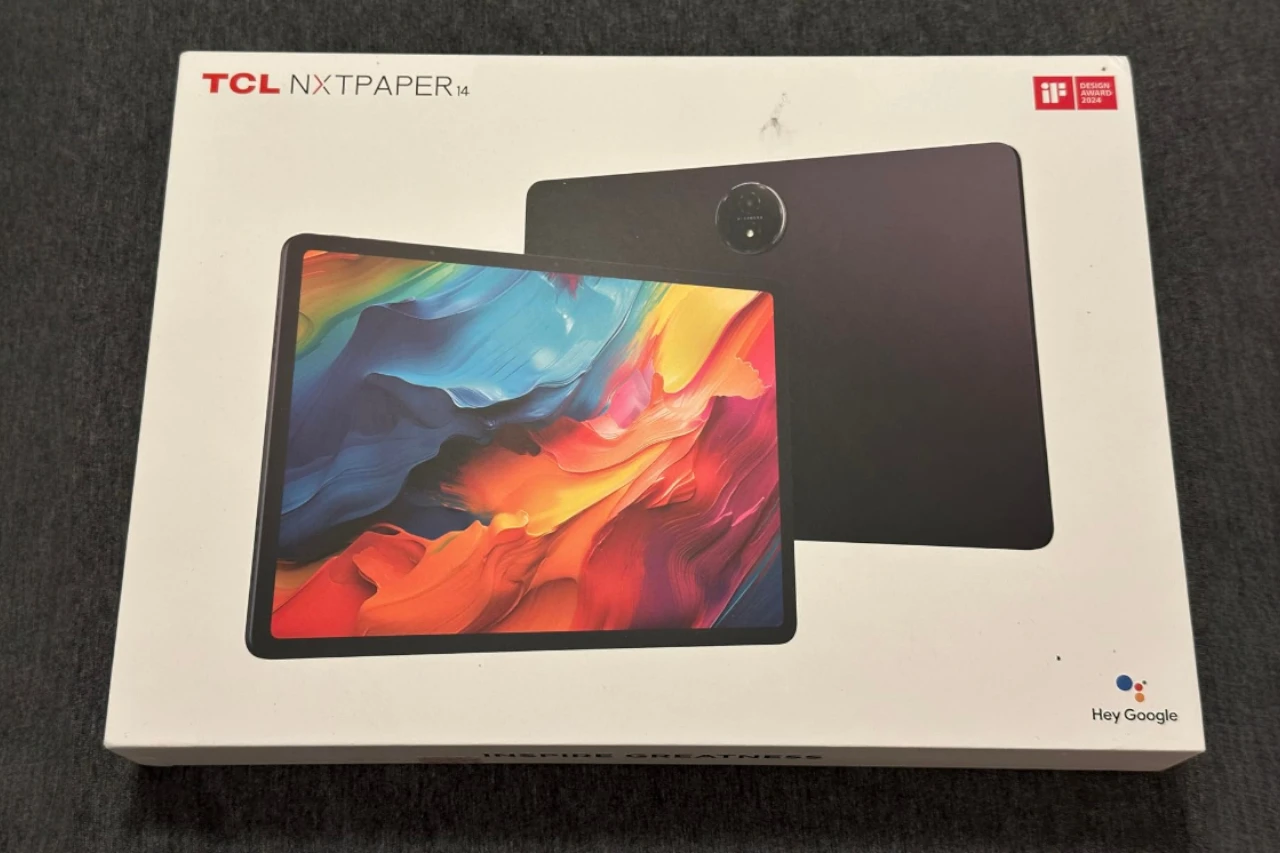
If you’ve been shopping for a “big-screen tablet” that can double as a reading device, a casual drawing pad, and a couch-friendly streaming screen, the TCL NXTPAPER 14 is one of the more unusual options in this price range. It’s not trying to beat an iPad on raw performance or app ecosystem. Instead, it’s built around comfort: a large 14.3-inch matte, paper-like display with multiple viewing modes designed to reduce glare and eye fatigue.
I’ve been using the NXTPAPER 14 as a daily tablet—reading, browsing, watching YouTube/Netflix/Hulu, doing light work in split-screen, and taking notes with the included stylus. In a lot of ways, it’s an “absolute standout” for the kind of person who wants a big screen that’s simply easier to live with for long sessions. But it also comes with real compromises you should understand before you buy.
Quick Verdict
Best for:
People who read for long stretches, multitask on a large screen, or want a paper-like tablet for everyday browsing and entertainment—without paying premium iPad/Samsung money.
Why it’s a good choice:
The 14.3″ NXTPAPER display genuinely changes the feel of daily use: less glare, less “screen harshness,” and a more comfortable viewing experience for reading and general tablet work.
Main drawback:
“Paper modes” help your eyes more than your battery. If you expect e-ink-like endurance, you’ll be disappointed.
At a Glance
Category: Large-screen Android tablet / reading + productivity tablet
Price range: Mid-range (often under $470 list)
Key feature: 14.3″ matte NXTPAPER 3.0 display with 3 display modes
Best use case: Reading, web, video streaming, split-screen multitasking, casual notes/sketches
Test conditions (my use):
- Reading eBooks and long articles (day + evening sessions)
- Streaming (YouTube, Netflix, Hulu) with speakers at medium-to-high volume
- Browsing and email, light document editing, split-screen and floating windows
- Note-taking and basic sketching with the included stylus and a third-party notes app
- Mixed lighting: indoor desk lighting + near-window daylight


If you’re considering the NXTPAPER 14, I’d treat it as a “comfort-first big tablet.” If the price is close to smaller premium tablets, the decision gets more complicated. If it’s meaningfully cheaper, it’s a lot easier to justify.
What Is the TCL NXTPAPER 14 Tablet?
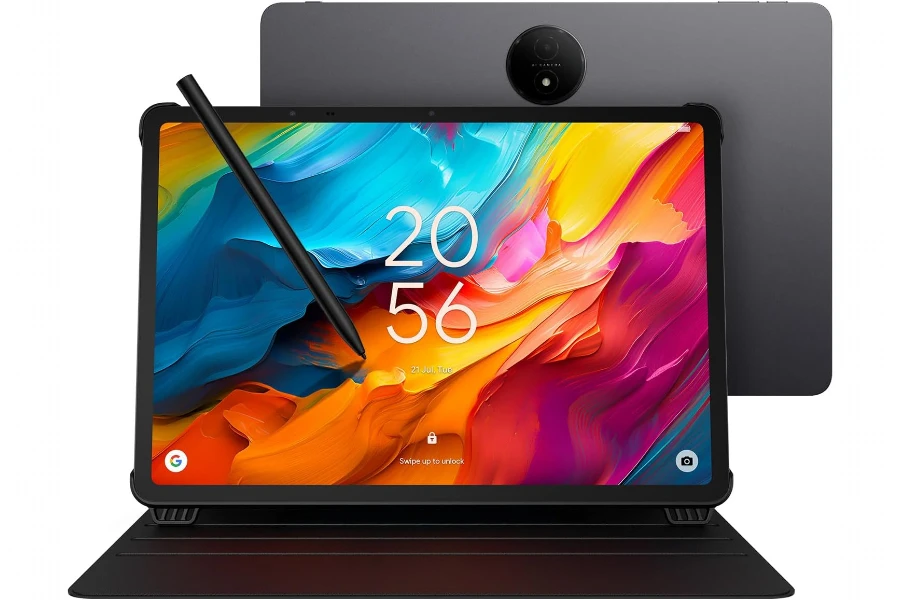
The TCL NXTPAPER 14 is a large Android 14 tablet built around TCL’s NXTPAPER display concept: a matte, anti-glare screen with eye-comfort features and a one-button switch between different display modes (Regular, Ink Paper, and Color Paper). It ships as a “bundle-style” device—tablet, flip case, and stylus included—so you can actually use it for notes and reading immediately without buying accessories on day one.
In practice, it sits in a niche between traditional glossy tablets (great for punchy video, not always great for long reading) and dedicated e-readers (excellent endurance and comfort, but limited for video and apps). TCL is aiming for a middle ground: a do-it-all tablet that’s simply easier on the eyes.
Key Features / Specs
Here are the details that actually mattered in daily use:
- 14.3″ 2.4K NXTPAPER 3.0 matte display (anti-glare, eye-comfort focused)
- Three display modes via NXTPAPER Key (Regular / Ink Paper / Color Paper)
- Android 14 with productivity features like split-screen and floating windows
- MediaTek Helio G99 performance (solid mid-range, not flagship)
- 8GB RAM + expandable “extra memory” and 256GB storage
- 10,000mAh battery, 33W fast charging, and reverse charging
- Quad speakers with surprisingly strong volume
- Included flip case + 4096 pressure-level stylus
Who Is This Product For (and Not For)?
Ideal users
- Readers who get eye fatigue from glossy screens, especially at night
- Students and note-takers who want a large canvas for PDFs, split-screen reading + notes
- Casual creators (sketching, marking up documents, light design work)
- Home users who want a big, comfortable screen for streaming and browsing
- Multitaskers who genuinely benefit from a laptop-like tablet size
Not ideal for
- People expecting e-ink battery life (paper modes don’t transform endurance)
- Serious artists who want Apple Pencil / S Pen-level precision and software integration
- Performance-heavy users (gaming, heavy editing, demanding creative apps)
- Anyone who needs a “grab-and-go” lightweight tablet—this size changes how portable it feels
Real-World Performance
In everyday use, the NXTPAPER 14 feels “fast enough” for what most people will do on a tablet: browsing, video, reading, email, and multi-window productivity. The large screen is the star, but the performance is what makes the size usable—because a big display doesn’t matter if the device feels sluggish.
Browsing and general use
Scrolling through web pages and reading long articles is where this tablet shines. The matte screen reduces glare and gives the whole experience a softer look—less “shiny phone screen,” more “paper-like panel.” It’s not just marketing. I found myself reading longer without feeling that same harshness you get from bright glossy displays.
Multitasking (split-screen + floating windows)
The 14.3-inch size makes split-screen feel legitimate. On smaller tablets, split-screen often feels like a novelty. Here, it’s actually practical: a browser on one side and notes on the other; a PDF plus a note app; email plus a calendar. This is one of the few Android tablets I’ve used where multi-window doesn’t feel cramped.
That said, this is still a mid-range chip. If you open a lot of heavy apps, keep too many windows alive, and bounce rapidly between them, you can feel limits—small stutters, slower app switching, or a moment of hesitation. It’s not a deal-breaker for normal productivity, but it’s not “premium tablet snappy” either.
Streaming and entertainment
For YouTube and Netflix-style viewing, the combination of huge screen + strong speakers is genuinely fun. The speakers are louder and clearer than I expected, and for casual viewing, I didn’t feel an urgent need to grab external speakers. The display is vibrant enough in Regular mode to look great for video, with the bonus that reflections are much less annoying than on glossy panels.
Display & Reading Experience (The Real Reason to Buy It)
If the NXTPAPER 14 has a “signature,” it’s the screen. And for my use, it delivered the biggest day-to-day difference.
The matte, paper-like feel
The matte finish and anti-glare behavior make it easier to use near windows or under bright indoor lighting. Instead of seeing a clear mirror reflection, you get a more diffused look. That sounds small until you’ve used it for long sessions—especially reading.
The three display modes (what they actually change)
- Regular Mode: Best for video and anything where you want richer color and contrast. This is the mode I used for streaming and general browsing when lighting was controlled.
- Ink Paper Mode: This is the mode I used for long reading sessions. It gives a more subdued, paper-like presentation. It’s easier on the eyes, especially at night.
- Color Paper Mode: Softer, lower-saturation color. I found this useful for comics, casual browsing, and situations where Regular mode felt too intense.
The important thing: these modes are about comfort, not magic. Which leads to a key disappointment…
My biggest reality check: battery in paper modes
I honestly expected the battery to last dramatically longer in paper modes—something closer to the “e-reader vibe.” In my experience, it doesn’t. The paper modes make the screen easier on the eyes, but they don’t deliver the kind of battery savings people associate with e-paper devices. If you buy this expecting multi-day e-ink endurance, you’ll be let down.
Brightness trade-off
A matte screen with eye-care tuning often means you give up some perceived brightness and punch compared to glossy competitors. That’s exactly what happens here. It’s not “dim,” but it’s also not the brightest tablet I’ve used. For indoor use it was sufficient. In very bright environments, you’ll appreciate the anti-glare behavior, but you may still wish you had more brightness headroom.
Build Quality & Durability
Physically, it feels like a big slab done properly: solid, premium enough, and not flimsy. The thin profile is impressive for the screen size. I didn’t baby it, and it handled normal daily handling without issue.
That said, size is part of durability in a practical sense. A bigger device is easier to bump into things, harder to hold one-handed, and more awkward to use while walking around the house. So while the build feels strong, the format naturally encourages more “desk, lap, or stand” usage.
Ease of Use & Setup
Setup is typical Android: sign in, install your apps, customize. The NXTPAPER Key is simple and becomes second nature quickly—tap, switch mode, keep going.
My main annoyance: it doesn’t come with a strong, full-feature note-taking app experience out of the box in the way Samsung often does. For serious notes, I ended up installing a third-party app. That’s not the end of the world, but it matters because TCL is positioning this as a “digital notebook.” If note-taking is a core reason you’re buying, factor in that you may want to pay for a better notes app.
Stylus & Note-Taking Experience
The included stylus is… fine. It works, and for casual notes, highlighting, and basic sketching, it gets the job done.
But if you’re comparing this to Apple Pencil or Samsung’s S Pen ecosystem, you’ll feel the difference. The pen can be less refined—not necessarily unusable, just not “artist-grade.” For me, it landed in the “sufficient” category: good enough for practical note-taking and light drawing, but not something I’d buy specifically for high-precision creative work.
Power, Battery Life, and Charging
Battery life depends heavily on what you do. Streaming and high brightness will drain any tablet, and this one is pushing a large 2.4K display—so expectations should be realistic.
- For mixed use (reading + browsing + some video), the battery felt solid.
- For heavy video sessions, it drains like you’d expect a big-screen tablet to drain.
- Paper modes did not dramatically extend battery life in my experience, which is the biggest “expectations vs reality” point.
Charging is a bright spot. Fast charging makes the large battery less stressful—you can top up quickly and get back to use without the “overnight only” feeling some big devices have.
Reverse charging is a nice bonus, though I’d treat it as an emergency feature, not a daily power bank replacement.
Audio, Cameras, and Calls
Speakers (better than expected)
The speakers are legitimately loud and crisp for a tablet. This matters because a big screen invites you to watch content without headphones. I ended up using it like a small TV on a stand, and the audio held up.
Cameras (usable, not a selling point)
The cameras are fine for video calls and basic photos. I wouldn’t buy it for the cameras, but for meetings, classes, and casual calls, they do the job.
The Flip Case (Good idea, flawed execution)
I like that a case is included, because a 14.3-inch tablet basically needs one. It also makes it easier to use the device as a stand for watching or writing.
However, the case design has a real downside in daily use: it isn’t magnetic, and it can slip or shift more than I’d like. It’s still better than not having a case at all, but if you’re using it for frequent note-taking at a desk, that slipping can become an annoyance.
Pros & Cons
Pros:
- Outstanding 14.3-inch display for reading and comfort (anti-glare really helps)
- Display modes are genuinely useful for eye comfort in different situations
- Big screen makes multitasking practical (split-screen finally feels natural)
- Speakers are loud and clear for streaming without external audio
- Good value bundle (stylus + case included, lots of storage)
Cons:
- Paper modes don’t deliver e-ink-style battery life (comfort benefit, not endurance magic)
- Matte screen isn’t as bright/punchy as glossy rivals in some situations
- Stylus is “sufficient,” not premium (fine for notes, less ideal for serious art)
- No strong note-taking software experience out of the box (you may need paid apps)
- Flip case can slip and feels less secure than magnetic designs
Comparison to Alternatives (Practical Take)
- Versus iPad (large models): iPads generally win on performance, app ecosystem, and accessory refinement—but cost more once you add a keyboard/stylus. The TCL wins on screen comfort and value bundle if reading/eye comfort is your priority.
- Versus Samsung Galaxy Tab (S series): Samsung often wins on pen integration and “premium feel,” plus stronger note apps. TCL can win on price-to-screen-size and the matte reading experience.
- Versus e-readers (Kindle/Kobo): E-readers crush it on battery life and true paper-like endurance—but can’t replace a tablet for video, multi-window, and general Android app use.
FAQ
Does NXTPAPER really help with eye strain?
In my experience, yes—mainly because glare is reduced and the display modes soften the screen’s overall look for long sessions.
Do the paper modes save a lot of battery?
Not in my testing. They’re great for comfort, but they don’t turn this into an e-ink device.
Is it good for note-taking?
Yes for general notes and study use. For “serious” note-taking, expect to install a better app, and don’t expect Apple Pencil/S Pen-level refinement.
Is it too big to use as a normal tablet?
It depends on your habits. On a desk, lap, or stand, it’s excellent. Walking around holding it one-handed is where it feels less convenient.
Are the speakers actually good?
For a tablet, yes—loud and crisp enough that I didn’t feel forced to use external speakers for casual viewing.
Should I buy it for drawing?
For casual sketching and marking up documents, sure. For dedicated digital art workflows, I’d consider more established pen ecosystems.
Final Verdict – Should You Buy It?
Score: 8.2 / 10
A genuinely different kind of large Android tablet—built around comfort and real-world usability—held back by a few “almost, but not quite premium” accessory and software choices.
If you want a big screen that’s easy to read on, a tablet that’s great for streaming with strong speakers, and a device that makes split-screen feel useful, the TCL NXTPAPER 14 is a smart buy—especially at a good price.
You should skip it if you expect e-ink-like battery life, want the best stylus experience, or need a lighter, more portable tablet you’ll carry everywhere.
CTA: See latest price & availability
If the NXTPAPER comfort and 14.3-inch size match how you actually use a tablet, it offers a lot of value—just go in with realistic expectations about the pen, bundled case, and battery behavior in paper modes.
TCL NXTPAPER 14: Big Screen, Easier on the Eyes
If you read for hours or want a roomy split-screen setup, the matte NXTPAPER display is the main reason to choose this tablet.