
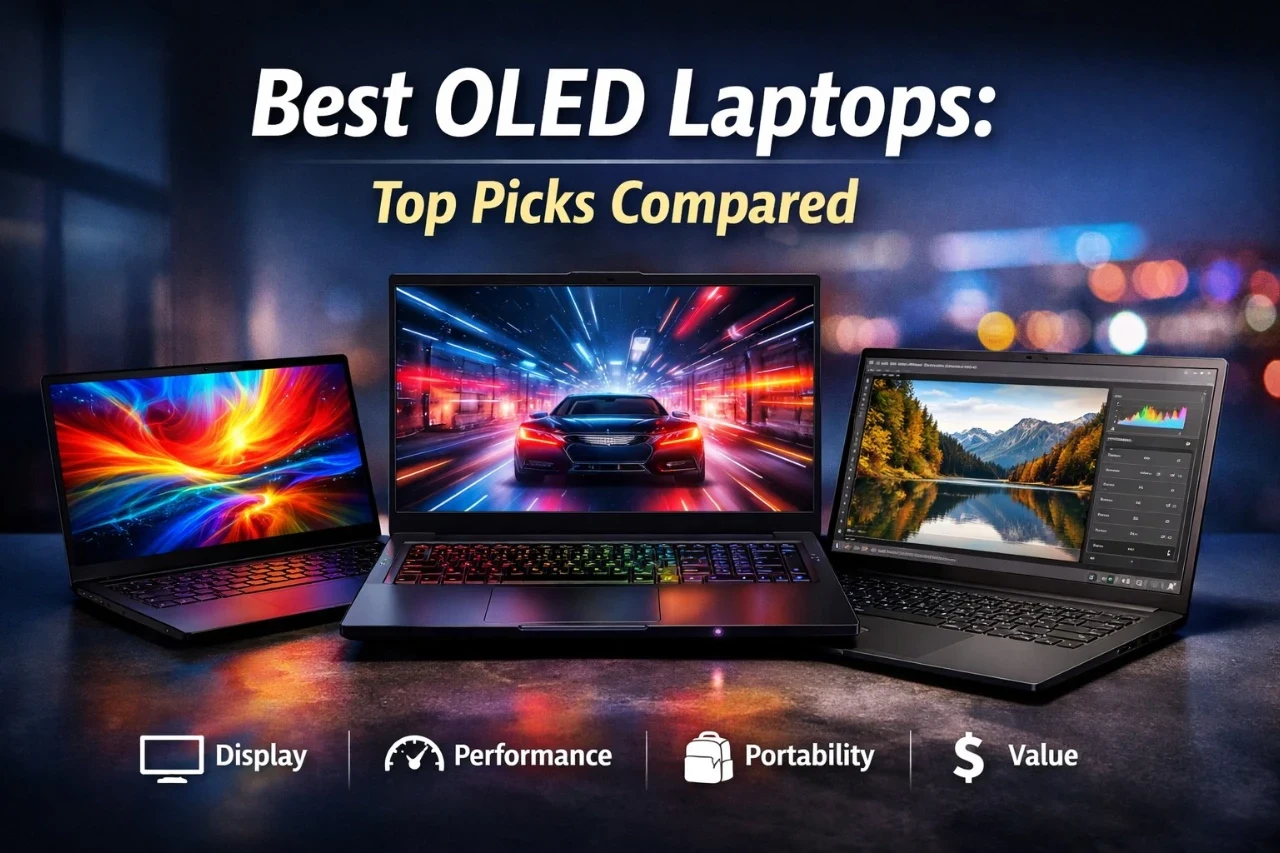
OLED laptops offer a noticeably better viewing experience than most standard IPS displays. The contrast is deeper, blacks appear truly black, and colors tend to be more vivid and accurate. For anyone who watches video, edits photos, or simply spends long hours in front of a screen, that difference is real and visible. The core advantage of OLED is that each pixel produces its own light, which means perfect black levels and far richer contrast than any backlit panel can match.
Buyers should be aware of the trade-offs, though. OLED laptops often cost more than comparable IPS models, and some panels use PWM dimming that can cause eye strain for sensitive users. Battery life varies widely depending on screen brightness and resolution. Burn-in risk is lower than on older OLED TVs but is still a factor for users who keep static content on screen for long periods.
This guide covers seven OLED laptops across different categories, from a sub-kilogram ultraportable to a desktop-replacement gaming machine. Each pick is aimed at a different type of buyer, so whether budget, performance, portability, or display quality is the top priority, there is a clear recommendation below.
Best Overall: Lenovo ThinkPad X1 Carbon Gen 13
Best Premium Gaming: Lenovo Legion Pro 7i
Best for Work: Acer Swift 16 AI
Best for Creators: ASUS Zenbook 14 AI (Ultra 9 285H)
Best Value: ASUS Zenbook 14 OLED
Best Lightweight: GEEKOM GeekBook X14 Pro
Best Gaming: Lenovo Legion 5i
Quick Comparison Table
| Laptop | Display | Resolution | Refresh Rate | Processor | GPU | RAM | Storage | Weight | Best For |
|---|---|---|---|---|---|---|---|---|---|
| ThinkPad X1 Carbon Gen 13 | 14″ OLED | 2880×1800 | 120Hz | Intel Ultra 7 258V | Intel Arc 140V | 32GB | 2TB | 2.4 lbs | Business travel |
| Legion Pro 7i | 16″ OLED | 2560×1600 | 240Hz | Intel Ultra 9 275HX | RTX 5070 Ti | 32GB | 1TB | 5.65 lbs | High-end gaming |
| Acer Swift 16 AI | 16″ OLED | 2880×1800 | 120Hz | Intel Ultra 7 256V | Intel Arc | 16GB | 1TB | 3.35 lbs | Productivity |
| ASUS Zenbook 14 (285H) | 14″ OLED | 1920×1200 | 60Hz | Intel Ultra 9 285H | Intel Arc | 32GB | 1TB | 2.82 lbs | Creative work |
| ASUS Zenbook 14 OLED | 14″ OLED | 1920×1200 | 60Hz | Intel Ultra 7 155H | Intel Arc | 16GB | 1TB | 2.82 lbs | Budget buyers |
| GEEKOM GeekBook X14 Pro | 14″ OLED | 2880×1800 | 120Hz | Intel Ultra 9 185H | Intel Arc | 32GB | 2TB | 2.2 lbs | Portability |
| Legion 5i | 15″ OLED | 2560×1600 | 165Hz | Intel Core i7-14700HX | RTX 5070 | 16GB | 1TB | 4.4 lbs | Gaming on a budget |
1. Lenovo ThinkPad X1 Carbon Gen 13

The ThinkPad X1 Carbon Gen 13 is the strongest all-around OLED laptop for professionals who need a light, capable, well-connected machine for daily work and travel.
Pros
- Weighs under 2.5 lbs with a rigid, premium build
- 2.8K OLED panel with 120Hz, anti-glare coating, and 100% DCI-P3
- Strong port selection including two Thunderbolt 4, HDMI, and USB-A
Cons
- Memory is soldered and not upgradeable
- 400 nit brightness is lower than some rivals
- 57Wh battery is smaller than competing ultraportables
This is Lenovo’s flagship business ultraportable, and it earns that title. The 14-inch 2.8K OLED panel covers 100% DCI-P3 with an anti-glare, anti-reflection coating that sets it apart from the glossy OLED screens found on many competitors. For users who work near windows or under office lighting, that matters.
The Intel Core Ultra 7 258V processor belongs to Intel’s Lunar Lake generation, which offers strong efficiency for everyday tasks and solid integrated graphics. It handles business workloads, video calls, and light creative work without issue. Heavy video rendering or gaming is not its strength.
At under 2.5 lbs, it is one of the lightest 14-inch laptops in this category. The keyboard is among the best available on any laptop, with a well-spaced layout and satisfying key travel. The 57Wh battery is a limitation, and users doing heavy screen work may find it falls short of a full workday. The soldered 32GB of memory is sufficient but cannot be upgraded later.
Best for: Business travelers, professionals, and frequent flyers who prioritize portability and display quality over raw performance.
2. Lenovo Legion Pro 7i

The Legion Pro 7i is a serious desktop-replacement gaming machine with a high-end OLED display and one of the most capable GPU configurations currently available in a laptop.
Pros
- RTX 5070 Ti with 12GB GDDR7 handles demanding AAA games at high settings
- 240Hz OLED panel offers fast, fluid visuals for competitive gaming
- 99.9Wh battery meets airline carry-on limits
Cons
- Weighs 5.65 lbs, making it a poor choice for travel
- Only one Thunderbolt port limits multi-device connectivity
- Glossy OLED screen picks up reflections in bright rooms
The Legion Pro 7i pairs an Intel Core Ultra 9 275HX processor with NVIDIA GeForce RTX 5070 Ti graphics, which puts it in a class few laptops can match for raw performance. DLSS 4 support and ray tracing capability make it a strong choice for players who want the best visuals in current-generation titles.
The 16-inch 2.5K OLED display runs at 240Hz, which is a meaningful advantage in fast-paced games. The Legion Coldfront Vapor cooling system uses a 250W vapor chamber to manage heat. In practice, it keeps temperatures in check at the cost of fan noise under full load.
The weight and thickness make this a laptop that stays on a desk most of the time. The glossy screen is vibrant but reflective. With only one Thunderbolt port and limited USB connectivity, users who run a lot of peripherals may find the port layout restrictive. Storage comes at 1TB, which fills up quickly with modern game installs.
Best for: Serious gamers and power users who want top-tier GPU performance and are willing to trade portability for it.
3. Acer Swift 16 AI
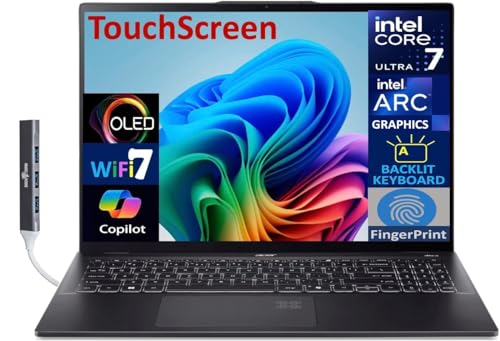
The Acer Swift 16 AI is a capable 16-inch productivity laptop with a large, sharp OLED touchscreen and a thin, travel-friendly build that suits office and remote work.
Pros
- 16-inch 2.8K OLED touchscreen gives more workspace than most ultraportables
- Thin and light at 3.35 lbs for a 16-inch form factor
- Includes Windows 11 Pro and two Thunderbolt 4 ports
Cons
- Only 16GB of soldered RAM, which limits future-proofing
- Sold through a third-party reseller with a modified configuration
- Limited review history makes long-term reliability harder to assess
The Swift 16 AI offers an unusually large OLED display in a laptop that weighs only 3.35 lbs. That combination is rare at this price point. The 2.8K touchscreen at 120Hz delivers sharp, responsive visuals suitable for document work, web browsing, and media consumption.
The Intel Core Ultra 7 256V processor is an efficiency-focused chip that handles productivity tasks well but is not suited for sustained video encoding or 3D rendering. The 16GB of onboard RAM may feel tight for users who run virtual machines, large spreadsheets, or multiple browser sessions simultaneously.
It is important to note that this listing is sold by a third-party reseller that opened and modified the original retail unit. The product appears new and is backed by the reseller’s warranty, but buyers who prefer factory-sealed units may want to consider this. For users who want a large, beautiful OLED screen for work at a competitive price, it is a strong option.
Best for: Remote workers and productivity users who want a larger OLED screen in a laptop thin enough to carry daily.
4. ASUS Zenbook 14 AI (Ultra 9 285H)
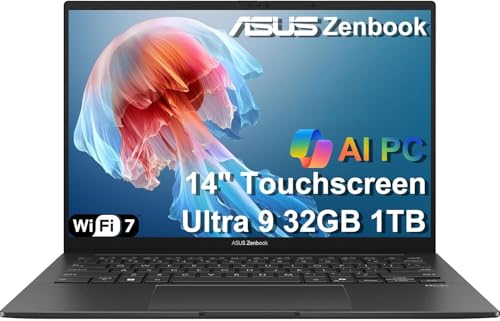
The ASUS Zenbook 14 with Intel Core Ultra 9 285H is a well-equipped 14-inch laptop for creative professionals who need strong CPU performance, 32GB of RAM, and a high-quality OLED display in a compact package.
Pros
- Core Ultra 9 285H with 16 cores handles demanding creative workloads
- 32GB DDR5 RAM and touchscreen OLED display for design and editing tasks
- Compact and light at under 3 lbs with a long battery estimate
Cons
- 60Hz refresh rate feels sluggish compared to 120Hz rivals
- FHD+ (1920×1200) resolution is lower than similarly priced OLED laptops
- Sold by a third-party reseller that upgraded the SSD; factory seal is broken
The Core Ultra 9 285H is a higher-power chip than the efficiency-first processors used in most ultraportables. It gives this Zenbook a meaningful edge in CPU-heavy tasks like photo batch processing, video timeline playback, and compiling code.
The 14-inch OLED panel reaches 500 nits and covers 100% DCI-P3, which is solid for color-critical work. The 1920×1200 resolution is sharp enough for most tasks but trails the 2.8K panels found on other laptops in this price range. The 60Hz refresh rate is the most noticeable limitation, making scrolling and animations feel less smooth in daily use.
The 18-hour battery estimate is optimistic for heavy workloads, but real-world usage in lighter tasks is genuinely strong. This listing also comes from a third-party seller who upgraded the SSD, so the box is not factory-sealed.
Best for: Creative professionals who need strong multi-core CPU performance and color-accurate OLED in a portable 14-inch laptop.
5. ASUS Zenbook 14 OLED

The ASUS Zenbook 14 OLED is the most accessible entry point in this roundup, offering a quality OLED screen, solid everyday performance, and a compact build at a lower price than most rivals.
Pros
- Competitive price for a 14-inch OLED touchscreen laptop
- Light and slim at 2.82 lbs with a proven ASUS design
- 500 nit OLED panel with 100% DCI-P3 and Harman Kardon audio
Cons
- 60Hz refresh rate and FHD+ resolution trail more premium picks
- Only 16GB of RAM, which can feel limited with demanding software
- Uses Wi-Fi 6E rather than the newer Wi-Fi 7 standard
This version of the Zenbook 14 targets buyers who want a genuine OLED experience without paying a premium price. The panel is the same 500 nit, 100% DCI-P3 OLED display found on more expensive models, which makes it a good deal for users who mainly watch video or do light photo work.
The Intel Core Ultra 7 155H is a solid performer for everyday use, including browsing, documents, video calls, and moderate multitasking. Some users report thermal throttling after extended use, though it remains manageable at lower performance settings.
The 60Hz refresh rate and standard FHD+ resolution are the main visual compromises versus pricier OLED alternatives. The lack of a number pad has surprised some buyers, and the headphone jack has been reported as a weak point over time. For students, light-duty professionals, and budget-conscious buyers, this remains a well-priced option.
Best for: Students and budget-conscious buyers who want an OLED display and portable design without a premium price tag.
6. GEEKOM GeekBook X14 Pro
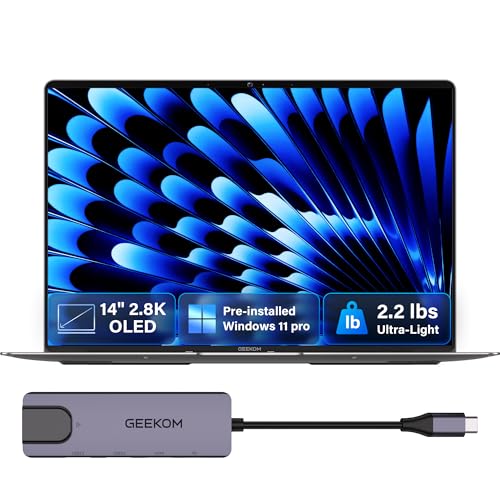
The GEEKOM GeekBook X14 Pro is the lightest laptop in this roundup at 2.2 lbs, with a sharp 2.8K OLED display, strong specs, and a build quality that punches well above its price.
Pros
- Weighs just 2.2 lbs with an aerospace-grade magnesium alloy chassis
- 2.8K OLED at 120Hz with 100% DCI-P3 and 450 nit peak brightness
- 2TB SSD, 32GB LPDDR5x RAM, and two USB4 ports included
Cons
- Wi-Fi 6E rather than Wi-Fi 7 is a minor but real spec gap
- Battery life claims are ambitious; real-world results are more modest
- GEEKOM is a less-established brand than Lenovo or ASUS
At 2.2 lbs and 0.23 inches thick, the GeekBook X14 Pro is measurably lighter than any other laptop in this guide. The magnesium alloy chassis feels solid and premium, and the finish resists fingerprints better than most metal laptop bodies. It is a genuinely impressive package for travelers and commuters.
The Intel Core Ultra 9 185H is a capable all-day processor. Combined with 32GB of fast LPDDR5x RAM and a 2TB PCIe Gen4 SSD, this laptop handles demanding productivity tasks, content creation, and light editing without strain.
Some users have noted that advertised battery life of up to 16 hours is optimistic under real workloads, though lighter use does yield strong results. GEEKOM is newer to laptops than to mini PCs, and its long-term service track record is shorter than more established brands. The included docking station adds value and helps offset the limited port count on the chassis itself.
Best for: Frequent travelers and commuters who want the lightest possible OLED laptop with strong specs and don’t want to carry a separate hub.
7. Lenovo Legion 5i
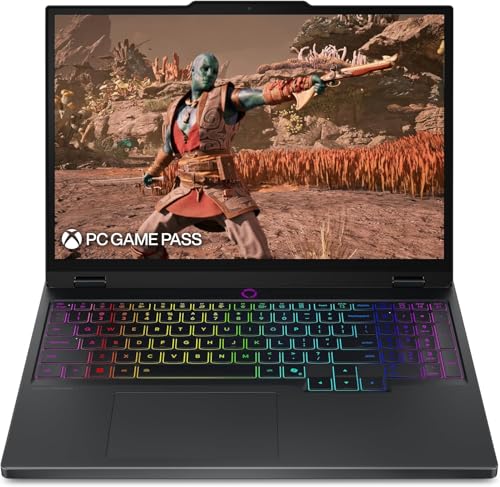
The Lenovo Legion 5i is a mid-range gaming laptop with an RTX 5070 GPU and a 165Hz OLED display, making it one of the more affordable ways to get dedicated OLED gaming performance.
Pros
- RTX 5070 with 8GB GDDR7 handles most modern games at high settings
- 165Hz OLED panel at 2.5K resolution delivers smooth, vivid visuals
- Lighter than the Legion Pro 7i at 4.4 lbs with fast USB-C charging
Cons
- Only 16GB of RAM, which may bottleneck some newer game titles
- No webcam included, which is an unusual omission
- Some users have reported hardware reliability concerns over time
The Legion 5i fits buyers who want real gaming performance and a quality OLED display without the price of the Legion Pro 7i. The RTX 5070 handles AAA titles at high settings, and the 165Hz OLED panel gives the gaming experience a visual clarity that standard IPS screens cannot match.
The Intel Core i7-14700HX is a strong gaming CPU with up to 5.4GHz boost speeds. The Coldfront Hyper cooling system keeps it running at consistent speeds during long sessions. Users report that it stays reasonably quiet at moderate loads, though the fans become audible during demanding tasks.
The 16GB of DDR5 RAM is adequate for most games today but increasingly tight as newer titles push memory requirements. The absence of a webcam is a real inconvenience for users who take video calls. At 4.4 lbs, it is portable enough for a dorm or office but not for daily commutes.
Best for: Gamers on a budget who want dedicated GPU performance and an OLED display in a laptop under the price of a premium gaming machine.
How We Chose the Best OLED Laptops
Display Quality
OLED panel quality is the primary reason anyone buys one of these laptops, so it received the most weight. Factors examined include peak brightness in nits, color accuracy (DCI-P3 coverage), refresh rate, resolution, and whether the panel uses anti-glare or glossy coating. A brighter, higher-refresh OLED with an anti-glare surface is more versatile in real-world conditions.
Performance and Responsiveness
Processor generation, core count, and thermal behavior all affect how a laptop performs under daily use. Gaming laptops were also evaluated on GPU tier and how well cooling systems sustain performance over extended sessions. Machines that throttle quickly under load score lower regardless of their listed specs.
Battery Life
OLED panels draw power, and battery life varied significantly across this group. Laptops were evaluated based on battery capacity in watt-hours, real-world usage expectations based on chip type and screen resolution, and whether fast charging is supported.
Build and Everyday Usability
Keyboard quality, trackpad responsiveness, port selection, webcam quality, weight, and overall build material all factored into each recommendation. A laptop with a great display but poor keyboard or limited ports is harder to recommend for daily use.
Value
Price relative to specs and build quality was considered for every pick. The best value is not always the cheapest option. A laptop priced slightly higher but with meaningfully better specs or build quality often represents a better long-term investment.
How to Choose the Best OLED Laptop
Choose Screen Size Based on How You Work
A 14-inch laptop is easier to carry and fits into smaller bags, but a 16-inch screen gives more room for multitasking or detailed editing. If portability is the main concern, 14 inches is the better choice. If the laptop stays mostly on a desk or in a backpack, 16 inches is worth considering.
Resolution Is Not Everything
Higher resolution means sharper images, but it also draws more battery and requires more GPU processing. A 2.8K panel looks noticeably sharper than 1920×1200 at 14 inches. At 16 inches, 2.5K is still an improvement over FHD. Buyers who do color work or detailed creative tasks benefit most from higher resolution.
Refresh Rate Matters for Smoothness
| Refresh Rate | Best For |
|---|---|
| 60Hz | Documents, browsing, video |
| 120Hz | General use, creative apps, casual gaming |
| 165Hz | Gaming, fast-paced media |
| 240Hz | Competitive gaming, eSports |
For productivity use, 60Hz is workable but noticeably less smooth in scrolling. For any gaming use, 120Hz is a minimum.
Battery Life Can Vary More Than Buyers Expect
Advertised battery life is usually measured under light conditions. High-resolution OLED panels, bright display settings, and heavy workloads reduce runtime significantly. A 70Wh battery in a slim laptop with an efficient chip will often outlast a 99Wh battery in a gaming machine running at full power.
Check for Ports Before You Buy
| Port Type | Why It Matters |
|---|---|
| Thunderbolt 4 / USB4 | Fast data transfer, external displays, charging |
| HDMI | Direct connection to monitors and TVs |
| USB-A | Compatibility with older peripherals |
| SD card slot | Useful for photographers and videographers |
Thin laptops often drop USB-A ports entirely. If you use older peripherals regularly, check the port list before purchasing.
Who Should Buy an OLED Laptop?
OLED Laptops Are a Good Fit for:
- Frequent video watchers and streamers who spend hours watching content and want richer contrast and color
- Photographers and designers who need accurate color reproduction for editing work
- Business travelers who value a premium viewing experience in a light, portable form factor
- Gamers who want faster refresh rates and deeper blacks than IPS panels offer
- Students doing creative or design coursework who benefit from accurate colors
OLED Laptops May Not Be Ideal for:
- Buyers on tight budgets who can get comparable processing power for less with an IPS screen
- Users who work primarily outdoors where OLED panels, especially glossy ones, struggle with glare
- Anyone prone to PWM flicker sensitivity, since some OLED panels use PWM dimming at low brightness
- Heavy gaming at max brightness where battery drain will be significant
- Users who leave static content on screen for hours, such as taskbars or persistent overlays, due to burn-in risk
Are OLED Laptops Better Than IPS Laptops?
Where OLED Is Better
OLED panels produce true blacks because each pixel turns off individually. This creates contrast ratios that no IPS display can match. Colors are naturally more saturated, and OLED panels typically cover the DCI-P3 color space with high accuracy. Response times are also faster on OLED, which benefits both gaming and smooth scrolling.
Where IPS Can Still Be Better
Many IPS panels reach higher sustained brightness levels, which helps in outdoor or brightly lit environments. IPS screens carry no burn-in risk, tend to be less expensive, and some IPS panels now reach very good color accuracy for professional work. IPS also avoids PWM dimming at low brightness levels, which matters for users with eye sensitivity.
The Better Choice Depends on User Type
For users who mostly care about visual quality in controlled lighting, OLED is the better panel technology. For users who work outdoors, need maximum brightness, or are on a tight budget, IPS still offers strong practical value. Neither is universally superior across all use cases.
Common Drawbacks of OLED Laptops
Battery Life Is Not Always Better
OLED panels draw significant power, particularly at high brightness. Laptops with large, high-resolution OLED screens and powerful processors often deliver shorter real-world battery life than equivalent IPS models. Always check battery capacity in watt-hours rather than relying on advertised hour estimates.
Some OLED Panels Use PWM Dimming
Pulse-width modulation dimming controls screen brightness by flickering the backlight at high frequency. Some users experience eye fatigue or headaches from PWM dimming, particularly at low brightness settings. DC dimming is the preferred alternative. Buyers with known flicker sensitivity should research a specific model’s dimming method before purchasing.
Glossy Screens Can Be Reflective
Most OLED laptop panels use a glossy finish, which produces richer colors but reflects ambient light significantly. Anti-glare OLED panels exist but are less common. Users who work near windows or under overhead lights will notice reflections more on glossy OLED surfaces.
Burn-In Risk Still Exists, Even if Reduced
Modern OLED laptops include screen-saver features, pixel shift, and other mitigation tools to reduce burn-in risk. The risk is lower than on older OLED displays, but it is not zero. Users who leave static interfaces, taskbars, or app windows on screen for extended periods every day should be aware of this.
OLED Often Costs More Than Comparable IPS Models
An OLED laptop typically costs more than an IPS laptop with similar processor and RAM specs. The premium is smaller than it used to be, but it is still real. Buyers should evaluate whether the display upgrade justifies the price difference for their specific use case.
Final Verdict: Which OLED Laptop Should You Buy?
The Lenovo ThinkPad X1 Carbon Gen 13 is the strongest pick for most buyers. It combines a high-quality anti-glare 2.8K OLED panel, excellent build quality, a best-in-class keyboard, and strong connectivity in one of the lightest 14-inch laptops available. It is not cheap, and the battery is smaller than some rivals, but the total package is hard to beat for professional use.
Choose the premium pick if display and build matter most: the Lenovo Legion Pro 7i delivers the most powerful gaming and graphics performance in this roundup, with a 240Hz OLED panel to match.
Choose the value pick if budget matters more than luxury: the ASUS Zenbook 14 OLED offers a genuine OLED experience at a price accessible to students and budget buyers.
Choose the creator pick if color and screen quality are top priorities: the ASUS Zenbook 14 AI with the Core Ultra 9 285H delivers the processing power and color accuracy that creative workflows demand.
For portability above all else, the GEEKOM GeekBook X14 Pro is the lightest option with the strongest spec sheet in its class. For mid-range gaming, the Lenovo Legion 5i gives solid GPU performance at a lower price than the Pro 7i.
Frequently Asked Questions
Are OLED laptops worth it for work?
Yes, for most professional users who care about screen quality.
The better contrast and color accuracy reduce eye strain during long sessions and make reading and document work more comfortable.
The added cost is the main trade-off to weigh against those benefits.
Do OLED laptops have burn-in issues?
Burn-in is less of a concern on modern OLED laptops than it was on early OLED TVs.
Most current models include pixel-refresh tools and screen-shift features to reduce the risk.
That said, users who leave static screen elements visible for many hours daily should still be mindful of the risk over a multi-year lifespan.
Is OLED better than IPS on a laptop?
OLED offers better contrast, deeper blacks, and more accurate colors than IPS. IPS panels can reach higher sustained brightness and carry no burn-in risk.
Which is better depends on the use case. For entertainment and creative work, OLED has the advantage. For outdoor or high-brightness environments, IPS is often more practical.
Are OLED laptops good for students?
They can be, depending on budget and use. Students who study design, photography, or media production benefit from OLED color accuracy.
For students who mainly need a laptop for documents, research, and video calls, the price premium of OLED may not be necessary.
A well-priced OLED model like the Zenbook 14 bridges that gap reasonably well.
Do OLED laptops drain battery faster?
OLED panels use more power than IPS panels, especially at higher brightness settings.
The impact on battery life depends on the overall laptop design, battery size, and how bright the screen is set.
Efficient processors can offset some of this, but users should expect moderately shorter battery life compared to IPS alternatives with the same chip.
Is a 4K OLED laptop worth it?
Most OLED laptops sold today use 2.8K or 2.5K panels rather than true 4K.
At 14 to 16 inches, the difference between 2.8K and 4K is minimal to most users without close inspection.
The higher resolution also draws more battery. For most buyers, a 2.8K or 2.5K OLED panel offers sufficient sharpness without the added cost or battery penalty.
Are OLED laptops good for gaming?
Yes, OLED displays offer faster pixel response times, better contrast, and more vibrant colors than IPS panels for gaming. Models with 120Hz or higher refresh rates are the best fit for gaming.
The Legion Pro 7i and Legion 5i in this roundup both pair dedicated NVIDIA GPUs with OLED displays specifically for gaming use.
Are OLED laptops good for photo editing?
OLED laptops are well-suited for photo editing because they cover the DCI-P3 color space accurately and display true blacks that help with shadow detail.
Most OLED panels in this roundup are factory-calibrated. Users doing professional color work should confirm that the specific panel they are buying is hardware-calibrated and meets their accuracy standards before purchasing.