TOPDON Phoenix Plus 2 Review: Great for Real Diagnostics, Not Just Codes
A premium scan tool with topology mapping and bidirectional tests that can genuinely speed up troubleshooting—if you’ll use the advanced features.
- Best for: serious DIYers and small shops doing full-system diagnostics.
- Highlights: topology mapping + bidirectional/active tests (vehicle-dependent).
- Trade-offs: expensive and not every advanced function works on every vehicle.
If you’ve ever hit the wall with a “basic” scan tool—one that can read engine codes but can’t talk to ABS, SRS, BCM, or run an active test—you already understand why pro-level tablets exist. The TOPDON Phoenix Plus 2 sits squarely in that “serious diagnostics” tier: full-system coverage, bidirectional controls, topology mapping, and advanced functions like ECU coding/variant coding and PMI support (vehicle-dependent).
I bought the Phoenix Plus 2 because I wanted one tool that could go beyond check-engine lights and actually help pinpoint faults quickly. I already own a few aftermarket tools, and this one has genuinely exceeded them in day-to-day usefulness. It feels built for real work, not just occasional code reads.
It’s also not a casual purchase. The price and the feature set only make sense if you’ll actually use the deeper functions—or if you’re tired of guesswork, repeated part swaps, and “maybe it’s this module” troubleshooting.
Below is my experience-based take: where it shines, what’s annoying, and who will get real value from it.
Quick Verdict
Verdict: The TOPDON Phoenix Plus 2 is best for DIYers and small shops who want fast full-system diagnostics with topology + bidirectional tests, but it’s not ideal if you only need basic OBD2 code reading or want “dealer-level programming” coverage for every brand.
Best for:
- People who diagnose more than just engine problems (ABS/SRS/BCM/TPMS, etc.)
- Anyone who uses active tests to confirm faults instead of guessing
- Users who want topology mapping to speed up module-level troubleshooting
Not ideal for:
- Casual users who only read/clear engine codes a few times a year
- Anyone expecting guaranteed ECU coding/PMI coverage on every vehicle (it varies)
- Buyers who dislike subscriptions/paid updates after the free period
Biggest real-world benefit: It reduces diagnostic time because you can scan everything quickly, see module relationships in the topology view, and run active tests to confirm a suspect component.
Main trade-off: You pay for capability—and you still need the patience to learn the tool and verify what functions are supported on each specific vehicle.
At a Glance
- Category: Professional / advanced consumer diagnostic scan tool (tablet + wireless VCI)
- Price range: Premium (often around the “pro tablet” tier)
- Key feature: Full system diagnostics + topology mapping + bidirectional controls
- Best use case: Faster fault pinpointing and service resets across multiple vehicle systems
Core hardware (as listed):
- Display: 10.1″ touchscreen (1280×800)
- OS: Android 10 (listed)
- Memory/Storage: 4GB RAM / 64GB ROM (listed)
- Connectivity: Dual-band Wi-Fi + Bluetooth VCI (listed)
- Battery: 12,600 mAh (listed; marketed as long runtime)
Test conditions:
- Usage scenario: Garage/driveway diagnostics (full scans, code review, live data, active tests, service functions)
- Duration tested: Multiple sessions across routine troubleshooting and maintenance tasks
- What I focused on: Speed of finding faults, stability of connection, clarity of UI, and how often the “advanced” features were actually useful
What Is the TOPDON Phoenix Plus 2?
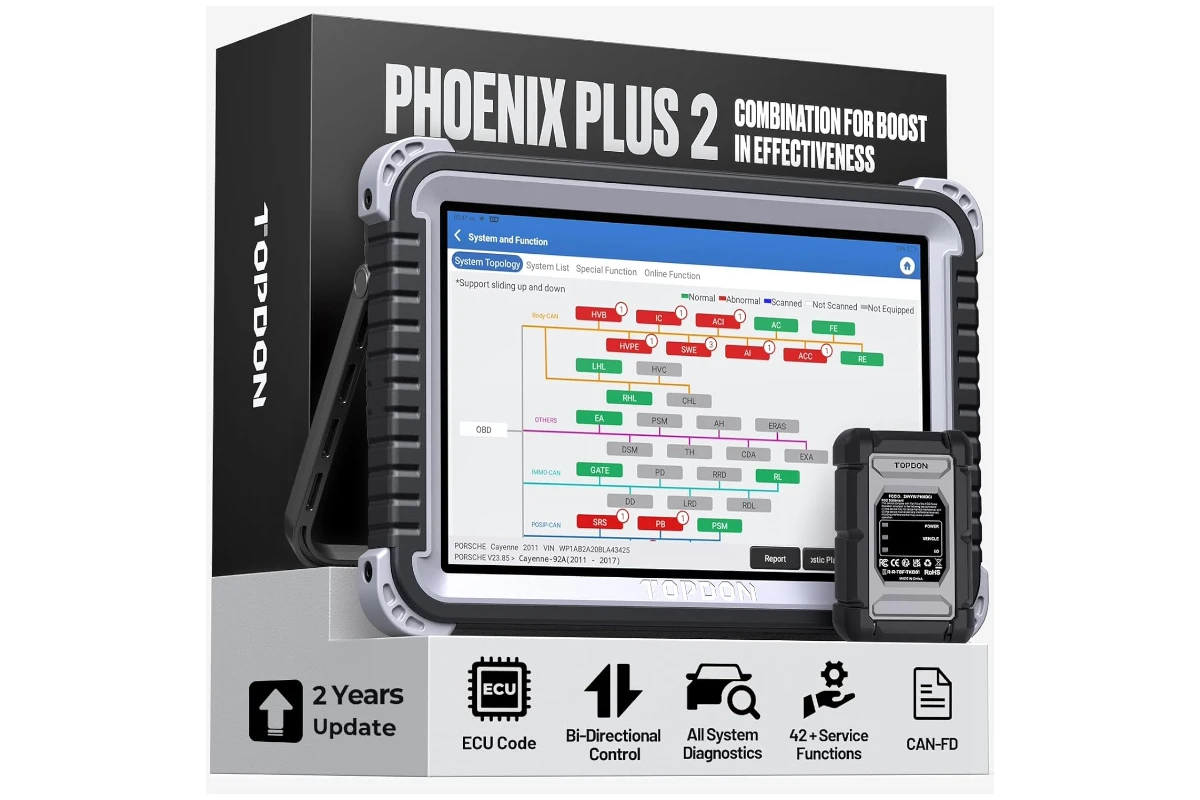
The Phoenix Plus 2 is a tablet-style scan tool bundled with a wireless VCI (vehicle communication interface). It’s designed to bridge the gap between basic OBD2 readers and the much more expensive “top-tier shop” platforms.
In practice, that means three things:
- You get access to far more modules than a basic scanner—engine, transmission, ABS, airbag, body modules, HVAC, battery systems, and more (depending on vehicle).
- You can run bidirectional/active tests (again, vehicle-dependent), which lets you command certain actuators or systems to operate so you can confirm a problem instead of guessing.
- You get shop-style workflows such as topology mapping, AutoVIN/AutoScan, service reset menus, and report generation.
TOPDON positions it as an OE-level capable tool across many brands, with additional features like CAN FD support (important for newer GM and others), FCA SGW AutoAuth support for 2017+ FCA vehicles, and “free V.A.G guided” functions for VW/Audi/Skoda-type workflows (as listed in the product description).
Real-World Performance
1) Full system scans: the “time saver” you feel immediately
The most immediate benefit is how quickly you can move from “I have a symptom” to “here are the modules complaining.”
With basic tools, you often end up doing a partial scan (engine only) and then chasing problems blind. The Phoenix Plus 2 is built around the idea that a modern vehicle is a network—so you scan the network first, then drill down.
In my experience, that approach is what makes the tool feel worth it. When something weird is going on—warning lights, drivability oddities, intermittent issues—being able to scan broadly first is a big upgrade.
2) Topology mapping: not a gimmick when you’re troubleshooting
Topology mapping is one of those features that sounds like marketing until you use it during a real problem. Seeing modules laid out visually, and which ones are reporting faults, can speed up your next step—especially if you’re trying to understand whether you’re looking at a single bad sensor, a communication issue, or a cascade of related faults.
It’s not magic; you still need to interpret what you see. But it’s a practical “situational awareness” feature that reduces wasted time.
3) Live data: useful when the UI is clean
A scan tool lives or dies by its usability in live data. You want to find the right PIDs quickly, graph or compare where relevant, and avoid getting lost in menus.
The Phoenix Plus 2 generally feels modern and tablet-native. I won’t claim it’s the best UI in the world, but it’s not clunky, and it’s good enough that you’ll actually use live data instead of avoiding it.
Where live data becomes valuable:
- Verifying sensor plausibility (does this reading make sense?)
- Watching values under specific conditions (idle vs load, cold vs warm)
- Checking whether a commanded action actually changes anything
4) Bidirectional controls: where this tool separates itself
Bidirectional control is the reason many people step up to a more expensive platform. Instead of “reading” only, you can often “command” systems to test them.
TOPDON claims 3000+ bidirectional functions. In real life, what matters more is:
- Whether your specific make/model supports the test you need
- How clearly the tool explains the test and expected behavior
- How stable the connection is while running it
When bidirectional works as expected, it can save you from replacing the wrong part. It moves you from “symptom guessing” to “confirmation testing.” That’s a professional workflow—and it’s the biggest practical difference versus midrange consumer scanners.
5) ECU coding / variant coding / PMI: powerful, but not “universal”
This is the area where expectations need to be realistic.
The Phoenix Plus 2 is marketed with ECU coding, online/offline code options, PMI (programmable module installation), and variant coding support. Those features can be extremely valuable—especially when you’re dealing with module replacement, configuration changes, or enabling/disabling certain functions based on region or preference.
But here’s the honest part: coding and module work is where “vehicle-dependent” becomes very real.
Even high-end tools can vary widely in what they support, and OEM security systems can complicate things fast.
So yes, it’s a big capability jump—and one of the reasons the tool costs what it costs—but I treat these functions with care:
- Confirm support for your vehicle before you assume it’s possible
- Read every prompt twice before you execute changes
- Expect that certain brand-specific programming tasks still require OEM tools or dealer access
6) V.A.G guided functions: helpful if you actually work on those cars
Guided workflows are valuable because they reduce the “what do I click next?” problem. If you touch VW/Audi/Skoda vehicles with any frequency, this can be a real benefit.
If you never work on VAG vehicles, it’s not a reason to buy the tool by itself. It’s a nice bonus if it matches your garage.
7) FCA SGW AutoAuth: a practical modern requirement
For many 2017+ FCA vehicles (Chrysler, Dodge, Jeep, etc.), the Security Gateway Module can block certain diagnostic functions unless you authenticate.
Having AutoAuth support matters if you work on those vehicles and want access to deeper diagnostics and active tests. Without it, you can end up with a tool that “connects” but can’t do what you need.
8) Service functions: the daily-use value
The Phoenix Plus 2 lists 42+ “hot reset services” (oil reset, EPB, SAS, TPMS, BMS, and more). This category is less glamorous than coding, but it’s what you’ll use most often if you do maintenance.
Two notes I always emphasize:
- The menu might show a service function, but support can still vary by model/year/trim.
- A tool can perform the reset, but you still need to follow the correct mechanical procedure (for example, EPB service mode doesn’t replace proper brake work).
9) Reporting and records: nice for repeatability
If you do any work for friends/family or run a small shop workflow, reporting matters more than people expect. Being able to save scans, generate a report, and reference past sessions can prevent wasted time later.
I consider this a “professional polish” feature: it’s not why you buy it, but it’s part of why the tool feels complete.
Build Quality & Durability
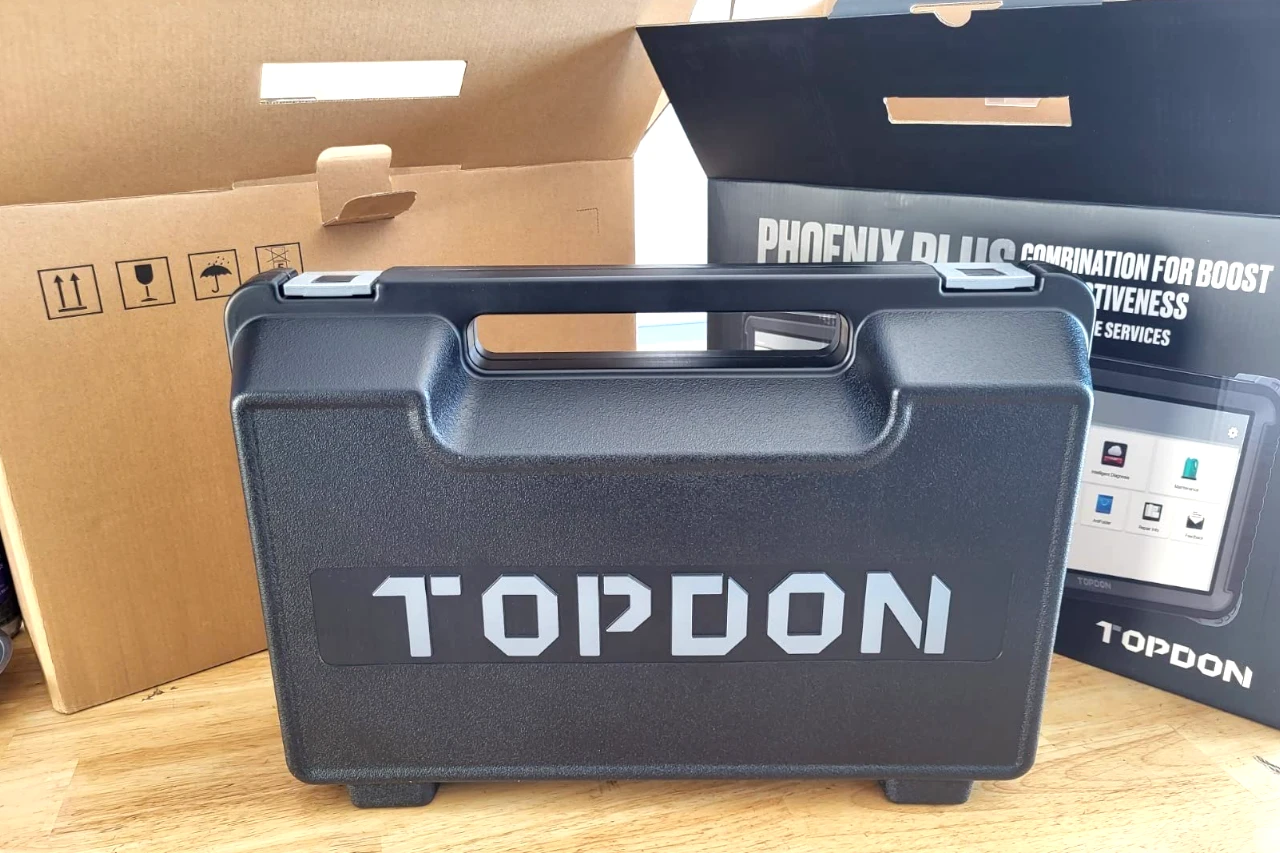
The Phoenix Plus 2 looks and feels like a ruggedized work tablet. The protective housing is confidence-inspiring, and it doesn’t feel like a fragile consumer tablet that happens to run scan software.
The wireless VCI is also solidly built. This matters because VCIs get dropped, stepped on, tossed into toolboxes, and generally treated like shop equipment. Cheap VCIs fail at the connector and cable strain points. This one feels made to survive normal abuse.
That said, rugged usually means bulk. It’s not pocketable, and it’s not something you casually keep in the glove box. If you want “always in the car,” you’d buy a small Bluetooth dongle. This is a “bring the tablet to the vehicle” tool.
Ease of Use & Setup
Setup is mostly straightforward, with one common pain point
On a tool like this, setup isn’t hard—but there are steps:
- Charging and initial boot
- Pairing the VCI
- Updates/registration (depending on how TOPDON structures access)
- Learning the menu structure and where functions live
The most common friction point with these systems is usually VCI pairing/connection behavior. If you’ve used multiple scan platforms, you know the pattern: once it’s set up, it’s fine—but the first time can be slightly annoying until you learn the flow.
Once connected, AutoVIN/AutoScan is the feature that makes it feel “easy.” You’re not manually selecting endless menus to find your vehicle; the tool tries to identify it quickly and move you into diagnostics.
Learning curve: real, but manageable
If you only ever used a basic OBD2 reader, you’ll need to learn:
- What each module does
- How active tests differ from reading codes
- Which service functions are safe to run casually and which require caution
- How to interpret “network” faults vs component faults
The tool gives you access. It doesn’t replace mechanical judgment.
Who This Product Is For
You should strongly consider the Phoenix Plus 2 if…
- You diagnose problems more than occasionally. If you troubleshoot monthly (or weekly), the time savings add up.
- You work across multiple makes. A broad-coverage tool makes sense when you’re not staying inside one brand ecosystem.
- You want confirmation testing. Bidirectional tests are the difference between guessing and validating.
- You deal with modern vehicle complexity. Topology, AutoVIN, full system access—these are built for networked vehicles.
For this type of buyer, the Phoenix Plus 2 feels like a legitimate upgrade. In my case, it far exceeded the other aftermarket tools I own in both capability and overall “usefulness per session.”
Who Should Skip This Product
You should skip (or buy a cheaper tool) if…
- You only read/clear engine codes. A basic OBD2 reader or a midrange scanner will do the job for far less money.
- You hate learning new systems. This is not a “press one button, get an answer” tool.
- You expect guaranteed ECU coding on every vehicle. Even if the tool supports advanced functions broadly, real coverage is never universal.
- You don’t want to pay for updates later. The listing mentions 2 years of free updates; after that, the long-term cost matters if you want to stay current.
Pros & Cons
Pros:
- Strong capability jump vs typical aftermarket tools (full system + deeper diagnostics)
- Topology mapping genuinely speeds up troubleshooting
- Bidirectional controls enable confirmation testing (vehicle-dependent, but very valuable)
- Rugged tablet + solid VCI feel built for real use
- Broad “shop workflow” features (AutoVIN/AutoScan, reports, service menus)
Cons:
- Expensive if you won’t use the advanced features
- Learning curve is real if you’re coming from basic readers
- Coverage varies by vehicle (especially for coding/PMI/advanced tests)
- Updates after the free period can affect long-term value
Ready for Faster, More Accurate Diagnostics?
Phoenix Plus 2 gives you full-system scans, topology mapping, and bidirectional tests—so you can confirm faults instead of guessing.
Comparison to Alternatives
In this price tier, you’re typically choosing between a handful of “tablet + VCI” ecosystems. The right choice depends less on raw feature lists and more on how you’ll use it.
If you want a similar pro-style platform
Tools from Autel and Launch are common comparisons in the same general category. They’re often strong options, but pricing, update models, and UI workflows vary.
Why Phoenix Plus 2 may make more sense:
- You value topology mapping and quick full-system workflow
- You want FCA SGW AutoAuth support in your toolbox
- You want a rugged, modern-feeling tablet experience
If you’re more budget-driven
If you primarily do service resets and occasional diagnostics, a lower-priced scanner can make more sense. The Phoenix Plus 2 is overkill for “maintenance only.”
If you need OEM-level programming for a specific brand
If your main work is deep programming on one brand, you may be better served by brand-specific OEM software/hardware. The Phoenix Plus 2 can go far—but some tasks will always remain OEM territory due to security and platform constraints.
FAQ
1) Can the TOPDON Phoenix Plus 2 read and clear codes in modules beyond the engine?
Yes—this is one of its main strengths. It’s designed for full system access (vehicle-dependent).
2) Is topology mapping actually useful, or just marketing?
It’s useful when you’re troubleshooting multi-module issues or communication faults. It speeds up your “what’s happening across the network?” step.
3) Are bidirectional/active tests available on every vehicle?
No. The tool supports many tests, but availability depends on make/model/year/module.
4) Will it replace a dealer tool for ECU programming and coding?
Not universally. It can handle advanced functions on many vehicles, but some programming tasks still require OEM tools or dealer-level access.
5) Does it work on newer vehicles with security gateways (like FCA 2017+)?
The listing indicates FCA SGW AutoAuth support, which is important for deeper access on those vehicles.
6) What’s the biggest reason to buy it instead of a cheaper scanner?
If you want faster fault pinpointing—topology + full scans + bidirectional tests are the real differentiators.
Final Verdict – Should You Buy It?
Score: 8.8 / 10
If you actually diagnose problems (not just read codes), the TOPDON Phoenix Plus 2 is a serious tool that feels worth the money. It far exceeds the other aftermarket scan tools I own in capability and real usefulness, and it’s the kind of scanner that changes your workflow: scan everything, visualize the network, confirm faults with active tests, then decide what to fix.
Just go in with the right expectations. The advanced features are powerful, but they’re not universal across every vehicle—and you’ll get the most value only if you’re willing to learn how to use them correctly.
Best-fit users: Serious DIYers, small shops, multi-vehicle households, and anyone tired of guesswork.
Who should skip: Basic code readers, occasional users, and buyers expecting guaranteed OEM-level programming on every brand.
Value summary: Expensive, but “worth it” when you use the pro-level capabilities regularly.
| Preview | Product | Price | |
|---|---|---|---|

|
TOPDON Phoenix Plus 2, ECU Coding TOPDON Scanner V2.0, Bidirectional Scan Tool, Topology Map, CANFD… | $1,169.99 $998.99 | View on Amazon |