After a full week of daily use, I can see why the NXTPAPER 11 Plus has gained attention. I used it for note taking, reading, streaming, and light work tasks. It feels like a tablet built for people who switch between writing and regular screen time often.
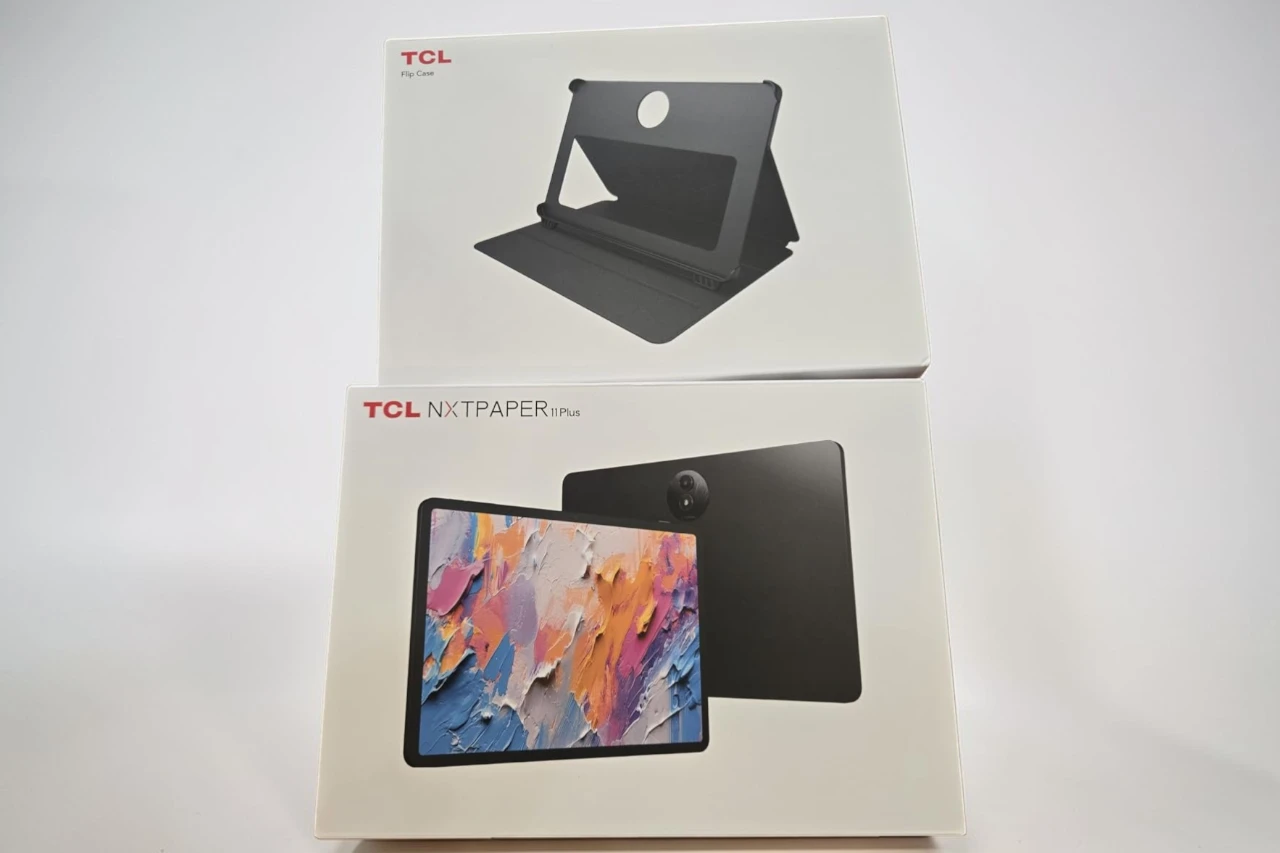
The 11.5-inch display looks sharp and scrolls very smoothly, and the matte finish makes it easier on my eyes during long sessions. Writing with the included stylus feels natural and accurate, with very little delay. I also like that TCL includes the pen and flip case in the box, which saves extra cost.
In daily use, the tablet runs apps without slowdowns, and I had no trouble multitasking. The battery easily lasted me through a full day of mixed use. The display modes are useful, especially when I switch to a softer look for reading at night. The speakers sound clear, but the volume boost feature feels a bit aggressive at the highest setting.
The flip case protects the tablet, but it feels basic and works best on a stable surface. While it is not as powerful as high-end tablets, it handles everyday tasks well. Based on overall feedback, most users praise the screen and writing feel, though a few mention the case quality.
Bottom Line
The NXTPAPER 11 Plus works well for notes, reading, and everyday apps. It offers a comfortable screen, smooth pen input, and solid battery life at a reasonable level. If you want a tablet that feels closer to paper without paying premium prices, consider buying it here:
Overview of the TCL NXTPAPER 11 Plus
The NXTPAPER 11 Plus feels built for both work and downtime.
The screen looks sharp and smooth, and writing with the included stylus feels natural. When I switched to the paper-style mode, reading long documents felt easier on my eyes than a standard tablet. The matte display cuts glare well, which helped when I worked near a window.
Performance stayed steady while I split the screen between notes and a video call. Apps opened without lag, and storage felt generous for files and downloads.
Battery life easily lasted me through a full day. The slim body also slipped into my bag without adding much weight.
The included case feels basic, and the speakers sound clear but not very deep. Still, for note-taking, reading, and everyday tasks, it handles the job well.
Paper-Like NXTPAPER 4.0 Display
The first thing I noticed was how different the screen felt from a typical glossy tablet. The surface has a soft matte texture that cuts glare and makes reading easier on my eyes.
When I used the NXTPAPER 11 Plus in bright light, reflections stayed low. I could read and write without squinting. After a few hours of notes and web browsing, my eyes felt less tired than they do on most LCD screens.
I switched between the display modes during the day:
- Regular mode for videos and general use
- Ink-style mode for long reading sessions
- Color paper mode for comics and magazines
The screen looks sharp and scrolls smoothly, but colors appear more muted than on glossy panels. That trade-off makes sense to me. I prefer the calmer look, especially for studying and note-taking.
Ultra-Smooth Drawing with T-PEN Stylus
After a few minutes of sketching, I noticed how natural the pen felt on the screen. The T-PEN glides smoothly, and lines appear right away without noticeable lag. My handwriting looked clean, and small details stayed sharp.
The pressure response feels accurate. When I press lightly, I get thin lines. When I press harder, the strokes thicken in a smooth way. This makes shading and quick note-taking feel easy and controlled.
The matte screen surface adds to the experience. It gives slight resistance, which feels closer to paper than glass.
What I liked:
- Smooth ink flow with no jumpy lines
- Good control over line weight
- Comfortable feel for long writing sessions
What could be better:
- The pen does not feel as heavy as premium styluses
For daily notes and casual drawing, the T-PEN performs well and stays reliable.
Adaptive Eye Comfort and Smart Display Modes
After a few hours of reading and note-taking, my eyes still felt relaxed. The NXTPAPER 11 Plus uses a matte screen that cuts glare well, even near a window.
I noticed less harsh brightness compared to most tablets I use. The display adjusts light and color based on the room, which helped at night. It also nudged me to take breaks, which I found useful during long study sessions.
Switching modes is simple with the dedicated key. I used:
- Regular Mode for videos and web browsing
- Ink Paper Mode for long reading sessions
- Color Paper Mode for comics and softer visuals
Ink Paper Mode feels closest to real paper, though colors look muted there. Regular Mode looks sharper but feels more like a standard tablet. The flexibility makes it easy to match the screen to what I’m doing.
AI Productivity and Communication Features
During my workday, the AI tools on the NXTPAPER 11 Plus made a clear difference. I used the voice memo feature to record ideas, and it quickly turned my speech into clean text. That saved me time during meetings.
The writing assistant helped me fix grammar and tighten short emails. It worked well for basic edits, though it does not replace careful proofreading.
I also tested the translation tools. They can:
- Translate live conversations with subtitles
- Convert text in images
- Help with quick word lookups
The “Circle to Search” feature felt simple and useful. I circled text or images on the screen and got fast results without switching apps.
These tools feel practical and easy to access. They work best for everyday tasks, not advanced editing or complex language work.
Performance and Storage Capabilities
From the first tap, the tablet felt quick and steady. Apps opened without delay, and I could switch between notes, streaming, and web browsing without slowdowns. The extra memory support helps keep things smooth, even when I run several apps at once.
I edited documents, sketched with the stylus, and streamed video back to back. The system handled it all without freezing or stuttering. It feels well tuned for daily work and light creative tasks.
Storage gives me room to breathe. With 256GB built in, I saved large files, offline videos, and many apps without worrying about space. I did not need to delete items to make room during my testing.
Battery life also supports performance. I used it for long sessions, and it lasted through most of the day before I needed to recharge.
Long Battery Life and Reverse Charging
After a full day of work and streaming, I still had power left. The NXTPAPER 11 Plus easily lasted through note-taking, web browsing, and a few hours of video without forcing me to reach for the charger.
The large battery handled my normal routine without stress. I did not need to top it off midday, which made it reliable for travel and long classes.
When I finally plugged it in, charging moved at a steady pace. I did not feel stuck waiting around.
One feature I found useful was reverse charging. I connected my phone when it ran low, and the tablet acted like a backup battery. It will not replace a power bank, but it works in a pinch.
What stood out to me:
- Strong all-day battery life
- Practical reverse charging support
- Dependable performance under regular use
Immersive Audio and HD Cameras
Video calls looked sharp and stable when I moved around the room. The NXTPAPER 11 Plus uses front and rear HD cameras, and I stayed centered during chats without adjusting the tablet every few seconds. Image quality works well for meetings and casual photos, but it will not replace a dedicated camera.
The four speakers surprised me. Voices sounded clear, and I noticed solid bass when I streamed movies. I did not need external speakers in a small room.
What stood out to me:
- Clear video for calls and online classes
- Strong, room-filling sound from quad speakers
- Loud volume option when I needed extra boost
At max volume, audio can sound a bit sharp. Still, for a slim tablet, the sound and cameras feel well balanced for daily use.
Portability and Durable Design
Carrying this tablet around feels easy and natural. I slipped the NXTPAPER 11 Plus into my backpack, and it did not add much weight. It feels slim in my hand, and I can hold it for long reading or note sessions without strain.
The metal body gives it a solid feel. It does not flex when I press on it, and it handles daily bumps in my bag without issue. It feels sturdy, not fragile.
The included flip case adds protection, but it has limits.
- Good: protects the screen, folds into a stand, light and easy to attach
- Not great: the stand works best on flat, stable surfaces
Overall, I find it easy to carry and strong enough for daily school or work use.
Pros & Cons
After using it for notes, reading, and streaming, I found clear strengths and a few limits worth noting.
Pros:
- Comfortable screen for long sessions
The NXTPAPER display feels easy on my eyes. I read PDFs and ebooks for hours with less glare and less strain than on a standard tablet screen. - Smooth writing and drawing
The included T‑Pen responds well. My handwriting looks natural, and the screen keeps up without noticeable lag. - Flexible display modes
I switched between regular, ink, and color paper modes often. Ink mode works well for reading, while regular mode looks sharp for video. - Good everyday performance
Apps opened quickly, and multitasking felt steady. I used split screen for notes and browsing without slowdowns. - Solid battery life
The 8000mAh battery lasted me a full workday. Standby drain stayed low when I left it unused. - Useful extras included
I liked that TCL bundles the stylus and flip case. I did not need to buy them separately.
Cons
- Case quality feels basic
The flip cover protects against scratches, but it feels thin. It works best on a flat desk and does not feel very sturdy. - Cameras are average
Video calls looked fine, but photos lacked detail. I would not rely on it as a main camera. - Speaker boost can distort
The higher volume setting helps in loud rooms, but sound quality drops at the top level. - Not a high-end gaming tablet
It handles daily tasks well, but demanding games push it harder than premium models.
Customer Reviews
Many people praise the screen for its paper-like feel. I agree. Writing and drawing feel smooth, and I did not notice lag.
Users often highlight the display comfort. I found it easy on my eyes during long reading sessions, especially in the e‑reader mode. Battery life also gets strong feedback, and in my use, it held charge well in standby.
Common praise includes:
- Clear, matte screen that reduces glare
- Responsive stylus for notes and sketches
- Good performance for daily apps and multitasking
Some buyers criticize the included case. I see their point. It feels thin and offers basic protection at best.
Overall, feedback reflects my experience: strong screen quality, solid everyday performance, and a few minor accessory drawbacks.
Conclusion
After spending time with the NXTPAPER 11 Plus, I see why it appeals to students, readers, and casual creators. The screen feels easy on my eyes, and writing with the stylus feels smooth and natural. I used it for notes, light drawing, and reading PDFs, and it handled all of that without lag.
I like that it comes ready to use with a stylus and case, though the case feels basic and offers limited protection. The tablet runs well for daily tasks, and the battery lasts long enough that I do not worry about charging it every day.
What stood out to me:
- Comfortable display for long reading sessions
- Smooth pen response
- Solid performance for everyday use
If you want a paper-like tablet without paying for a premium brand, this NXTPAPER model offers good value with a few minor trade-offs.
| Preview | Product | Price | |
|---|---|---|---|

| TCL NXTPAPER 11 Plus Android Tablet, 11.5″ 120Hz 2.2K Drawing Pad & Digital Notebook, Stylus & Flip… | View on Amazon |