
Programming laptops need to do a few things well: handle long compile times without slowing down, run multiple tools and browser tabs at once, and stay comfortable through hours of coding sessions. Whether you are a student learning Python or a professional writing production software, the laptop you choose will affect how smoothly your daily work goes.
The most important factors for a programming laptop are processor performance, RAM capacity, storage speed, display quality, and keyboard feel. A machine with at least 16GB of RAM handles most development environments without struggle, but 32GB gives you more room when running virtual machines, Docker containers, or data analysis tools. Display resolution and color accuracy matter if you spend hours reading code on screen. Battery life and portability become priorities if you work from coffee shops, classrooms, or client sites.
The right laptop for programming is not always the most expensive one; it is the one that matches your specific workflow without major trade-offs. This roundup covers five laptops across different price ranges and use cases, from a polished business machine to a budget-oriented option. Each has real strengths and real limitations worth knowing before you buy.
Best for professional developers and power users: Lenovo ThinkBook 16 G6
Best budget option for students: SAGAWHALE 15.6″ Ryzen 7 Laptop
Best for developers who also game: Lenovo Legion LOQ 15
Best large-screen casual option: HP 17.3″ Touchscreen Laptop
Best for power and screen real estate: NIMO 17.3″ Ryzen 9 Laptop
Lenovo ThinkBook 16 G6
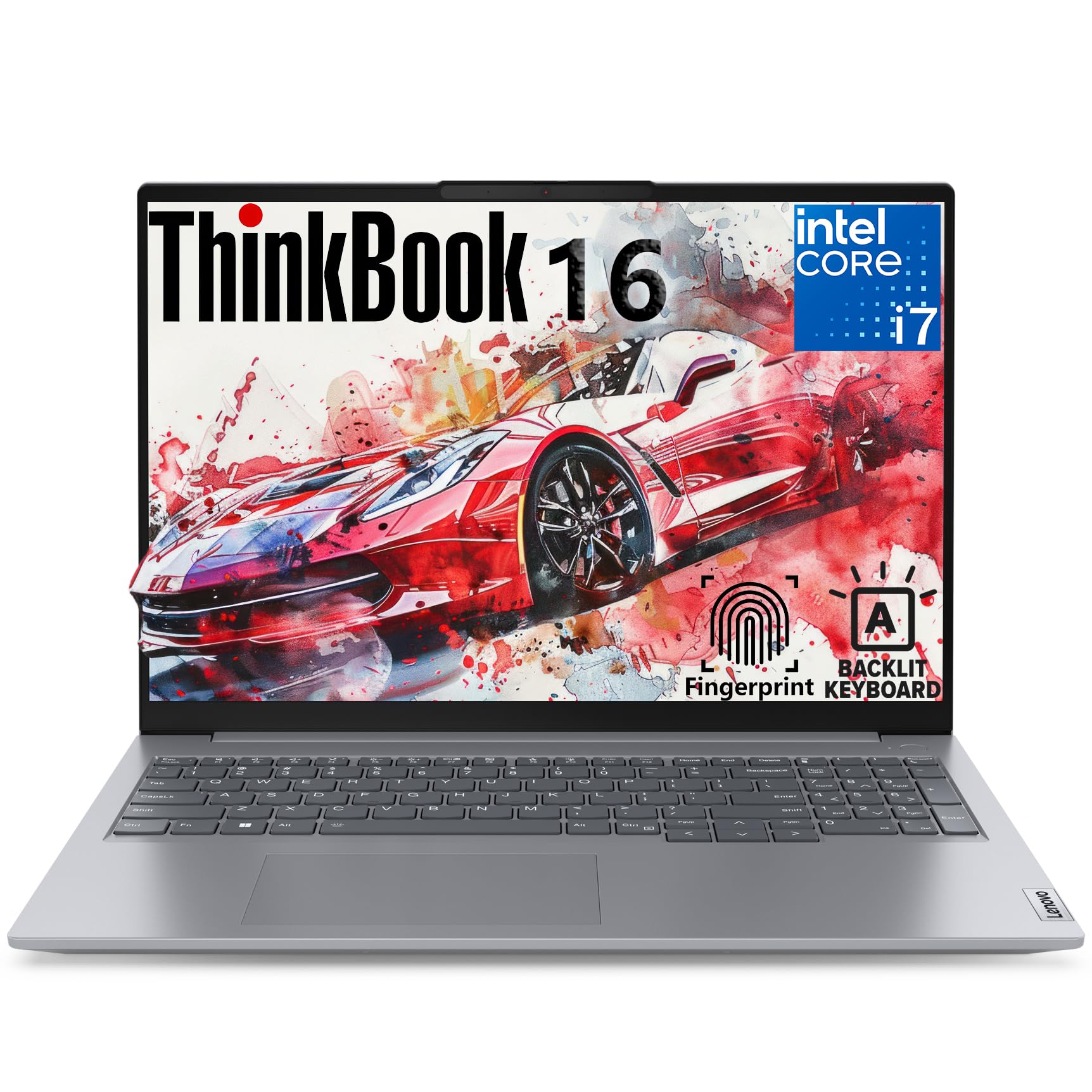
The most well-rounded choice in this roundup for professional developers who want a capable, well-built business laptop without a dedicated GPU.
Pros
- 32GB DDR5 RAM and fast PCIe SSD handle demanding dev workloads
- Excellent port selection including Thunderbolt 4 and HDMI 2.1
- Windows 11 Pro with fingerprint reader and strong security features
Cons
- Integrated graphics only; not suitable for GPU-accelerated tasks
- Display covers just 45% NTSC, which limits color accuracy for design work
- Limited real-world reviews available at time of writing
| Preview | Product | Price | |
|---|---|---|---|

| Lenovo 16″ FHD+ Business Laptop: High-Performance for Programming, Data Analysis & Video Editing… | $2,499.00 $1,699.99 | View on Amazon |
The ThinkBook 16 G6 pairs a 13th Gen Intel Core i7-13700H with 32GB of DDR5 RAM and a 1TB PCIe SSD. That combination handles compiling code, running local servers, and keeping dozens of browser tabs open without any meaningful slowdown. The 16:10 aspect ratio display shows more vertical content than a standard 16:9 screen, which is genuinely useful when reading long code files.
Port selection is a genuine strength. You get Thunderbolt 4, USB-C 3.2, HDMI 2.1, USB-A, an SD card reader, and Ethernet, all without a hub. That matters if you connect external monitors or need a wired network connection regularly.
The 45% NTSC color gamut is a limitation worth noting. For pure programming work it is fine, but if your projects involve front-end design or any color-sensitive output, this screen will not show colors accurately. The integrated Intel Iris Xe graphics are adequate for coding but rule out GPU-accelerated machine learning or heavy video rendering.
SAGAWHALE 15.6″ Ryzen 7 Laptop
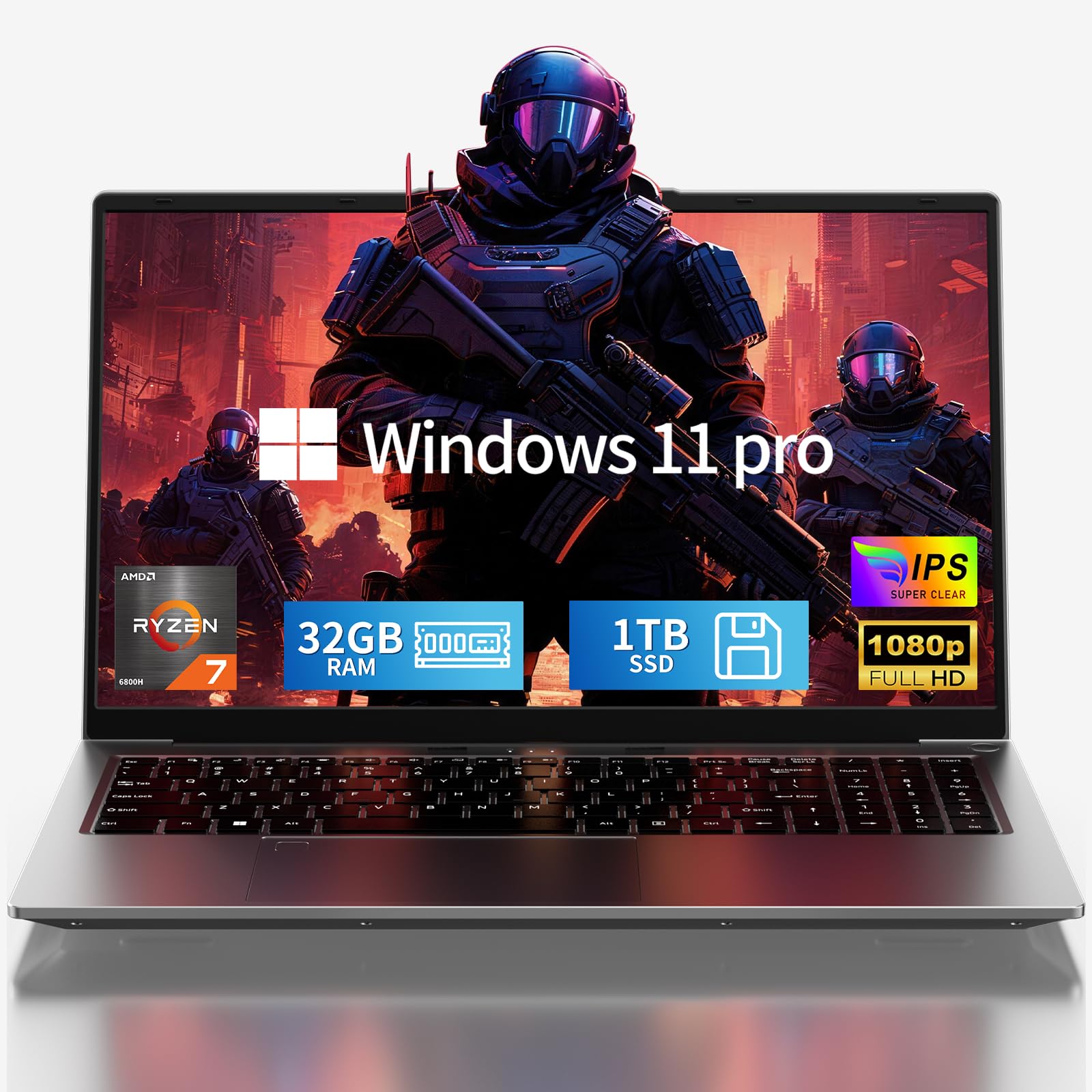
A budget-friendly option with solid specs on paper, but the unknown brand and limited track record make it a riskier buy than the name-brand alternatives.
Pros
- AMD Ryzen 7 6800H is a capable processor for programming and multitasking
- 2-year warranty and 6-month return policy offer more coverage than competitors
- Lightweight at 3.5 lbs for a machine with these specifications
Cons
- No Bluetooth listed in the specifications, which is an unusual omission
- Brand has very few reviews, making reliability hard to assess
- Wi-Fi tops out at 802.11ac (Wi-Fi 5), not Wi-Fi 6
| Preview | Product | Price | |
|---|---|---|---|

| SAGAWHALE 2026 15.6″ FHD Gaming Laptop: AMD Ryzen 7 6800H 45W TDP, 32GB RAM, 1TB NVMe SSD, Win… |
$999.99
$749.99 | View on Amazon |
The AMD Ryzen 7 6800H is a legitimate processor for programming work. Its 8 cores and 16 threads handle parallel compilation tasks efficiently, and the 32GB of LPDDR5 RAM gives you plenty of headroom for running IDEs, virtual machines, and local databases simultaneously.
What gives us pause is the brand itself. SAGAWHALE has a very small review count and no established reputation in the laptop market. The spec sheet also lists no Bluetooth support, which is a real inconvenience if you use wireless peripherals. The display is 1080p at 15.6 inches, which is serviceable but not as refined as the Lenovo’s 16:10 panel.
The 2-year warranty is a genuine differentiator and suggests the manufacturer has some confidence in the hardware. The claimed 8-hour productivity battery life would be useful for students. Still, for a development machine you depend on daily, the lack of brand accountability is a meaningful concern.
Lenovo Legion LOQ 15

The best pick in this group for developers who want to game after work, thanks to its dedicated GPU and 144Hz display.
Pros
- NVIDIA GeForce RTX 5050 supports GPU-accelerated tasks like ML model training
- 144Hz display with G-Sync is noticeably smoother for extended screen time
- Established Lenovo gaming line with solid build quality and cooling
Cons
- Comes with only 16GB RAM, which is the minimum for serious development work
- Gaming laptops typically run heavier and shorter on battery than business machines
- Runs Windows 11 Home rather than Pro, which lacks some enterprise features
| Preview | Product | Price | |
|---|---|---|---|

| Lenovo Legion LOQ AI-Powered Gaming Laptop – Intel Core i7-13650HX – 15.6″ FHD IPS Display, 144Hz… |
$1,189.99
$899.99 | View on Amazon |
The RTX 5050 is the key differentiator here. If you work on machine learning projects, data visualization, or any CUDA-dependent tools, having a discrete GPU is a practical advantage. It also means this laptop doubles as a capable gaming machine, which matters if your budget can only stretch to one device.
The 144Hz IPS display with G-Sync is visibly smoother than the 60Hz panels on most laptops in this price range. That smoothness carries over to everyday use, not just gaming. The Intel Core i7-13650HX is built for sustained performance under load, and the Hyperchamber Cooling system is designed to keep temperatures under control.
The 16GB RAM is the main limitation for developers. It is enough for general coding, but if you run Docker, spin up virtual machines, or work with large datasets, you may feel the constraint. Full detailed specifications beyond the basics were not provided by the listing, so some details like exact port configuration are not confirmed.
HP 17.3″ Touchscreen Laptop

A large-screen laptop aimed at casual users; the weak processor makes it unsuitable for serious programming workloads despite its generous RAM.
Pros
- Large 17.3-inch touchscreen is comfortable for long reading sessions
- 32GB RAM and 1TB SSD combination at an accessible price point
- Good port selection with Wi-Fi 6 and Bluetooth 5.0
Cons
- Intel Core i3-N305 is a low-power chip that struggles with compile-heavy tasks
- 1600×900 display resolution is noticeably lower than competitors in this roundup
- Weighs nearly 14 pounds, making it impractical to carry regularly
| Preview | Product | Price | |
|---|---|---|---|

| HP Premium 17.3″ Touchscreen Laptop, 8-Cores Intel Core i3-N305, 32GB RAM, 128GB eMMC + 1TB SSD, MS… | $799.00 | View on Amazon |
The Intel Core i3-N305 is an efficiency-oriented chip designed for light tasks like web browsing and document editing. Its base clock is 0.8GHz, and even at maximum turbo it reaches only 3.8GHz across 8 low-power cores. For programming work that involves compiling code, running local servers, or managing containers, this processor will create bottlenecks that the large RAM cannot compensate for.
The 17.3-inch screen is comfortable for extended reading, and the touchscreen is a nice extra. The resolution of 1600×900 is the real problem. It is noticeably softer than 1080p, and most other laptops in this price range now offer sharper panels.
At nearly 14 pounds, this is essentially a desktop replacement. Portability is not a realistic feature. If you want a large screen for light programming, scripting, or learning to code at a desk, it could work. For anything beyond casual use, the processor is the limiting factor.
NIMO 17.3″ Ryzen 9 Laptop
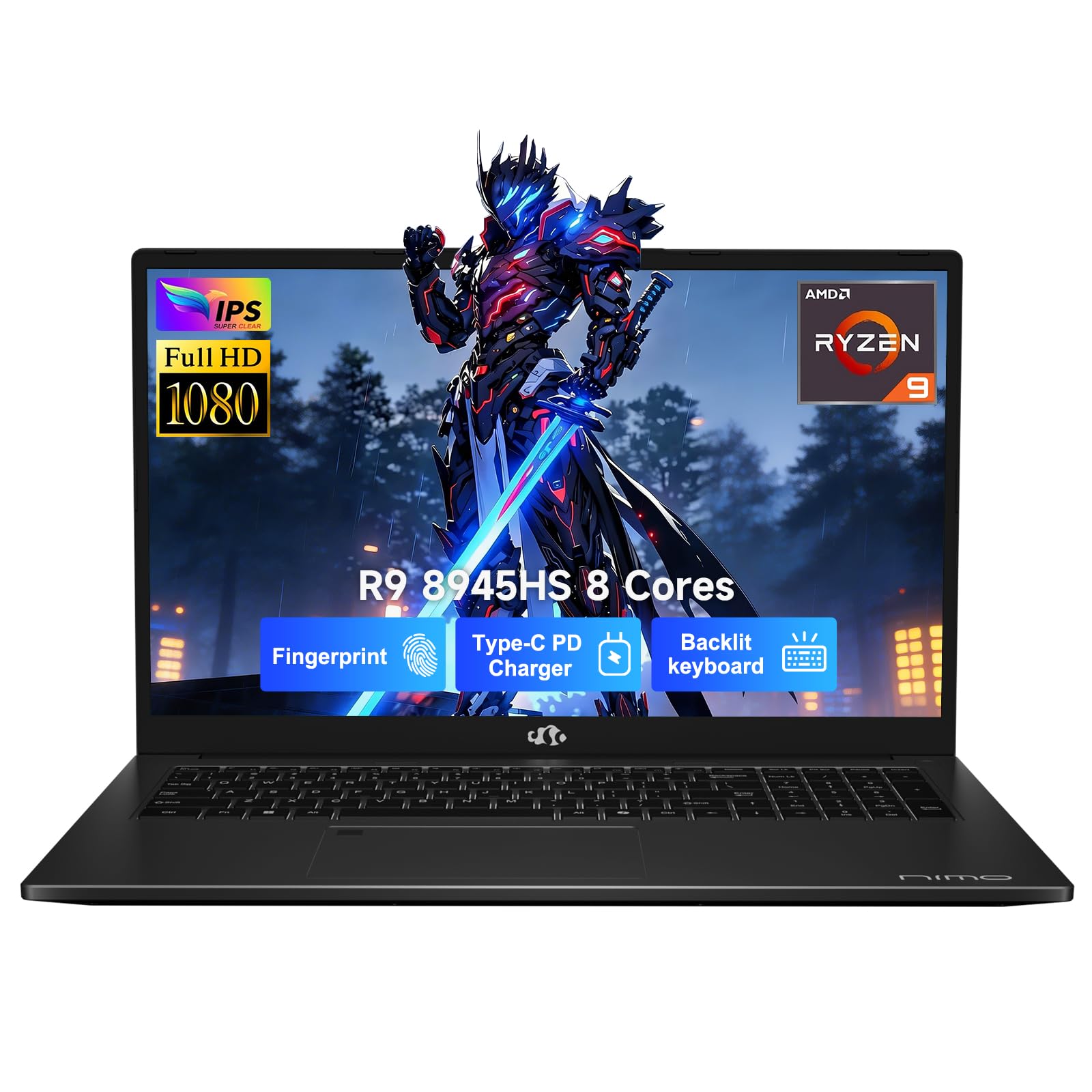
A surprisingly powerful large-screen option with a top-tier AMD processor, though the modest review count and lesser-known brand introduce some uncertainty.
Pros
- AMD Ryzen 9 8945HS is among the fastest integrated-graphics processors available
- USB-C 4.0 port supports eGPU docks and ultra-fast data transfers
- 75Wh battery with claimed long runtime for a 17-inch machine
Cons
- Only 16GB RAM installed, which is a mismatch for the high-end processor
- Brand is not well established, with limited reviews to verify reliability
- Wi-Fi listed as 802.11ac (Wi-Fi 5), which is behind current standard
| Preview | Product | Price | |
|---|---|---|---|

| NIMO 17.3 Gaming-Laptop Ryzen 9 8945HS (Beat i9-13900H, Up to 5.2GHz) 16GB RAM, 1TB SSD, Radeon… | $1,199.99 $829.98 | View on Amazon |
The Ryzen 9 8945HS is a genuinely fast processor with the Radeon 780M integrated graphics. The 780M is one of the strongest integrated GPUs available right now, capable of handling light GPU-accelerated tasks that would overwhelm Intel Iris Xe graphics. For data science work, light ML inference, or machine vision projects without a discrete GPU, this matters.
The USB-C 4.0 port is a forward-looking feature that allows connection to external GPU docks, which gives this laptop a potential upgrade path. That is a real advantage over most machines in this category.
The gap between the processor capability and the 16GB RAM is frustrating. A Ryzen 9 paired with only 16GB feels underspecced, especially since tasks like running multiple Docker containers or loading large datasets will hit memory limits before the processor does. Expanding RAM is possible given the two memory slots, but it requires an additional purchase. Like the SAGAWHALE, limited brand history means you are taking more risk than with an HP or Lenovo purchase.
Buying Guide
How Much RAM Do You Actually Need?
RAM is one of the most important specs for programming laptops. Here is a practical breakdown:
| Use Case | Recommended RAM |
|---|---|
| Learning to code, basic scripting | 16GB |
| Web development, multiple IDEs open | 32GB |
| Docker containers, virtual machines | 32GB minimum |
| Data science, ML training, large datasets | 32GB to 64GB |
Do not let 32GB marketing language distract from the processor. A slower chip with 32GB will still bottleneck on compile-heavy tasks.
Processor: Performance Cores Matter More Than Clock Speed
For programming, you want a processor with multiple performance cores, not just a high maximum turbo speed. A chip like the Ryzen 9 8945HS or Intel Core i7-13700H gives you sustained multi-core performance for long build times. Low-power chips like the Intel N305 will struggle with anything beyond scripting or light web work.
Display: Resolution and Aspect Ratio
A 1080p display at 15 or 16 inches is the minimum worth considering. A 16:10 aspect ratio gives you more vertical screen space, which helps when reading code files or documentation. Avoid 1600×900 panels if you can.
Storage Speed
Any PCIe NVMe SSD will feel fast for everyday use. eMMC storage, sometimes bundled alongside an SSD in budget configurations, is significantly slower and should not be your primary drive for development tools.
Ports and Connectivity
| Port | Why It Matters for Developers |
|---|---|
| Thunderbolt 4 / USB-C 4.0 | Fast external storage, multiple monitors, eGPU support |
| HDMI 2.1 | Connect a 4K monitor without an adapter |
| Ethernet (RJ-45) | Reliable connection for servers or remote work |
| SD card reader | Handy for embedded development and media work |
Battery Life and Portability
Gaming laptops and large 17-inch machines typically deliver shorter battery life. If you work away from a desk frequently, a slim business-class machine with a 50Wh or larger battery and USB-C charging will serve you better than a gaming laptop.
Brand and Support
Buying from an established brand reduces risk, especially for a machine you depend on daily. Warranty length, access to replacement parts, and customer support quality are worth factoring in alongside specifications.
Final Recommendations by Buyer Type
- Professional developer or power user: The Lenovo ThinkBook 16 G6 is the strongest all-around choice. It combines serious RAM, fast storage, excellent connectivity, and business-grade features in a slim build.
- Developer who also games: The Lenovo Legion LOQ 15 adds a dedicated GPU and a smooth 144Hz display, at the cost of heavier weight and less battery life.
- Student on a budget: The SAGAWHALE Ryzen 7 offers competitive specs with a strong warranty, but the brand’s limited track record is a genuine trade-off to accept.
- Casual coder at a desk: The HP 17.3-inch is fine for learning and light scripting, but its processor will limit you as your projects grow.
- Power user needing a large screen: The NIMO Ryzen 9 offers impressive raw performance and upgrade potential, but pairs that processor with underwhelming base RAM and a less proven brand.