

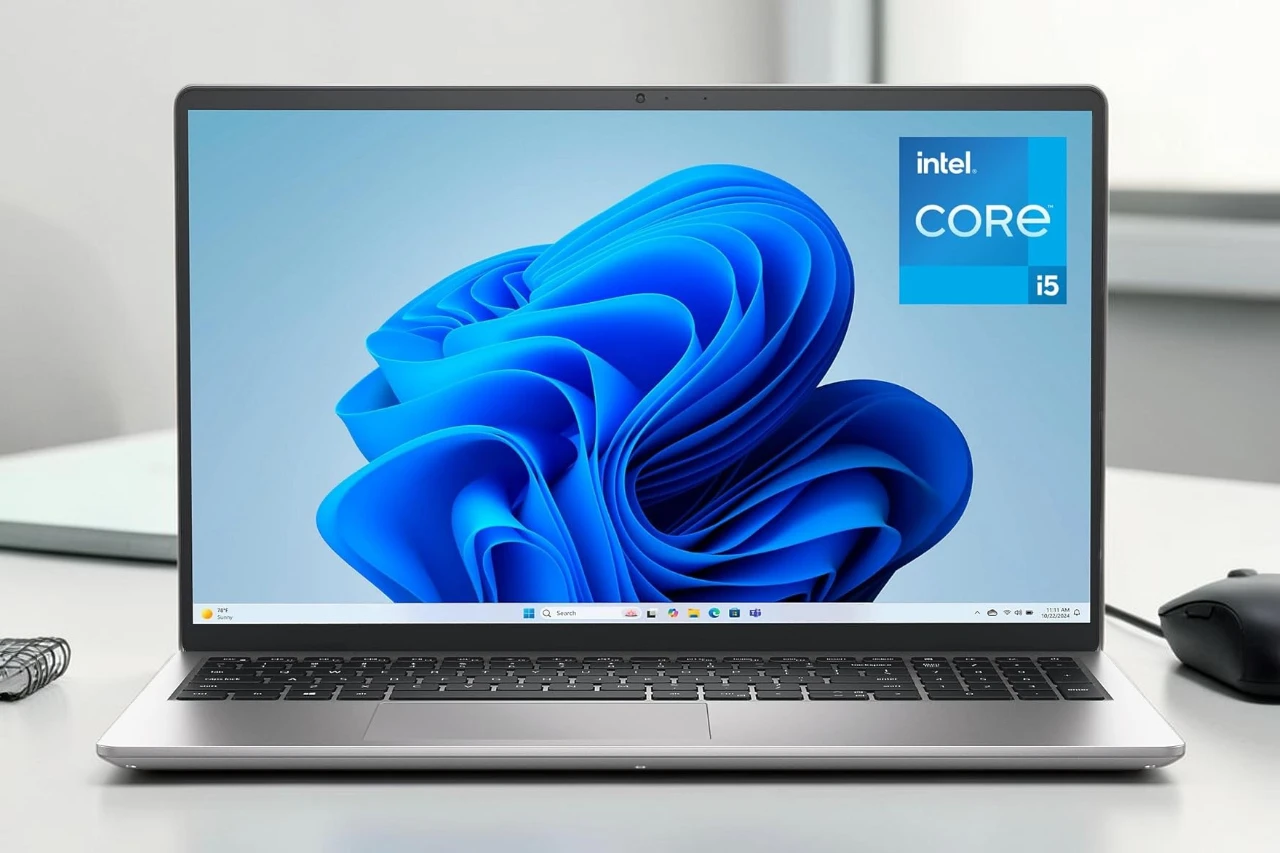
For most people shopping for a dependable home, school, or office laptop, the Dell 15 Laptop DC15250 makes sense. It fits buyers who want a large screen, a comfortable keyboard, solid day-to-day speed, and a familiar Windows setup. People who should skip it are gamers, heavy video editors, and anyone who wants premium build materials or all-day unplugged battery life. Its biggest strength is how practical it feels for common tasks. Its biggest trade-off is that it stays firmly in the mainstream category, not the high-performance one.
That is the key question in this Dell 15 DC15250 Laptop Review: do you need a simple 15-inch laptop that handles real work well, or do you need something more powerful and more premium? From what we can see, this model sits in a useful middle ground. It gives you enough memory and storage for most users, a 120Hz Full HD screen, and a keyboard layout that suits spreadsheet work and long typing sessions.
A few compromises matter before buying. The graphics are integrated, so demanding games and serious creative workloads are not its focus. Battery capacity also looks modest on paper for a 15.6-inch laptop. Some details, like upgrade access and exact display brightness, are not clearly specified, so buyers who care about those points should be cautious.
Bottom Line
If you want a sensible Windows laptop for documents, web use, video calls, streaming, and light multitasking, the Dell 15 Laptop DC15250 is a reasonable pick.
If that sounds like your kind of machine, you can check the current listing here.
Overview Of The Dell 15 Laptop DC15250
At a glance, this is a classic mainstream 15.6-inch notebook aimed at everyday computing. It runs Windows 11 Home, uses a 13th Gen Intel Core i5-1334U processor, and pairs that with 16GB of DDR4 memory and a 512GB SSD.
That setup is important because it avoids two common budget-laptop problems. It does not start with cramped memory, and it does not force users into tiny storage right away.
The design looks simple and businesslike in Platinum Silver. At about 3.6 pounds, it is light enough for moving around the house, office, or campus, though it is still a full-size laptop rather than an ultraportable.
A few practical touches stand out:
- Backlit keyboard
- Numeric keypad
- Matte anti-glare screen
- SD card slot
- Wi-Fi 6 and Bluetooth 5.3
- One year of onsite service after remote diagnosis
For buyers who want a no-nonsense Dell with useful basics covered, that is a strong starting point.
Everyday Performance With Intel Core i5-1334U
In normal use, this hardware should feel quick and responsive. The Intel Core i5-1334U is built for efficiency and everyday productivity, not high-end graphics work, and that matches the role of this laptop well.
For tasks like web browsing, Office apps, email, Zoom calls, streaming, and having many tabs open, the 16GB of RAM is the bigger advantage. It gives this machine more breathing room than entry-level laptops with 8GB.
The 512GB SSD also helps daily speed. Boot times, app launches, and file access should feel much faster than on older hard-drive systems, which lines up with what many buyers mention when moving from aging laptops.
There are limits:
- Intel UHD Graphics is fine for video playback and basic visuals
- Modern gaming is not its strength
- Heavy photo, 4K video, or 3D work will push it beyond its comfort zone
For work, study, and general family use, performance looks well judged.
15.6-Inch FHD 120Hz Display And Viewing Comfort
A larger screen is one of the main reasons to pick this model. The 15.6-inch Full HD panel gives enough room for side-by-side documents, spreadsheets, and longer reading sessions without feeling cramped.
The 120Hz refresh rate is a nice extra in this category. For everyday users, that mainly means smoother motion when scrolling pages, moving windows, and browsing. It is not a gaming feature alone. It can make the system feel a bit more fluid in daily use.
The matte finish is another practical plus. It helps cut glare in bright rooms, and Dell’s ComfortView software is meant to reduce blue light for longer sessions.
A few display details are missing from the listing, including brightness and color coverage. That matters to photographers, designers, and anyone who needs accurate color. For office work, schoolwork, streaming, and web use, the screen looks well suited. For color-critical creative work, we would look for fuller display specs first.
Keyboard Design And Typing Experience
For many buyers, the keyboard will be a real selling point. This layout includes a full QWERTY keyboard, separate numeric keypad, backlighting, and a dedicated calculator hotkey, all of which support office and school tasks well.
The lifted hinge design is meant to create a slightly angled typing position. In practice, that can make longer typing sessions more comfortable on the wrists than a completely flat deck.
This is the kind of keyboard setup we like seeing on a 15-inch laptop because it takes advantage of the extra width. If you work in spreadsheets, enter numbers often, or just prefer a roomier layout, this matters more than flashy design.
The touchpad should be fine for standard navigation, though the listing does not provide much detail about its size or surface. Buyers who rely on very precise gestures all day may want more information. For most people, the keyboard appears to be the stronger input feature here.
Battery Life, Charging, And Daily Mobility
Battery expectations should stay realistic. This laptop uses a 41Wh battery, which is not especially large for a 15.6-inch system.
That does not make it poor. It just means the best fit is people who work near a charger for at least part of the day. For home offices, classrooms, shared family spaces, and coffee shop sessions, that is usually acceptable.
Express Charge support is useful. Fast top-ups matter more when battery size is modest, especially if you forget to plug in overnight or need a quick boost before heading out.
For travel, the weight is manageable and the chassis is not overly bulky. Still, if your routine involves long flights, full days on campus, or frequent mobile work away from outlets, a smaller machine with a larger battery may suit you better.
Ports, Wireless Connectivity, And Practical Extras
Connectivity is sensible rather than advanced. You get USB-A ports, HDMI, and an SD card slot, which covers many real-world accessories without forcing immediate dongle shopping.
That mix works well for:
- External monitor at a desk
- USB mouse or keyboard
- Flash drives and external storage
- Basic photo transfer with the SD slot
There is no mention of USB-C in the provided details, and that absence matters. Buyers with newer docks, chargers, or accessories may find that limiting.
Wireless support is current enough for most homes and offices. Wi-Fi 6 helps with stable, modern networking, and Bluetooth 5.3 is good to have for wireless headphones, mice, and other accessories.
The built-in webcam is Full HD, which is a welcome spec for meetings, remote classes, and telehealth calls. Stereo speakers with MaxxAudio Pro should be adequate for casual listening, though people who care a lot about sound quality will still prefer headphones or external speakers.
Who This Laptop Fits Best
This model makes the most sense for buyers who value screen space, typing comfort, and reliable daily speed over premium features.
It is a good fit for:
- Students writing papers, attending video classes, and doing research
- Home users browsing, shopping, streaming, and managing personal files
- Office workers using email, spreadsheets, web apps, and video meetings
- Retirees or casual users replacing an older, slower Windows laptop
- Small business users who want a familiar Dell with onsite support
It is less suitable for a few groups. Gamers should look for dedicated graphics. Creative professionals should want clearer display specs and stronger graphics performance. Frequent travelers may prefer a smaller laptop with better battery endurance.
If your workload is normal and practical, this machine lines up well with that need.
Pros & Cons
Pros:
A few strengths stand out quickly in day-to-day buying terms:
- 16GB RAM and 512GB SSD give a solid baseline for modern Windows use
- Core i5-1334U should handle office, school, and home tasks smoothly
- 15.6-inch Full HD display offers comfortable working space
- 120Hz refresh rate adds smoother scrolling and navigation
- Roomy keyboard with backlight and numeric keypad is very practical
- Matte screen and ComfortView features are useful for long sessions
- Wi-Fi 6, Bluetooth 5.3, HDMI, and SD card slot cover common needs
- Dell onsite service adds peace of mind for some buyers
Cons:
There are real limitations, and they matter depending on how you plan to use it:
- Integrated Intel UHD Graphics limits gaming and demanding creative work
- 41Wh battery may feel short for buyers needing long unplugged use
- USB-C is not listed, which may frustrate users with newer accessories
- No fingerprint reader, which may matter for buyers who want faster sign-in
Customer Reviews
Buyer feedback points in a consistent direction. Most owners seem happy with the speed, easy setup, keyboard layout, and value for regular use.
Several comments suggest that people upgrading from older Dell laptops notice a clear jump in responsiveness. Fast startup, better typing comfort, lower weight, and smoother basic use come up often in that kind of transition.
Business and home users also appear to like the machine for predictable tasks such as internet browsing, Microsoft Office work, and video calls. The webcam gets positive mention from some users, which supports its appeal for remote communication.
Not every note is glowing. A few comments suggest setup choices tied to Microsoft account registration may bother some buyers, and battery expectations should stay moderate. Taken together, the feedback supports the idea that this is a well-rated practical laptop, not a specialty machine.
Conclusion
The Dell 15 Laptop DC15250 is worth buying if your needs are simple, clear, and everyday focused. It gives you a good amount of memory, useful storage, a comfortable keyboard, a large matte screen, and enough processing power for work, study, and home use.
Its weak points are also clear. This is not a gaming laptop, not a creator laptop, and not the best option for people who need long battery life away from a charger. Some missing details, especially around display quality and upgrade access, leave a few open questions for demanding buyers.
Our verdict is straightforward. The Dell 15 Laptop DC15250 is a smart pick for students, home users, office workers, and anyone replacing an old Windows laptop with something faster and easier to live with. If that is your buyer profile, this Dell is easy to recommend.
| Preview | Product | Price | |
|---|---|---|---|

|
Dell 15 Laptop DC15250-15.6-inch FHD (1920×1080) 120Hz Display, Intel Core i5-1334U Processor, 16GB… |
$599.00 |
View on Amazon |




