How to Take a Screenshot on a Laptop: Easy Steps for Any Device (2026)
How to take a screenshot on a laptop? Our step-by-step guide makes it easy for Windows & Mac users. Click to learn!

Get the latest how-to technology articles from Featurelens’s experts. We dig deep into tips, tricks, hacks, and advice on your tech and gadgets.
How to take a screenshot on a laptop? Our step-by-step guide makes it easy for Windows & Mac users. Click to learn!
To turn on a laptop keyboard light, press Fn plus the key with the backlight icon. If it fails, check settings, brand apps, drivers, power options, and BIOS.
How to screenshot on a Dell laptop? Our fun, clear guide shows you every step to capture screens easily. Start snapping now!
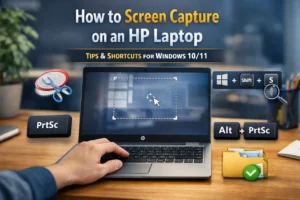
Learn how to screen capture on an HP laptop using PrtSc, Windows + Shift + S, and the Snipping Tool—plus where screenshots save and how to fix issues.
Got screen bleeding on your laptop? Learn 5 simple fixes, from settings to panel swaps, in our friendly guide. Learn more!
Connect AirPods to laptop in minutes! We show you how to pair, adjust settings, & solve problems.
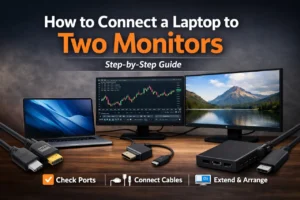
Connect a laptop to two monitors with the right cables or dock, then set Extend and arrange screens. Includes fixes for “no signal,” 30Hz, and detection.
Choosing between Dell and HP? This guide compares build quality, performance, displays, battery life, gaming, and support—so you pick the best fit.
Is your computer due for replacement? Learn the 3-5 yr rule, spot warning signs, & boost longevity.
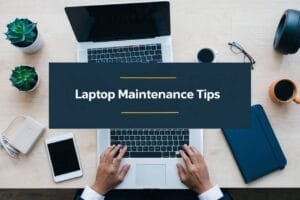
Keep your laptop running like new with our laptop maintenance tips. Simple steps for cleaning, updates, and more.

Confused about laptop specifications? Our guide breaks down essential specs like CPU, RAM, and storage to help you make an informed choice!

Discover how to right click on a laptop! From two-finger taps to Mac shortcuts, this guide has you covered. Dive in!

Discover if Balanced Mode is the best choice for your AMD UXTX laptop. Boost performance and battery life—click to learn more!

Discover how undervolting can reduce temperatures in gaming laptops, boost performance, and extend battery life. Learn more in our detailed guide!

Discover if turning off Turbo Boost on an AMD laptop affects performance and efficiency. Click to learn more!
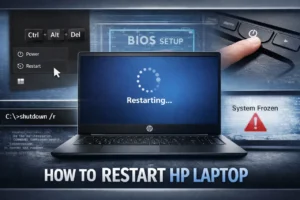
Learn how to restart HP laptop safely—Start menu, Ctrl+Alt+Del, Alt+F4, Command Prompt, and what to do when your screen freezes or won’t boot.

Learn how to remove Farmbay from your laptop effortlessly. Follow our step-by-step guide to ensure your system runs smoothly and securely.
Troubleshoot Common Laptop Issues! Is your laptop acting up? Fix it yourself with our easy step-by-step guide. Click to learn more.
Find the best desktop computer configuration for your needs. From gaming to productivity, get top picks and tips!
Acer tends to offer stronger specs for the price, while HP often delivers sturdier build quality and better support. Choose based on your budget and daily use.